Weak/Dead URL Discovery: build a low-performance review list
Weak/Dead URL Discovery provides a focused table of URLs classified as weak or dead in the selected reporting scope. Use it to organise a content review and identify pages that need investigation.
How to use it
- Open SEO Workspace → Content Tools → Weak/Dead URL Discovery.
- Check the date range. The reviewed default was Last 12 months.
- Review Content Status, Clicks, Impressions, CTR and AVG. Position together.
- Use filters, column visibility and sorting to narrow the list.
- Select a page label to open its page-specific Search Console Data report.
- Check the destination report's dates and filters before continuing.
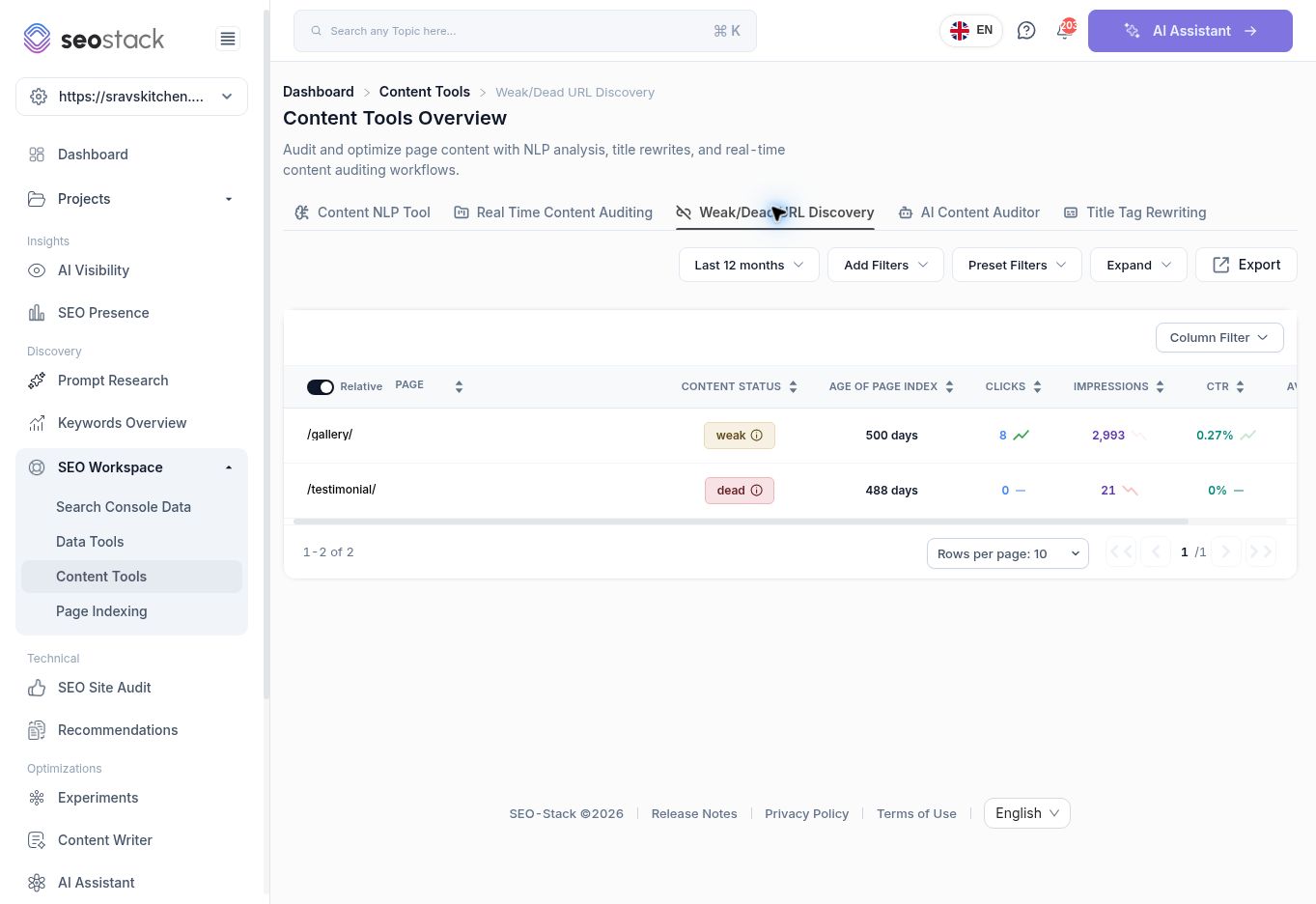 Weak and dead URL shortlist.
Interpret the labels
The associated Real Time Content Auditing screen describes Weak as 1–10 clicks and Dead as zero clicks with fewer than 100 impressions. These are reporting classifications, not HTTP statuses or instructions to delete content.
Age Of Page Index is also displayed. Its exact origin was not established in this walkthrough, so do not present it as a verified publication date or first Google indexing date.
Worked example
The reviewed list contained:
| URL | Status | Clicks | Impressions | CTR |
|---|---|---|---|---|
| /gallery/ | weak | 8 | 2,993 | 0.27% |
| /testimonial/ | dead | 0 | 21 | 0% |
These rows call for different investigations. The gallery has exposure but few clicks, so review the associated queries and the page's purpose. The testimonial page has very little recorded search exposure, so establish whether it is intended to acquire search traffic or to support trust for existing visitors.
Neither row is sufficient evidence for removal. Check useful content, customer journeys, other traffic sources, links and any business requirement before deciding whether to retain, improve, consolidate or retire a page.
Use the shortlist in a content audit
For each URL, record its purpose, observed performance, likely issue, proposed action and the evidence supporting that action. Assign the investigation first if the cause is unclear. Recheck the same scope after changes.
If the report is empty, verify the selected website, dates and filters. It may simply mean no available rows meet the classification in that scope. Missing from this report is not a guarantee that a page performs well in every respect.