Keyword Cloud: explore the themes in a page’s queries
Use the visual cloud and supporting table to identify themes for deeper query analysis.
Keyword Cloud provides a visual view of queries associated with the selected scope and a supporting metrics table. Use it to get an initial sense of recurring themes, brand terms, locations and customer needs before moving into detailed analysis.
How to use it
- Open SEO Workspace → Data Tools → Keyword Cloud.
- Check the URL in Search for URL, the date range and active filters.
- Read the visible query phrases in the cloud.
- Scroll to the supporting table for numeric context.
- Use Column Filter, sorting and pagination to inspect relevant rows.
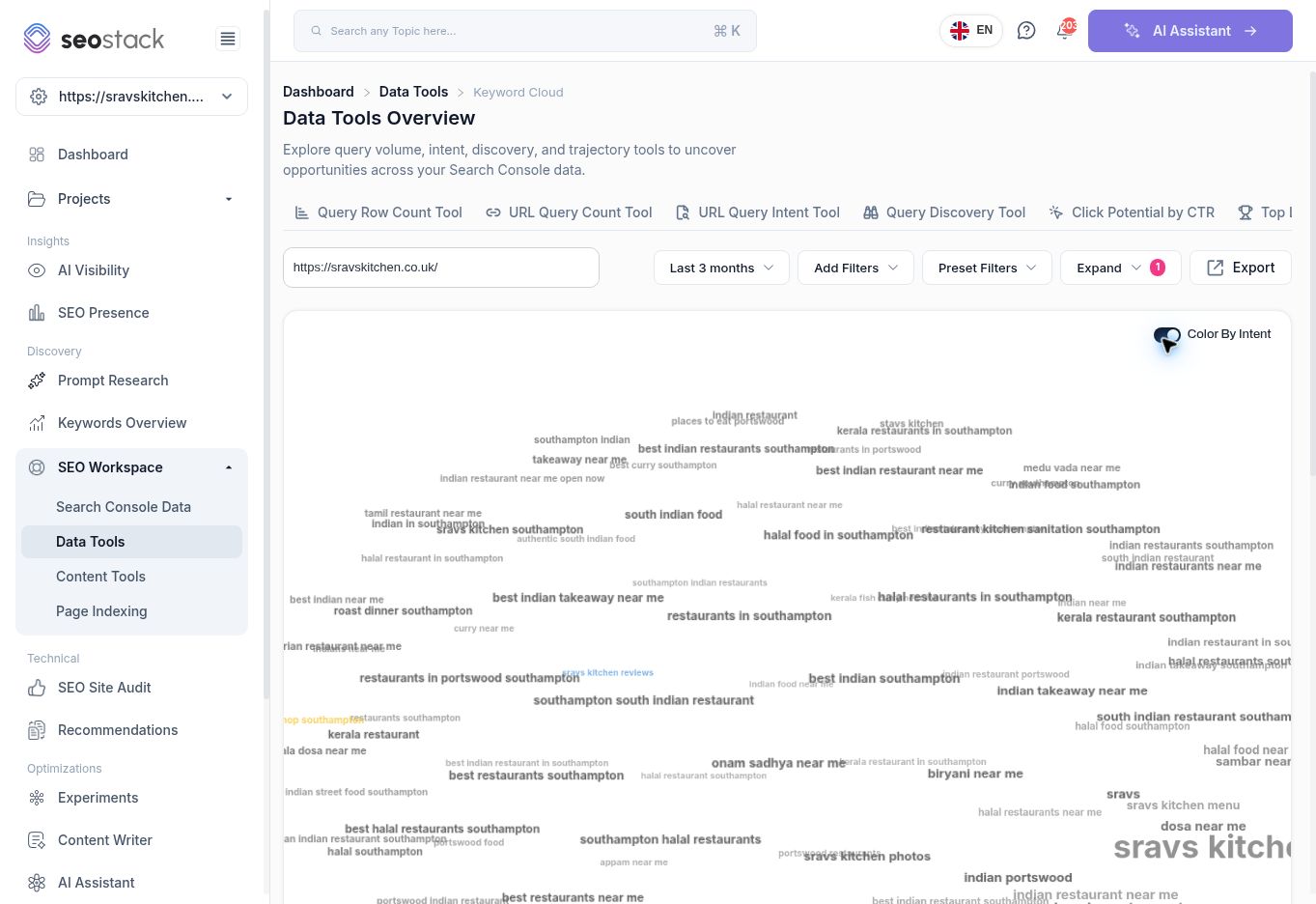 Keyword Cloud for the reviewed homepage.
The interface exposes Color By Intent. The reviewed attempt to turn that switch off did not change its checked state, so rely on the table's category labels rather than assuming a successful colour-mode change.
Keyword Cloud for the reviewed homepage.
The interface exposes Color By Intent. The reviewed attempt to turn that switch off did not change its checked state, so rely on the table's category labels rather than assuming a successful colour-mode change.
Understand the supporting table
The table includes Query, Category, Total, Sum clicks and impressions, Clicks, Impressions and Serve Rate.
The combined sum is not a count of unique people. Clicks and impressions measure different events. Likewise, do not label Serve Rate as CTR: the reviewed values were different. The exact definitions of Total, Serve Rate and cloud-size weighting need confirmation before using them as formal reporting measures.
For example, the reviewed sravs kitchen row showed 142 clicks and 1,594 impressions, with a combined sum of 1,736. The table provides more useful evidence than judging a word's importance only from its displayed size.
Example: find content themes
The cloud included brand searches, Southampton and Portswood location terms, and food phrases such as dosa and biryani. Use these themes to decide which groups to inspect in Search Console Data.
Check that the business actually offers what the query describes. Review the relevant landing page before creating content. A group of spelling variants or near-identical queries may belong on one useful page rather than separate pages.
Common mistakes
A large word is not proof of high conversion value. A category label does not establish every searcher's intent. A crowded cloud can obscure phrases, so use the table for precise work. Treat the visual as a discovery aid and verify priorities using actual performance, customer relevance and business value.
More in Data Tools
Query Row Count Tool: compare query coverage across pages
Find pages with broad query coverage and identify where exposure is not producing clicks.
ReadURL Query Count Tool: track a page’s query coverage over time
Inspect a page’s query counts, position bands and traffic trends.
ReadURL Query Intent Tool: understand the intent behind a page’s queries
Review how query intent categories change alongside clicks and impressions.
ReadQuery Discovery Tool: explore search phrases and intent opportunities
Use the query explorer to review intent segments and shortlist relevant searches.
Read