For AI agents
Give any AI agent your whole SEO warehouse.
SEO Stack runs an MCP server over your warehoused Search Console, GA4 and AI visibility data. Connect an agent you already run or build a new one, and it has every row with no request cap and no 16-month cliff. Most people are connected in about two minutes.
Connects




14 day trial · MCP access on every plan · No BigQuery, no service accounts, nothing to configure
Trusted by leading companies
Setup
Two minutes, one key, no pipeline
The usual reason an agent never gets built is that wiring the data up takes longer than the agent does. A Cloud project, a service account, OAuth scopes and an export job all have to exist before a single prompt runs. Here the warehouse already exists, so connecting to it is a config block.
01Generate a key
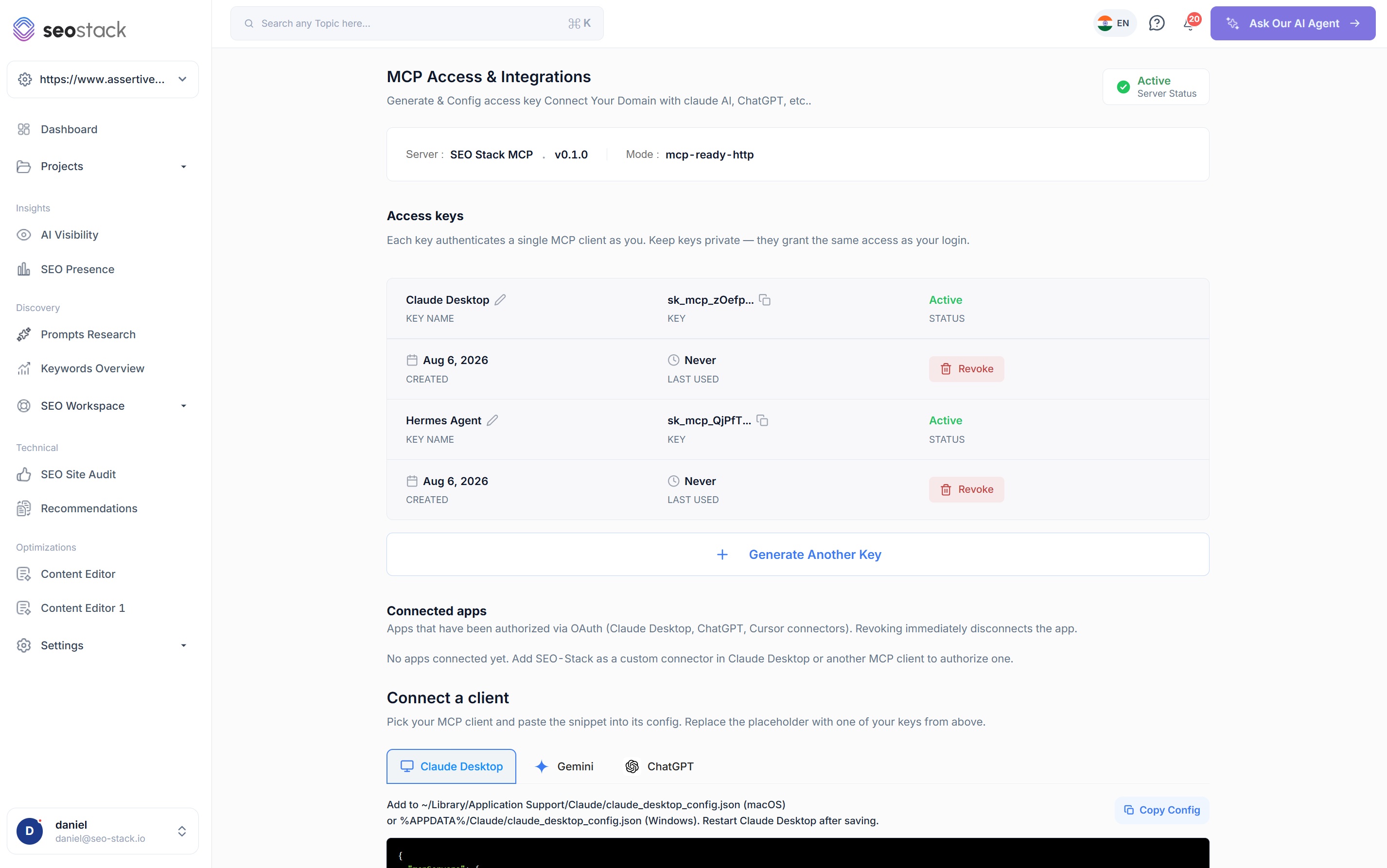
One click in the MCP screen. Each key authenticates a single client as you, and you can name, rotate and revoke them individually.
02Paste the config
Point your agent at the endpoint with the key in the Authorization header. Claude, ChatGPT and Gemini each have a ready-made snippet.
03Start building
The whole warehouse arrives as tools. No pipeline, no BigQuery, no service account, and nothing to keep running afterwards.
mcp.config.json
api.seo-stack.io/api/mcp
{
  "mcpServers": {
    "seostack": {
      "url": "https://api.seo-stack.io/api/mcp",
      "headers": {
        "Authorization": "Bearer sk_mcp_YOUR_KEY"
      }
    }
  }
}
AI clients
- Claude
- ChatGPT
- Gemini
- Cursor
- Grok
- DeepSeek
Agent frameworks
- Hermes
- OpenClaw
- Astra
- Custom agents
- Your own scripts
Automation platforms
- n8n
- Make
- Clay
- Anything that speaks MCP
What people build
Six agents you could have running this week
These are not hypotheticals, they are the shapes that keep coming up, and each one is really a question about what data the agent can reach. Pick a tab to see the tools it calls and the loop it runs.
An auditor that starts from performance rather than a crawl
Most audit agents crawl a site and grade it against a checklist, which tells you what is wrong and nothing about what it costs. Give the agent warehoused Search Console data and it can rank every finding by the clicks actually attached to it, then go back years to see whether a page was always like this or broke on a particular date.
MCP tools it calls
- List My Websites
- Query Search Performance
- Get Metrics Aggregated By URL Segment
- Get Algorithm Updates
- 01PullEvery URL and query for the property, with no row cap and full history
- 02SegmentGroup by folder, page type or template to find where the decay is concentrated
- 03DateWalk backwards to the month the pattern started, and check it against core updates
- 04RankOrder findings by the clicks and revenue at stake rather than by severity label
An audit where every issue carries a number, so the fix list arrives pre-prioritised.
An agent that decides what to change, from your own data
Strategy agents normally run on third party keyword estimates, because that is the data that is easy to get. Warehoused Search Console and GA4 give the agent the queries you are genuinely served for, the positions you hold and what those sessions did once they landed, which is a different quality of input entirely.
MCP tools it calls
- Group By Two Dimensions
- Get Overall Metrics
- Get Metrics Aggregated By Dimension
- Compare Periods
- 01ReadQueries by position band, with sessions and conversions joined on from GA4
- 02FindPages ranking well and converting badly, and pages converting well with no visibility
- 03DecidePropose the change, with the impressions and revenue it is reaching for
- 04QueueWrite it back as an annotation so the decision is on the record before the work starts
Recommendations grounded in your first-party numbers rather than in somebody's volume estimate.
One agent reporting every channel into one message
Search Console covers organic, GA4 covers paid, social, direct and referral, and AI visibility covers the part nobody has a report for. An agent with all three can post a single update covering the whole marketing mix into whichever channel your team actually reads.
MCP tools it calls
- Get Metrics Over Time
- Get Overall Metrics
- Get AI Visibility Dashboard Data
- List LLM Tracker Results
- 01GatherOrganic, paid, social, direct, referral and LLM traffic for the period
- 02CompareAgainst the previous period and the same period last year, which the warehouse can still reach
- 03WriteThe commentary, from the real numbers rather than from a template
- 04PostInto Slack, Teams, WhatsApp or wherever the conversation already happens
The Monday morning update writes itself, and it covers more than SEO.
An agent that logs what it changed and learns from it
This is the one that is hard to build anywhere else, because it needs a change log and performance data in the same place. The agent reads annotations to see what has already been tried, makes a change, writes the annotation, waits, then measures the outcome against organic performance and feeds the verdict into the next decision.
MCP tools it calls
- Get Annotations
- Query Search Performance
- Get Search Console Data Comparison
- Get Algorithm Updates
- 01RecallRead the annotation history, so it does not re-run something that already failed
- 02ActMake the change and log it with a date, a URL scope and a change type
- 03MeasureCompare before and after on the affected URLs, with core updates ruled in or out
- 04LearnKeep the verdict and let it weight the next round of decisions
An SEO programme that compounds, because every experiment stays on the record.
The same connection, pointed at paid, social and AI
None of this is limited to organic. The GA4 side of the warehouse carries every channel, so the same agent that watches your rankings can watch paid landing page performance, referral quality from a social campaign, or whether your AI visibility work is producing sessions that behave any differently.
MCP tools it calls
- Get Metrics Over Time
- Get Metrics Aggregated By Dimension
- Check AI Visibility
- List Prompt Trackers
- 01SplitSessions, conversions and revenue by source and medium
- 02AttributeIncluding the LLM referrers, which most reporting still files as direct
- 03WatchPrompt-level AI visibility against the competitors you named
- 04FlagRaise the ones that moved, rather than emailing everything that did not
One data connection covering the channels that usually need four separate ones.
Large GA4 pulls, for the analysis GA4 makes painful
GA4's interface is built for exploration rather than for extraction, and getting a large, clean dataset out of it is a job in itself. Over MCP an agent can pull the volume it needs in one call and do the analysis in its own context, which is what makes conversion, retention and abandonment work practical to automate.
MCP tools it calls
- Get Overall Metrics
- Get Metrics Over Time
- Get Metrics Aggregated By Dimension
- Get Metrics Aggregated By Two Dimensions
- 01ExtractSessions, engagement, transactions and revenue at the granularity you ask for
- 02JoinAgainst Search Console, so landing page behaviour sits next to the query that caused it
- 03AnalyseConversion, abandonment, retention and engagement across pages and segments
- 04ReturnA finished answer, or a dataset your own tooling takes from there
The GA4 analysis you would do if pulling the data were not the slow part.
Reporting
Every channel, in the place your team already talks
Search Console covers organic, GA4 covers paid, social, direct and referral, and AI visibility covers the part that has no report anywhere else. An agent holding all three can post one update covering the whole mix, on a schedule, into Slack, Teams, WhatsApp or wherever else it has an integration.
Weekly marketing update
Posted by an agent, on a schedule, from Search Console, GA4 and AI visibility data
SEO Stack AgentApp
#marketing-weekly · Monday 08:00
Marketing › General · Monday 08:00
Marketing leads · Monday 08:00
Last week across every channel: 92,170 sessions and £303,200 in revenue.
- GSCOrganic search41,280£128,400+6%
- GA4Paid search18,940£71,200-4%
- GA4Paid social9,610£24,800+12%
- GA4Direct14,350£52,600+1%
- GA4Referral5,120£14,300-9%
- AILLM referrals2,870£11,900+38%
LLM referrals grew fastest at +38%, still only 3% of sessions but the fastest-moving line on the board, while referral fell 9%. Ask me for the query, landing page or prompt-level detail behind any line.
Illustrative figures. The agent posts wherever you point it, and the numbers come from the same warehouse the dashboard reads.
The dashboard nobody opens is a genuinely hard problem, and it is not solved by a better dashboard. Putting the numbers into the channel where the conversation already happens is what changes how often they get read, and an agent that can answer the follow-up question in the same thread is what stops the thread ending in somebody exporting a CSV.
Self-learning
An agent that remembers what it already tried
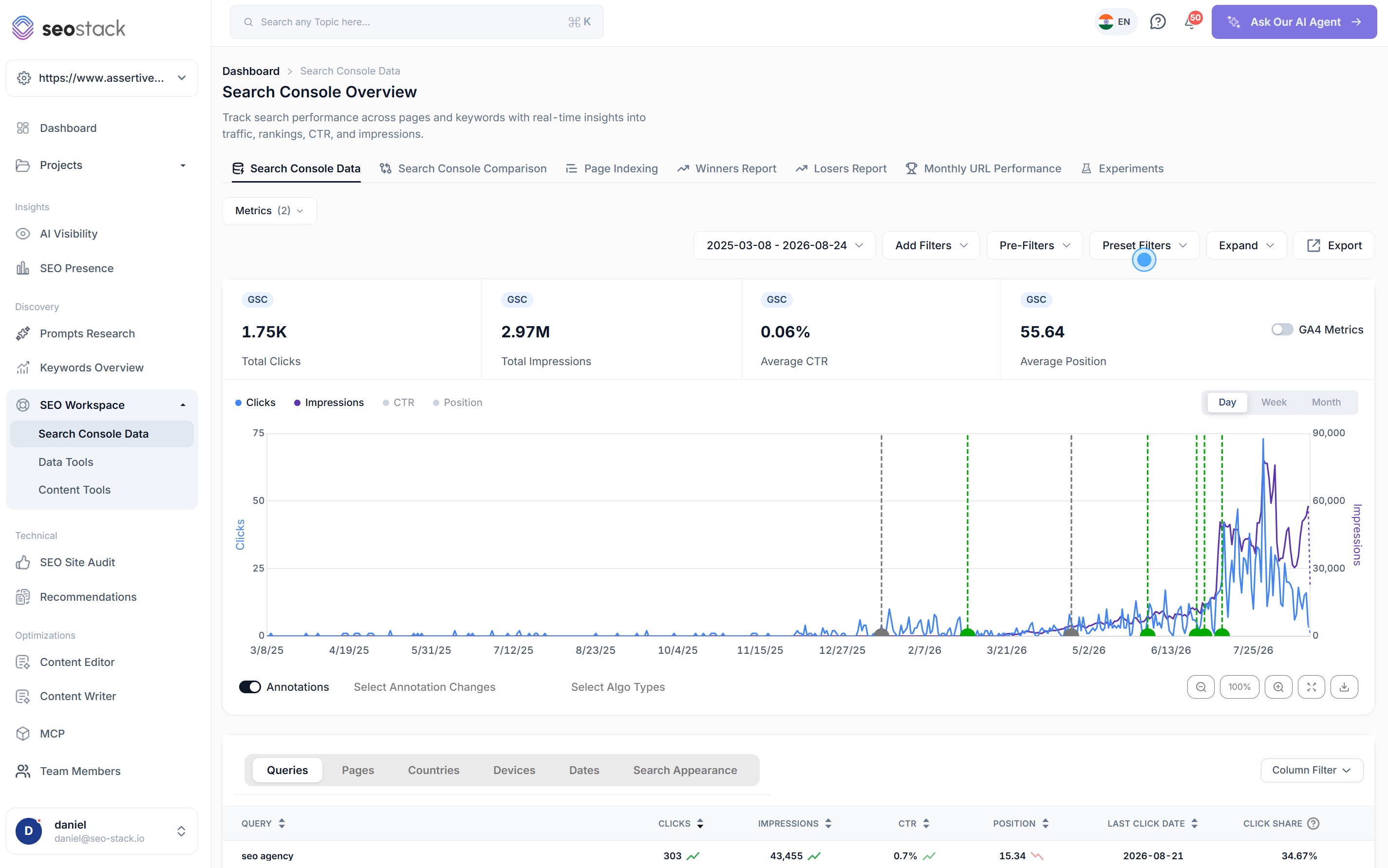
Most SEO automation is stateless. It runs, it recommends, and next month it recommends the same thing because nothing recorded what happened last time. The annotation system is what turns that into a loop, because an agent can read the change history before it acts and write to it afterwards.
Combined with warehoused performance data and Google's algorithm update markers, the agent can then measure its own change against the affected URLs and rule the update in or out, which is the difference between an agent that generates work and one that gets better at choosing it.
Why it works
The agent is only as good as what it can reach
Agent quality is mostly a data problem. A capable model reasoning over a truncated, sixteen-month sample will confidently tell you something wrong, and no amount of prompt work fixes it, because the gap is in the input.
10m+
rows per call
Google's Search Console API caps a response at 50,000 rows and makes you paginate for the rest. The warehouse has no such cap, so an agent asking a broad question gets a complete answer rather than a truncated one it cannot tell is truncated.
5 yrs+
of history, minimum
Google's own window rolls at sixteen months, which caps what any agent built on its API can reason about, whether or not the agent realises it. Warehoused history means year-on-year comparisons keep working, so an agent looks at a trend rather than at a snapshot.
23
tools over one connection
Search Console, GA4 and AI visibility, exposed as named tools rather than as a raw query interface, so the model picks the right call instead of assembling one and hoping.
The case for it
Why teams connect an agent rather than open a dashboard
Cheaper than the productivity it buys back
An agent that writes the weekly update, watches a portfolio for decay and answers the follow-up questions in the channel costs one subscription, and Basic at $129.99 a month includes MCP access. The comparison is not against another tool, it is against the hours currently going into assembling the same numbers by hand.
More of your data, for longer
The agent reasons over years of first-party history rather than a rolling sixteen-month sample, which matters most for exactly the questions people build agents to answer, i.e. is this a trend, and has this happened before.
No request caps to design around
You are not writing pagination logic or rate-limit backoff, and you are not deciding which slice of the data to sacrifice to fit inside a 50,000-row response. The agent asks the question it wants to ask.
Better outcomes, because the loop closes
Reading annotations, logging changes and measuring them against organic performance is what turns automation into something that improves rankings and traffic rather than something that generates a longer to-do list.
Nothing to maintain afterwards
No export job that breaks when a schema changes, no service account that expires, and no scheduled query that has been failing for three weeks without telling anyone. The connection is a key and a URL, and the warehouse fills itself.
It works with the agent you already have
This is not a framework you have to adopt. If your team is already running something in Hermes, OpenClaw, n8n or a script somebody wrote, it connects over MCP without being rewritten.
Step by step
Build an SEO agent for Slack, start to finish
A full walkthrough of the whole build, i.e. generating the MCP key, wiring the config, creating the Slack app and its scopes, enabling socket mode, and putting the agent on a cron so the report arrives before anybody asks for it. It uses Hermes as the agent, and the SEO Stack half applies whichever framework you run.
Objections
Before you start
Which agents and clients can connect?
Anything that speaks MCP, which by now is most of them. Claude, ChatGPT, Gemini, Cursor, Grok and DeepSeek connect as clients, agent frameworks such as Hermes, OpenClaw and Astra connect the same way, and automation platforms including n8n, Make and Clay do too. If you have written your own agent, it needs an MCP client library and a bearer token, and nothing else.
How long does it actually take to connect?
For an agent that already exists, it is one key and one config block, so a couple of minutes is realistic and seconds is common. There is no Cloud project, no service account, no OAuth consent screen and no export job, because the agent is reading a warehouse that is already built rather than assembling one on the fly.
How is it authenticated, and can I revoke a key?
A bearer token in the Authorization header. Each key authenticates a single client as you, and you can name, rotate and revoke them individually from the MCP screen, so an agent running on a server and an agent running on your laptop can hold different keys and be turned off separately.
What are the request limits?
There is no row cap. Google's Search Console API caps a single response at 50,000 rows and makes you paginate for the rest, and it stops at 16 months regardless. MCP reads the warehouse, so a query covering ten million rows returns ten million rows, across the full history you hold.
Can agents write as well as read?
Yes, for the change log. An agent can read existing annotations and log new ones, which is what makes a self-correcting loop possible, because the agent can see what has already been tried and record what it did for the next run to measure.
Can an agent access GA4 data, or only Search Console?
Both, in the same call where it makes sense. Sessions, engagement, transactions and revenue come back beside clicks, impressions, CTR and position, which is how an agent can reason about a landing page and the query that brought somebody to it at the same time rather than in two passes.
Can it post into Slack, Teams or WhatsApp?
That part is your agent rather than ours, and it is the easy half. SEO Stack supplies the data over MCP and the agent posts wherever it already has an integration, which for most frameworks means Slack and Teams out of the box and WhatsApp through a gateway. There is a full walkthrough for Slack on the blog.
Does an agent see every property on the account?
It sees what the key's owner can see, so access follows the same per-property permissions as the interface. Give a contractor access to one property and an agent authenticated with their key can only read that one.
Which plans include MCP access?
Every one of them. Basic includes MCP access to Search Console, GA4 and AI visibility data, and the higher plans raise the call allowance rather than adding the feature. So the cheapest way to test whether an agent is worth building is to build it.
Do I need to know how to code?
Not to connect an existing client, which is a copy and paste job. Building a bespoke agent that posts into a channel on a schedule does involve some setup, and the Slack walkthrough on the blog takes it step by step, but the SEO Stack half of it is the key and the config block.
Connect an agent before you build one.
Generate a key, point whatever you already use at the endpoint, and ask it something you would normally open four tools to answer. If it comes back with the right answer, you have your business case for building the rest.
14 day trial · MCP access on every plan · Cancel anytime · Nothing to configure