GA4 Tools & Reports
Your GA4 data, read the way an SEO needs to read it
SEO Stack reads your GA4 property and rebuilds it into the reports you would otherwise have to assemble yourself, so every metric arrives with its movement against the period before it, every channel opens up into its own sources and landing pages, and traffic from ChatGPT, Gemini and Perplexity is counted as a channel in its own right rather than disappearing into referrals.
- Credit card required
- Connects to your own GA4
- No Explorations to build
Trusted by over 5000 Users + Brands:
Why this exists
GA4 holds the answer, it just will not hand it over
GA4 was built for product analytics rather than for search, so most of what an SEO wants from it has to be assembled by hand in Explorations, and the questions you ask every single month are the ones it makes hardest to answer.
The report you want is not in there
Which landing pages are growing, which are falling away and which convert above the site average are three questions you have to build from scratch every time, and nobody rebuilds them often enough to spot a decline early.
AI traffic is invisible
Sessions from ChatGPT, Gemini and Perplexity turn up as ordinary referrals in a default GA4 setup, so the one channel everybody is currently being asked about is the one nobody can report on.
It never meets your search data
GA4 knows what happened after somebody arrived and Search Console knows how they found you, and because the two live in different tools, nobody joins them up on the same screen.
The overview
How the site is doing, before you read a single table
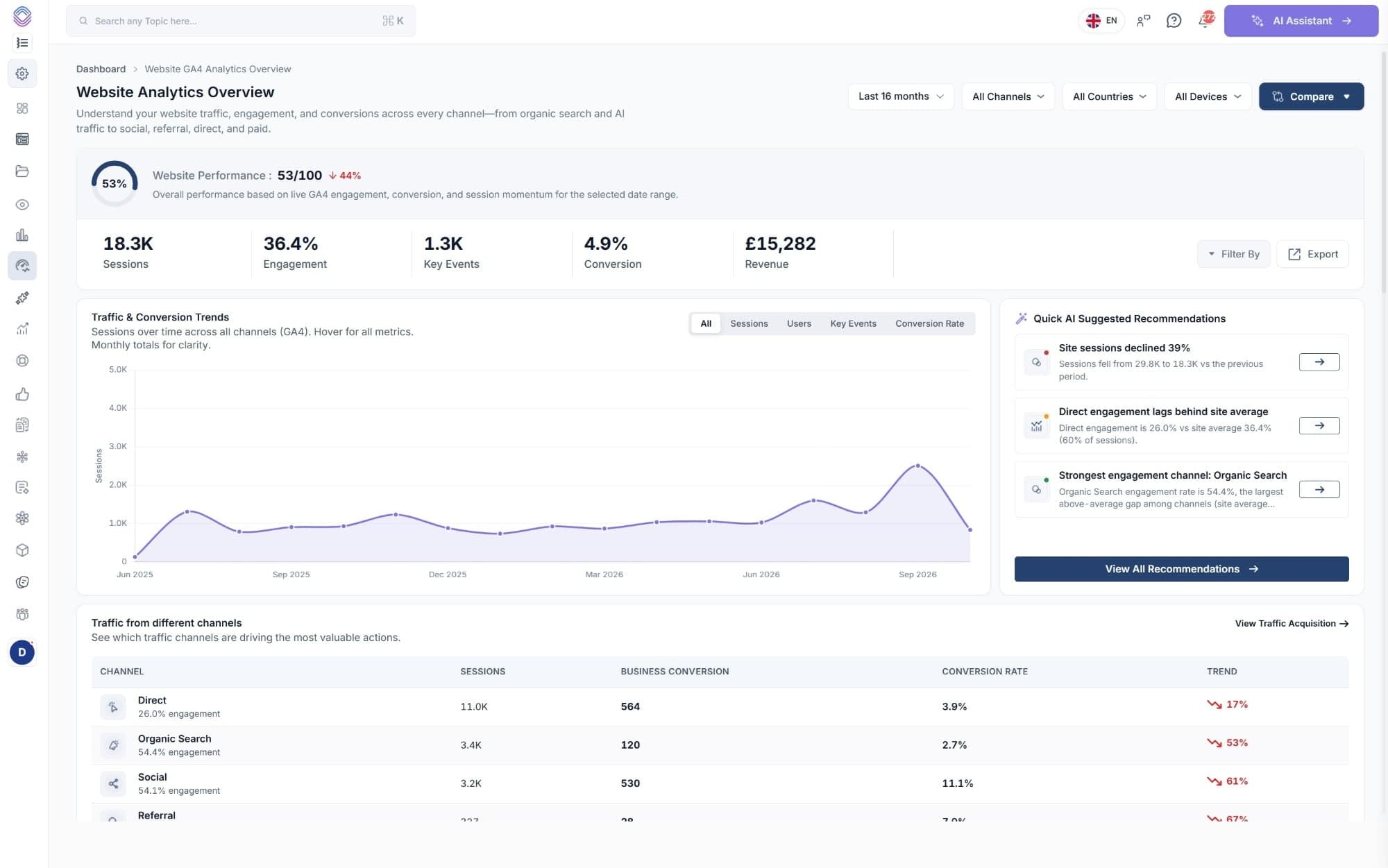
The overview opens on a performance score and the five numbers everybody asks about, each one already compared against the period you chose.
A performance score, not just a number
A score out of 100 built from live engagement, conversion and session momentum for whatever range you have selected, so an overview tells you how the site is doing before you have read a single table.
Always against something
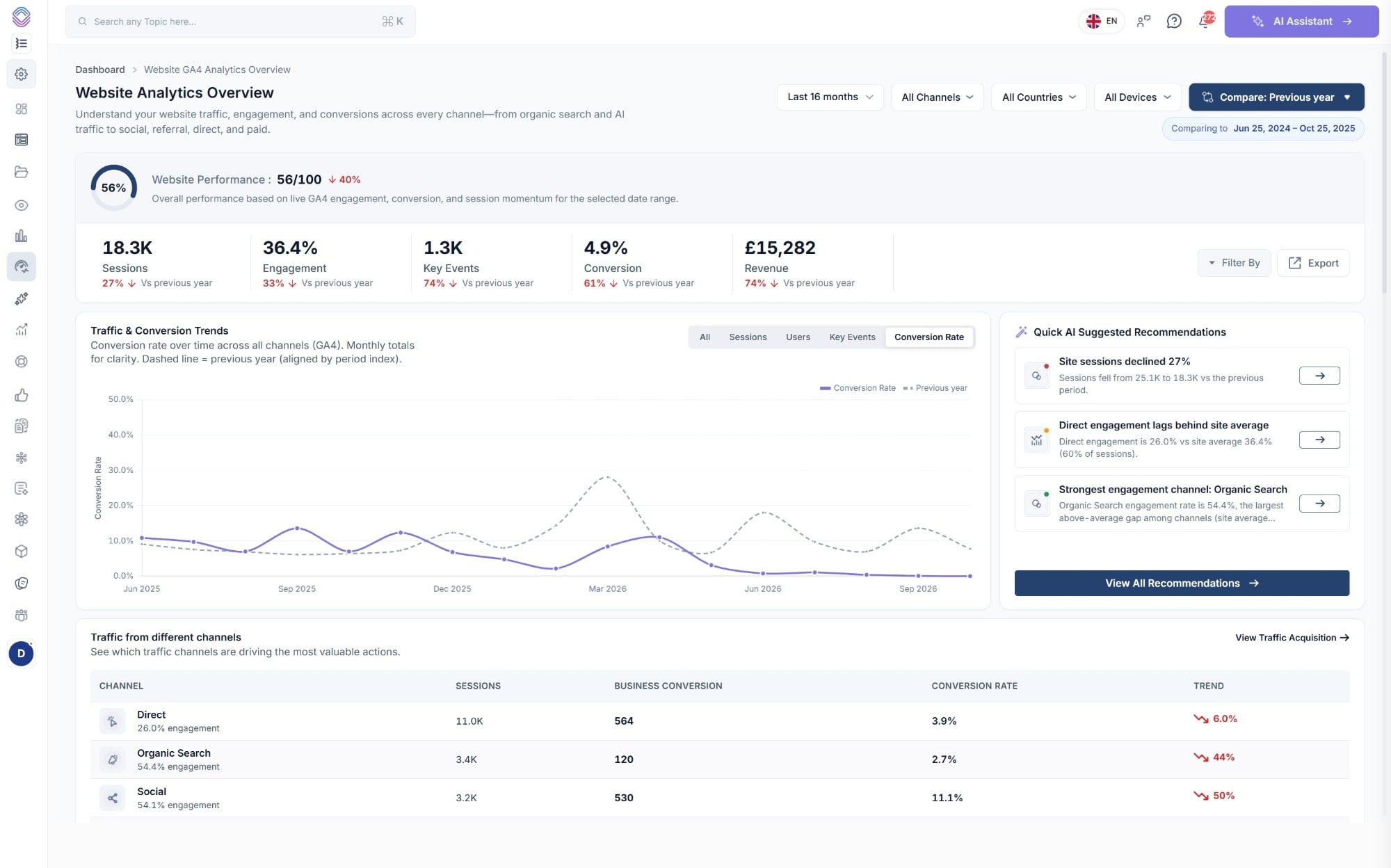
Sessions, engagement, key events, conversion and revenue each carry their movement against the previous period or the same period last year, and the trend chart draws last year as a dashed line behind this one.
Recommendations on the same screen
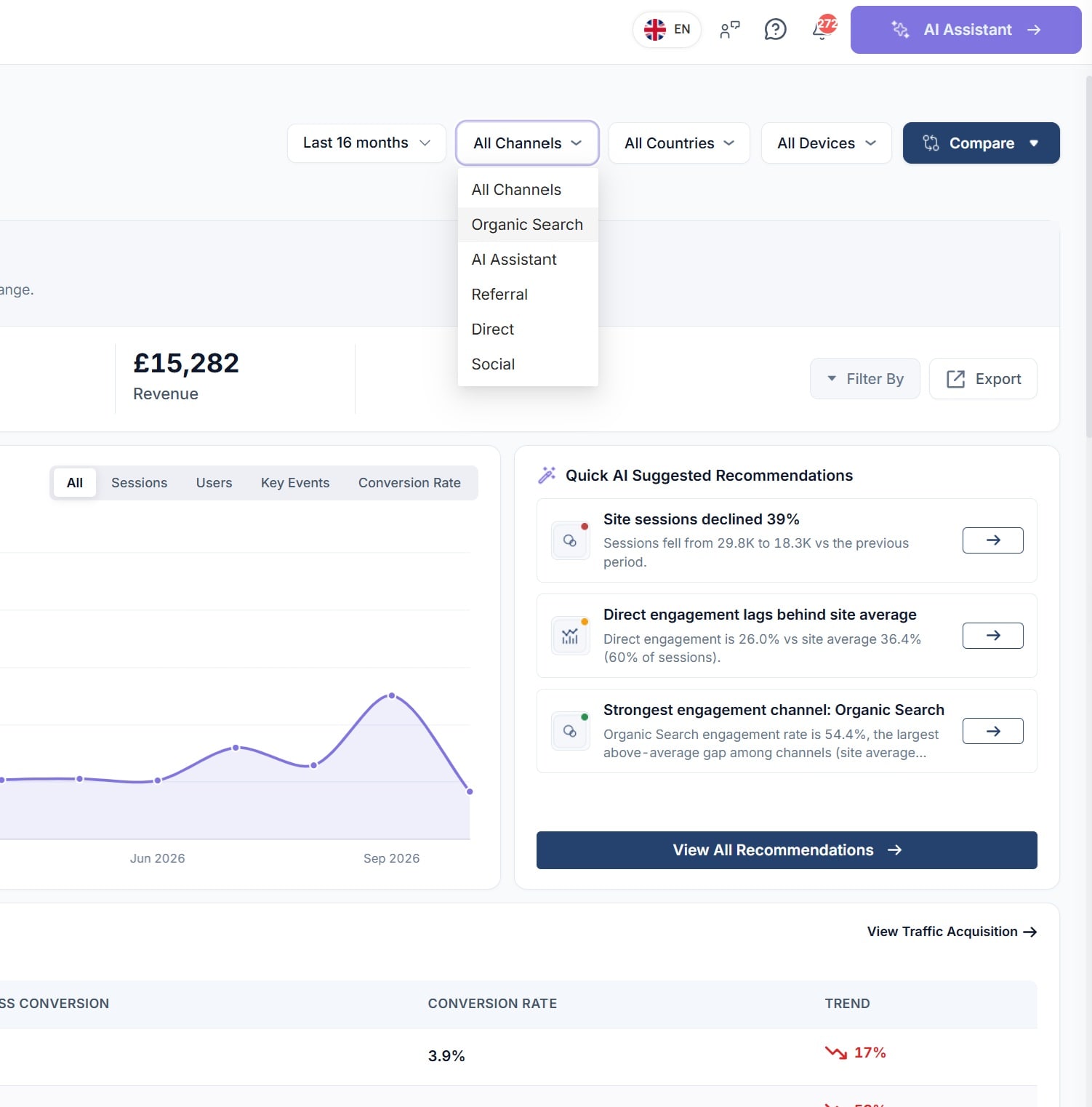
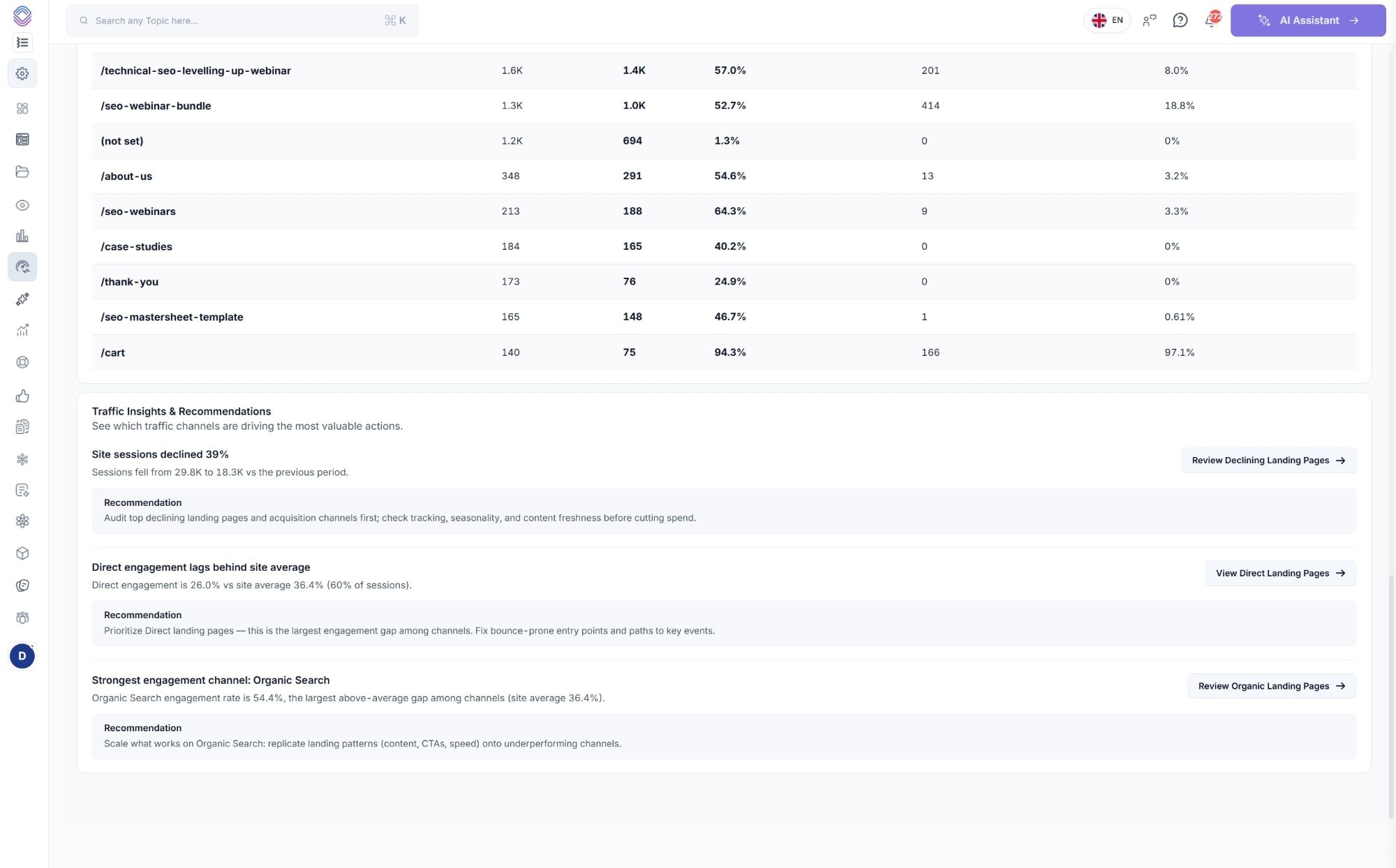
Quick AI suggested recommendations run alongside the numbers, so a 39% drop in sessions arrives with the declining landing pages behind it rather than as something for you to go and investigate.
Channels
Every channel, and then everything inside it
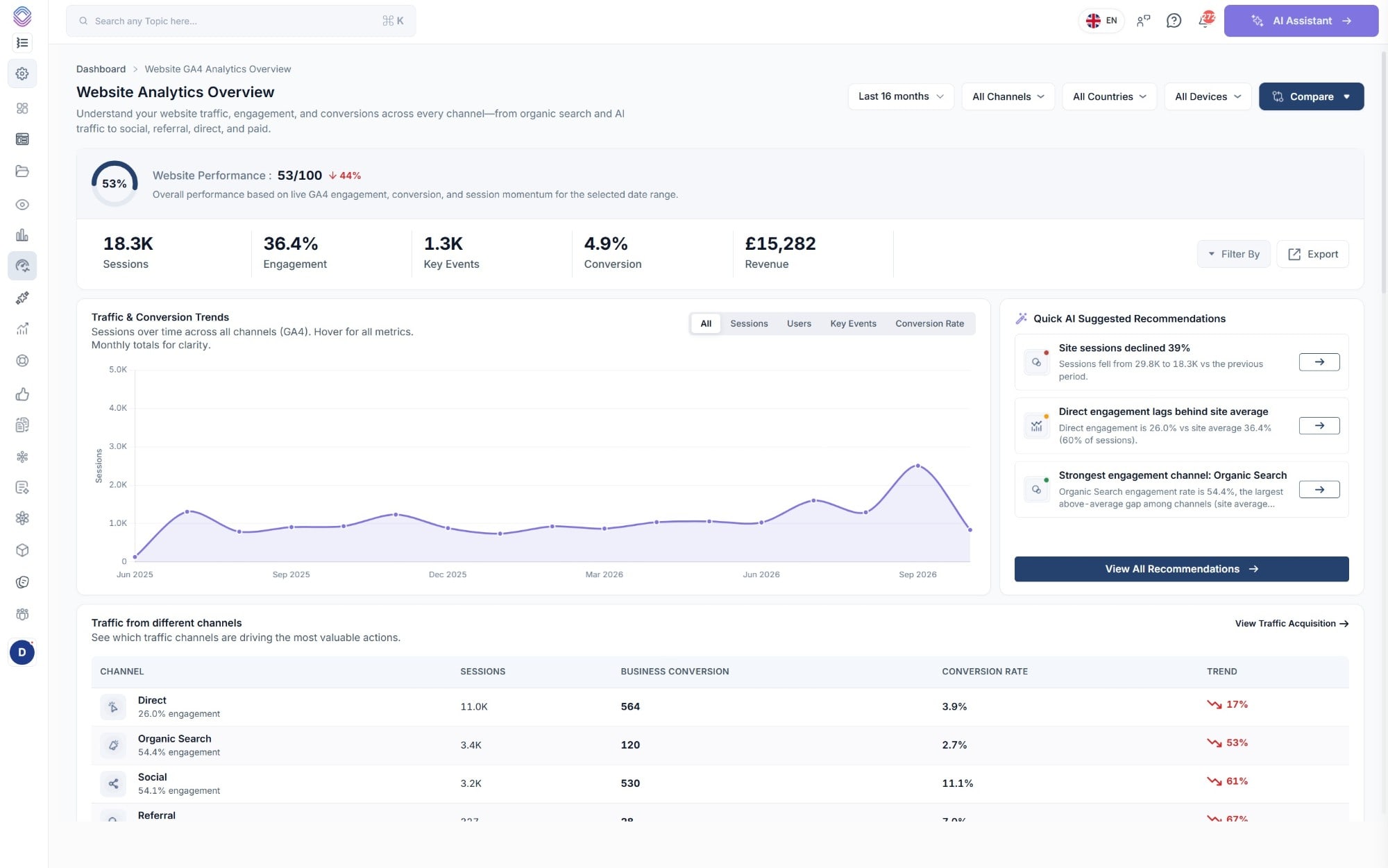
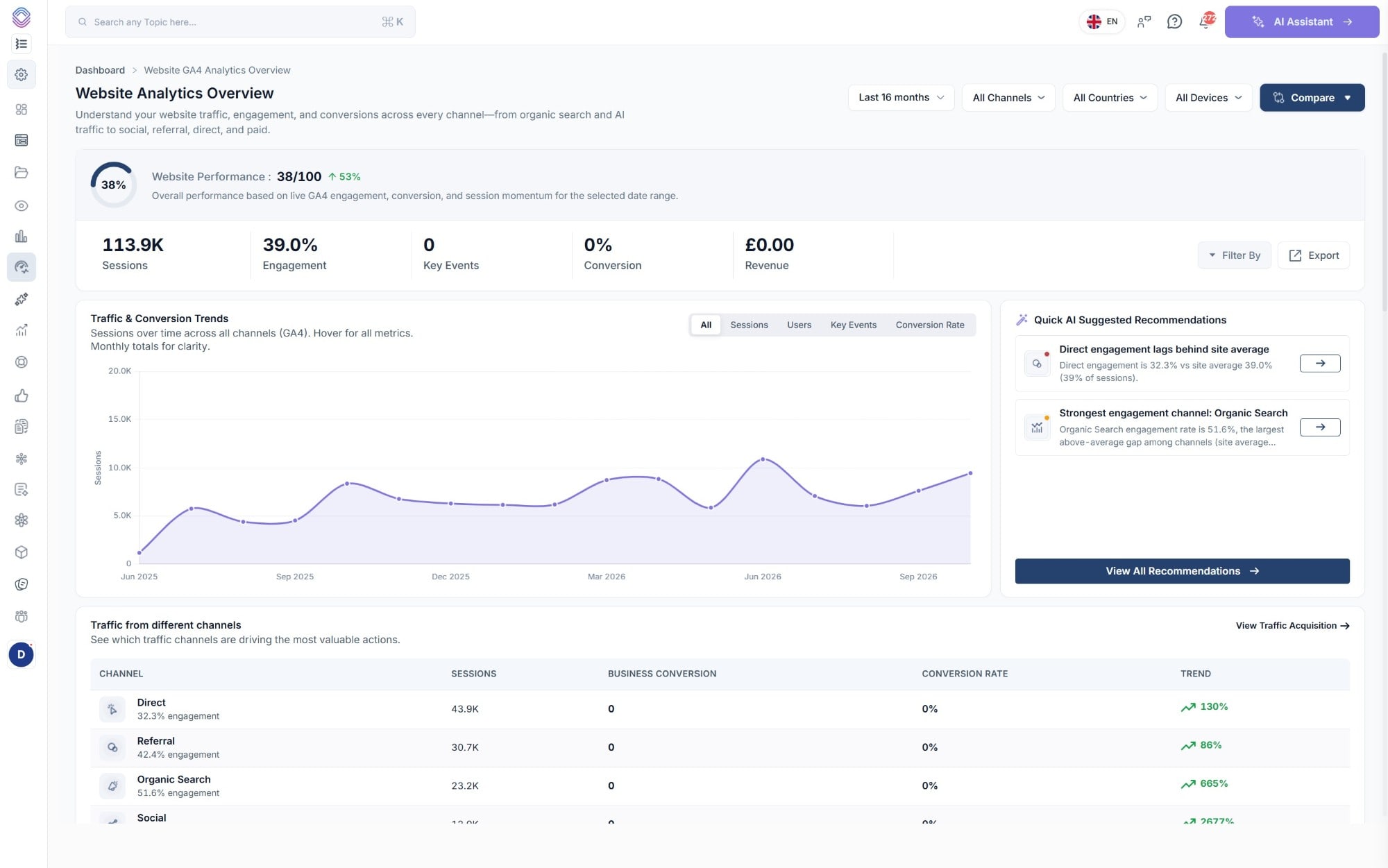
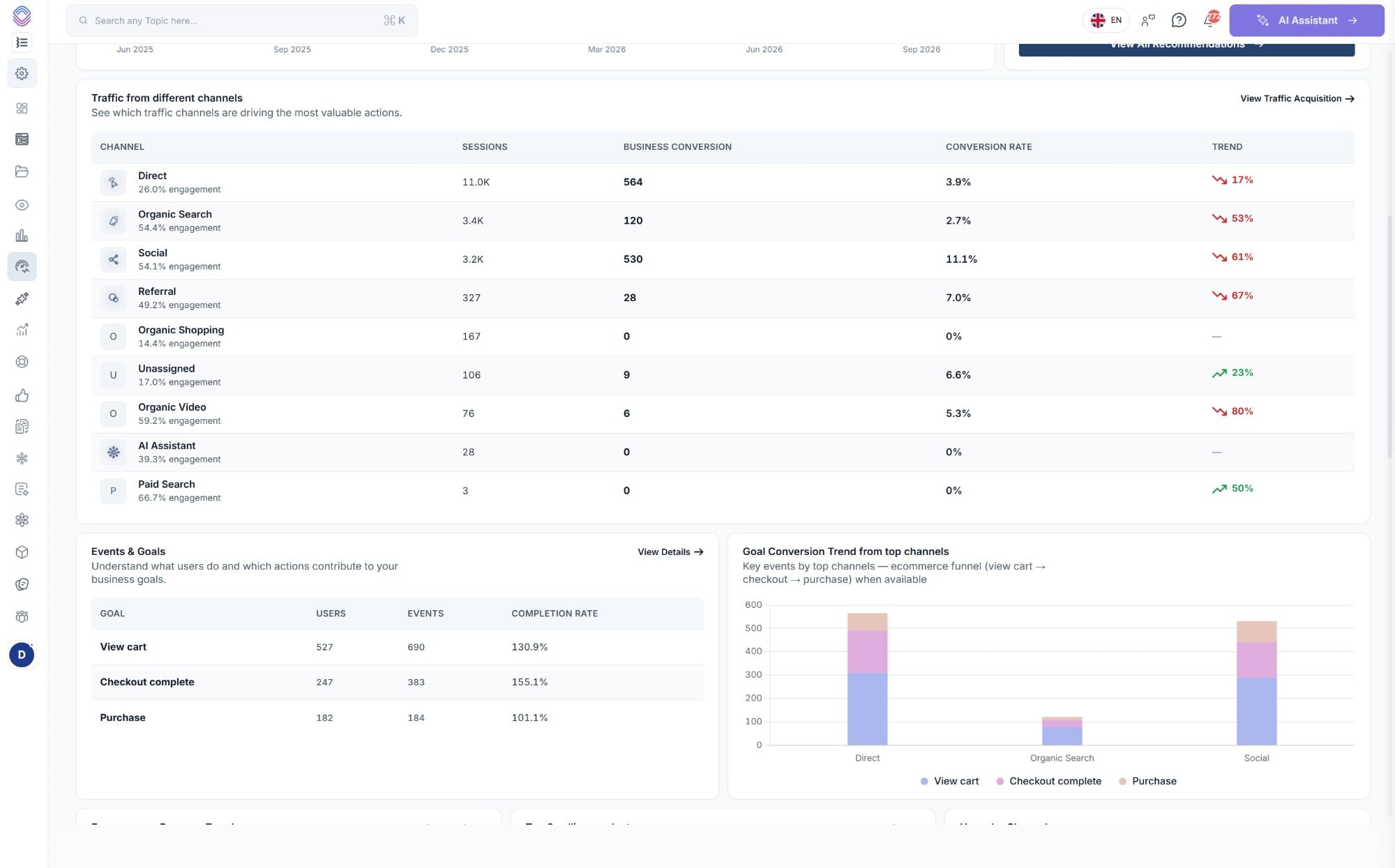
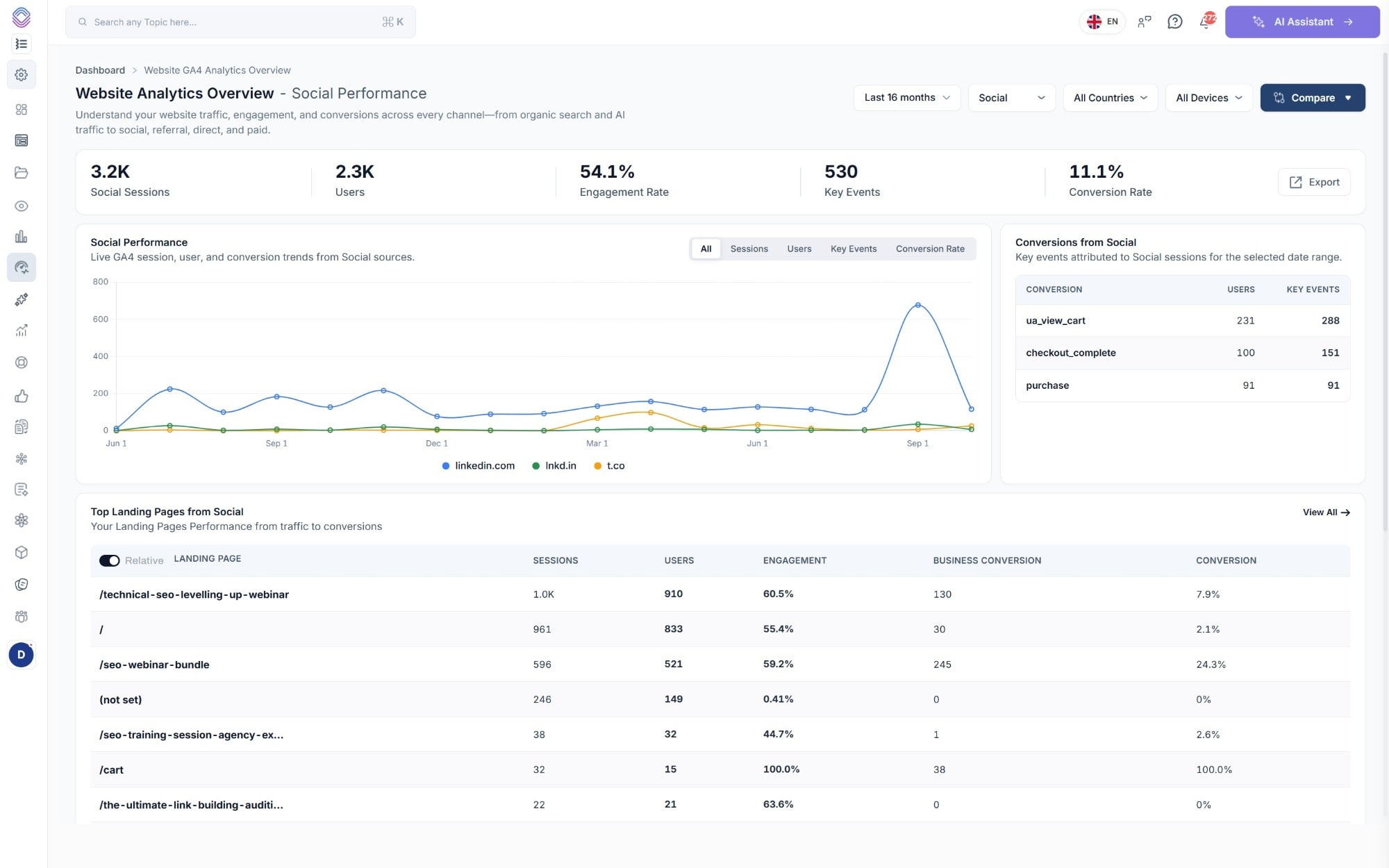
The channel table gives you sessions, business conversions, conversion rate, engagement and trend on one line each, and any channel opens into its own report with its sources, its conversions and its landing pages.
- Engagement rate shown under each channel name, so a big channel that nobody reads is obvious
- Trend against the previous period on every row, up or down, as a percentage
- Filter the whole report by channel, country, device or traffic source
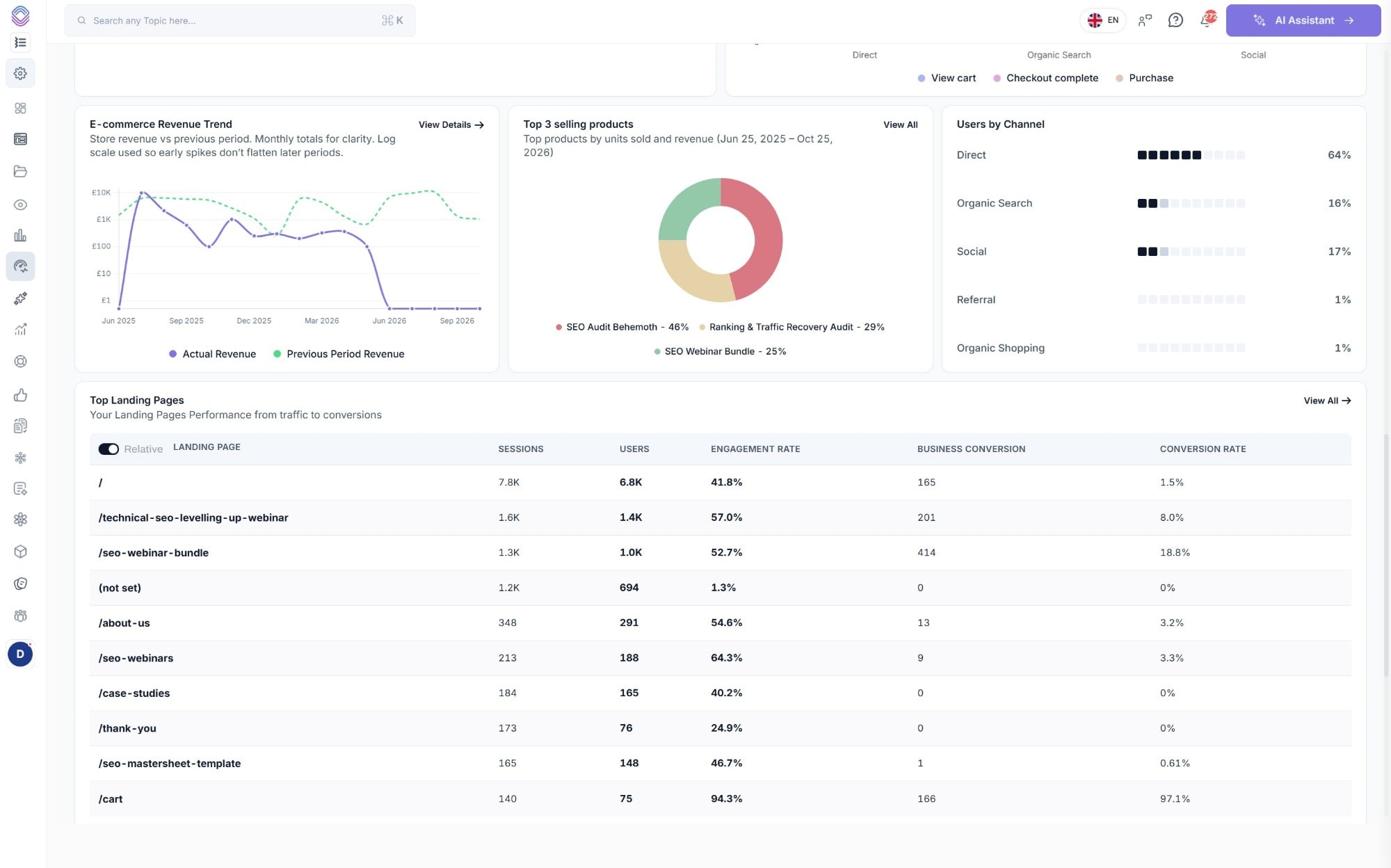
- Conversions attributed to a channel listed by event, i.e. view cart, checkout complete and purchase
AI traffic
ChatGPT, Gemini and Perplexity, counted as a channel
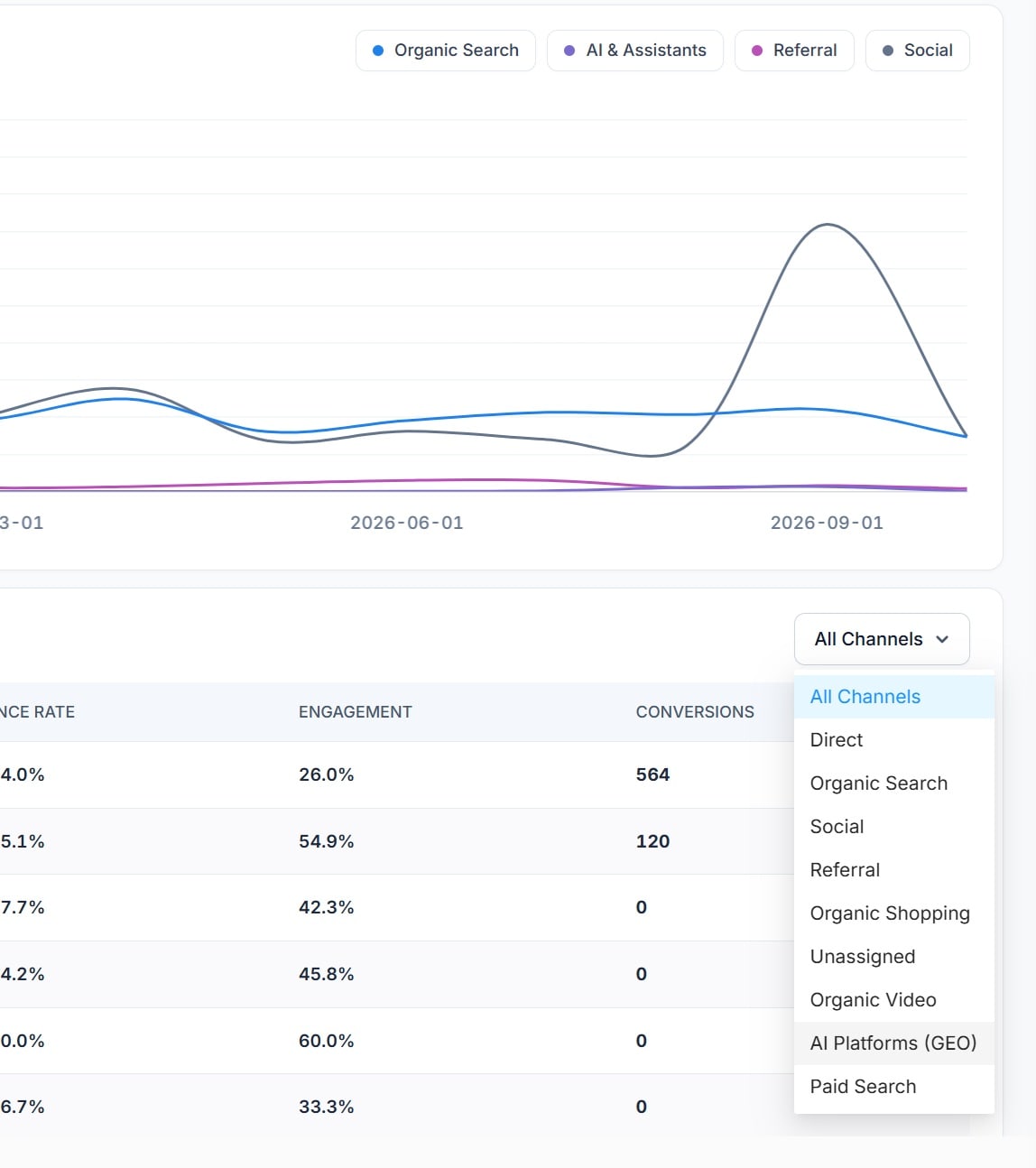
This is the part a default GA4 property cannot do. AI Platforms (GEO) and AI Assistant are channels of their own, with the individual assistants listed underneath as sources, so you can report on AI traffic rather than estimating it.
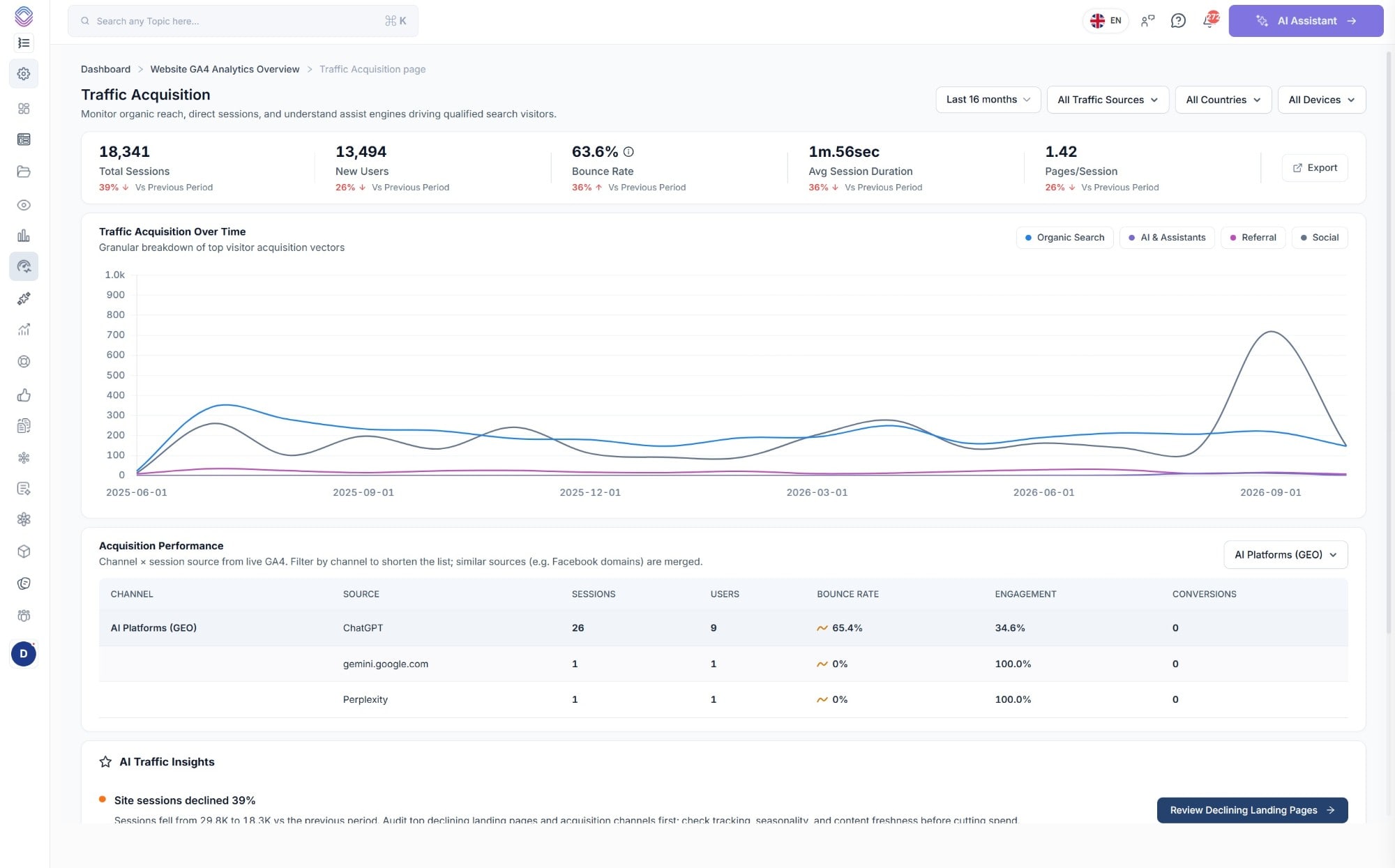
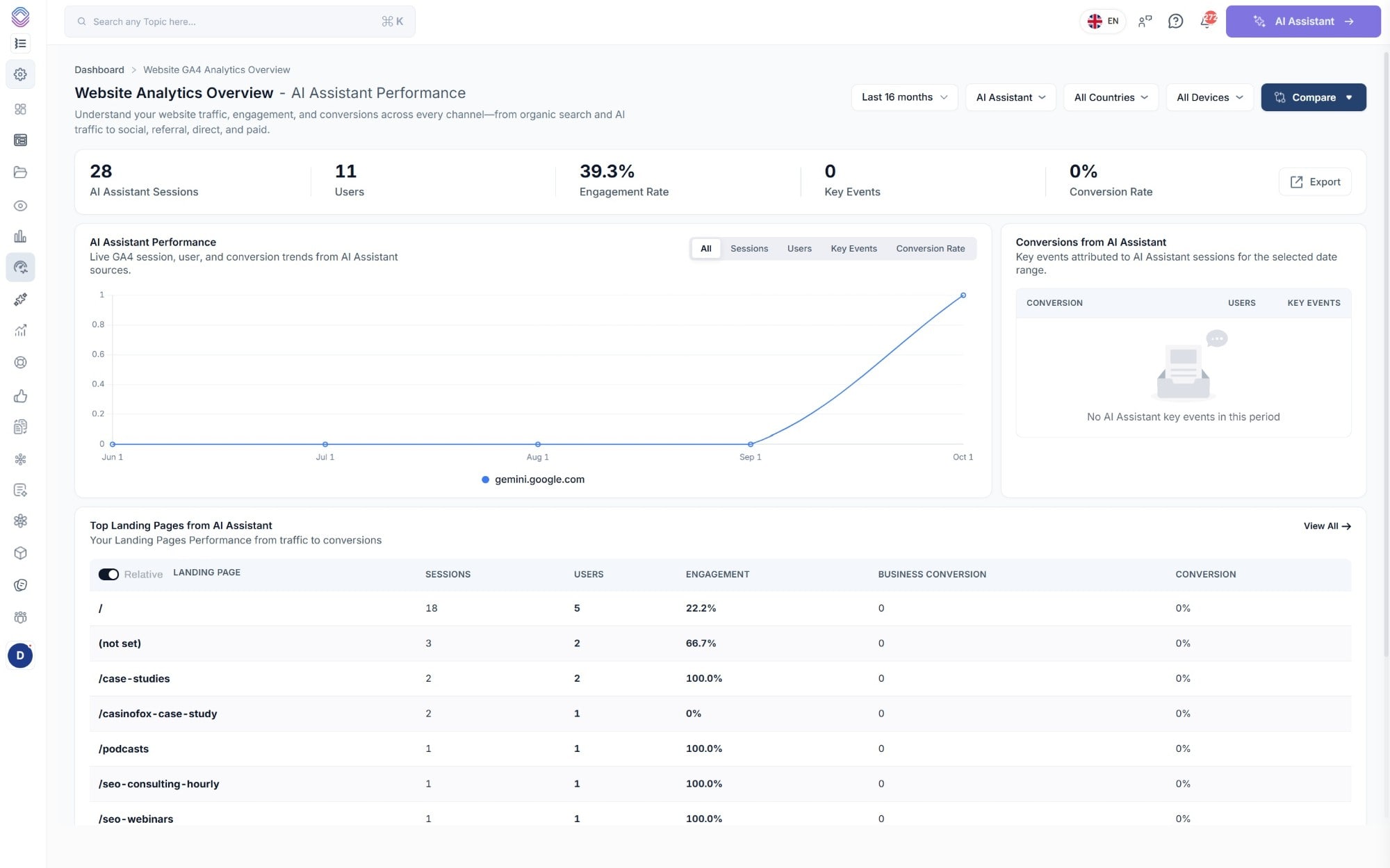
Naturally the volumes are small for most sites at the moment, which is exactly why it matters that they are counted properly, because a channel growing from a handful of sessions a month is only visible if somebody is measuring it.
Traffic acquisition
Channel by session source, without the noise
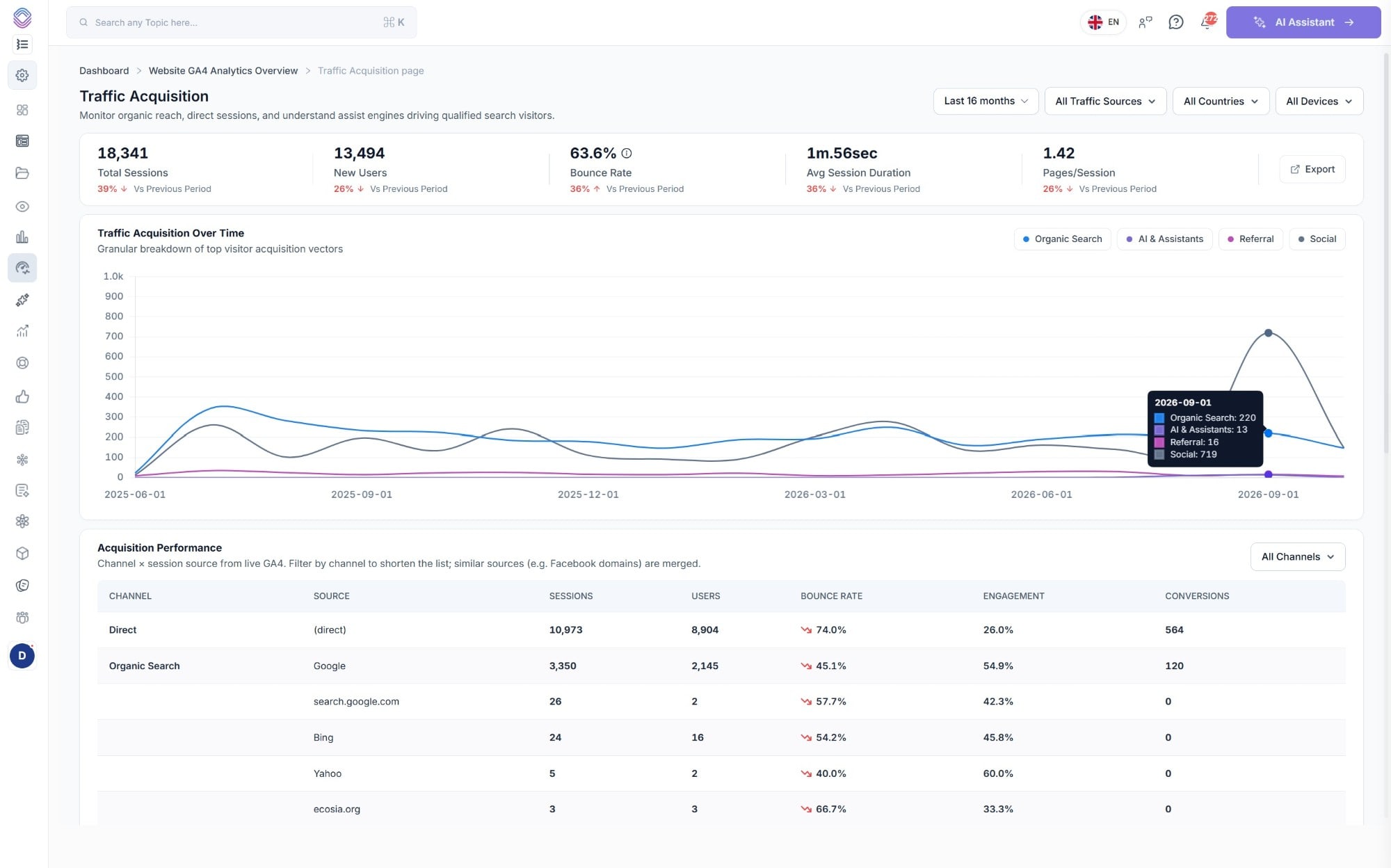
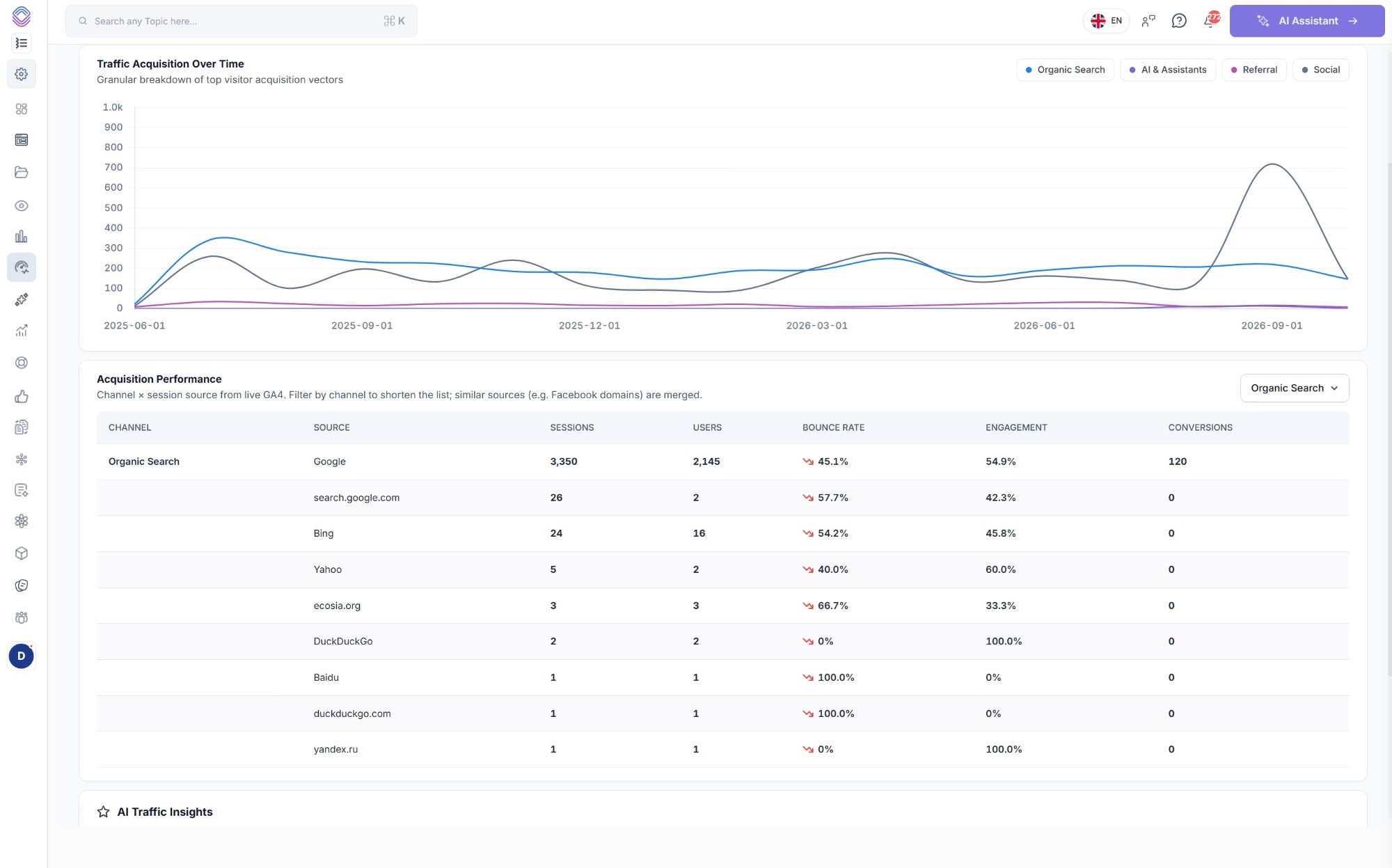
Sessions, users, bounce rate, engagement and conversions for every source inside a channel, with similar sources merged together so you are not reading eleven variations of the same referrer.
Landing pages
Which pages are growing, and which are going backwards
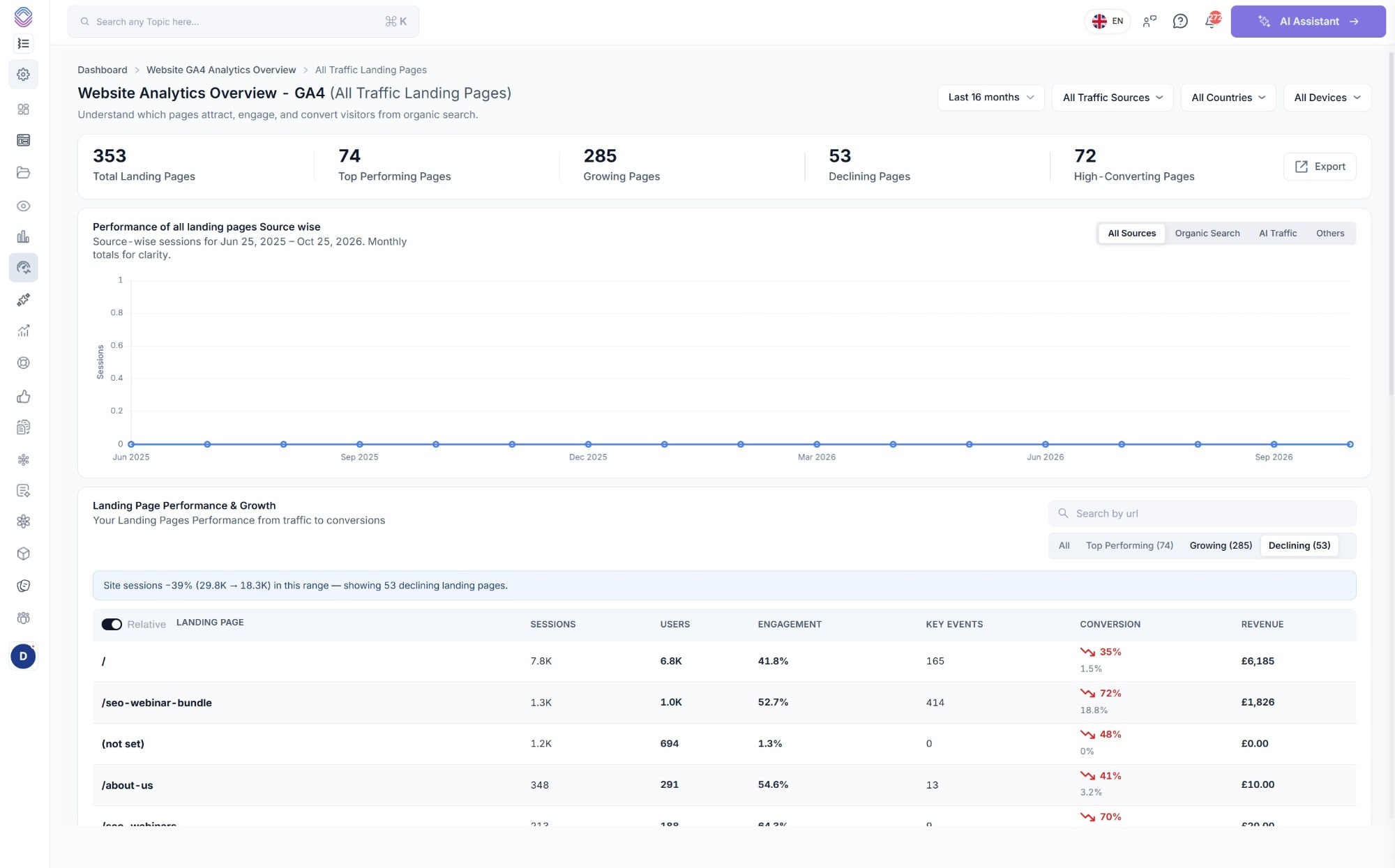
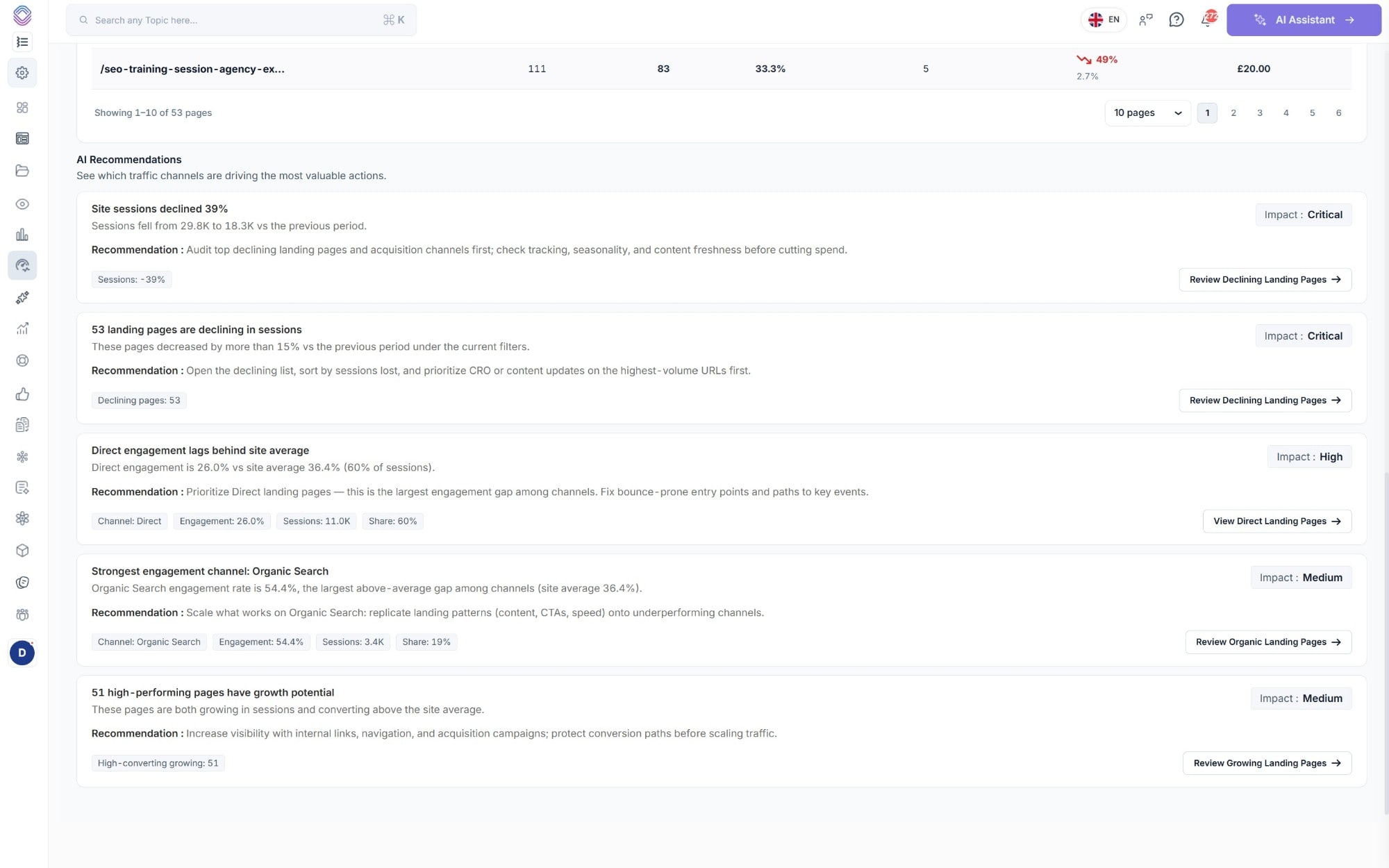
Every landing page is filed into one of four groups the moment the report loads, so instead of a single long table sorted by sessions you get the pages that need you separated from the pages that are fine.
- Top performing - the pages carrying the site right now
- Growing - pages gaining sessions against the comparison period
- Declining - pages down more than 15% under the current filters, with the site-wide drop shown above them for context
- High-converting - pages converting above the site average, which are the ones worth sending more traffic to
- Search by URL, switch between absolute and relative figures, and page through the whole set rather than a sample
Ecommerce & goals
What people did once they arrived, and what it was worth
If your property records ecommerce events then revenue runs through the whole report, from the headline figure down to the individual landing page, and the funnel is broken out by the channels that drove it.
Website Analytics Overview
The performance score, the headline metrics with their comparison, traffic and conversion trends you can switch between sessions, users, key events and conversion rate, and every channel with its engagement, business conversions, conversion rate and trend.
Traffic Acquisition
Total sessions, new users, bounce rate, average session duration and pages per session, then channel by session source underneath, with similar sources such as Facebook domains merged so the list stays readable.
Landing Pages
Every landing page filed as top performing, growing, declining or high-converting, searchable by URL, with sessions, users, engagement, key events, conversion and revenue on each row.
Ecommerce & Goals
Revenue against the previous period, your top selling products by units and revenue, users by channel, goal completion rates, and the view cart to checkout to purchase funnel broken down by the channels that drove it.
Recommendations
The numbers come with something to do about them
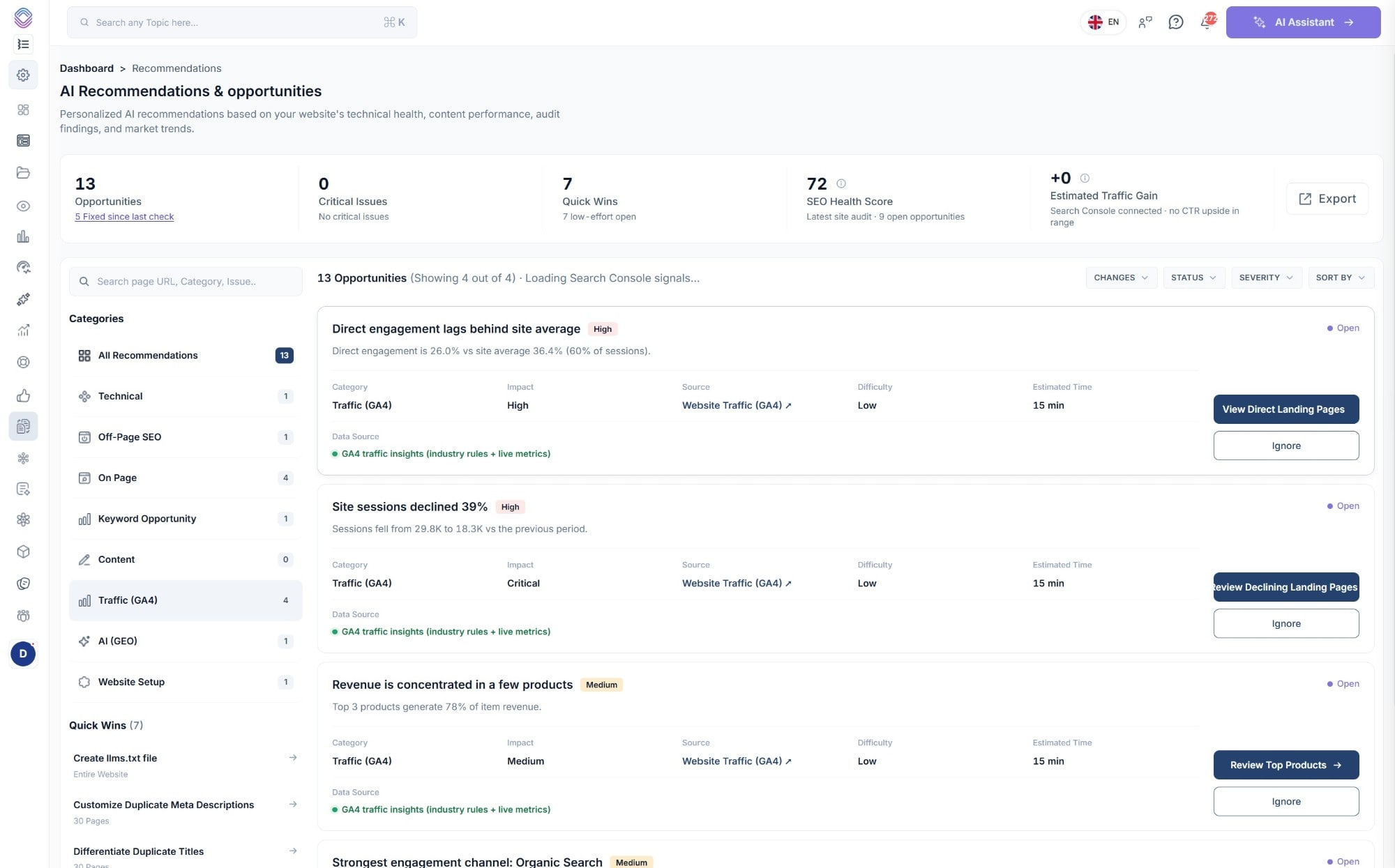
Traffic findings from GA4 are scored alongside the technical, on-page, keyword and GEO opportunities from the rest of the platform, so one list covers everything rather than one per tool.
Impact
Critical, high or medium, so you know what to pick up first.
Difficulty & time
An effort rating and an estimate, i.e. low difficulty, 15 minutes.
Data source
Named on every card, so you can see the metrics it came from.
A way through
Each one links to the pages behind it, or you can ignore it entirely.
Works with
Analytics on its own only tells you half of it
GA4 knows what somebody did once they arrived, Search Console knows how they found you, and the useful conversations happen when the two are reading from the same account.
Search Console Data
Every query, every page and every row of your search performance, warehoused from the day you connect, next to the analytics for the same pages.
See Search Console DataAI Assistant
Ask across your Search Console and GA4 data together, in a sentence, rather than building a report to find out what changed.
Explore the AI AssistantClient Reporting
Send the GA4 numbers out as part of a branded client report, on a schedule, alongside search, site health and AI visibility.
See Client ReportingQuestions
Before you connect it
Is this a replacement for GA4?
No, it reads your GA4 property and reports on it. Your tracking, your events and your conversions stay exactly where they are, we just build the reports an SEO would otherwise have to assemble in Explorations every time they wanted to answer a question.
How does AI traffic get counted?
AI Platforms (GEO) is a channel of its own, with ChatGPT, Gemini, Perplexity and the rest listed underneath it as sources, and AI Assistant traffic is broken out the same way. In a standard GA4 setup most of that traffic is scattered through referrals, which is why so few people can say what their AI traffic actually is.
What date ranges can I report on?
The range selector covers windows up to the last 16 months, and you can compare any of them against the previous period or the same period last year. Country, device and traffic source filters apply across the whole report rather than one chart at a time.
Does it show revenue?
If your GA4 property records ecommerce events then yes, revenue appears on the headline metrics, on individual landing pages, as a trend against the previous period, and broken down by your top selling products.
Where do the recommendations come from?
They are generated from your live GA4 metrics against a set of industry rules, and each one names its data source, its impact, how difficult it is and roughly how long it should take, so you can tell a fifteen minute fix from a project before you start it.
Can I get this into a client report?
Yes, the GA4 and conversions section of a client report pulls from the same data, so sessions, conversions, revenue, channels and top landing pages can go out as a branded PDF on a schedule.
See what your GA4 data looks like with the reports already built
Connect a GA4 property during your 14-day free trial and the overview, the channels, the landing pages and the recommendations are there the moment it finishes reading.
- Credit card required
- Cancel within the trial and you won't be billed
- No contracts