For freelance SEOs & consultants
One person. The data depth of a team.
Affordable SEO tools that actually hold your data: Search Console and GA4 warehoused with no row limits, site auditing, rank tracking, content analysis and AI visibility tracking, plus an AI analyst that has already read all of it. Ten client properties from $13.00 each per month.
14 day trial · Credit card required · Cancel within the trial and you won't be billed · No contracts · No BigQuery, nothing to configure
Trusted by leading companies
Working alone
The maths of working alone
None of this is a skill problem. It is a capacity problem, and every one of these is the same thing wearing a different hat: there is one of you, and the analysis has to happen before the billable work can start.
Your tool stack is a salary line
A keyword tool, a rank tracker, a reporting tool, a site auditor, and now something for AI visibility. Four or five subscriptions against income that arrives one invoice at a time.
See pricingAnalysis time is unbilled time
Nobody pays you to build the pivot table. Every hour spent getting to the insight is an hour not spent delivering the work or selling the next piece of it.
AI AssistantYou are pitching against agencies with analysts
Same room, same prospect, and they arrived with a data team behind them. You arrived with a laptop and whatever you could pull together on Sunday night.
Click forecastingYou have no junior to hand it to
Auditing hundreds of URLs, checking indexation, rewriting titles in bulk. All of it is yours, and all of it is billed at your hourly rate whether the client sees it or not.
Title RewriterClients drop what they cannot see working
If you cannot show which change caused which result, the retainer stops being a business decision and becomes a judgement about whether they still like you.
AnnotationsYou are expected to answer everything
The client asks about GA4, about conversions, and about whether ChatGPT mentions them. Saying that is not my area is what costs you the account.
AI VisibilityThe cost
What you are currently paying five companies for
Most freelancers assemble a stack one subscription at a time, and end up with five logins, five bills and no two tools that talk to each other. These are affordable SEO tools in the only sense that matters, which is that they arrive on one invoice and read from the same data.
- Rank trackingBuilt on your Search Console data rather than scraped results
- Client reportingAI-built charts and written commentary from the real numbers
- Site auditing and technical recommendationsIncluded
- Content scoring and NLP briefsIncluded
- AI visibility and prompt trackingIncluded
- SEO project and task managementIncluded
- Search Console data beyond 16 monthsIncluded, with no BigQuery project to set up
- An analyst to interpret all of itIncluded
We have deliberately not put competitor prices in this table. They change, they go stale, and your own stack is the number that actually matters. Add yours up and compare it with the figure on the right.
Basic, the freelance plan
$13.00
per client property, per month
$129.99 a month for 10 websites, five years of warehoused history, 5 team members and the whole toolset. Extra properties are $10 each if you go over.
That is less than one billable hour a month.
See all plansWorth being clear about
This is not a backlink index. Keep Ahrefs or Semrush for link and competitor research if you need it. SEO Stack owns everything built on your clients' own data, which is a different job.
What you get
Every tool a solo SEO needs, on one login
33 tools reading the same warehoused data, so the rank tracking, the auditing, the content work and the AI visibility all know about each other rather than living in five separate tabs.
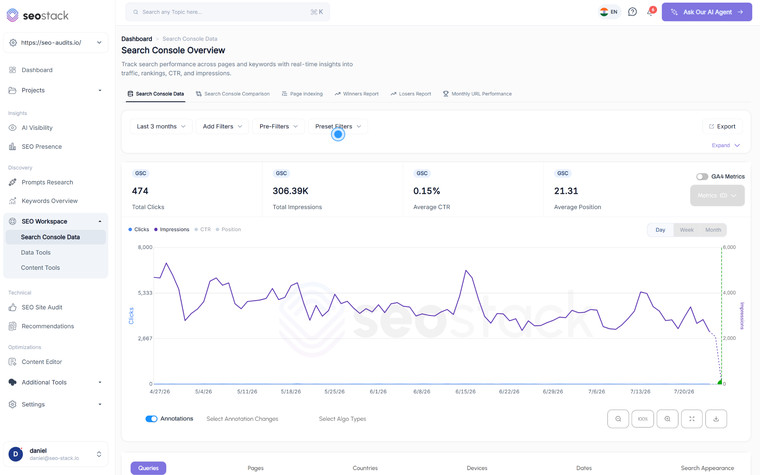
Search Console & GA4 Data
Search Console Data Warehouse
Every row. Every query. Going back years.
Learn more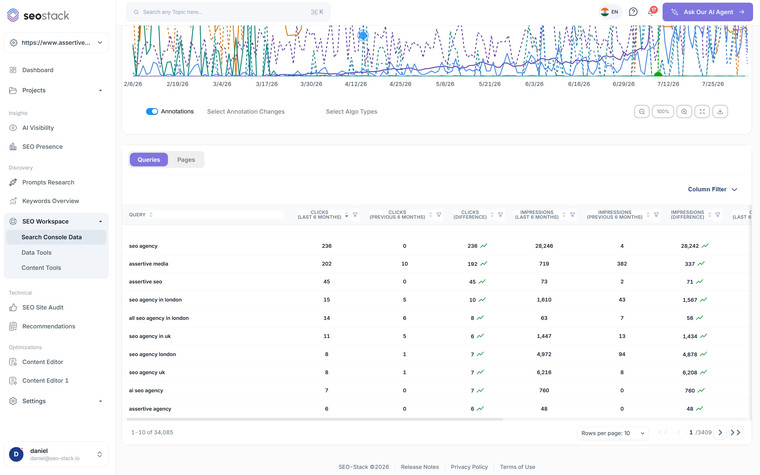
Search Console & GA4 Data
Search Console Comparison
Compare any two periods, even years apart.
Learn more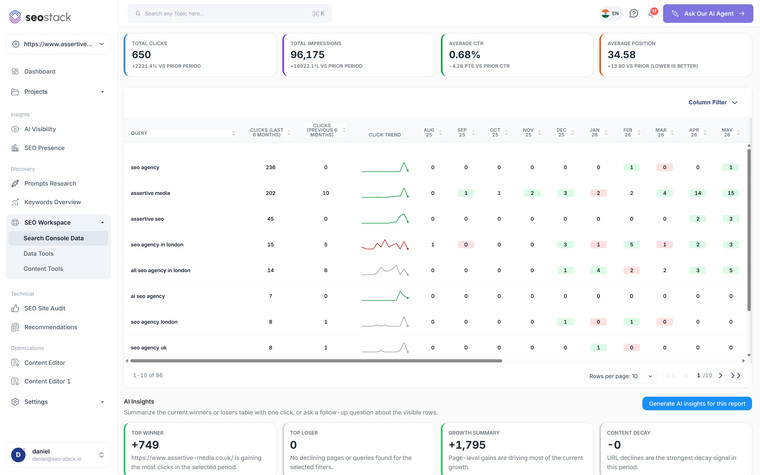
Search Console & GA4 Data
Winners & Losers Reports
What grew, what fell, ranked and month-by-month.
Learn more
Search Console & GA4 Data
Page Indexing
See what Google has indexed, and what it has quietly skipped.
Learn more
Search Console & GA4 Data
GA4 Tools & Reports
Your GA4 data, rebuilt into reports an SEO can actually use.
Learn more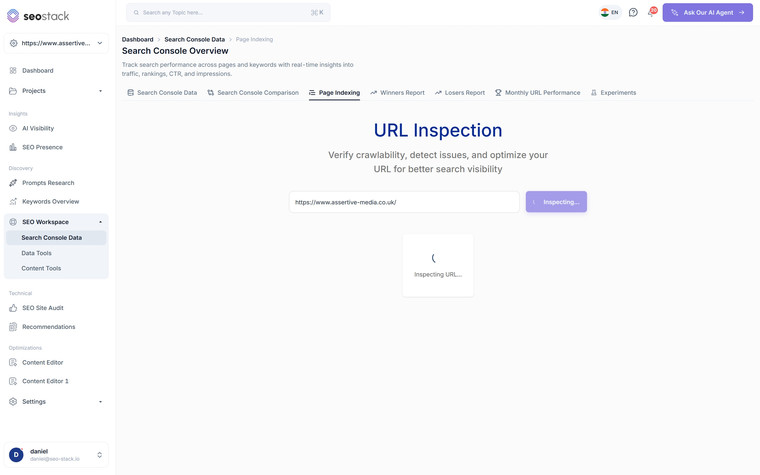
Search Console & GA4 Data
Page Indexing & URL Inspection
Full URL inspection with indexing states on every page.
Learn more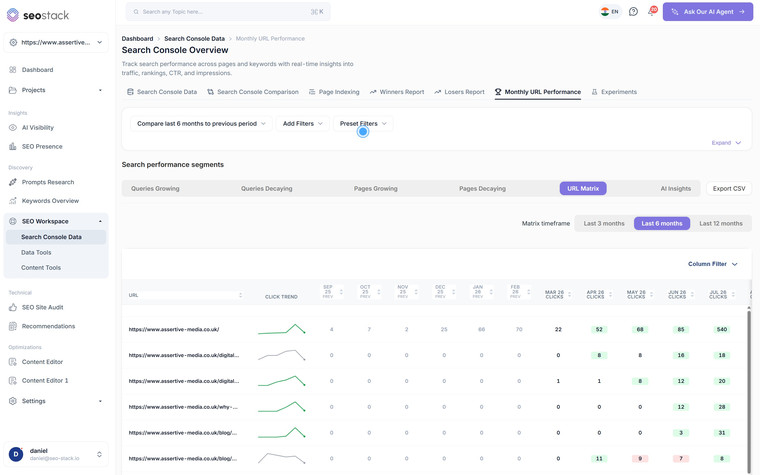
Search Console & GA4 Data
Monthly URL Performance
See every URL's month by month performance in one view.
Learn more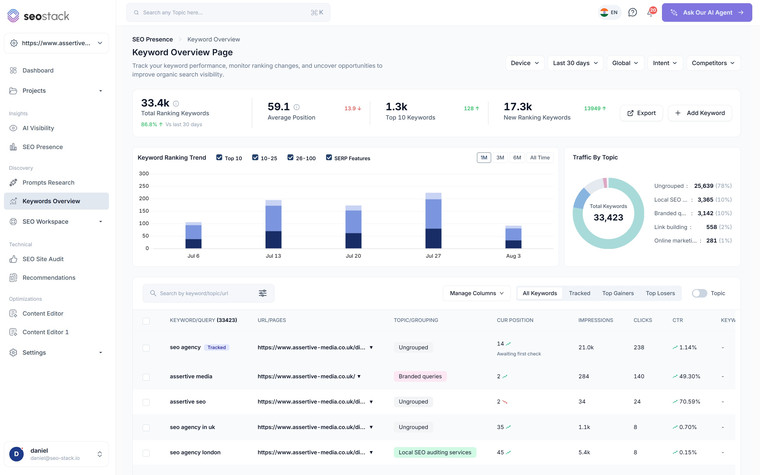
Discovery & Opportunity
Keywords Overview
Real keyword data from Search Console, not scraped estimates.
Learn more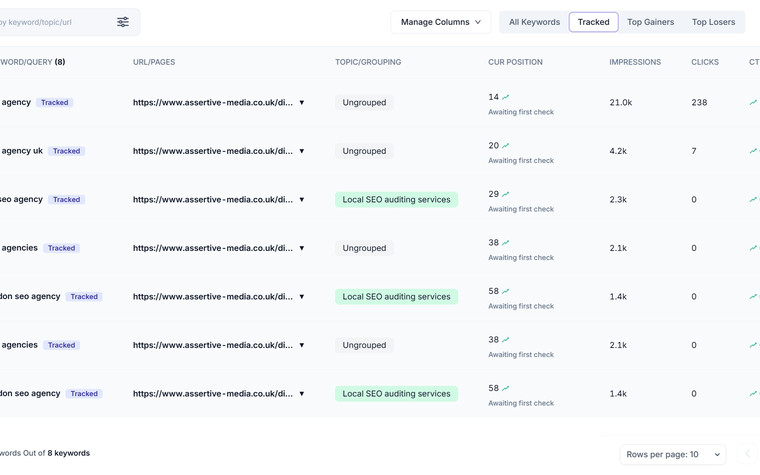
Discovery & Opportunity
Rank Tracking
Rank tracking built on Search Console, not a scraper.
Learn more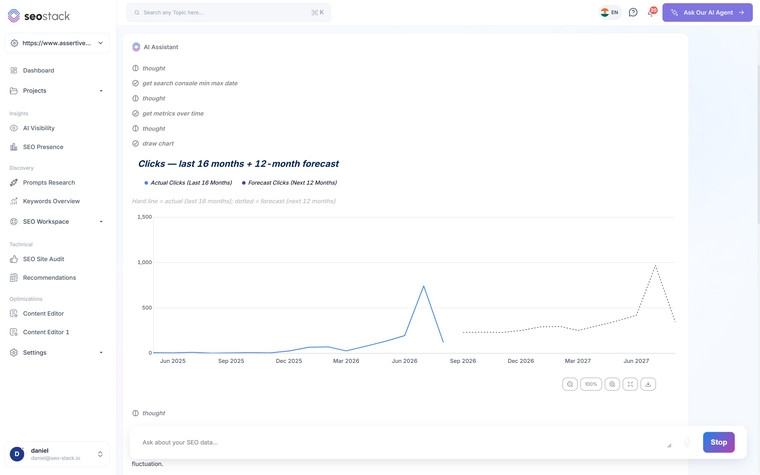
Discovery & Opportunity
Click Forecasting
Forecast clicks, impressions, CTR and position.
Learn more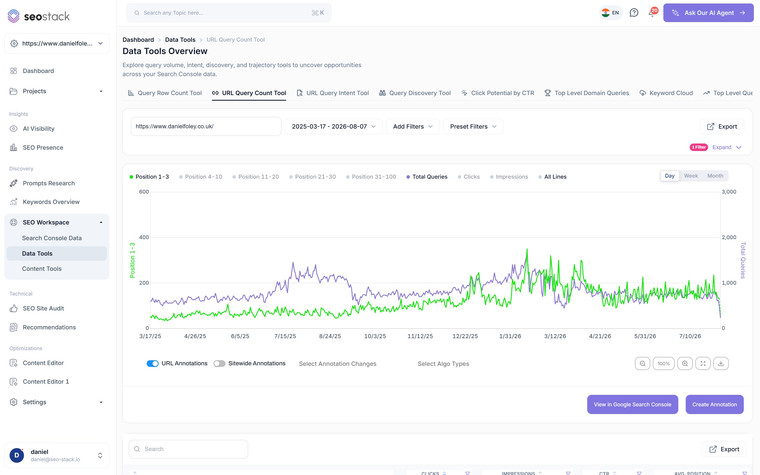
Discovery & Opportunity
URL Query Count
Is it fewer queries, or slipping positions?
Learn more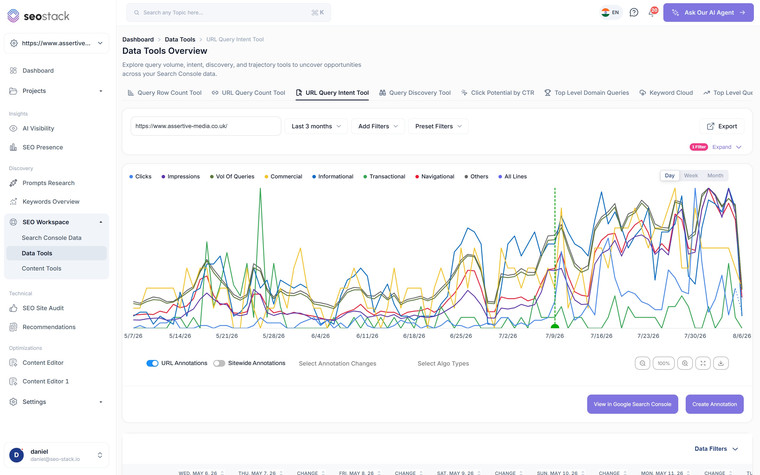
Discovery & Opportunity
URL Query Intent
See what Google thinks your page is for.
Learn more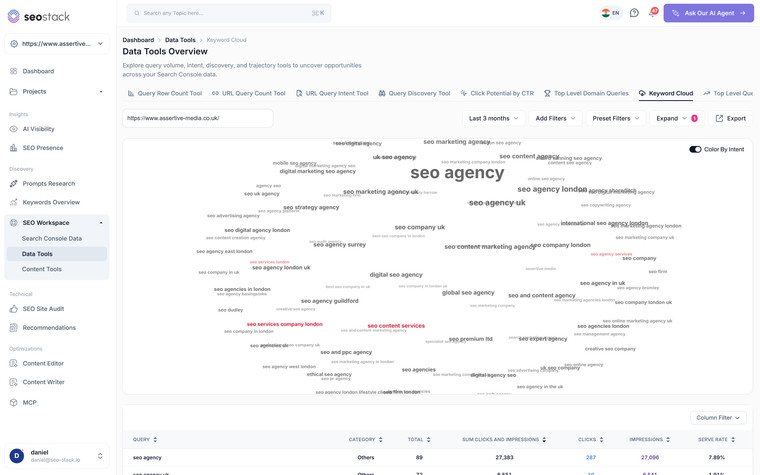
Discovery & Opportunity
Keyword Cloud
What does Google actually think this page is about?
Learn more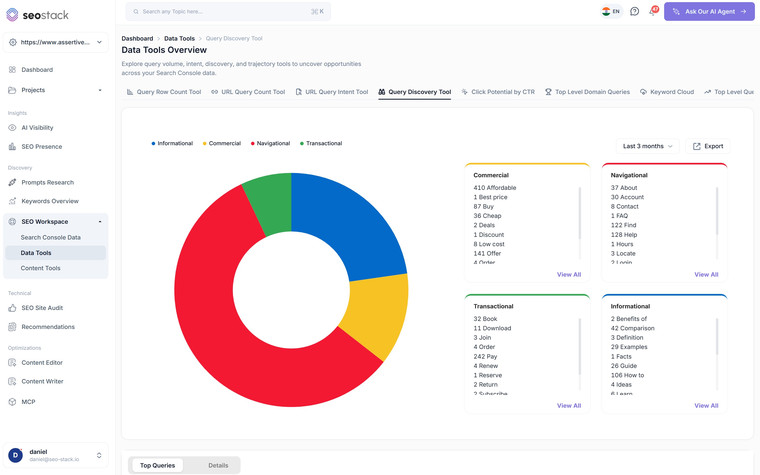
Discovery & Opportunity
Query Discovery
Your whole query set, grouped by intent.
Learn more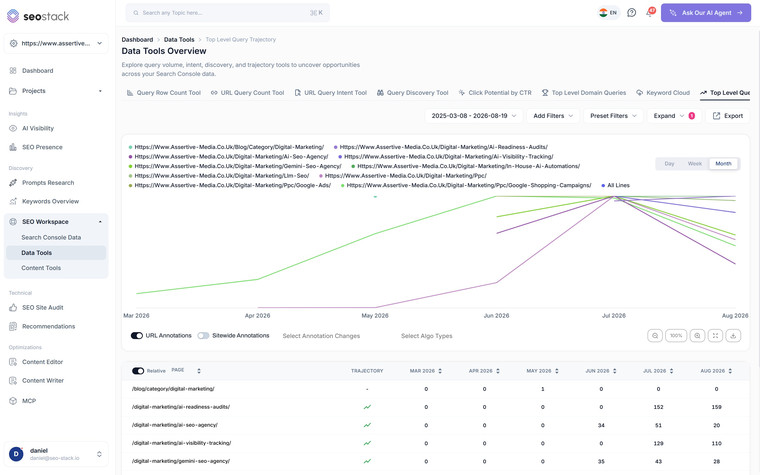
Discovery & Opportunity
Top Level Query Trajectory
Compare query counts across many URLs at once.
Learn more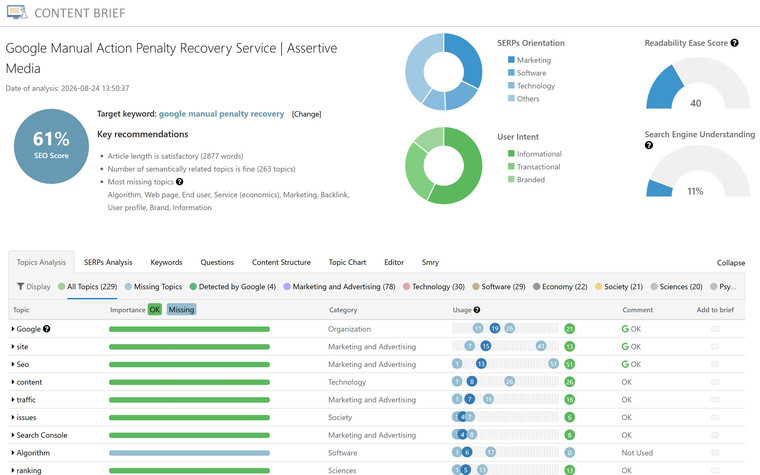
Content & Optimisation
Content NLP
Score the content, then see what is missing.
Learn more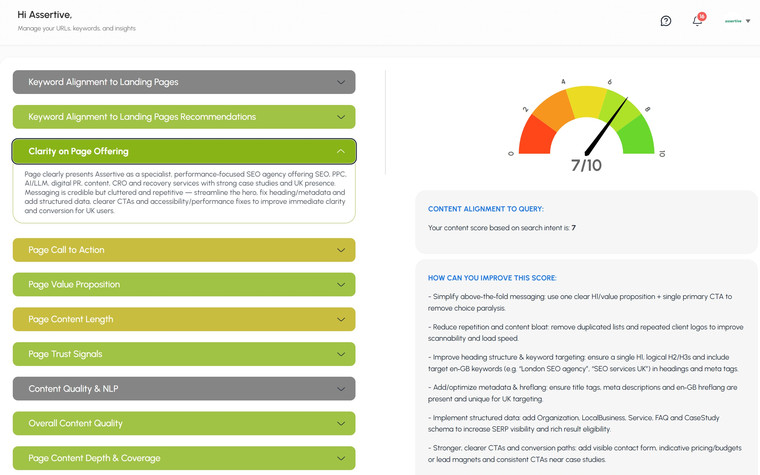
Content & Optimisation
AI Content Auditor
Eleven checks, colour coded, with the fixes written out.
Learn more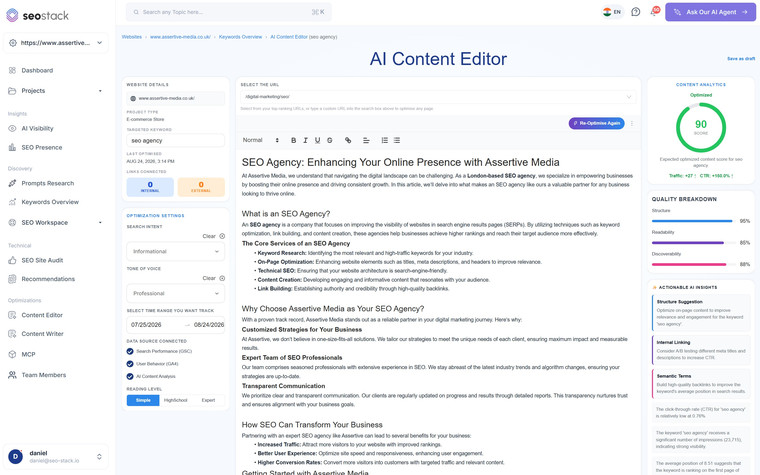
Content & Optimisation
Content Editor
Write and optimise the page without leaving the data.
Learn more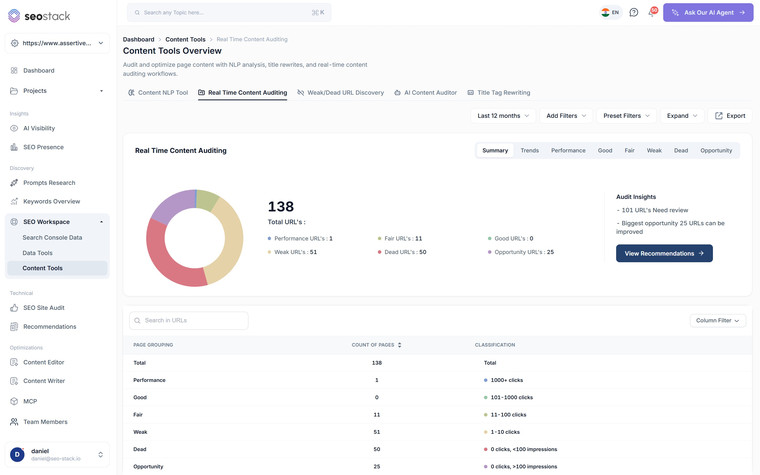
Content & Optimisation
Real Time Content Auditing
Every indexed URL, sorted by how it actually performs.
Learn more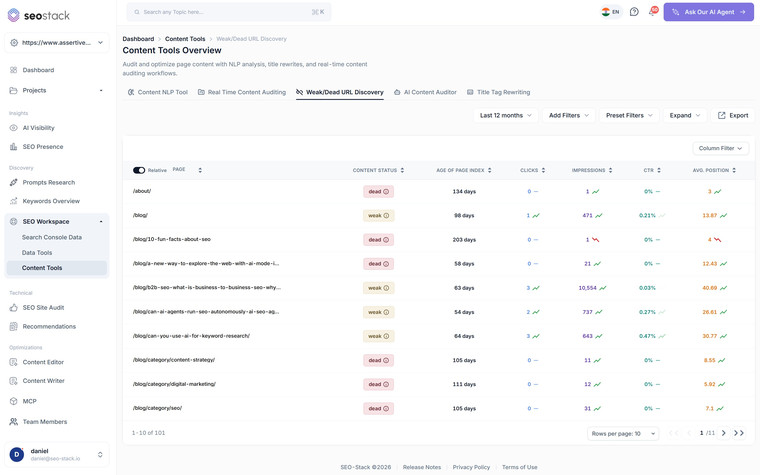
Content & Optimisation
Weak & Dead URL Discovery
Underperformers, with page age factored in.
Learn more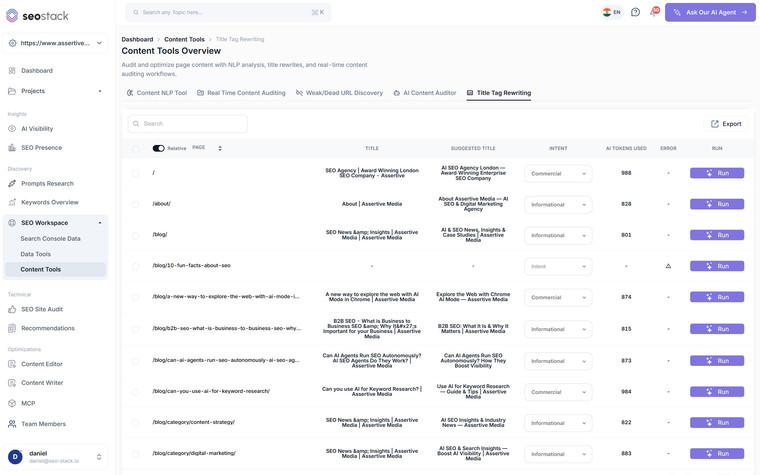
Content & Optimisation
Title Tag Rewriter
Rewrite one title, or several hundred.
Learn more
AI & LLM Visibility
AI Assistant
Ask your GSC and GA4 data anything.
Learn more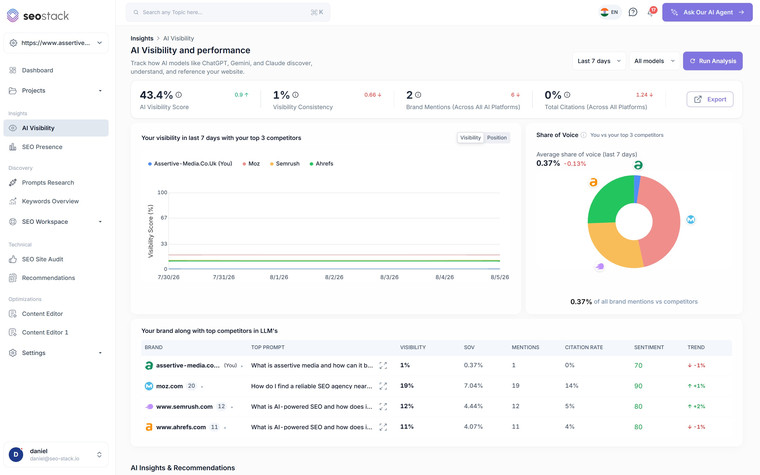
AI & LLM Visibility
AI Visibility
Track how ChatGPT, Gemini and Claude cite you.
Learn more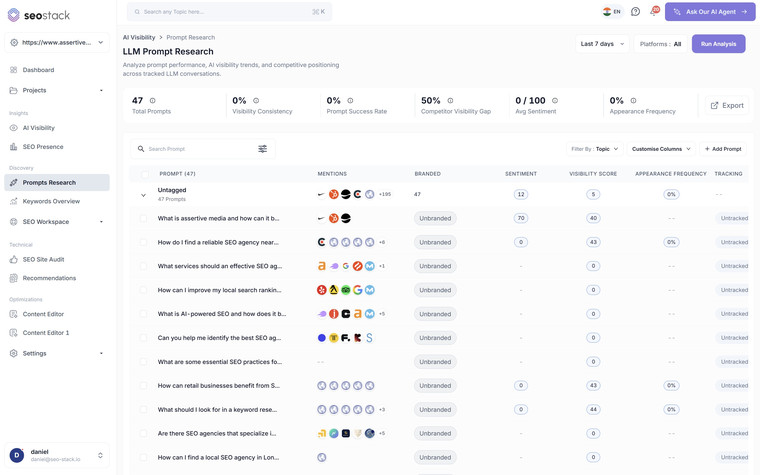
AI & LLM Visibility
Prompt Research
Research and track the prompts that matter.
Learn more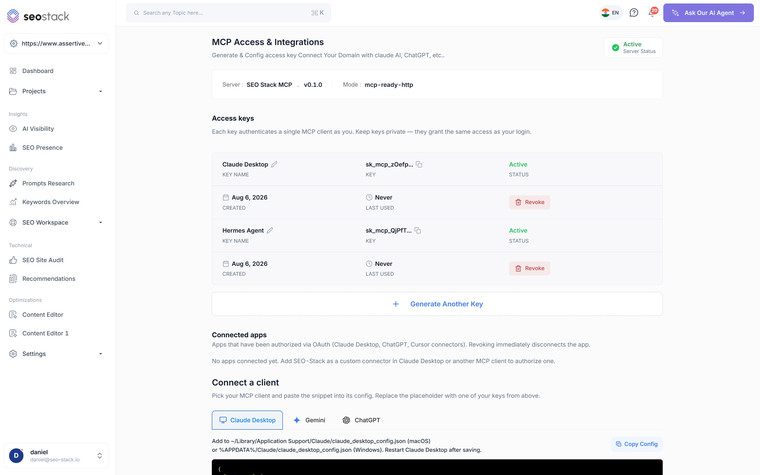
AI & LLM Visibility
MCP & API
Connect Claude, ChatGPT or Gemini to your data.
Learn more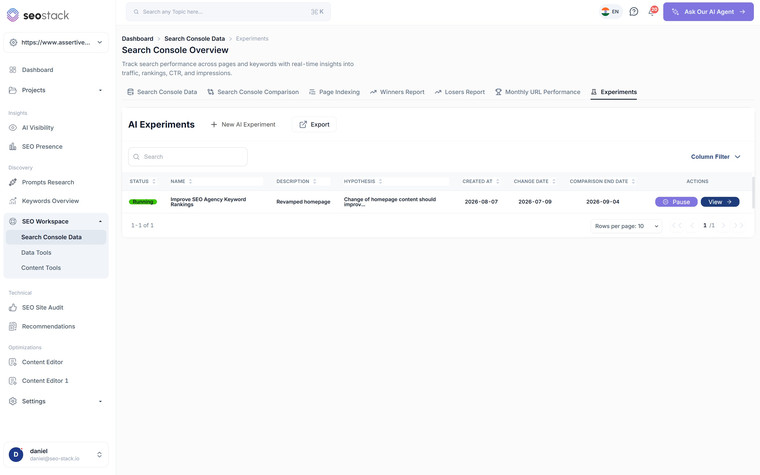
AI & LLM Visibility
AI Experiments
Measure the impact of every change you make to your website.
Learn more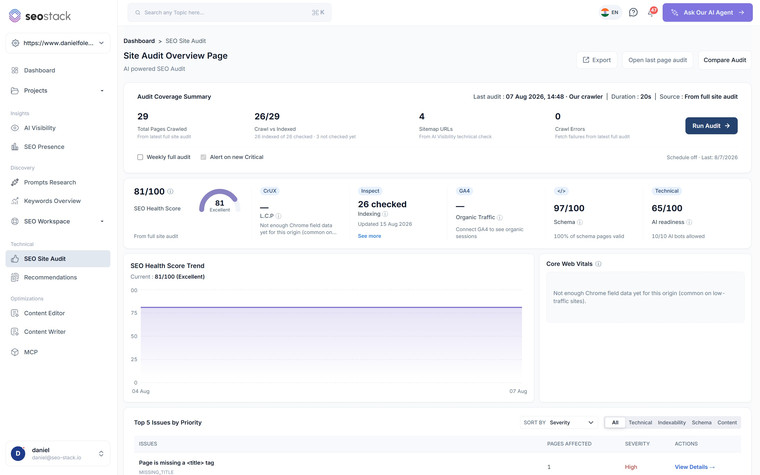
Technical & Auditing
SEO Site Audit
Crawl it, score it, then fix what matters.
Learn more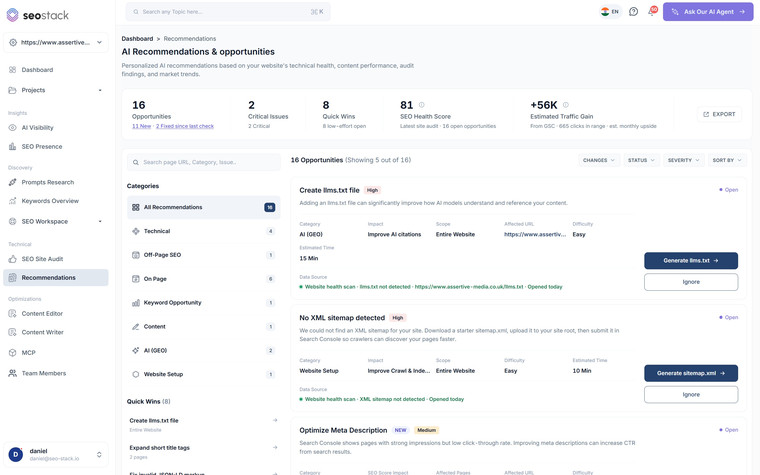
Technical & Auditing
Recommendations
Every fix worth doing, ranked and explained.
Learn more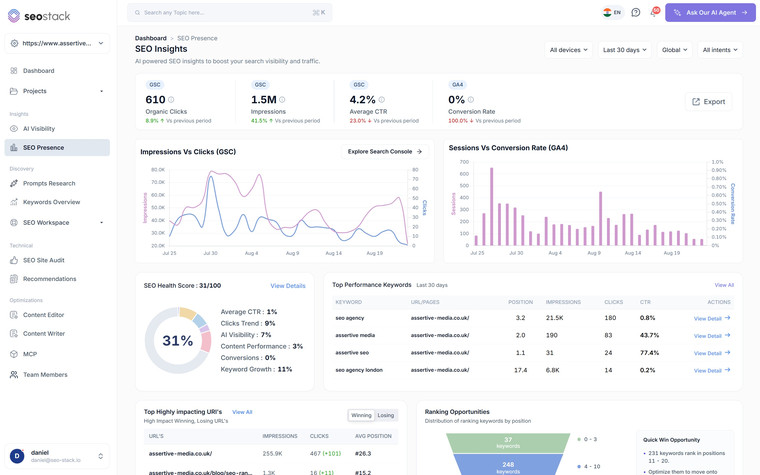
Technical & Auditing
SEO Presence
Search Console and GA4 in one dashboard.
Learn more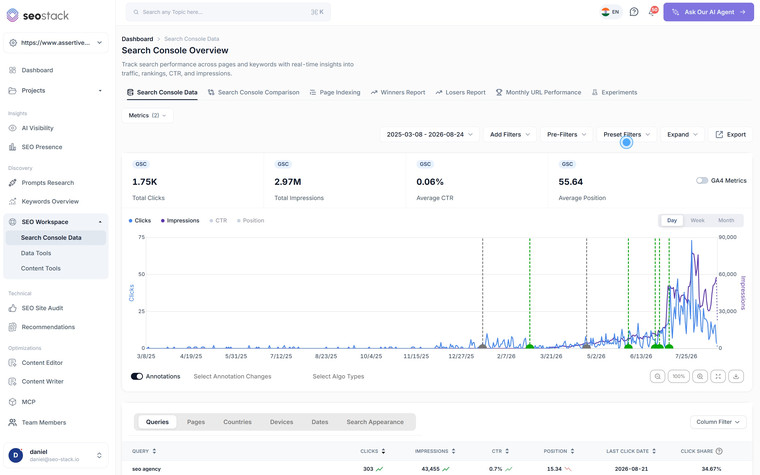
Workflow & Delivery
Smart AI Annotations
Log what you changed, find out whether it worked.
Learn more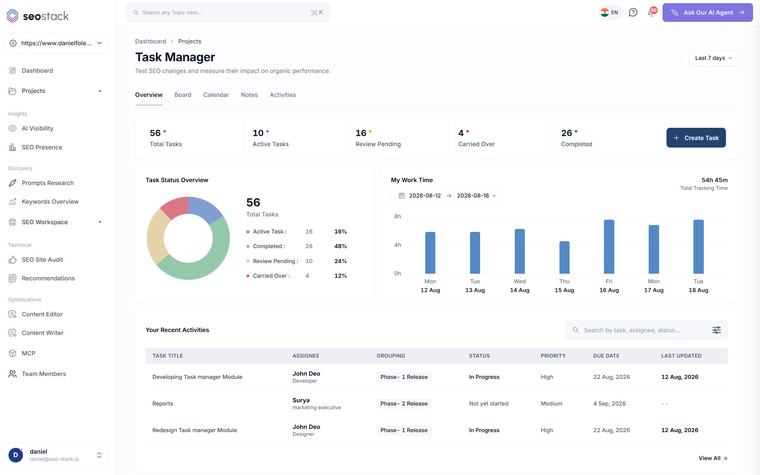
Workflow & Delivery
Projects & Task Management
Project management that knows what your SEO did.
Learn more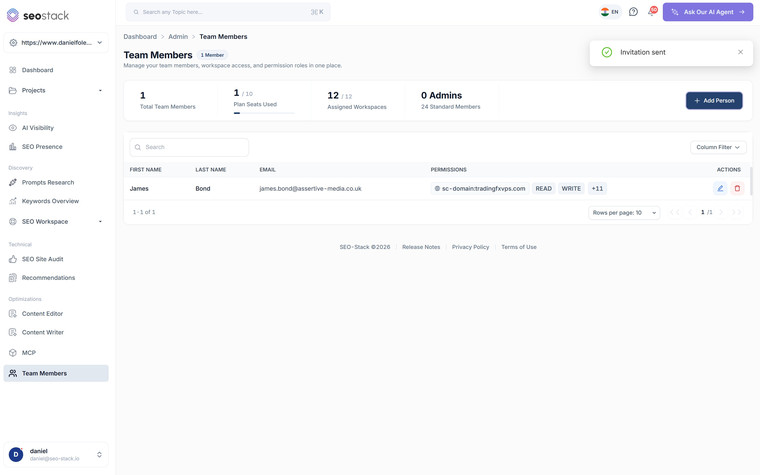
Workflow & Delivery
Team & Delegation
Invite anyone, to exactly what they need.
Learn more
Workflow & Delivery
Client Reporting
Build the client report once, then have it send itself.
Learn moreCapacity
Hand the tedious half of the job to something that doesn't invoice you
This is the part that changes what one person can take on. Not because it saves an hour here and there, but because the analysis you would only ever run for your best client becomes something you can run for all of them, on the same afternoon.
The junior analyst you cannot afford to hire
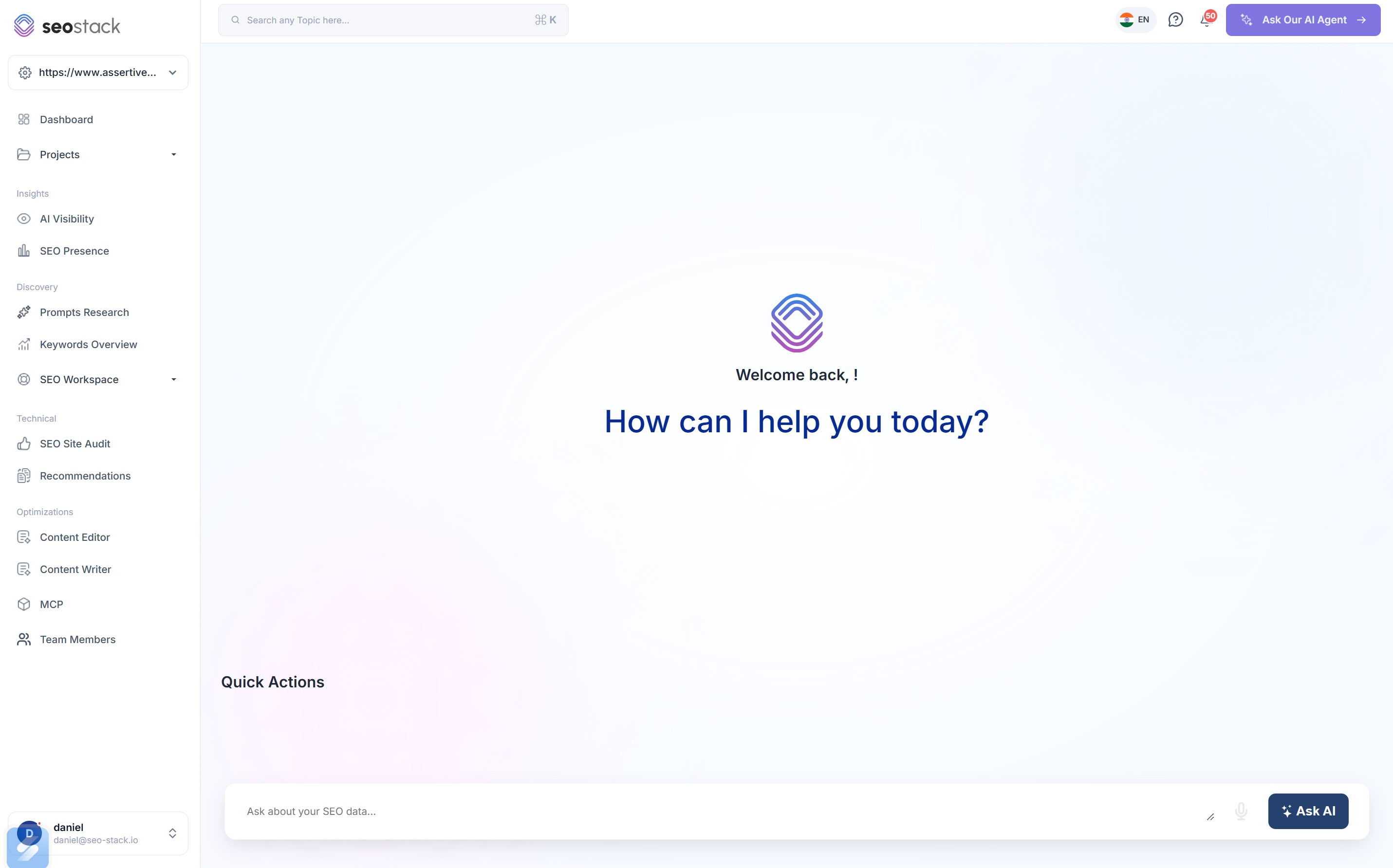
The AI Assistant is connected to your warehoused Search Console and GA4 data by default, so there is no Cloud project, no OAuth dance and no service account to maintain. You ask in plain English and it builds the chart and writes the explanation.
- Which pages lost clicks last month, and why
- Where cannibalisation is happening across the full query set
- What a realistic click forecast looks like at a better CTR
- Which pages rank well and convert badly
Auditing that used to take a day
Index performance
Every indexed URL sorted into performance bands, so you can see how much of a site is actually earning anything before you quote for the work.
Learn moreWeak & dead URLs
Underperformers with the age of index against each one, so you never kill a post that is three weeks old and has not had a chance yet.
Learn moreAI content auditor
Eleven checks per page covering intent alignment, clarity, CTAs and trust signals, colour coded, with the fixes written out.
Learn moreTitle rewriter
Hundreds of titles rewritten in one pass with the intent detected per URL, which is the job everybody postpones forever.
Learn moreWhy traffic dropped, specifically
This is the one that makes a solo consultant sound like a specialist rather than a supplier. When a client rings about a drop, query counting separates three causes that look identical in Search Console, and each of them needs a completely different piece of work.
Clicks down 31 to 38%. Which one is it?
- Clicks1,8401,140
- Impressions94,20055,600
- Queries served3,4101,910
- Average position6.26.1
- CTR1.95%2.05%
Diagnosis
Google is serving the page for fewer things
Clicks and impressions fall together, the number of distinct queries the page is served for falls with them, and the average position barely moves. Nothing has been outranked, the page has simply narrowed.
What you actually do
A coverage problem rather than a ranking one. The page has lost topical breadth, usually after a rewrite, a consolidation or a core update reassessing what it is about, and the work is content rather than links.
Query Counting- Clicks1,8401,190
- Impressions94,20086,900
- Queries served3,4103,270
- Average position4.19.6
- CTR1.95%1.37%
Diagnosis
You have been pushed down the page
Impressions and query count hold roughly steady, so Google still considers the page relevant for the same things, but the average position has fallen and the click-through rate has collapsed with it. Somebody has outranked you.
What you actually do
A competitive problem. Look at who moved above you and on what, then decide whether the answer is coverage, internal links, authority or all three. The one thing it is not is a content cull.
Winners & Losers- Clicks1,8401,270
- Impressions94,20099,800
- Queries served3,4103,720
- Average position2.82.6
- CTR1.95%1.27%
Diagnosis
Ranking better, being clicked less
The hardest of the three to spot and the one most stacks get wrong. Impressions are up, the query count is up and the average position has improved, and clicks have still fallen, because the answer is now being given above the result.
What you actually do
Nothing is broken, the click is being taken further up the page. The response is AI visibility work rather than ranking work, and telling a client this correctly on a panic call is the difference between a renewal and a review.
AI VisibilityIllustrative figures. On a clicks chart alone these three are indistinguishable, which is why so many panic calls end in the wrong piece of work.
Growth
Turn a free audit into a signed retainer
A pitch weapon, not a pitch deck
Click Potential by CTR turns you are leaving traffic on the table into a chart with a number on it, built from the prospect's own impression data. It takes minutes and it is a completely different conversation to a generic audit.
Click forecastingConnect early, compound later
Connect a prospect's property during the pitch and warehousing starts immediately. Even if they take two months to sign, you have been accumulating history Google was going to delete, and you can show them a baseline nobody else has.
Data warehousingA new billable line, no new clients
Clients are already asking whether ChatGPT and Gemini mention them, and most freelancers have no answer. Priced as an add-on across the clients you already have, it is the fastest revenue increase available to a solo operator.
AI VisibilityLook bigger than you are
Unlimited exports to Sheets, CSV and PDF, custom chart exports, and per-property client access so a client can log in and see their own data without you rebuilding a report for them.
Team access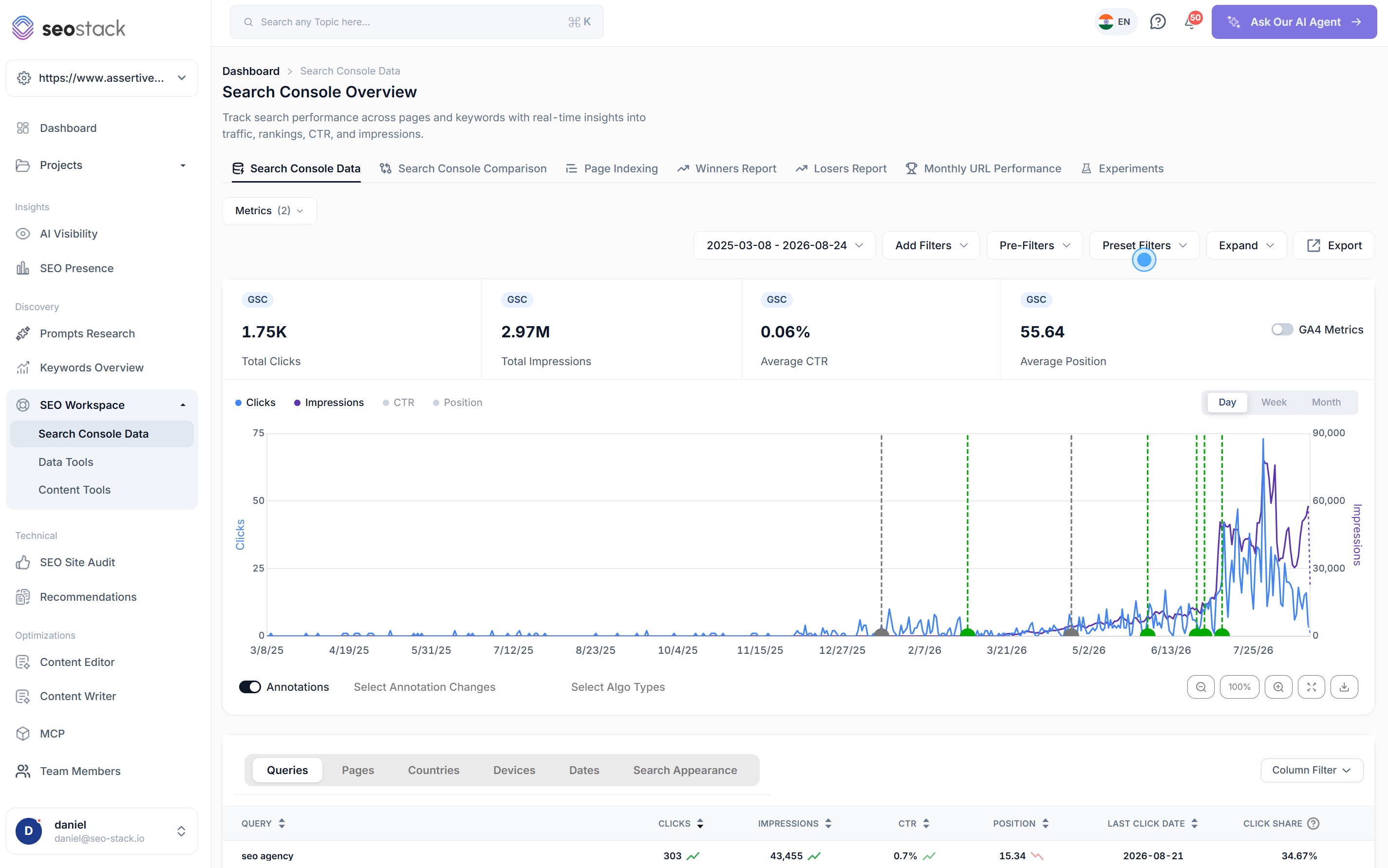
Retention
Proof, so the retainer isn't a judgement call
You do not have an account manager defending the relationship when a month goes badly, so the data has to do it for you. Annotations log every change you make, sit on the chart alongside Google's own algorithm updates, and can be analysed by AI for causation.
So when traffic falls during a core update you can show that it was not your deployment, and when it rises after your rewrite you can show that it was. AI Experiments take it further and give a real before and after verdict against GSC and GA4 data.
Growing into it
Start where you are. Move up when the clients arrive.
The real worry with any subscription is committing to something that outlives the client who justified it, so there is no contract and no minimum term here.
Basic
$129.99/mo
10 websites · 60-month warehousing · 5 team members
Pro
$349.99/mo
30 websites · 60-month warehousing · 10 team members
Going slightly over your allowance costs $10 per extra property per month rather than pushing you up a tier, and scaling back down when a client leaves is as easy as scaling up.
Objections
Before you start
Does this replace Ahrefs or Semrush?
No, and it is worth being blunt about that before you start a trial. SEO Stack has no backlink index and no third party keyword volume database. What it owns is everything built on your clients' own data, i.e. Search Console, GA4, AI visibility, auditing and content. If you need link and competitor research, keep whichever of those you already use.
What do I actually get on the cheapest plan?
Basic is $129.99 a month and gives you 10 websites, five years of warehoused history, 5 team members, the AI Assistant, site auditing, rank tracking, content NLP briefs, AI visibility across ChatGPT and Google AI Overviews, and MCP access. Keyword clouds and project management start on Pro, and white-label reporting is Agency only.
Can I add a client's property without being an admin on their account?
You need to be able to authorise the property with Google once, in the normal way. After that everything happens inside SEO Stack, and giving a client or a collaborator access afterwards makes no change at all to the users on their Search Console account.
What happens to the data when a client leaves?
It stays in your account, because it was warehoused under yours rather than theirs. You lose the live connection when the property is disconnected and you keep everything that accumulated while you had it, which is what lets you still show a two year engagement as a case study in year four.
Can I give a client read-only access to their own data?
Yes. Access is granted per property with read or write permissions, so a client sees their own site and nothing else, and read-only means they can look at everything without being able to change anything.
Do I need BigQuery or any technical setup?
None at all. No Cloud project, no billing account, no dataset schema, no export job. You connect a property and warehousing starts immediately, which is the whole reason this exists.
How long before a newly connected property is useful?
The backfill pulls in whatever Google still holds, normally its own 16-month window, and that is available shortly after you connect. Everything from that day forward accumulates permanently, so a property gets more valuable every month you keep it connected.
What happens if I need more or fewer sites?
Extra properties are $10 per property per month on any plan, so you can go a little over your allowance without moving up a tier. If you are going a long way over, Pro at $349.99 works out cheaper.
Is there a contract?
No contract and no minimum term. The trial runs for 14 days and you can cancel at any point after it, which matters when your own income arrives one invoice at a time.
Connect one client and see what Google has been deleting.
Warehousing starts the moment you connect a property. No Cloud project, no schema, nothing to configure. Connect your most important client today and add the rest as you win them.
14 day trial · Credit card required · Cancel within the trial and you won't be billed · No contracts