Search Console Data Warehouse
The Search Console you always wanted, just without the limits
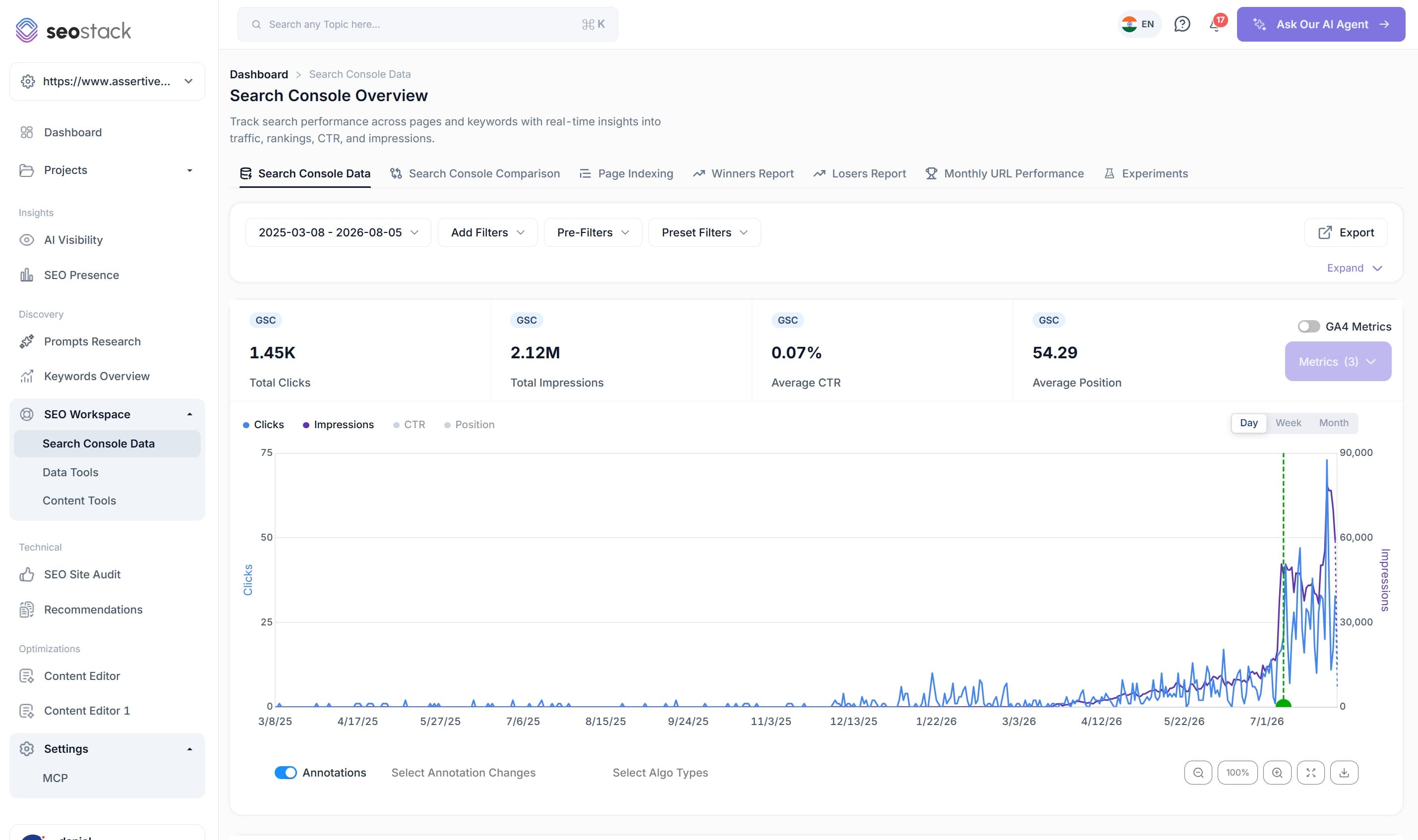
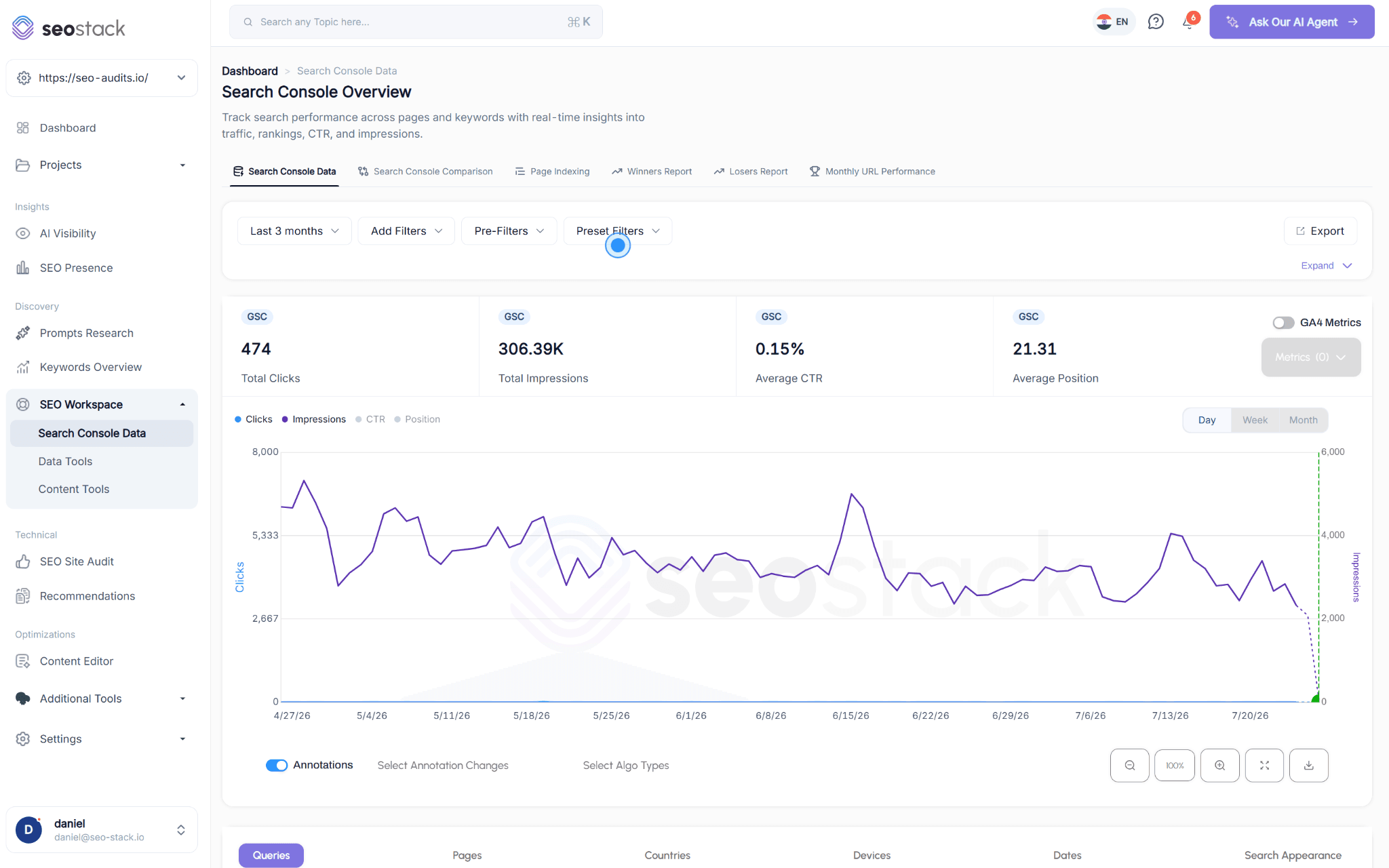
Google Search Console just without the limits. Built by SEOs for SEOs, we’ve taken away all the limitations including 1000 row limits, 16 month timeframe limits and made it so you can access every bit of data with built in secure warehousing, GA4 + AI integration. Get more done faster.
- 100% data privacy
- 99.99% uptime
- Nothing to configure
- Export anytime, no limits
Trusted by leading companies
4,000+
SEOs and marketers
99.99%
Uptime
100%
Data privacy, only you see it
FTSE 100
Enterprise teams on board
For SEOs
Search Console is excellent, right up until you need it
None of these caps exist because the data is unavailable. They exist because storing and serving it for every property on the web costs Google money on a product that earns none.
 01
0116 months
Retention
A rolling window, so every day you gain a day at the front and lose one off the back. Permanently.
021,000 rows
Per view and per export
On a large site that is a rounding error of your real query footprint.
03One filter
Per dimension
You cannot combine contains with not contains on the same dimension, so most real questions are unanswerable.
042,000 / day
URL inspections
Indexing analysis at any meaningful scale is simply off the table.
05A year of data
Impressions, restated
Google disclosed in April 2026 that impressions had been inflated since May 2025. Rebuilding a baseline only helps if you are allowed to keep it.
One limit nobody can remove, including us
Google withholds low volume queries entirely for privacy reasons. Those anonymised queries never reach the API, so no tool can recover them, and any tool claiming otherwise is not being straight with you.
How anonymised queries distort filtered dataThe receipts
This is what the rest of your long tail looks like
Same website, same sixteen month window, same query report. Search Console will show you a thousand rows because it orders by clicks first and then stops, so what you are looking at is the head of your own long tail.
Google Search Console

1,000
queries returned, then it stops
The same property in SEO Stack

1,000,000
access every query, unlimited queries!
SEO Stack removes all 1000 row limits, access every query, every page, every device, country & search appearance item.
What replaces it
Seven things Search Console will not do for you
| Capability | Search Console | SEO Stack |
|---|---|---|
| History | A rolling sixteen month window, so every day you gain a day and lose a day, permanently, which squeezes true year on year comparison into roughly a four month overlap. | Warehousing begins the moment you connect a property and never deletes. Depending on plan you keep 16 months to 10+ years, so year three reporting still has a year one baseline. |
| Rows | 1,000 per view and per export, ordered by clicks, so you only ever see the head. | No row cap on queries, pages, countries, devices, dates or search appearance, in the interface and in every export. |
| Filtering | One filter per dimension, no way to save anything you build, and no combining contains with not contains. | Layer up to 1,000 filters with MUST and SHOULD logic across contains, not contains, exact, regex, starts with and ends with, saved to a personal library with groups and folders for one click reuse. |
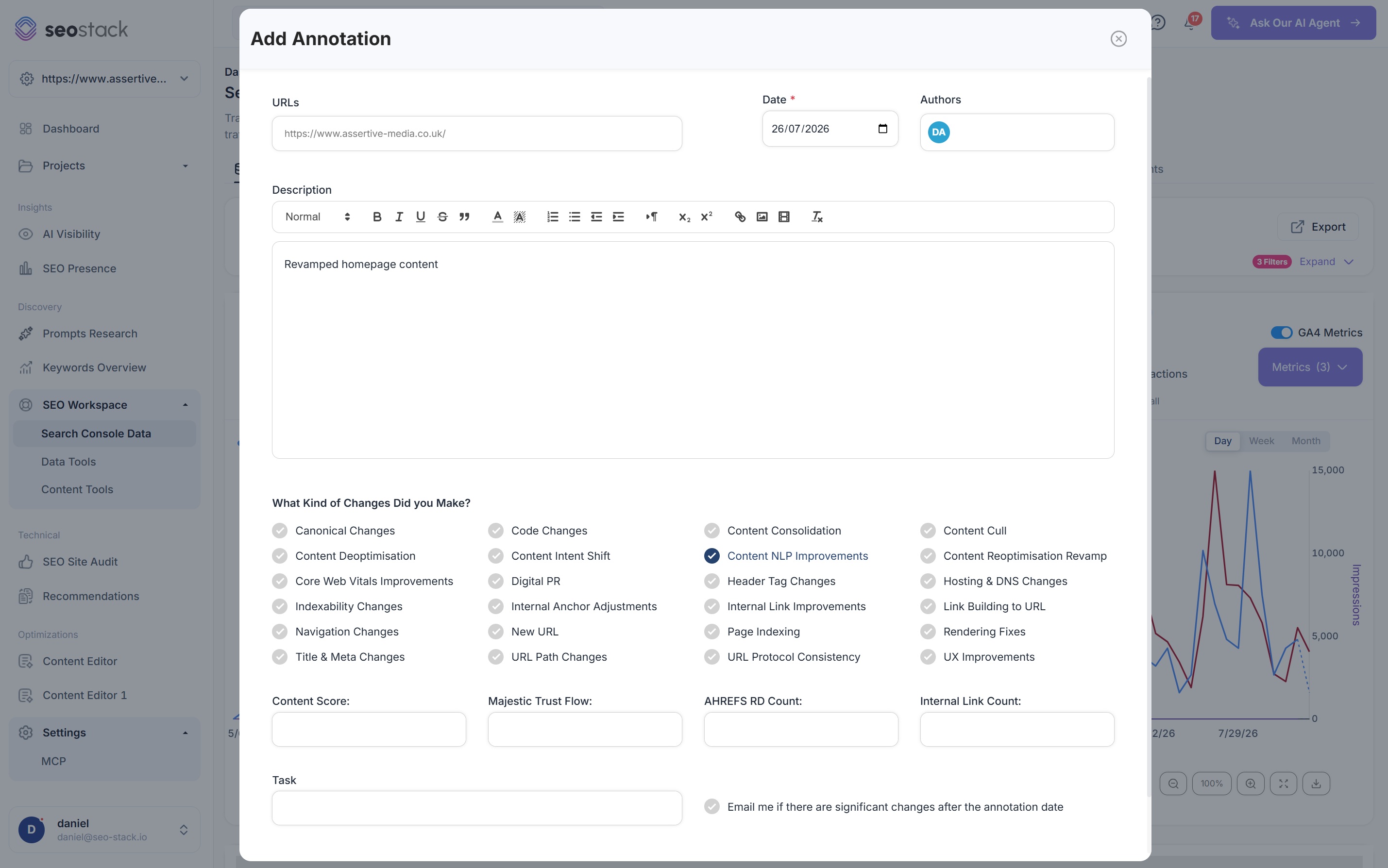
| Annotations | Annotations, capped at 120 characters and 200 per property, auto deleted after 500 days, and invisible the moment you switch to comparison mode. | Smart AI annotations scoped to a single URL, a page group or the whole site, with author, change type and affected metrics recorded, overlaid on every chart alongside Google core updates, filterable by type, kept for as long as your data is, and able to notify you when a significant change is detected against them. |
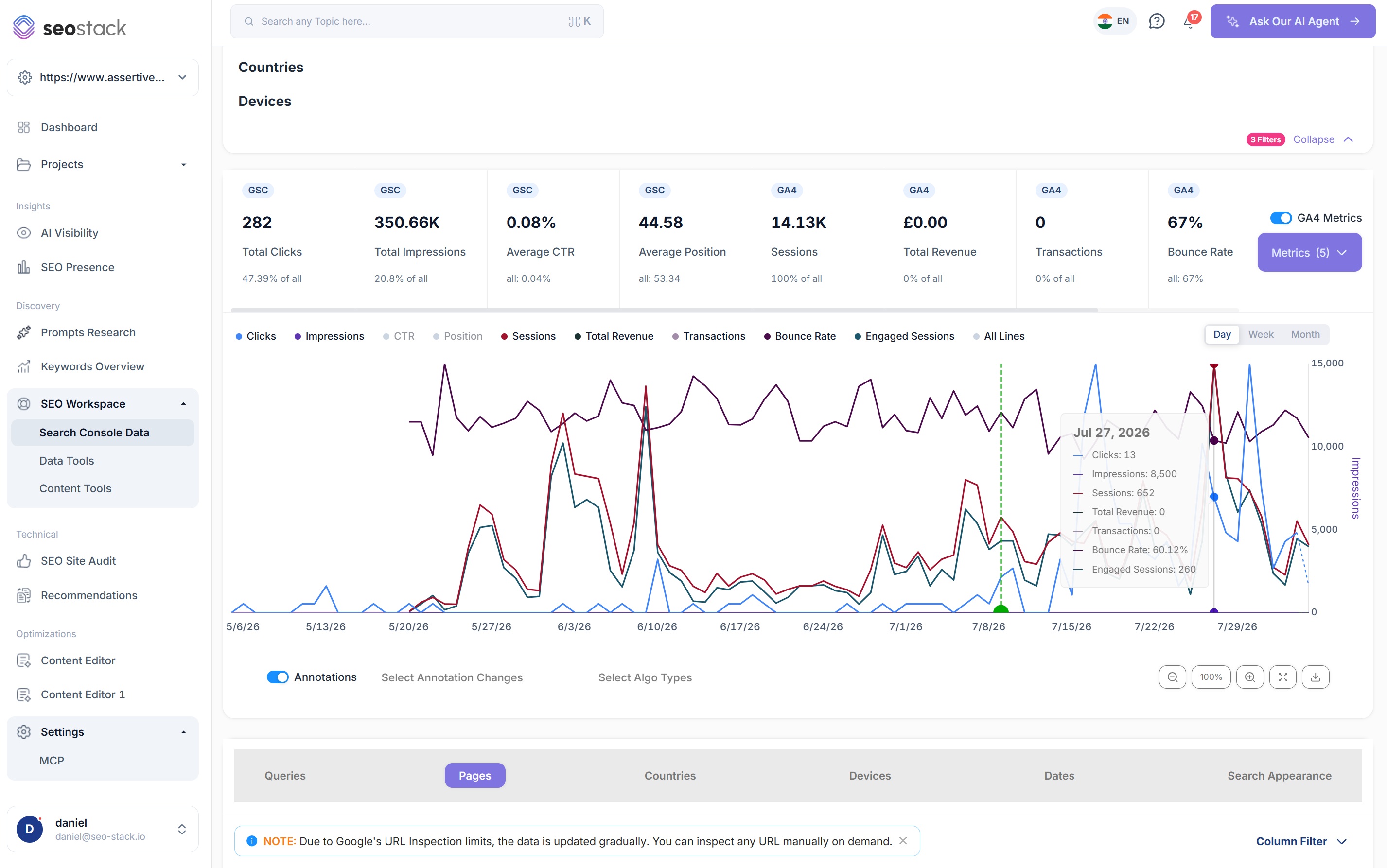
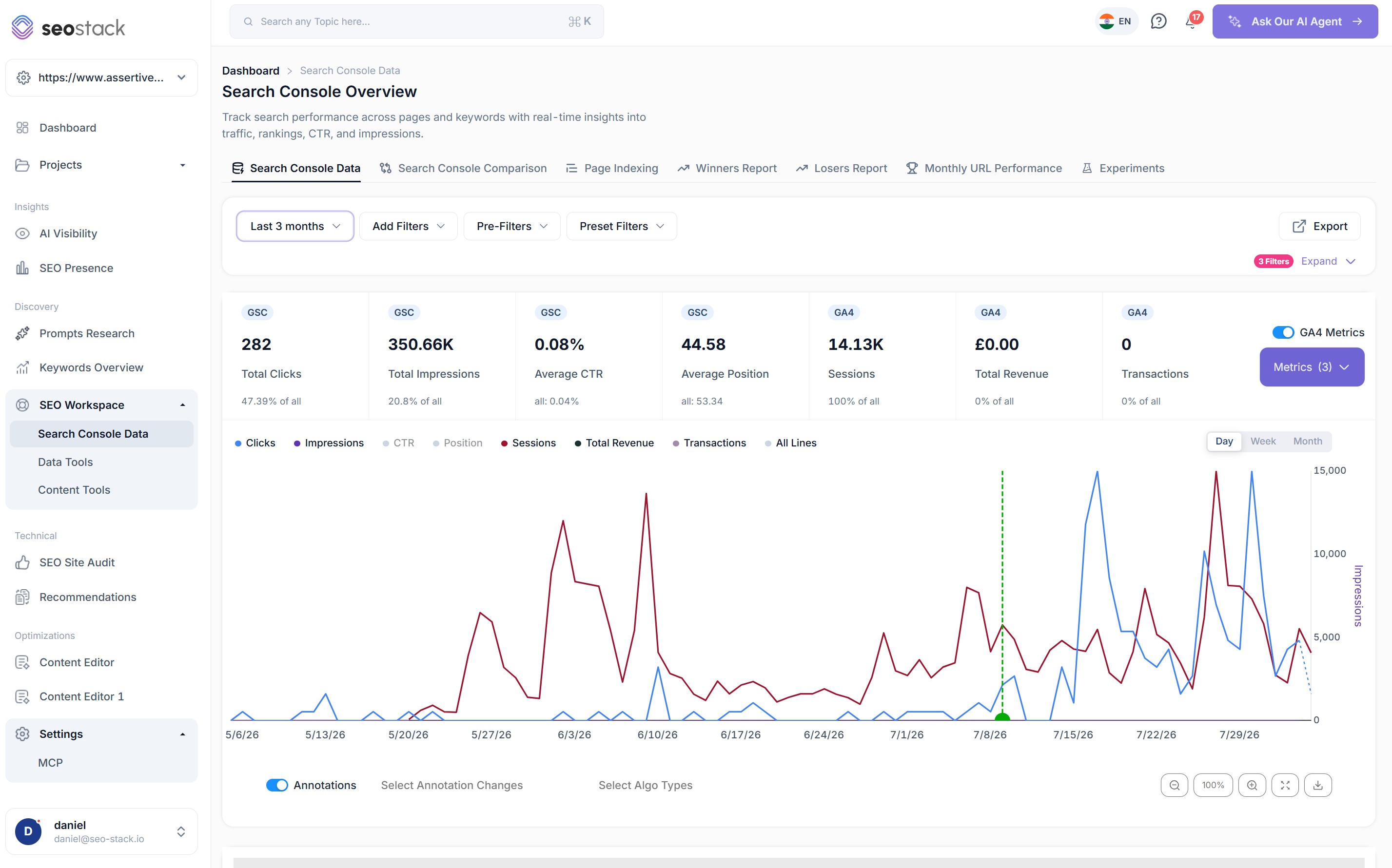
| Behaviour data | Search data lives apart from GA4, so the join is yours to build. | GA4 metrics render inside the same chart and beside your Pages table: sessions, bounce rate, engagement, transactions and revenue against the queries that earned them. |
| Page detail | No index state or HTTP status in the Pages report, and URL inspection caps at 2,000 a day. | Every page row carries HTTP status and index state, with URL inspection past the daily ceiling. |
| Asking questions | There is nothing to ask. You export and build it yourself. | An AI analyst connected to your warehouse by default, with no Cloud project and no service account, answering across Search Console and GA4 in one prompt. |
Getting started
Connected in under two minutes
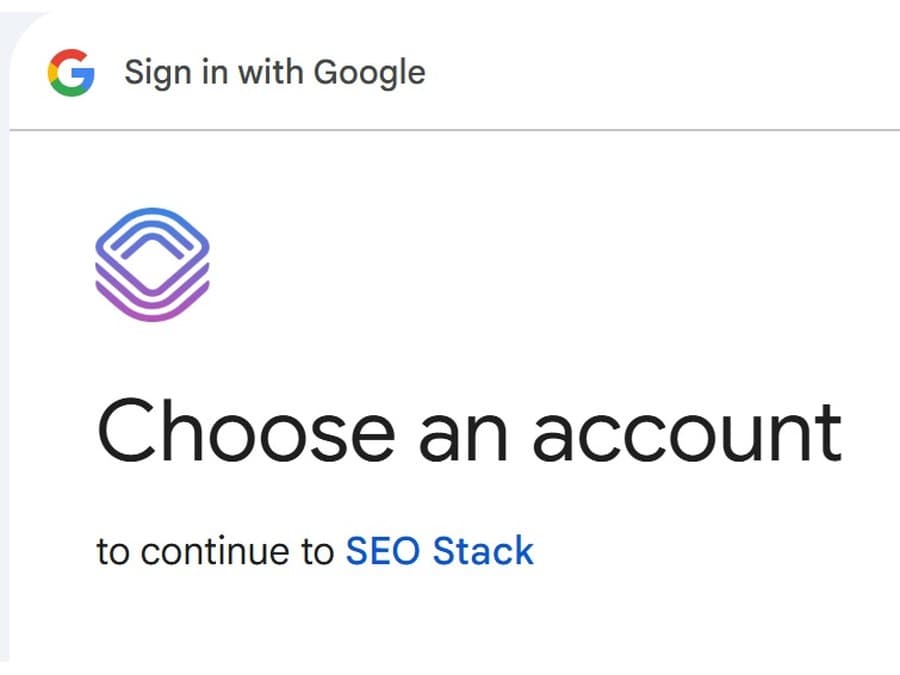
Sign in with Google
No Cloud project, no billing account, no service account, no dataset location you cannot change later.
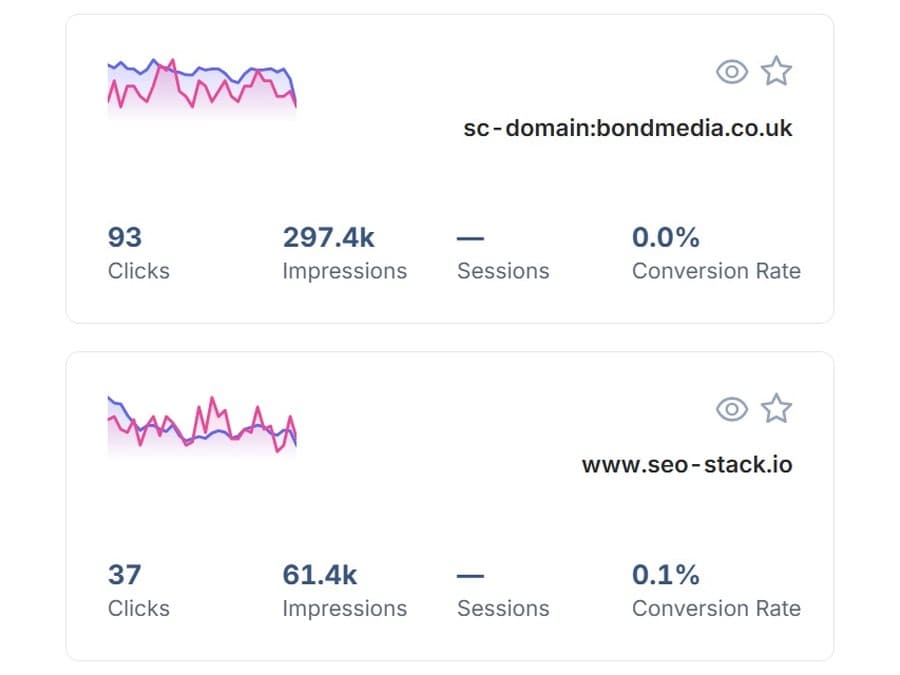
Pick a property
Whatever Google still holds gets imported, up to its own sixteen month window.
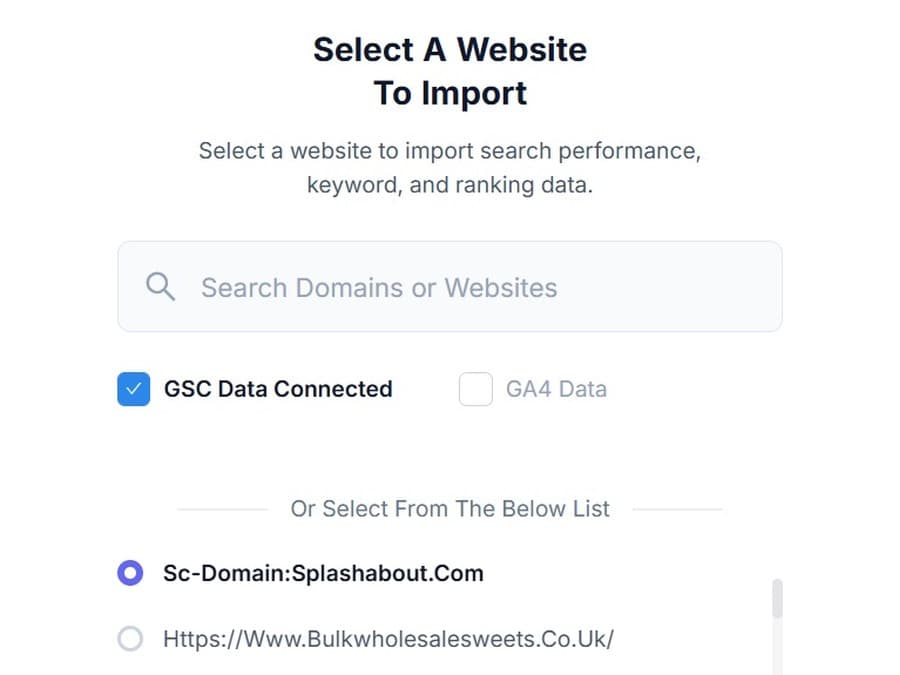
Warehousing starts
From that moment nothing is ever deleted, and every day of data you add is a day you keep.
The alternative is a Google Cloud project with billing enabled, two APIs turned on, IAM roles granted, a dataset location you are stuck with, a wait of up to 48 hours for the first export, no historic backfill at all, and then Google’s own guidance telling you not to point a dashboard at the raw tables because of what it will cost you.
Features and functionality
Everything the interface does, in detail
Same mental model as Search Console. Considerably more capability underneath it.
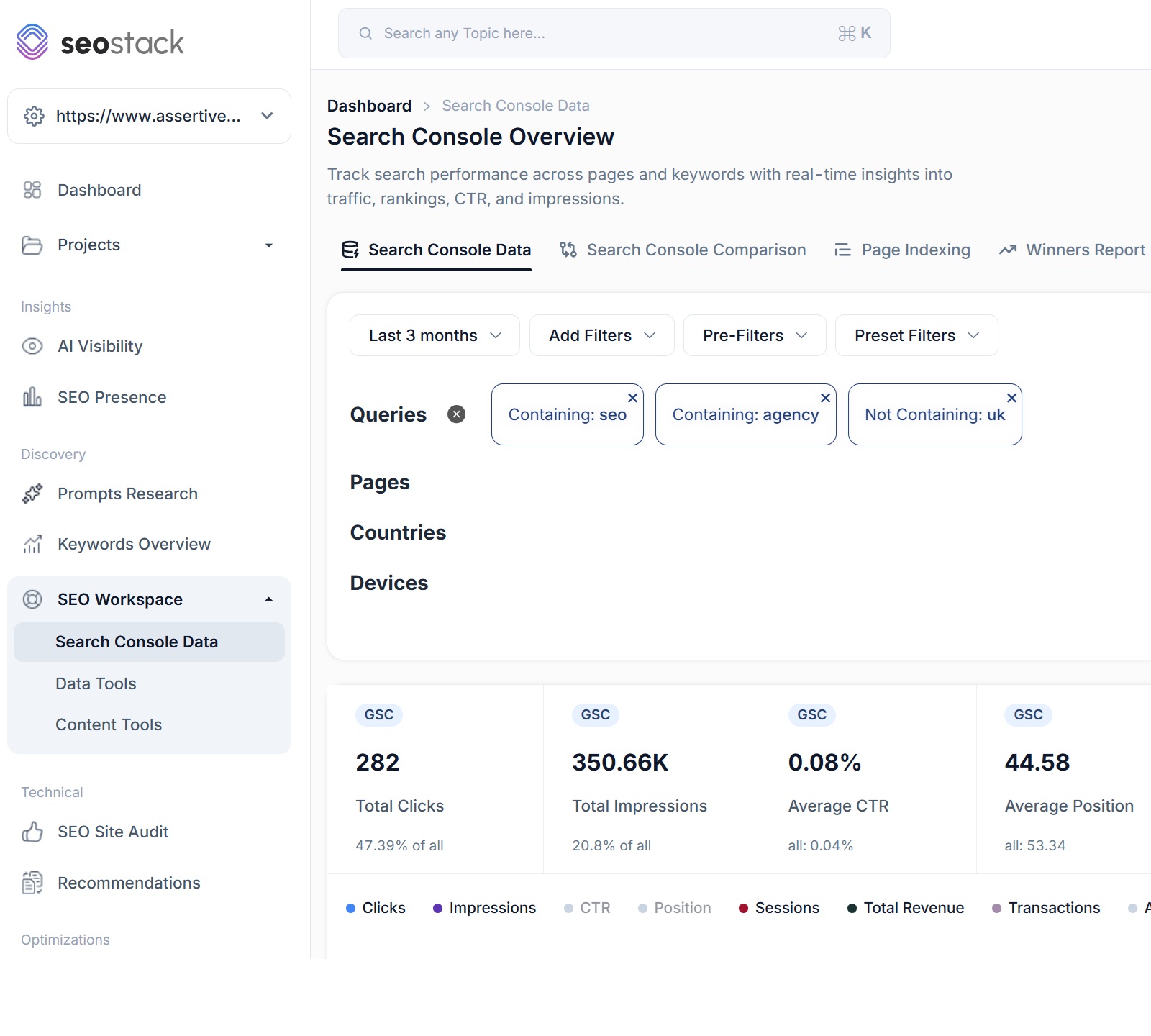
Filters that actually layer
- MUST and SHOULD logic: strict matching, or a set of terms to report on
- Contains, not contains, exact, regex, starts with, ends with and their negations
- Layer up to 1,000 filters, including the contains plus not contains combination Search Console refuses
- Save anything to your own library with groups, sub groups and folders
- AI generated filters from patterns detected in your data
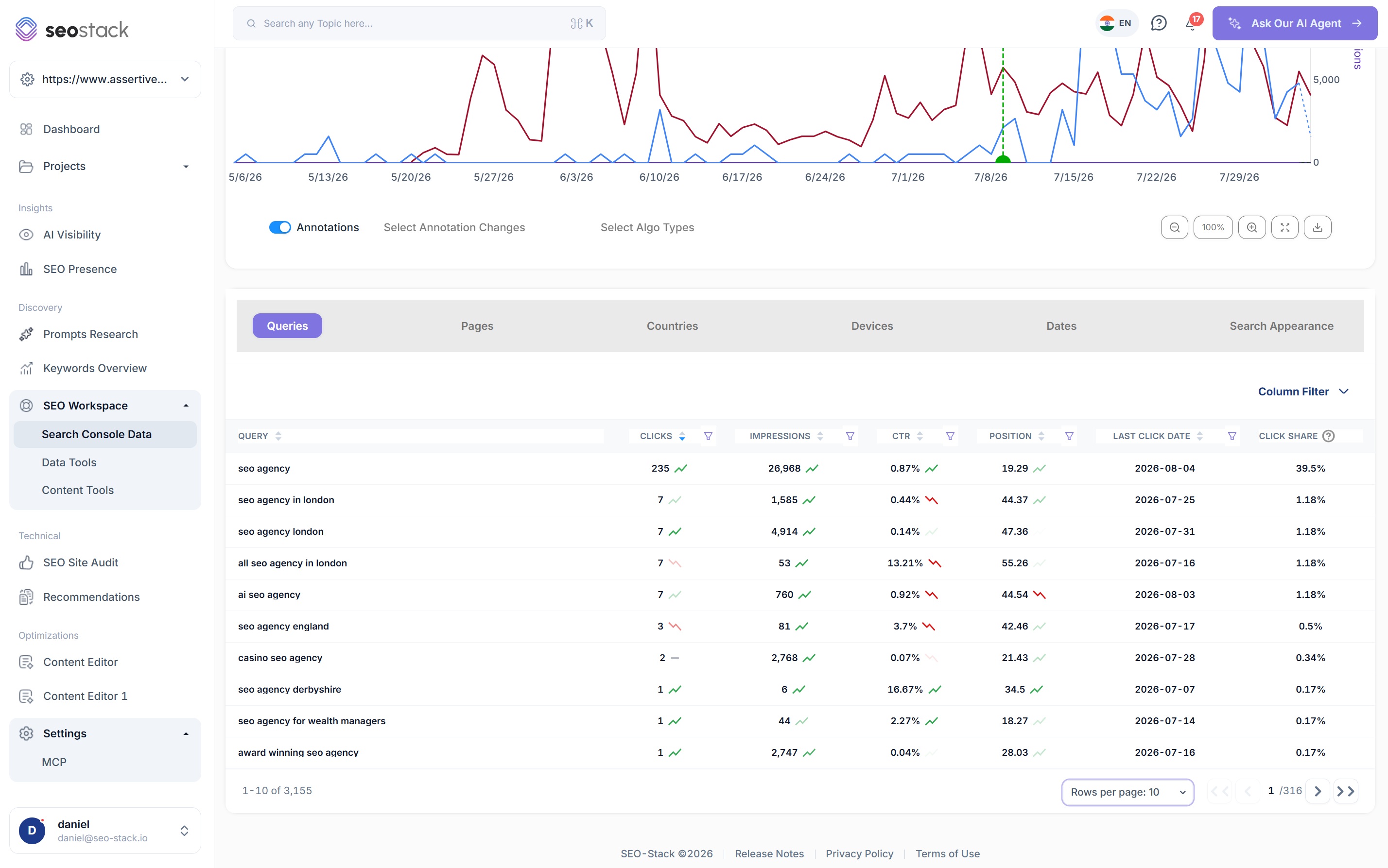
Every row, not the top thousand
- Clicks, impressions, CTR and average position across your full history
- Queries, Pages, Countries, Devices, Dates and Search Appearance, uncapped
- Trend direction on clicks, impressions, CTR and position
- Preset and fully custom date ranges reaching past 16 months
Last click date and click share
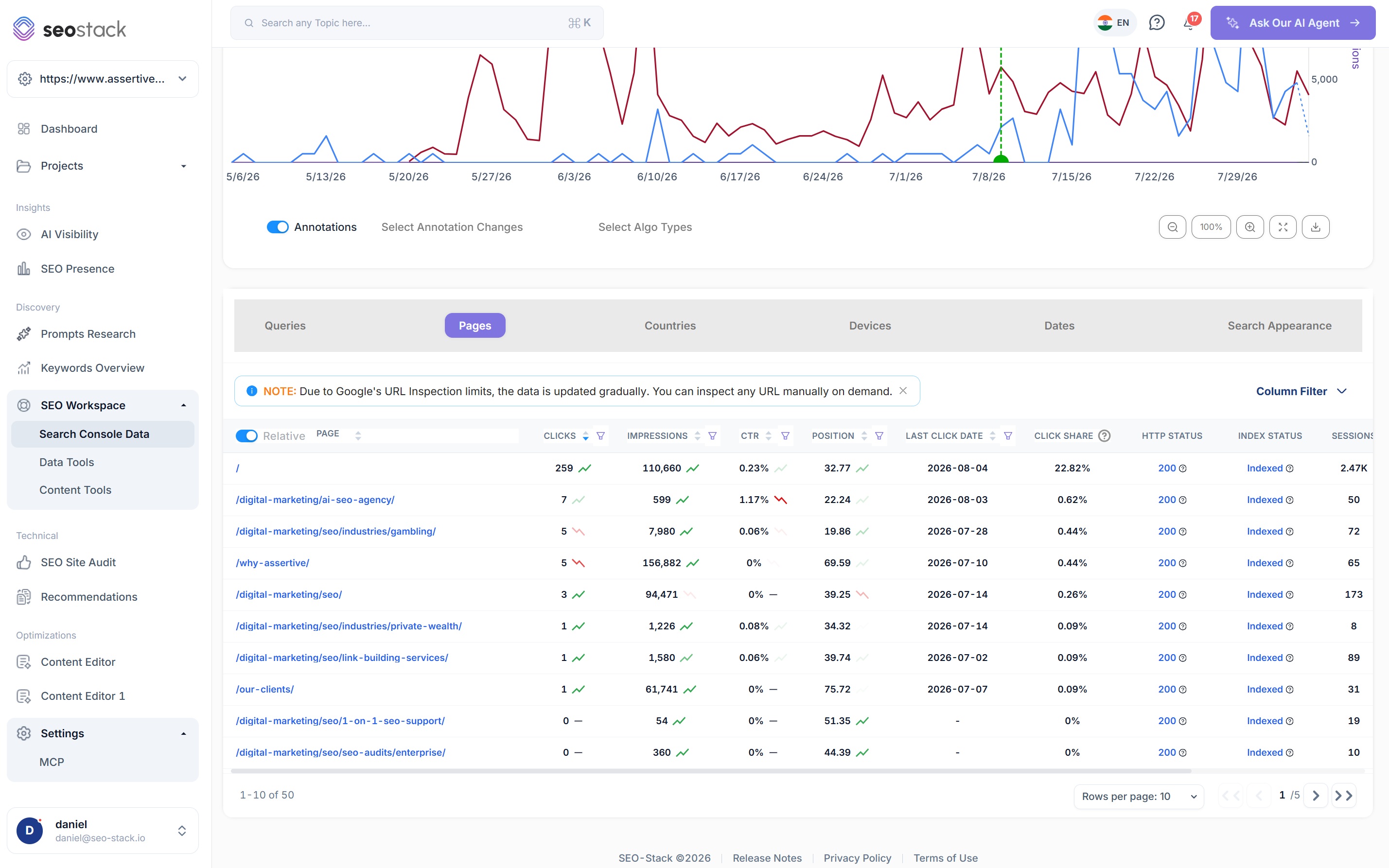
On every query and page, so you can see the exact day a keyword stopped converting rather than inferring it from a trend line. Click share sits at chart, query and page level.
Your changes and Google's, on one timeline
- Day, week and month views
- Zoom, drag scroll and full screen interaction
- Google core update overlays
- Smart annotation overlays, filterable by annotation type
- GA4 metrics plotted alongside search data
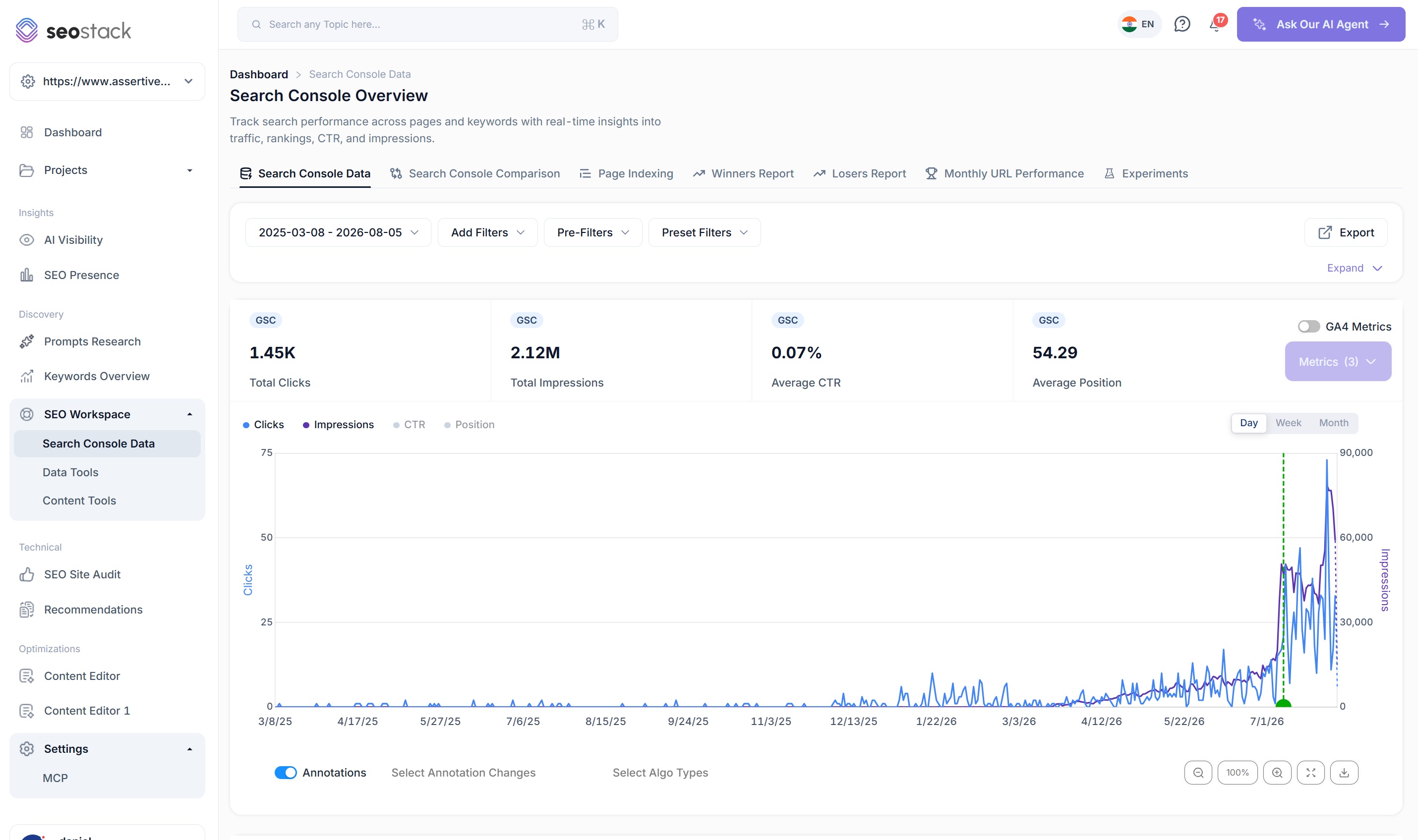
Answer 'did that work?' with evidence
- Scope to a single URL, a page group or the whole site
- Record date, author, change type and the metrics affected
- Opt in to alerts when a significant change is detected
- Kept for as long as your data is, and visible in comparison mode
- Ask the AI which annotations helped and which hurt
Search data next to what people actually did
- Sessions, bounce rate and engagement rate against the queries that earned them
- Transactions and revenue plotted on the same chart as clicks
- GA4 columns rendered beside your Pages table
- Hybrid questions across both data sets in a single AI prompt
The columns Search Console never gave you
- HTTP status and index state on every page row
- URL inspection past the 2,000 a day cap
- Date range comparison with no 16 month or row limits
- Winners and Losers reports, and monthly URL performance across the site
Two dimension exports
Pages combined with queries, with no row cap on either, plus month by month exports to Sheets, CSV or PDF.
Every day Search Console adds a day to the front of your history it deletes one off the back. Start the trial and today stops being a day you lose.
Credit card required
Stop exporting. Just ask your Search Console data.
Warehousing your data is only half of it. The AI Assistant is wired into that warehouse by default, across Search Console and GA4, so questions that would take an afternoon of pivot tables take a sentence.
- Which pages lost the most clicks in the last 90 days, and was it position slippage or fewer queries served?
- Find cannibalisation where two URLs compete for the same query.
- Draw a click line per sub folder for the last 24 months.
- Which annotations correlate with a positive change?
- Show me pages ranking in the top 10 with a bounce rate above 70%.
/guides/ is up 41% on clicks but down 12 positions on average.
Growth is coming from long tail queries that did not exist in the earlier period. Your head terms have slipped, but the folder is being served for 3.4× more distinct queries, which more than covers the loss.
Distinct queries served, /guides/, quarter on quarter
MCP and API
Build on top of your own search data
Your warehouse is not a walled garden. SEO Stack exposes it over MCP, so anything that speaks the protocol can read your full GSC and GA4 history, without Google's per connector rate limits.
AI SEO agents
Point Claude, ChatGPT, Gemini, Grok or your own agent at your full history and let it work autonomously.
Slack and Teams reporting
A scheduled agent that posts the week's movement into a channel, pulled from your own warehouse.
Workflows and automations
Trigger work off real search data instead of scraping or waiting on an export.
In house tooling
Build internal dashboards and tools without standing up a data pipeline first.
{
  "mcpServers": {
    "seo-stack": {
      "url": "https://mcp.seo-stack.io/sse",
      "headers": {
        "Authorization": "Bearer <your-key>"
      }
    }
  }
}
A sample of the available calls
How it helps
Same warehouse, four different jobs
SEOs
Diagnose a traffic drop properly. Separate ranking slippage from query shrinkage from AI Overviews absorbing the click, three different causes that look identical on a click chart and need completely different fixes.
Query countingAgencies
Keep every client's history past the point Google deletes it, open a call with Winners and Losers already on screen, and attribute the result to annotated work rather than to opinion.
For agenciesDigital marketers
Get GA4 answers without building an exploration. Sessions, revenue and engagement sit next to the queries that earned them, and you can ask for it in plain English.
For marketersIn house teams
Report contribution with evidence. Tie organic performance to revenue, prove what a content investment did over three years, and answer 'what happened?' before it becomes a meeting.
For in house teamsQuestions
Before you connect
Will you backfill my historic data?
SEO Stack imports whatever Google still holds at the moment you connect, up to its own 16 month window. Everything from that point forward accumulates, up to the retention your plan includes. Nobody can recover what Google has already discarded, which is the one real argument for connecting sooner rather than later.
Why not just use the Search Console API?
You can, and plenty of people do, but it caps at 25,000 rows per request and 50,000 rows per property per day per search type, it has short term and long term load quotas on top of that, and it gives you rows rather than a place to keep them. So you are writing pagination, handling OAuth, managing quota and standing up a database before you have looked at a single chart, and you still have nothing to show a client.
Do I need BigQuery or a Google Cloud project?
No. There is no Cloud project, billing account, dataset schema or export job. You sign in with Google, pick a property, and warehousing starts immediately.
What happens when Search Console goes down or lags?
Your warehouse is unaffected for everything up to the last successful sync, so historic analysis, reporting and comparison all carry on working through it. Nobody can create data Google has not yet processed, so the most recent days will lag with everyone else, but the reporting you had yesterday does not disappear.
Does this include AI Overviews and AI Mode data?
Whatever Search Console reports, we warehouse, so the search type breakdown comes through as Google provides it. The wider AI visibility question, whether ChatGPT, Gemini and Claude are citing you, is handled by AI Visibility and Prompt Research rather than by this tool, because Search Console does not report it at all.
Is this a replacement for Search Console or an addition?
Practically, a replacement for day to day work: it is the same interface and workflow without the caps. You will still use Search Console itself for verification, sitemap submission and manual actions.
How does rank tracking work without scraping?
Positions come from filtered Search Console data rather than scraped SERPs, which is why the withdrawal of the &num=100 parameter that degraded most rank trackers had no effect here.
Who can see my data?
Only you and anyone you explicitly delegate access to. Data is warehoused privately per account, and you can grant read or write access to individual properties without touching the users on the origin Search Console account.
What happens to my warehouse if I cancel?
Export everything at any time to Sheets, CSV or PDF with no row limits, including month by month and two dimension exports, so your history is always yours to take with you.
Tracking whether AI answers cite you is a different job. See AI Visibility.
Every month you wait, Google deletes another month
Connect a Search Console property during your 14-day free trial and warehousing starts from that point. No Google Cloud project, no BigQuery, no schema to design. A card is required to start the trial, and you will not be billed if you cancel before it ends.
- Credit card required
- Cancel within the trial and you won't be billed
- No contracts