The core idea
Google throws your search data away. Warehousing is just refusing to let it.
Search Console keeps 16 months of performance data on a rolling window. The month falling off the back of it today is deleted permanently, and Google doesn't send a warning.
First, the fair version
The limits aren't malicious, just economics
Keeping per-query, per-page, per-country, per-device data for every verified property on the web, forever, would be an enormous infrastructure bill for a product that generates no direct revenue. Sixteen months is the compromise: enough for year-on-year comparison, without committing Google to indefinite retention.
That’s a perfectly reasonable trade for Google to make. It just happens to be a terrible one for anyone whose job depends on understanding what happened to a website over time.
What it costs you
Four things you can't do with a 16-month window
You lose your own baseline
A two-year client engagement outlives Google's retention window. By month 17 you can no longer show where you started, which is exactly when someone asks whether the investment worked.
Year-on-year gets unreliable
16 months technically covers one year-on-year comparison, right up until you want to look at a three-year trend, or compare against the last time you ran the same campaign.
The long tail stays invisible
The 1,000-row cap means you see the head of your query set and nothing else. On a large site, that's a rounding error of your actual search footprint.
Core update analysis becomes guesswork
Understanding what an update did to you means comparing before and after in detail. If 'before' has been deleted, you're working from memory.
Your options
There are three honest ways to solve this
1. Export to spreadsheets every month
FreeWorks, technically. You’re still capped at 1,000 rows per export, someone has to remember to do it every single month forever, and the result is a folder of CSVs nobody can query.
2. BigQuery bulk export
Genuinely good, if you have the teamThis properly solves retention and row limits. It also needs a Google Cloud project, a billing account, export configuration, table schemas, SQL fluency and a visualisation layer before you see your first chart, plus per-query compute costs that grow every time you get curious. If you already have a data team, this is a reasonable choice.
Full BigQuery comparison3. Connect a property and let it warehouse itself
SEO StackSign in with Google, pick a property, and warehousing starts immediately. No Cloud project, no schema, no SQL. The interface is the Search Console workflow you already know, just without the row cap, the retention window or the filtering limits. GA4 sits alongside it, and an AI Assistant is connected by default.
- Nothing to configure
- Up to 10+ years of retention, building from the day you connect
- No row limits anywhere
- Flat monthly price, not per-query
What it looks like
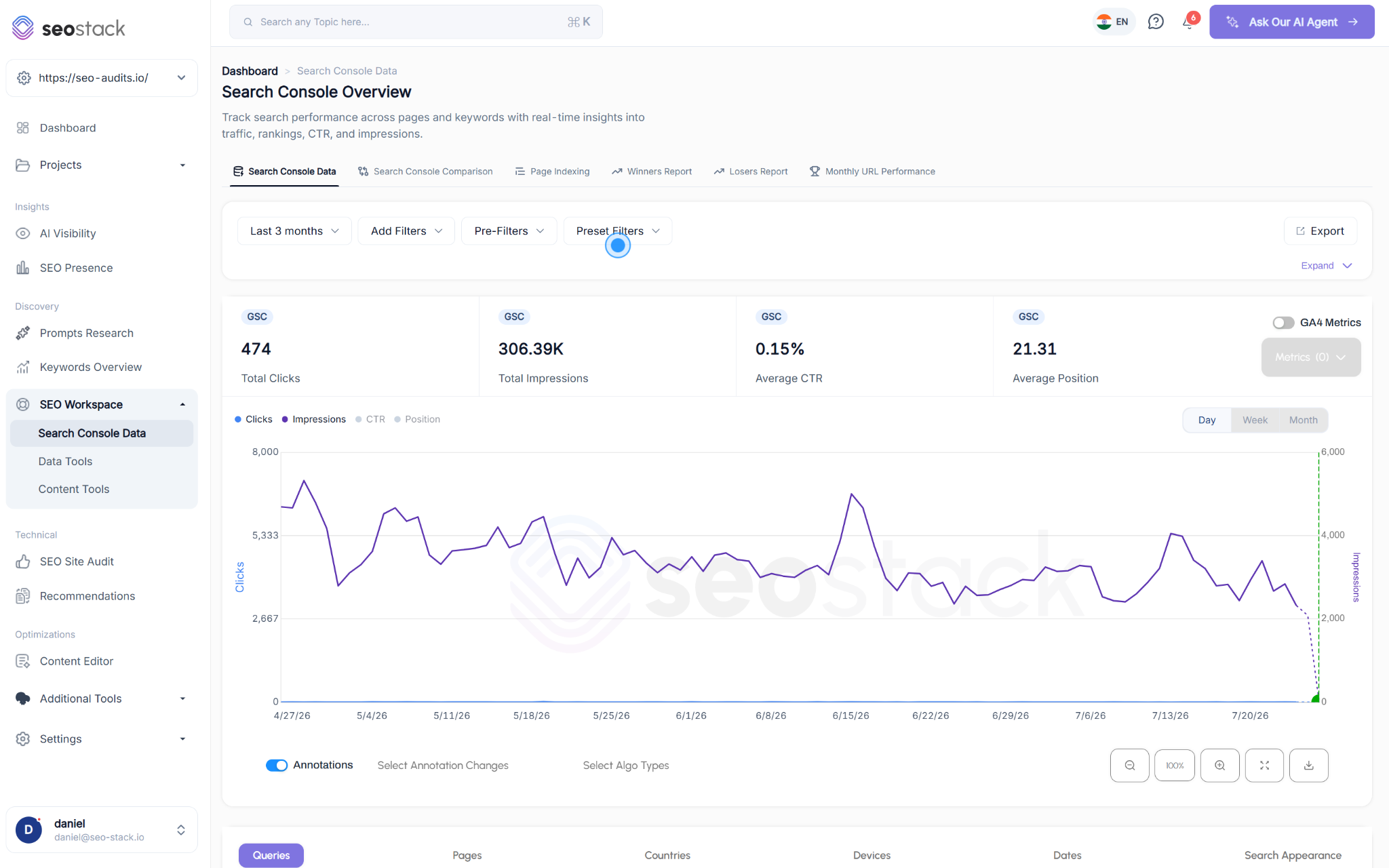
The same interface, without the ceiling
Queries, pages, countries, devices and search appearance: all of it, going back as far as your plan retains.
One thing worth being straight about
No tool can recover data Google has already deleted
When you connect a property, SEO Stack imports whatever Google still holds, up to its own 16-month window. Everything from that point forward accumulates in your warehouse, up to the retention your plan includes.
Which means the only real cost of waiting is the data you lose while you decide. Connecting a property during the 14-day trial starts the clock, and you will not be billed if you cancel before the trial ends.
Stop the 16-month clock today
Connect a Search Console property during your 14-day free trial and warehousing begins from that point. No Google Cloud project to set up. A card is required to start the trial, and you will not be billed if you cancel before it ends.
- Credit card required
- Cancel within the trial and you won't be billed
- No contracts