Technical & Auditing
New in V3AI recommendations that tell you what to fix, and how to fix it
Pulls your site audit findings, Search Console performance, AI visibility gaps and technical health into one ranked list of opportunities, each with the pages affected, a difficulty rating, an estimated time and step by step guidance for actually doing it.
- 100% data privacy
- 99.99% uptime
- Nothing to configure
- Export anytime, no limits
Trusted by leading companies
The problem
Knowing what is wrong is the easy half, most tools hand you a list of problems and leave you to work out which are worth an afternoon, which ones need a developer and what to actually do about any of them.
The tool
Everything worth doing, in the order worth doing it
Recommendations reads your latest site audit, your Search Console and GA4 data and your AI visibility results, then writes a single ranked board of opportunities with the evidence behind each one, so the question stops being what is wrong with the site and becomes what are we doing this week.
One ranked list, not five separate reports
Technical issues from your audit, low CTR pages from Search Console, striking-distance keywords and gaps in your AI visibility all arrive on the same board, ranked against each other rather than sitting in tools that never talk to one another.
Enough context to make the call
Every recommendation carries a severity, a difficulty, an estimated time and the number of pages it touches, so you can tell in a couple of seconds whether it is a fifteen minute job or something you need to book developer time for.
Guidance, not just a diagnosis
Open any card and you get a plain description of the problem, why it matters, the steps to fix it and every affected URL, which is the difference between a list of complaints and a list of work.
AI recommendations & opportunities
11 showing of 11 · 1 critical · 5 quick wins
Categories
Fix broken internal links
NewCriticalOpenInternal links pointing to failed URLs waste crawl budget and hurt UX.
- Category
- Technical
- SEO score impact
- +8
- Affected pages
- 30 pages
- Difficulty
- Hard
- Estimated time
- 1 to 2 days
Site Health audit · BROKEN_INTERNAL_LINK · 30 affected
View site healthAdd canonical tags
NewHighOpenMissing canonicals leave duplicate URL handling ambiguous for Google.
- Category
- Technical
- SEO score impact
- +5
- Affected pages
- 47 pages
- Difficulty
- Medium
- Estimated time
- 1 to 4 hours
Site Health audit · MISSING_CANONICAL · 47 affected
View site healthFix HTTP 404 Not Found pages
NewHighOpen404s usually mean broken internal links or stale sitemap entries.
- Category
- Technical
- SEO score impact
- +5
- Affected pages
- 16 pages
- Difficulty
- Medium
- Estimated time
- 1 to 4 hours
Site Health audit · HTTP_404 · 16 affected
View site healthCreate llms.txt file
HighOpenAdding an llms.txt file can significantly improve how AI models understand and reference your content.
- Category
- AI (GEO)
- Impact
- Improve AI citations
- Scope
- Entire website
- Difficulty
- Easy
- Estimated time
- 15 min
Website health scan · llms.txt not detected
Generate llms.txtNo XML sitemap detected
HighOpenWe could not find an XML sitemap for your site. Download a starter sitemap.xml, upload it to your site root, then submit it in Search Console.
- Category
- Website Setup
- Impact
- Improve crawl & indexation
- Scope
- Entire website
- Difficulty
- Easy
- Estimated time
- 10 min
Website health scan · XML sitemap not detected
Generate sitemap.xmlAdd internal links to striking-distance keywords
NewHighOpen5 high-traffic pages can support 24 keywords ranking in positions 11 to 20.
- Category
- Content
- Est. traffic
- Push to top 10
- Affected keywords
- 24 keywords
- Difficulty
- Medium
- Estimated time
- 4 to 8 hours
SEO Presence · internal linking · 5 winning pages
View fix guideFix invalid JSON-LD markup
MediumOpenStructured data is present but a required field is missing, so the markup will not qualify for rich results.
- Category
- Technical
- SEO score impact
- +3
- Affected pages
- 1 page
- Difficulty
- Easy
- Estimated time
- 30 min
Site Health audit · INVALID_SCHEMA · 1 affected
View fix guideOptimize meta descriptions
NewMediumOpenSearch Console shows pages with strong impressions but low click-through rate. Improving meta descriptions can increase CTR from search results.
- Category
- On Page
- SEO score impact
- +5
- Affected pages
- 88 pages
- Difficulty
- Easy
- Estimated time
- 1 hour
Google Search Console · 88 low-CTR pages · last 30 days
View fix guideShorten overly long title tags
MediumOpenTitles beyond the length Google will display get truncated, so the part that would have earned the click never appears.
- Category
- On Page
- SEO score impact
- +3
- Affected pages
- 94 pages
- Difficulty
- Easy
- Estimated time
- 1 to 2 hours
Site Health audit · TITLE_TOO_LONG · 94 affected
View fix guideAdd Product schema markup
MediumOpenProduct pages without structured data are not eligible for the rich results that carry price and availability into the SERP.
- Category
- On Page
- SEO score impact
- +5
- Affected pages
- 12 pages
- Difficulty
- Medium
- Estimated time
- 2 to 4 hours
Site Health audit · MISSING_SCHEMA · 12 affected
View fix guideUnlinked brand mentions
MediumOpenCompetitors appear in AI answers for prompts where your brand is never mentioned. Closing these gaps can improve AI visibility and authority.
- Category
- Off-Page SEO
- Impact
- Increase domain authority
- Affected
- 43 unlinked mentions
- Difficulty
- Medium
- Estimated time
- 1 to 2 weeks
AI Visibility prompts · 43 competitor-only mention gaps
View fix guide
Illustrative board. Choose a category to filter it, the counts are worked out from the opportunities themselves.
Where they come from
Five sets of data, weighed up together
A recommendation is only as good as what it was calculated from, so rather than running a checklist against your homepage, the board is built from the data you have already connected.
Your site audit
Every detector the crawl runs feeds in, so broken links, missing canonicals, 404s, invalid schema and long titles all arrive with their issue code and the pages affected.
Google Search Console
Pages with strong impressions and weak click-through, keywords sitting in positions 11 to 20, and queries you are being served for but not clicked on.
GA4
Organic sessions and conversion behaviour, so a recommendation on a page that actually earns you money gets weighted differently to one on a page nobody lands on.
AI visibility
Prompts where competitors are named and you are not, unlinked brand mentions, and the technical readiness checks that decide whether AI crawlers can reach you at all.
Your own performance history
Because your Search Console data is warehoused rather than capped at sixteen months, the comparison behind a recommendation can reach back further than Google's own reports will let it.
Every card prints the source it came from underneath it, so you can always see whether a recommendation came out of the crawl, out of Search Console or out of your AI visibility prompts.
More on the SEO Site AuditWhat a recommendation tells you
Six fields, and every one of them changes what you do next
The reason most audit output never gets implemented is that it tells you what is wrong without telling you how big it is, how hard it is or how long it takes, so every card here answers all three before you have opened it.
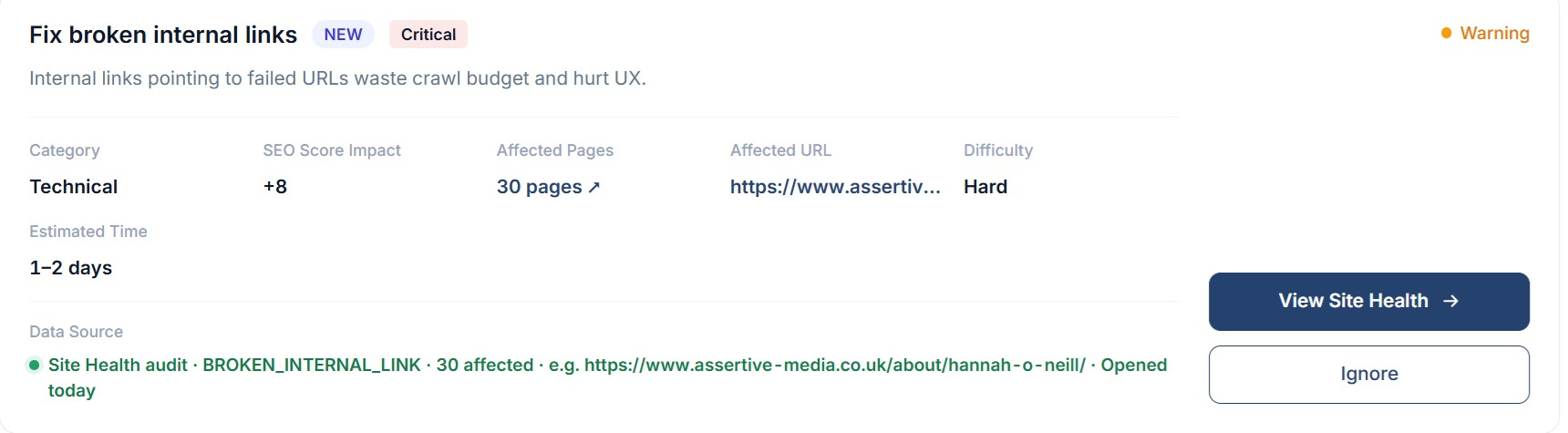
Category and severity
Technical, On Page, Content, Off-Page SEO, AI (GEO), Keyword Opportunity or Website Setup, each rated critical, high, medium or low.
Impact
Either the points it will add to your SEO health score, or the outcome it moves, i.e. improve AI citations or push keywords into the top 10.
Affected pages, URLs or keywords
The exact count, with the full list one click away and every URL copyable rather than a sample of three.
Difficulty
Easy, medium or hard, which is usually the field that decides whether you do it yourself this afternoon or raise a ticket.
Estimated time
From fifteen minutes for an llms.txt file up to one to two weeks for an outreach campaign, so a week's work can be planned rather than guessed at.
Data source
The scan, the issue code, the number affected and a sample URL, printed on the card so nothing on the board is unexplained.
Inside the tool
From the whole board down to one issue code
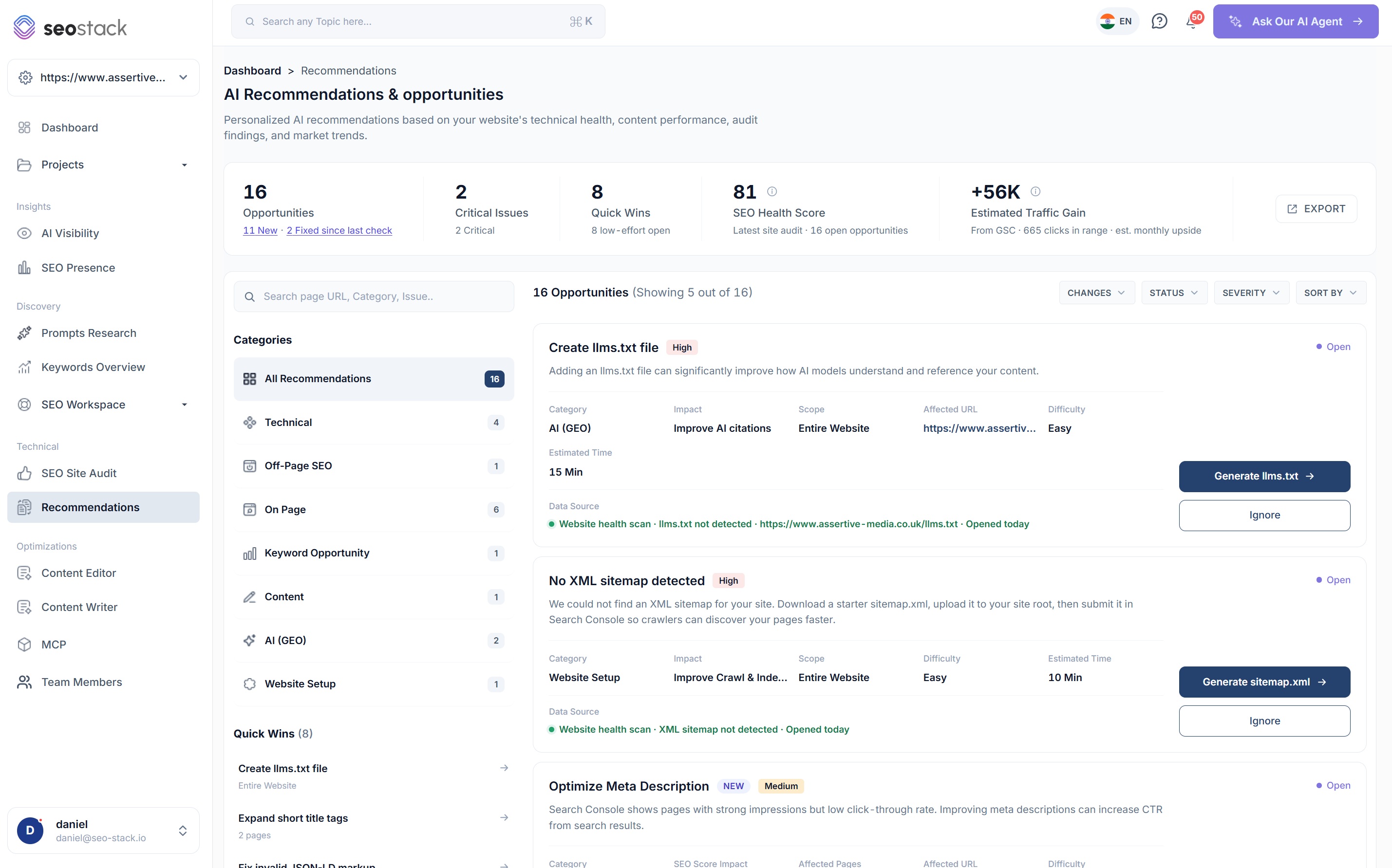
Every opportunity on one screen
- A summary strip with opportunities, critical issues, quick wins, your SEO health score and the estimated traffic gain
- How many are new and how many have been fixed since your last check
- Categories down the left with a live count against each one
- Quick wins listed separately, so the low effort work is always visible
- Export the whole board when it needs to live in a spreadsheet or a ticket system
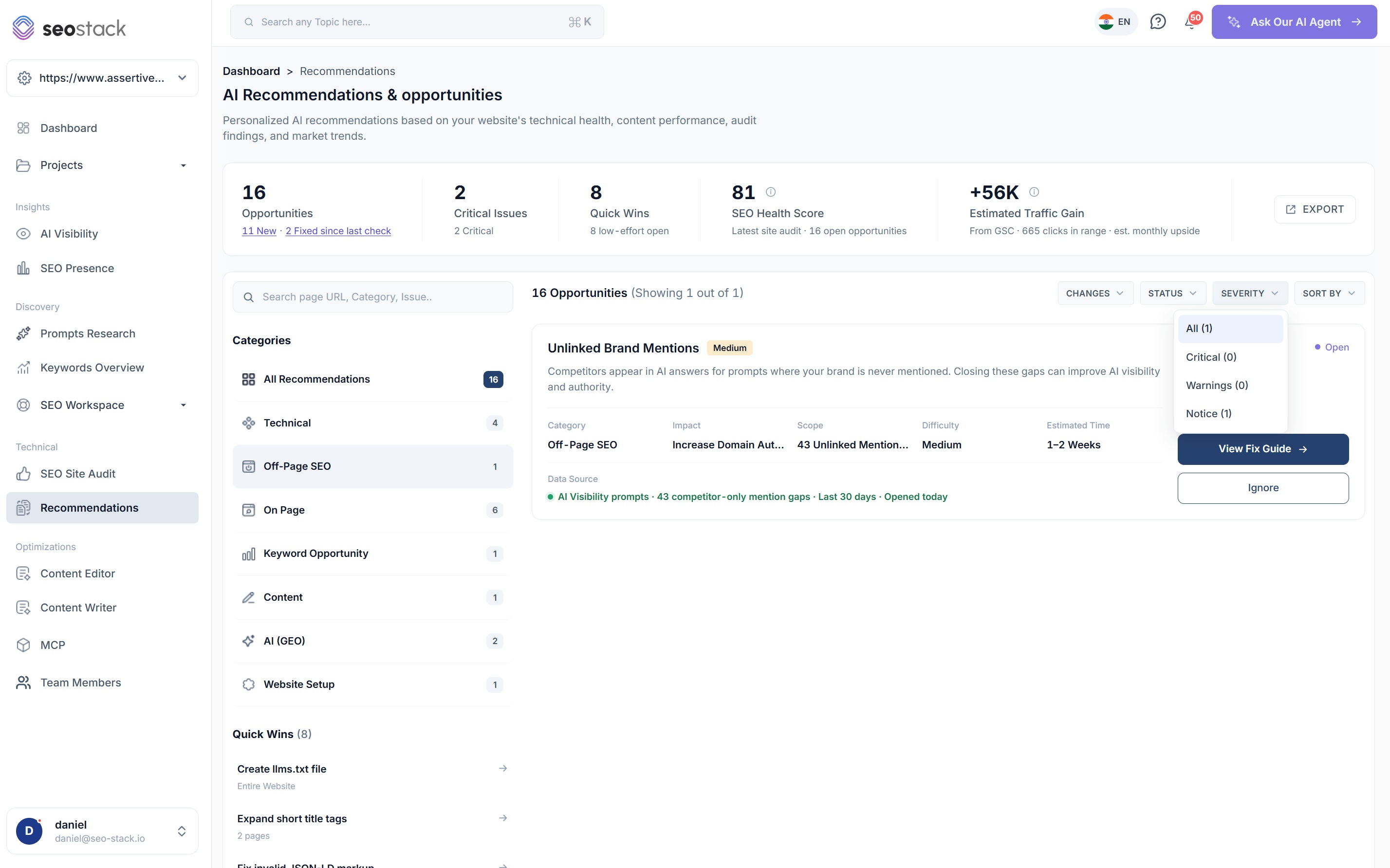
Ranked, described and evidenced
- Severity and a NEW badge so anything that has just appeared stands out
- A plain description of the problem in one or two sentences
- Category, impact, affected pages, difficulty and estimated time on every card
- The data source line, i.e. Site Health audit, MISSING_CANONICAL, 47 affected
- Actions that match the job, whether that is generating a file, opening the fix guide or going to Site Health
Ignore is a first class action
Plenty of recommendations will not apply to your site, so you can ignore them and they stop cluttering the board rather than being re-suggested every time an audit runs.
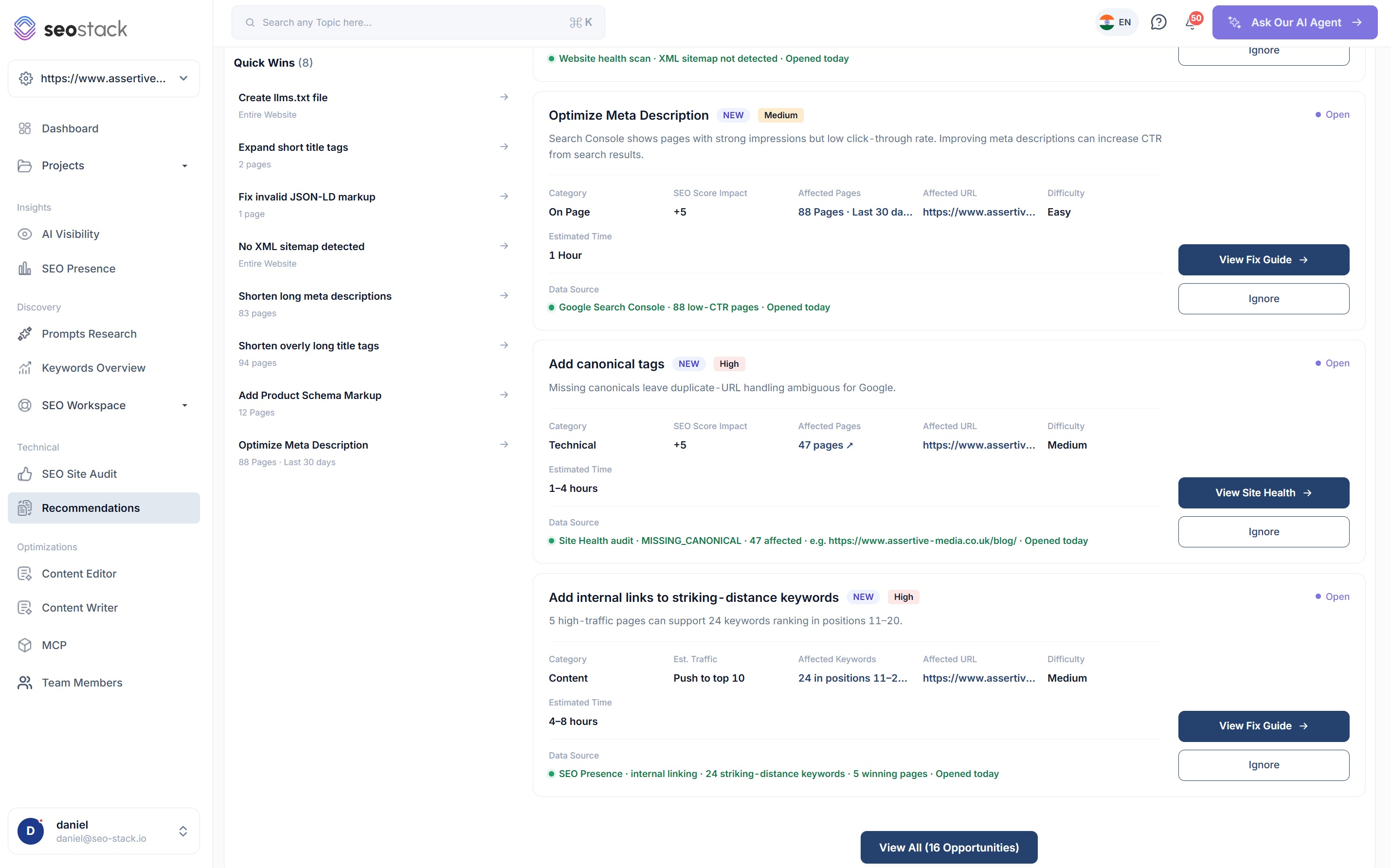
Narrow it down to what you are working on
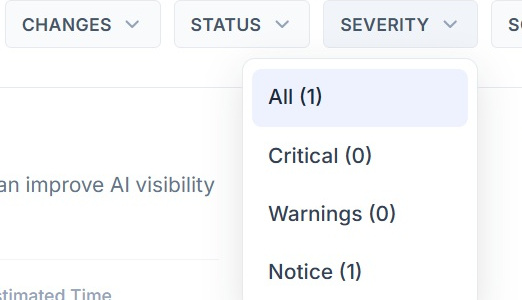
- Filter by category, severity, status or what has changed since your last check
- Sort so the highest impact or the lowest effort comes to the top
- Search by page URL, category or issue when you are looking at one part of the site
- Severity counts update as you filter, so an empty result is obvious rather than confusing
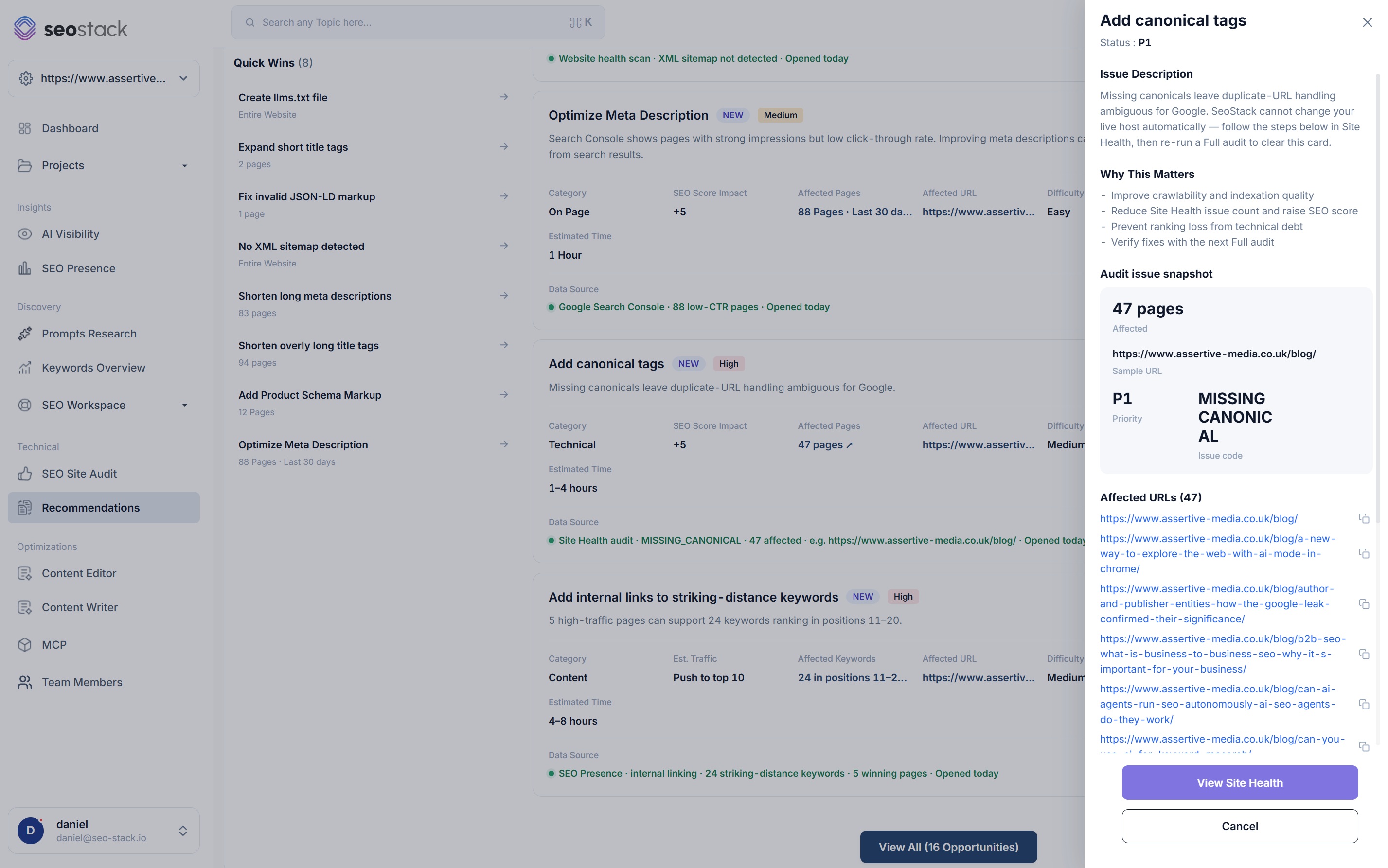
The detail behind a single recommendation
- An issue description written against your site, not a generic definition
- Why this matters, as a short list of what fixing it actually changes
- An audit issue snapshot with the count affected, a sample URL, the priority and the issue code
- Every affected URL listed and copyable
- A route straight into Site Health to verify the fix on the next audit
The guidance
Written for the issue in front of you
Anybody can generate a list of SEO problems, the harder part is explaining what to do about a specific one on a specific site, so every recommendation opens into guidance that describes the issue, says why it is worth your time and gives you the steps.
Fix guide
Add canonical tags
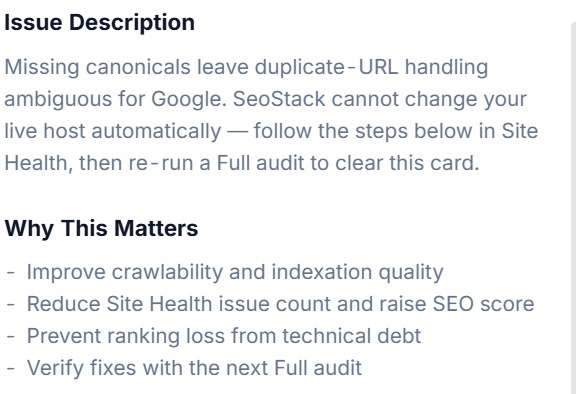
Status: P1Issue description
Missing canonicals leave duplicate URL handling ambiguous for Google. SEO Stack cannot change your live host automatically, so follow the steps below in Site Health, then re-run a full audit to clear this card.
Why this matters
- Improve crawlability and indexation quality
- Reduce Site Health issue count and raise SEO score
- Prevent ranking loss from technical debt
- Verify fixes with the next full audit
How to fix it
- 1Add a self-referencing rel=canonical to every affected template
- 2Point parameter and pagination URLs at the version you want indexed
- 3Re-run a full audit and check the card clears
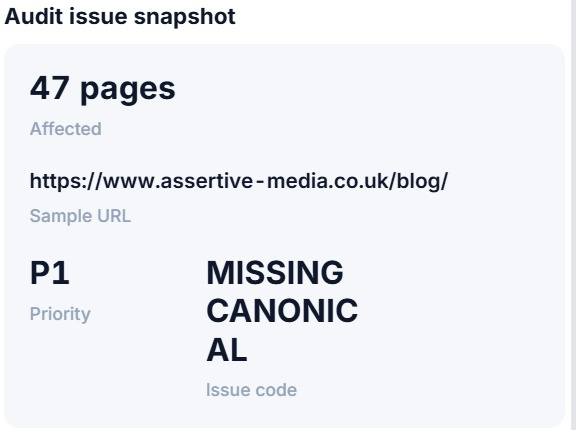
Audit issue snapshot
47 pages
Affected
https://www.assertive-media.co.uk/blog/
Sample URL
P1
Priority
MISSING_CANONICAL
Issue code
Affected URLs
- https://www.assertive-media.co.uk/blog/
- https://www.assertive-media.co.uk/blog/a-new-way-to-explore-the-web-with-ai-mode-in-chrome/
- https://www.assertive-media.co.uk/blog/b2b-seo-what-is-business-to-business-seo/
- https://www.assertive-media.co.uk/blog/can-ai-agents-run-seo-autonomously/
Every affected URL is listed and copyable, not just the first few.
Illustrative. Switch recommendation to see how the guidance changes with the issue.
What it checks
From broken links to hreflang, and everything between
The recommendations are only as broad as the checks behind them, so the crawl looks at the technical, structural and content signals that actually decide whether a page performs, then writes up whatever it finds.
Links and anchors
- Broken internal links, with the page each one sits on
- HTTP 404s from your own navigation and from stale sitemap entries
- Redirect chains and links pointing at a redirect rather than the destination
- Anchor text that carries no meaning, and orphan pages nothing links to
- Internal linking opportunities into pages sitting in positions 11 to 20
Canonicals and indexability
- Missing canonical tags and canonicals pointing at a different URL to the one crawled
- Noindex directives on pages that are linked from your navigation
- Robots.txt rules blocking pages you want indexed
- Pages crawled but never indexed, checked against Google URL Inspection
Hreflang and international
- Missing or malformed hreflang annotations
- Return tags that do not point back, so the pairing is never honoured
- Language and region codes that are not valid
- x-default handling on the pages that need it
Schema and markup
- Pages with no JSON-LD structured data at all
- Invalid markup and required fields left empty
- Product, Article and FAQ opportunities on pages that qualify for them
- Markup that will not earn a rich result in its current state
Titles, metas and content
- Titles beyond the length Google will display, and titles too short to say anything
- Missing and duplicated meta descriptions
- Pages with strong impressions and weak click-through rate
- Images with no alt text
AI and off-page
- llms.txt detection, and generation if you do not have one
- AI crawler access for GPTBot, ClaudeBot, PerplexityBot and the rest
- Prompts where competitors are named and your brand is not
- Unlinked brand mentions worth chasing
Estimated traffic gain
A number to argue for the time with
Getting technical work prioritised usually means putting a figure against it, so the board estimates the monthly upside of the open opportunities using your own Search Console clicks rather than a third party volume estimate.
- 16
- Opportunities
- 2
- Critical issues
- 8
- Quick wins
- +56K
- Estimated traffic gain
11 new, 2 fixed since the last check
The ones worth stopping for
Low effort, open right now
From GSC, 665 clicks in range

Worth being clear about
An estimate is an estimate. The figure is modelled from the clicks and impressions those pages already earn and what they would earn at a better position or a better click-through rate, so it tells you which opportunities are bigger than the others, it is not a promise of a number. Naturally the accuracy depends a great deal on how much history the property has, and it really does vary from site to site, so we would treat it as a way of ranking work rather than as a forecast you take to a board meeting.
Quick wins and actions
There is always something you can do in fifteen minutes
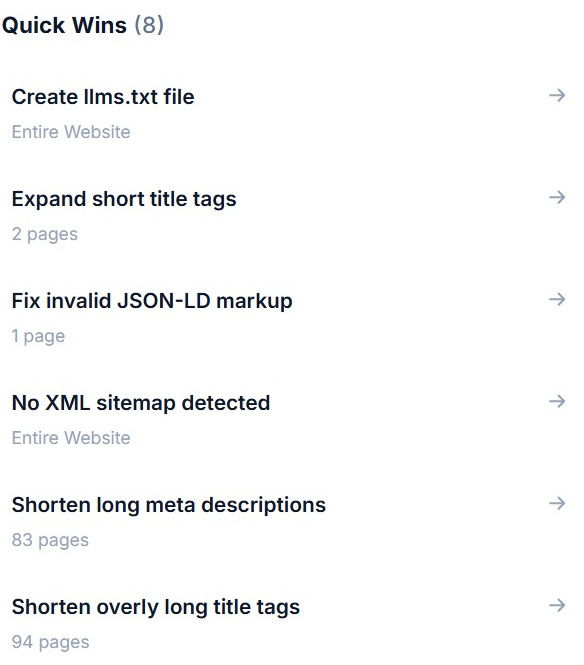
Quick wins are pulled out into their own list, so when you have half an hour rather than half a week there is a set of low effort recommendations waiting, each with the number of pages it touches against it. Typically these are the ones that clear the fastest and move the health score first, which makes them a reasonable place to start on a site you have only just taken on.
Generate the file for you
Where the fix is a file rather than a change, i.e. an llms.txt or a starter sitemap.xml, the card generates it there and then instead of describing what one should contain.
Open the fix guide
The full write-up, the affected URLs and the steps, for anything that needs a change on your side rather than a download.
Go straight to Site Health
For issues raised by the crawl, the card takes you to the audit view where you can see the pages, the source and the line the issue came from.
Ignore, and stay ignored
Anything that does not apply gets dismissed and stays dismissed, so the board does not re-suggest the same thing after every audit.
How SEOs use it
What Recommendations is actually good for
Plan the week in ten minutes
Sort by impact, take the top three, check the estimated times against what you have got, and the plan is written. Most of the arguing about what to do next comes from not having effort and impact in the same view.
Hand work over cleanly
A developer gets the issue, the reason it matters, the steps and every affected URL in one place, so the handover is a link rather than a meeting and a spreadsheet.
Report progress to a client
The board shows how many opportunities are new and how many have been fixed since the last check, which is a far easier conversation than trying to describe technical work that nobody outside the team can see.
Work one area at a time
Filter to Technical while a developer has capacity, then to On Page while a copywriter does, so two people can work off the same board without tripping over each other.
Bring AI visibility into the same plan
Recommendations about llms.txt, crawler access and prompts where competitors are named sit alongside the technical work rather than in a separate tool nobody opens.
Ask the AI assistant to go further
The board tells you what to do, and if you want the reasoning, a comparison or a version written for a client, the AI assistant is reading the same warehoused data underneath it.
What you get out of it
The outcome, not the feature list
Start the week with a ranked list instead of a blank page
Give a developer the issue, the pages and the steps in one handover
Show what changed since the last check, and what has already been fixed
Works well with
More in Technical & Auditing
Connect a property. Watch the data start stacking.
Warehousing begins the moment you connect your Search Console property, there is no Google Cloud project to set up, no BigQuery and no schema to design. You simply connect your property and SEO Stack starts storing every row of your data from that day onwards.
- Credit card required
- Cancel within the trial and you won't be billed
- No contracts