Search Console, GA4 & AI visibility
Plug your warehoused data into any AI you already use
SEO Stack's MCP server allows you to connect your own AI Agents & AI subscriptions to your Google Search Console & Analytics data. Build custom workflows, AI agents that can run your SEO + lots more!
MCPs for



- 100% data privacy
- 99.99% uptime
- Nothing to configure
- Export anytime, no limits
Trusted by leading companies
The problem
Google's search console & GA4 data requests are capped + it's easy for AI models to lose context if there are data limits. SEO Stack bypasses all the data row limits imposed - so you can get unrestricted access to your data over MCP.
Same request, two endpoints. One of them hands back a page at a time and still stops at 16 months.
Search Console API
3.4s
- request
- GET all query rows
- response
- 50,000 rows returned
The per-request ceiling. Everything past it means paginating, and nothing exists past 16 months.
SEO Stack MCP
1.1s- request
- GET all query rows
- response
- 10,000,000+ rows returned
No ceiling, no pagination, and the full warehoused history.
Setup
Connecting to the MCP is easy & takes seconds!
Have your own data pipeline ready for AI to use in seconds, connect up Claude, chatGPT, Gemini, DeepSeek, Llama & other platforms in seconds to pull any Google Search Console / GA4 data. Build smart AI Agents that can interact with your data and undertake tasks from SEO reporting to conversion analysis.Setup is quick and easy!
01Generate a key
One click in the MCP screen. Each key authenticates a single client as you, and you can name, rotate and revoke them individually.
02Paste the config
Pick your client, copy the snippet, drop your key in. Claude Desktop, ChatGPT and Gemini each get their own ready-made config.
03Start asking
Restart the client and your whole warehouse is available as tools. No pipeline, no BigQuery, no export step.
{
  "mcpServers": {
    "seostack": {
      "url": "https://api.seo-stack.io/api/mcp",
      "headers": {
        "Authorization": "Bearer sk_mcp_YOUR_KEY"
      }
    }
  }
}
That is the whole integration. Keys are revocable at any time and a revoked key disconnects the client immediately.
Google Search Console MCP
Every row of your warehoused & current GSC data available in 1 request
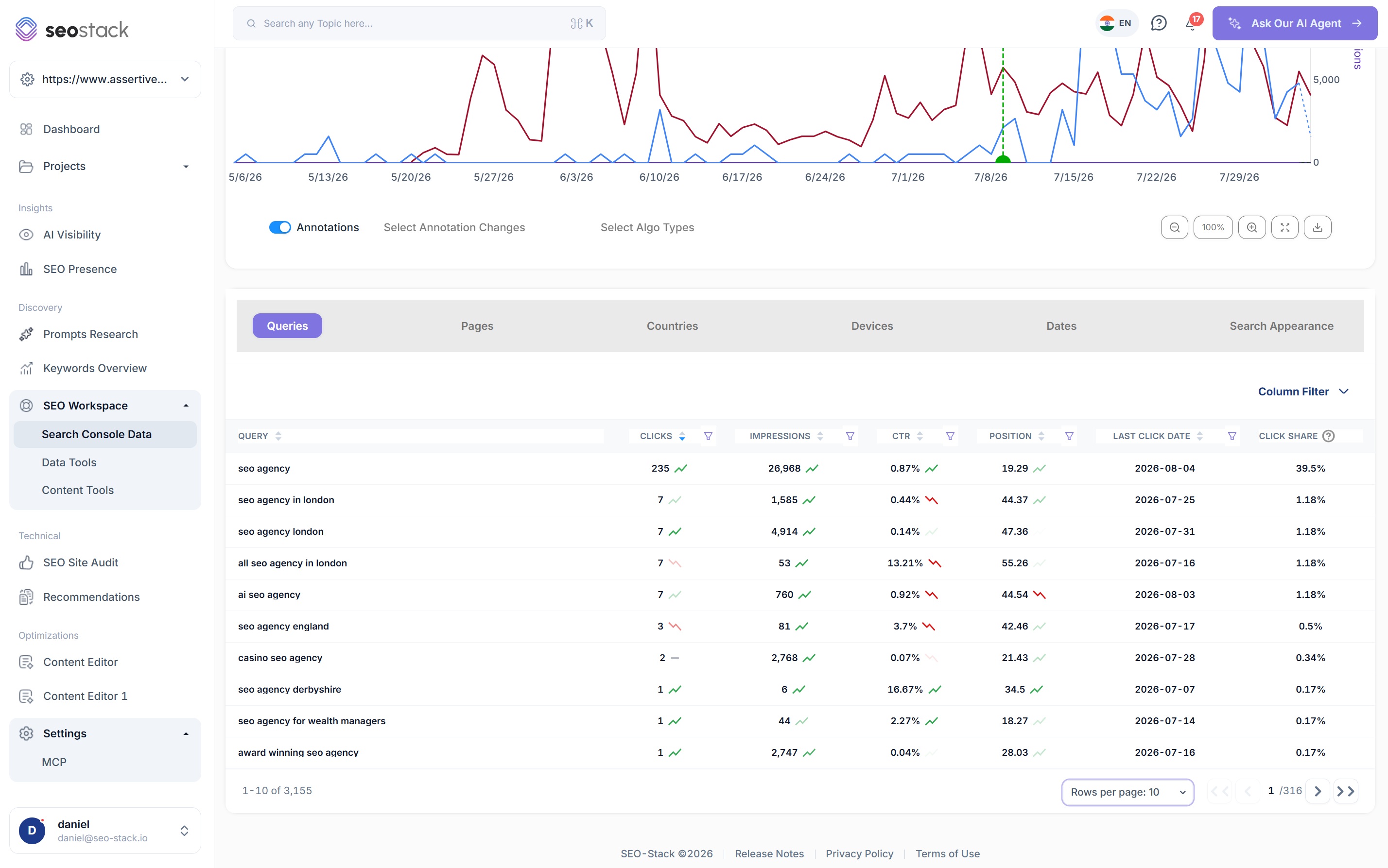
SEO Stack's MCP provides unrestricted access to your own search console data without the limits. Bypass the 16 month timeframe limit and 50k row request limits. Get every dimension from query to page, click to impression in 1 simple request.
- No row limits, so a question about the long tail returns the long tail
- History beyond 16 months, because the warehouse keeps what Google discards
- Grouping by one or two dimensions server-side, for cannibalisation work in a single call
- Period comparison and URL segment roll-ups without fetching both periods yourself
- Annotations and Google algorithm updates, so the agent can explain a drop as well as report it
→ get_metrics_compared_by_url_segment
{ segmentDepth: 1, periodA: "2026-Q2", periodB: "2025-Q2" }
- folders
- 42
- rows
- 10m+
- history
- 38 months
Google Analytics 4 MCP
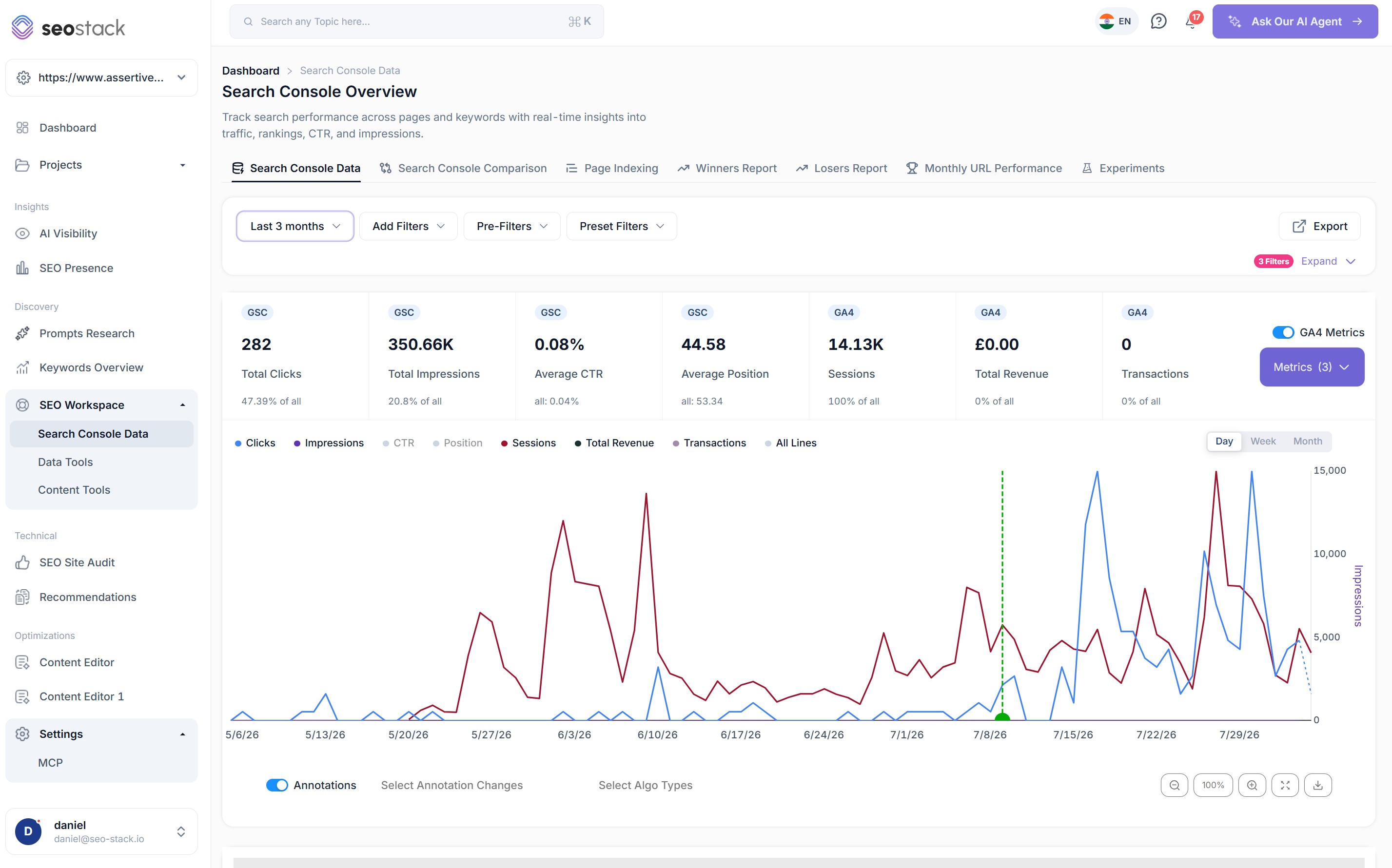
GA4 beside Search Console, in the same call
Get GA4 data in 1 call including multiple page dimensions. Set up your own AI connectors, AI agents & more to be able to read and interact with your GA4 data, build AI agents to report on traffic from different sources or to build sales / product conversion reports & more!
- Overall metrics and metrics over time, with GA4 figures alongside Search Console
- Sessions, engagement and conversion context on the same website index
- One authenticated call rather than two connectors and a spreadsheet
- The same warehoused history, so year-on-year questions actually work
- Ask in plain English: an agent decides which tool to call, not you
→ get_metrics_over_time
{ includeGa4: true, range: "last_24_months" }
- gsc metrics
- clicks, imp, ctr, pos
- ga4 metrics
- sessions, conv
- granularity
- daily
AI & LLM Tracking MCP
Your AI visibility data, available to the AI itself
The tracker results, prompt history, competitors and recommendations are all exposed as tools. An agent can check how you are being cited across models, then act on it in the same conversation.
- Stored AI visibility tracker results, filterable by date and quality
- A full visibility check covering llms.txt, robots.txt AI-crawler rules, sitemap and sentiment
- Dashboard data including stats, charts and recommendations
- Prompt trackers and the real time-series history for any single tracked prompt
- Topics, tracked competitors and the website's market profile
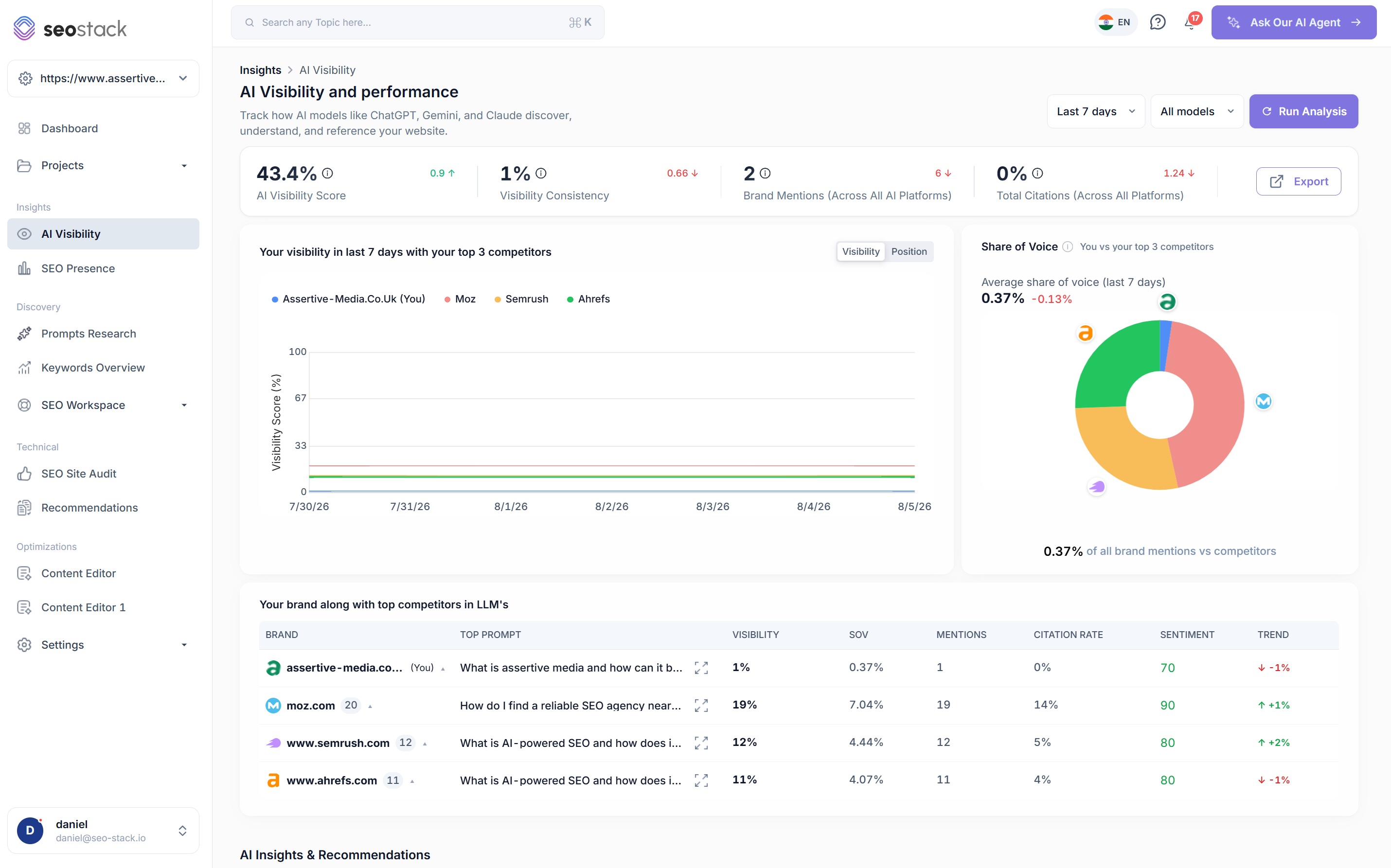
→ list_prompt_llm_visibilities
{ promptTrackerId: "pt_8f21", platforms: "all" }
- runs
- 1,204
- models
- 5
- competitors
- tracked
Why it beats the raw API
The limits you are used to are not in the way here
Most people who have built tools or automations on Google search console's API are well aware of the limitations in requests - that's why we give you full unrestricted access to your websites data, perfect for your own AI tools and automations, workflows and more.
No row limits
Google's Search Console API caps a single response at 50,000 rows and makes you paginate for the rest. MCP reads the warehouse instead, so a query covering 10 million rows returns 10 million rows.
Explore beyond 16 months
Google only allows a rolling 16 month window of search console data. SEO Stack retains up to 10+ years depending on your plan, building from the day you connect rather than appearing all at once, so over time you can query a far longer timeframe than Google exposes, and without the same row count restrictions on what you read back.
Fast enough to sit in a loop
Aggregation, grouping and period comparison happen server-side. An agent asks one question and gets an answer, rather than paginating and joining rows itself.
Every dimension, no sampling
Query, page, country, device and search appearance, grouped one or two at a time. No sampled estimates and no anonymised gaps introduced by the tool.
Connect almost anything
If it speaks MCP, it can read your warehouse
MCP is an open protocol, so this is not a list of integrations we built one at a time. Anything that implements it works, including things that do not exist yet.
AI clients
- Claude Desktop
- ChatGPT
- Gemini
- Cursor
- Grok
- DeepSeek
Agents
- Hermes
- OpenClaw
- Custom agents
- Your own scripts
Automation platforms
- n8n
- Make
- Clay
- Anything that speaks MCP
What people build with it
An SEO agent in Slack or Teams
"Which folders lost the most clicks year on year?" answered in the channel, on a schedule or on demand, without anyone opening a dashboard.
Automated reporting that writes itself
Pipe the warehouse into your own reporting flow and let the model write the commentary from real numbers rather than a template.
Client monitoring at portfolio scale
List every website you have access to, then loop an agent over all of them for the checks you would never do by hand.
Alerting on things dashboards miss
Watch AI visibility, algorithm updates and folder-level decay together, and fire an alert when the combination looks wrong.
Data availability
All 23 tools your client gets on connection
These become available the moment a client authenticates. Each one can also be expanded and tested from inside SEO Stack before you wire it into anything.
Account
2 tools01List My Websites
Every website the key has access to, with its name, URL and index. The call an agent makes first.
23Get Website Profile
Country, language, target market and region for an authorised website.
Search Console
11 tools03Query Search Performance
Performance in a compact intent-shaped form: min/max date discovery, overall metrics, grouped performance, metrics over time, comparison and two-dimension grouping.
04Compare Periods
Two date ranges compared on query or page dimensions.
05Group By Dimension
Aggregate by query, page, country, device or search appearance.
06Group By Two Dimensions
Query and page together, for cannibalisation analysis.
07Get Search Console Min Max Date
The earliest and latest date available on an authorised index.
11Get Search Console Data Comparison
Metrics compared between two ranges for query or page.
12Get Metrics Aggregated By Two Dimensions
The same two-dimension grouping exposed directly.
13Get Metrics Aggregated By URL Segment
One row per folder with summed clicks, impressions, weighted CTR and position, grouped server-side.
14Get Metrics Compared By URL Segment
Folder-level period over period, returning clicks lost and gained per folder in a single call.
15Get Annotations
Annotations for authorised websites and date ranges.
16Get Algorithm Updates
Google algorithm updates within a given range.
Search Console + GA4
3 tools08Get Overall Metrics
Aggregated Search Console metrics with optional GA4 metrics, for one index and date range.
09Get Metrics Over Time
Search Console and optional GA4 metrics over time on the same index.
10Get Metrics Aggregated By Dimension
SEO metrics by query, page, country, device or search appearance.
AI & LLM visibility
7 tools02List LLM Tracker Results
Stored AI visibility tracker results for one website, with optional date and quality filters.
17Check AI Visibility
A full check covering llms.txt, robots.txt AI-crawler rules, sitemap, sentiment, cross-engine overlap and brand intent distribution.
18Get AI Visibility Dashboard Data
The latest completed dashboard data, including tracker results, stats, charts and recommendations.
19List Prompt Trackers
Recurring tracked-prompt configurations: cadence, next run, rank-change alerts, topic, platforms and status.
20List Prompt LLM Visibility History
The real time-series history for one tracked prompt: rank, sentiment, mentions, competitors and sources.
21List Topics
The topic taxonomy your prompts are grouped under.
22List Website Competitors
The tracked competitor list for an authorised website.
What you get out of it
The outcome, not the feature list
Build a Slack or Teams agent that reports on performance automatically
Run your own SEO agents against your full data history
Develop in-house tooling without building a warehouse first
Connect a property. Watch the data start stacking.
Warehousing begins the moment you connect your Search Console property, there is no Google Cloud project to set up, no BigQuery and no schema to design. You simply connect your property and SEO Stack starts storing every row of your data from that day onwards.
- Credit card required
- Cancel within the trial and you won't be billed
- No contracts