URL Query Intent Tool: understand the intent behind a page’s queries
Review how query intent categories change alongside clicks and impressions.
URL Query Intent Tool groups a page's reported queries into intent categories and shows their pattern over time. Use it to investigate whether the searches associated with a page fit its purpose.
How to use it
- Open SEO Workspace → Data Tools → URL Query Intent Tool.
- Check the URL in Search for URL. The reviewed screen selected the homepage by default.
- Choose the reporting period and review active filters under Expand.
- Select Day, Week or Month.
- Read the intent series and the table beneath the chart.
- Investigate the actual queries in Search Console Data before deciding what to change.
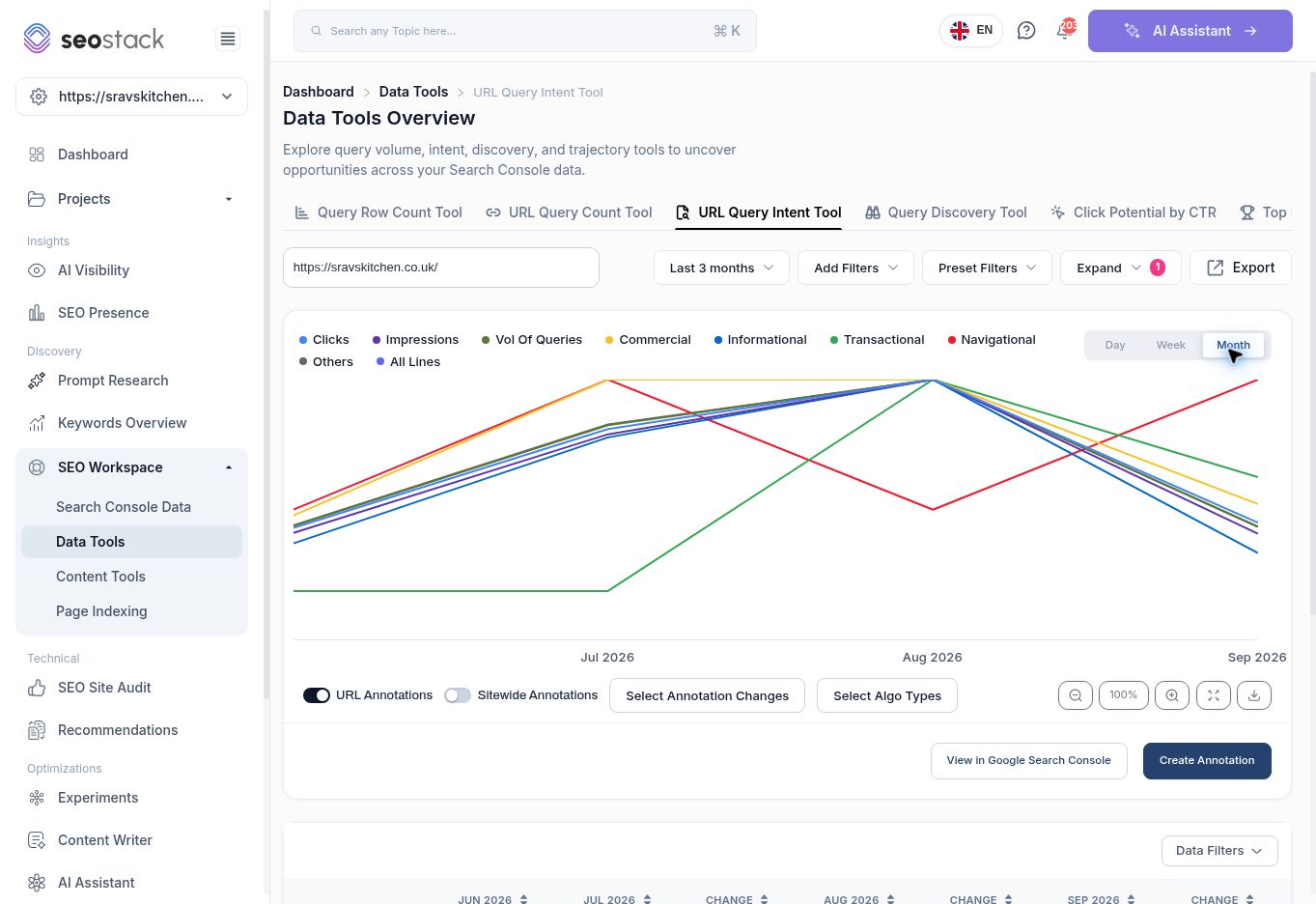 URL Query Intent chart in monthly view.
Read the categories
| Category | Typical question it helps investigate |
|---|---|
| Informational | Are searches about learning or finding an answer associated with this page? |
| Commercial | Is the page appearing for searches involving consideration or comparison? |
| Transactional | Is there query coverage associated with taking an action? |
| Navigational | Is the page associated with searches for a particular destination or brand? |
| Others | How much of the dataset sits outside the named categories? |
These are tool classifications. They are not a direct observation of each searcher's intentions. Queries can be ambiguous or have mixed intent, so sample the underlying phrases before using the classification in a content brief.
The screen also shows Clicks, Impressions and Vol of Queries. Query volume here should not be described as total market search demand. Confirm whether an aggregated query count is unique within the period before comparing it with another tool.
Example: assess a commercial page
For the reviewed homepage's August view, the table showed 23 Commercial, 27 Informational, 16 Transactional, 1 Navigational and 2,202 Others against Vol of Queries of 2,269.
Because Others dominates that result, using only the named intent categories to describe the page's entire audience would be misleading. Open the actual queries, identify relevant groups, and check whether the page answers those needs. Do not automatically add large amounts of informational content just to change a ratio.
Practical applications
Use this report to compare the query mix before and after a page update, identify a possible mismatch between a landing page and its searches, or select a group of queries for a manual intent review. Keep dates and filters consistent.
The report includes URL/sitewide annotation controls, Data Filters, exports and a link to view the data in Google Search Console. Use annotations as context, and read numeric values rather than comparing line heights when series have different units.
If the selected URL changes when navigating between tools, choose the intended URL again before interpreting the chart. An empty or small category is not proof that your website has no opportunity for that intent.
More in Data Tools
Query Row Count Tool: compare query coverage across pages
Find pages with broad query coverage and identify where exposure is not producing clicks.
ReadURL Query Count Tool: track a page’s query coverage over time
Inspect a page’s query counts, position bands and traffic trends.
ReadQuery Discovery Tool: explore search phrases and intent opportunities
Use the query explorer to review intent segments and shortlist relevant searches.
ReadClick Potential by CTR: model clicks at different click-through rates
Estimate click scenarios using observed impressions and fixed CTR assumptions.
Read