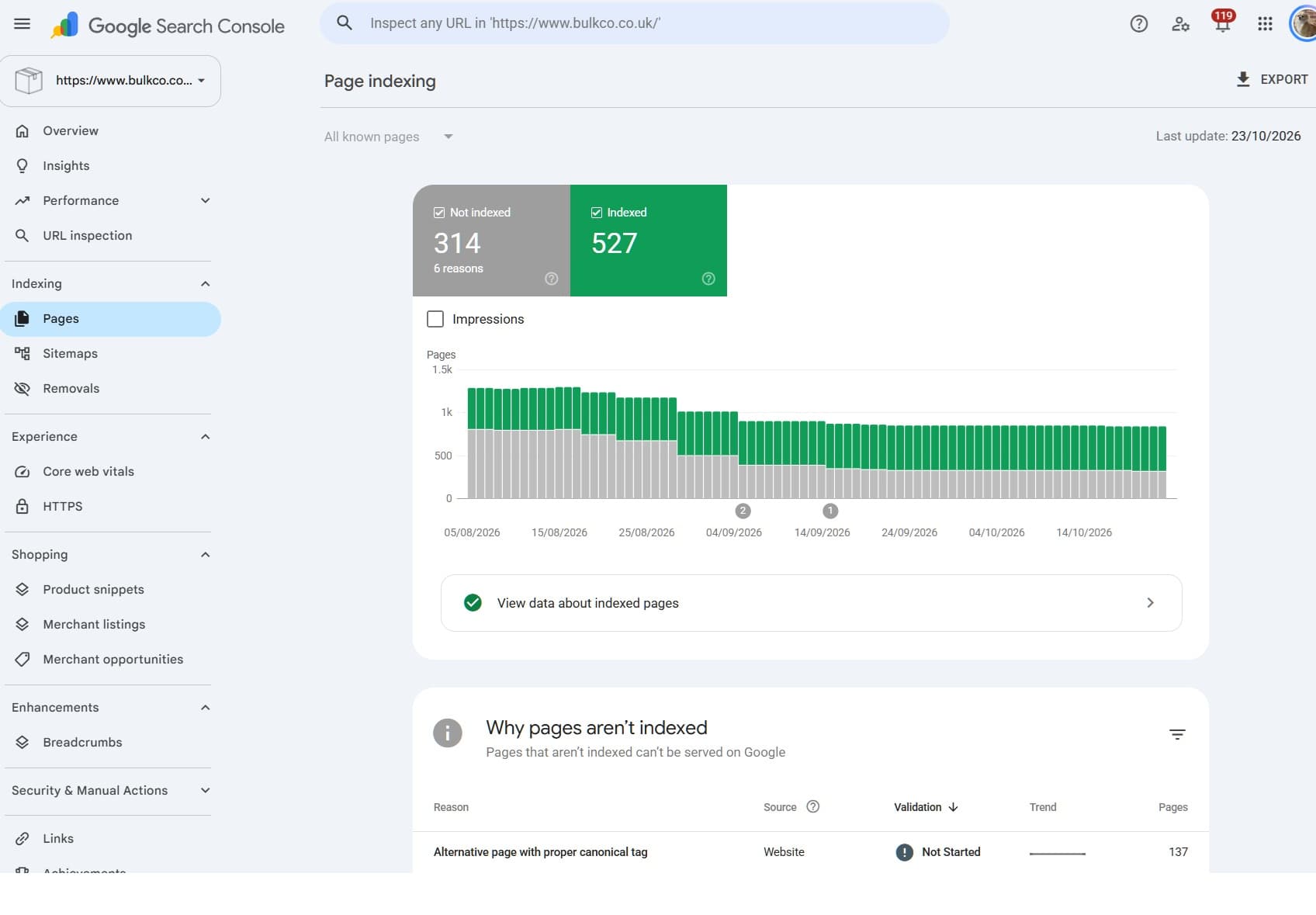
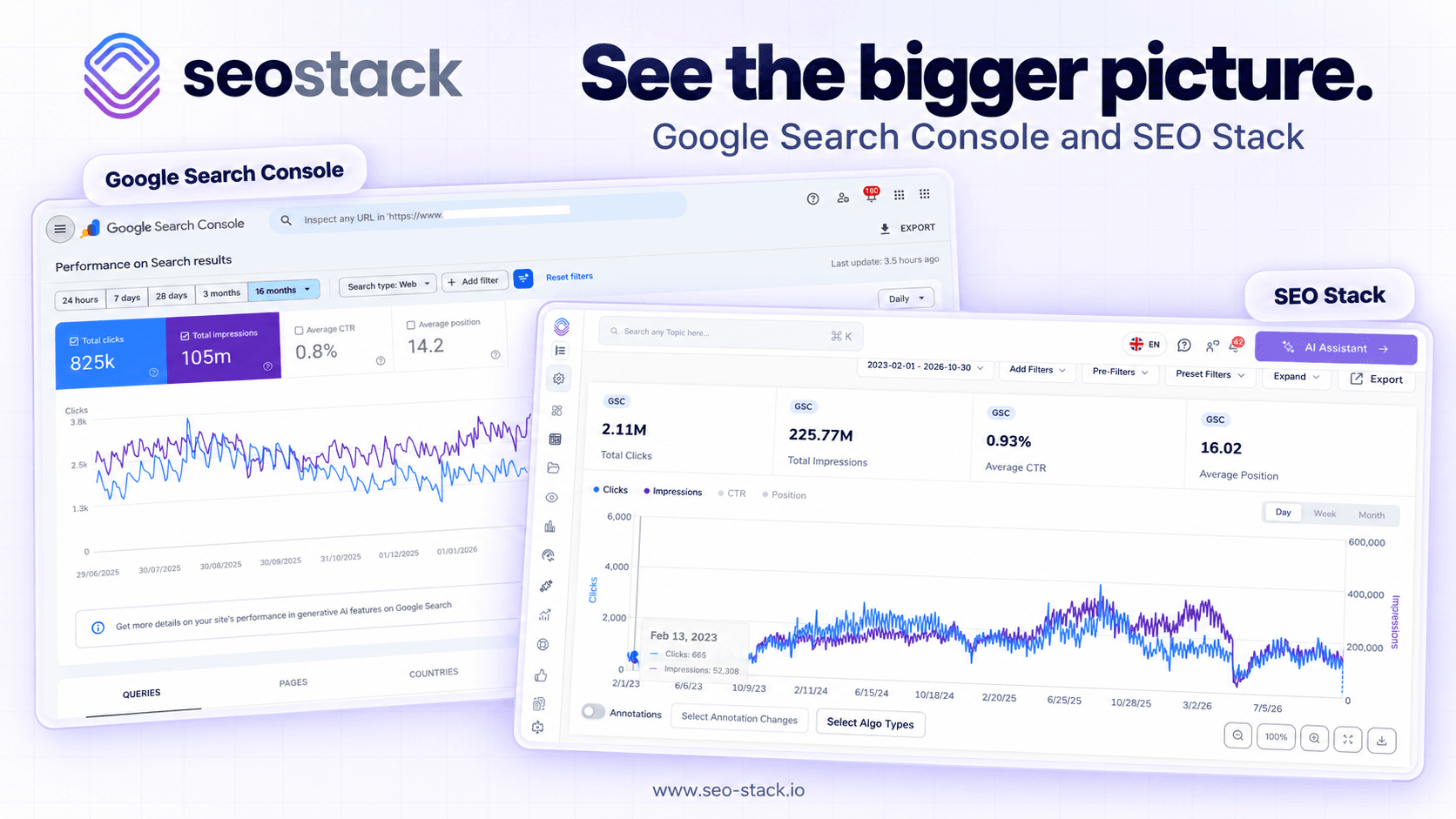
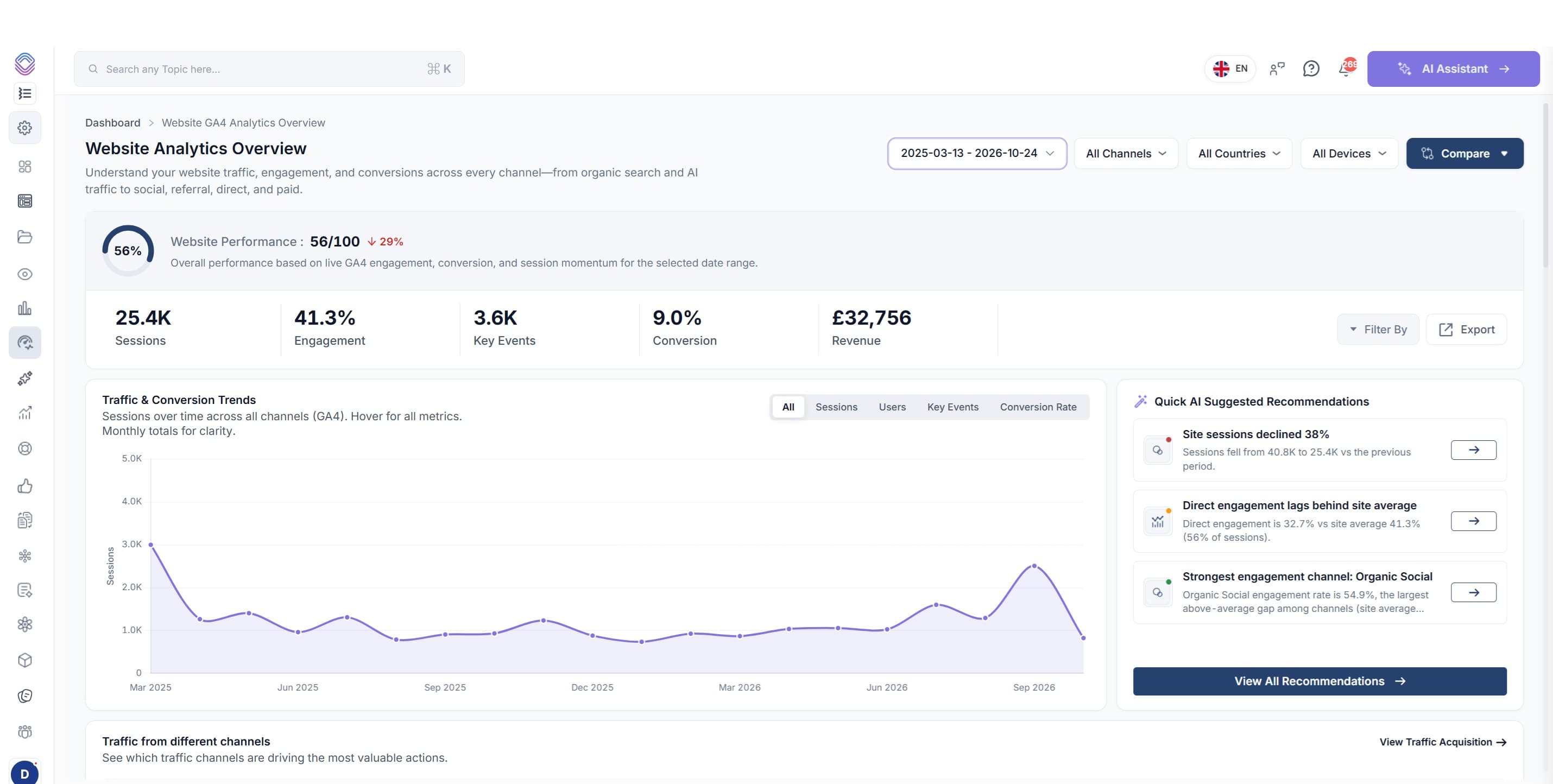
Automating your SEO Workflow with AI Skills & Workflows
No doubt you've scrolled through social media and seen these? They are absolutely everywhere! But, it's all well getting an agent kit, but, you need a COMPLETE infrastructure to make AI SEO
BEFORE you go into this article, I don't want you to find it too longwinded or drawn out, the PURPOSE of this article is to help you automate your SEO workflow by giving your AI AGENT or AI platform the relevant SEO Stack skills to perform SEO and to use learning / recursive learning to improve SEO outcomes from analysis and auditing through to implementation.
Basically, from this article if you read through it, you will:
Be able to set up and deploy your first AI SEO Agent if you haven't already
Be able to download and install the skills (for your AI agent or LLM i.e. Claude, chatGPT)
Create the nessescary workflow and cron to automate SEO / analysis / reporting
Give an agent the ability to implement to a website and to log the work being done for self-learning / recursive SEO
What can you gain from this?
You can speed up analysis, auditing, SEO analysis, competitor analysis
You can deploy autonomous SEO campaigns - great for mini sites, hobby sites, rank and rent
You can save time, money and scale up SEO output
You can use AI for analysis, creation, output, deployment, reporting
Read on, it will be worth it!
No doubt you've scrolled through social media and seen these?
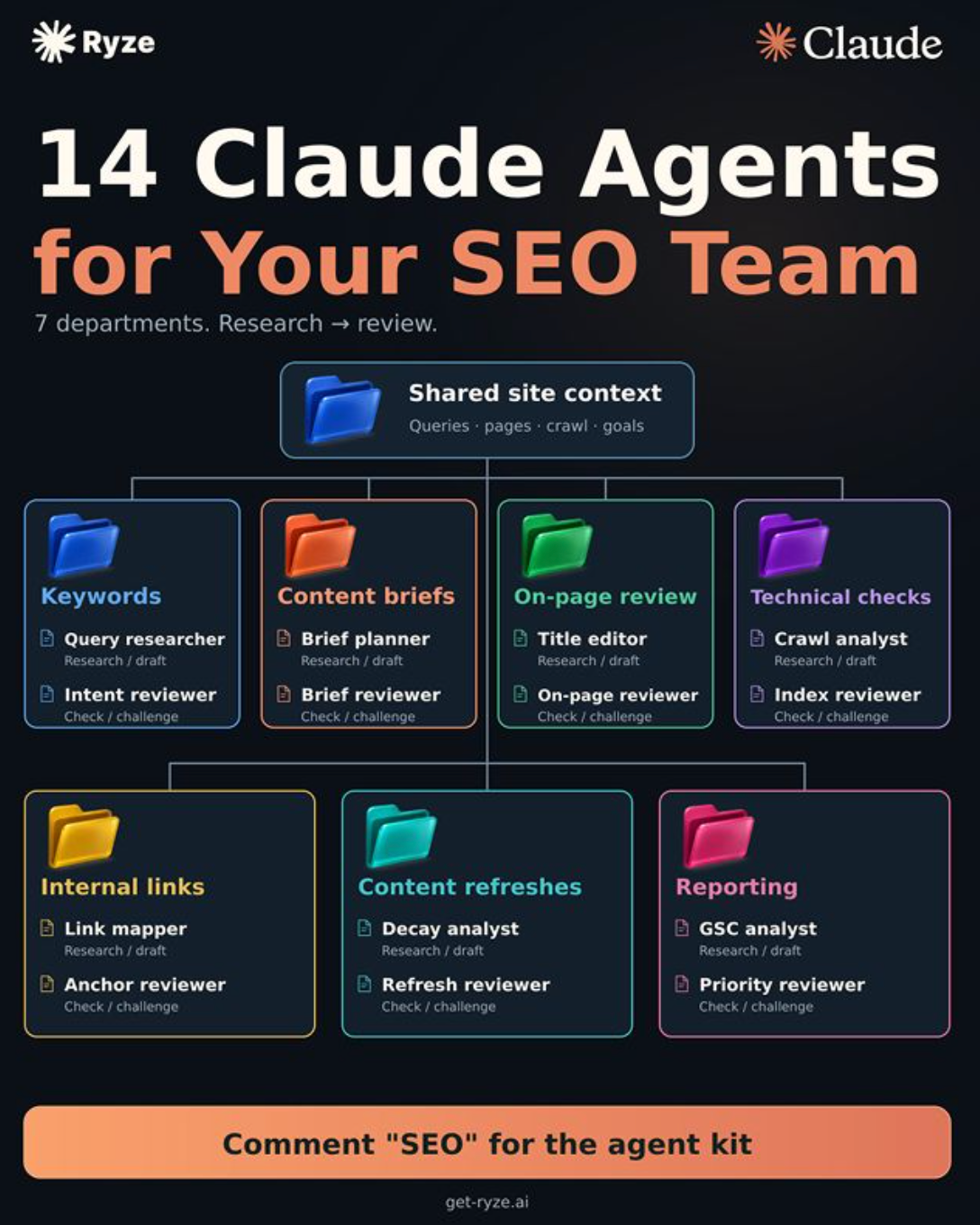
They are absolutely everywhere!
But, it's all well getting an agent kit, but, you need a COMPLETE infrastructure to make AI SEO automations work properly, and in this article I am going to explain / show you what you need and how you can actually build an automated SEO workflow that's MORE hands off.
Let's first cover a few different things that you need to be aware of when you're looking at AI SEO automations. The key things that you need to keep in mind are that there are multiple components to making this work:
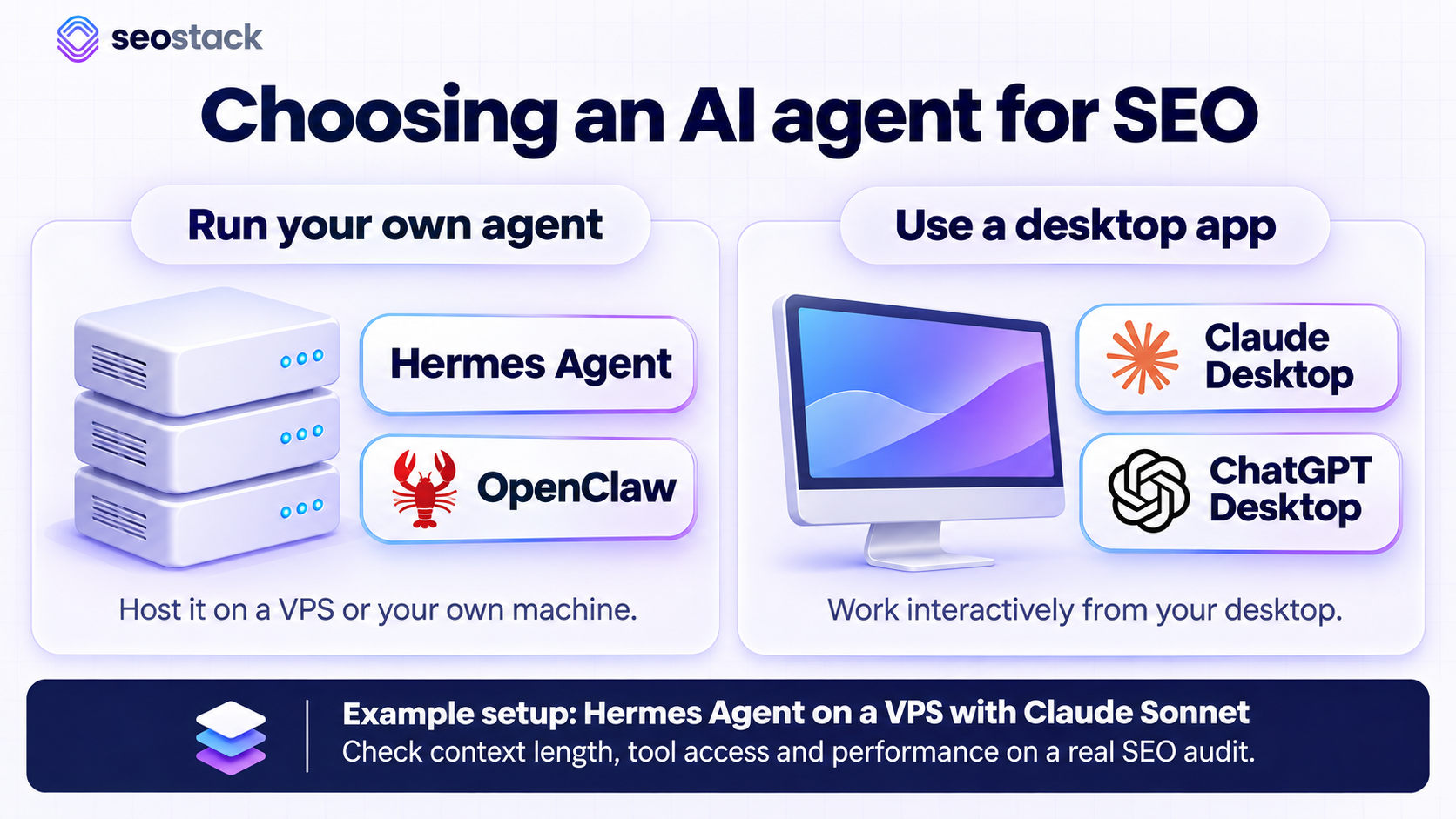
Choosing an agent
1. You need to choose an agent. You may choose something like Hermes or Open Claw or you may use Claude's desktop or ChatGPT desktop. You need your agent to have infrastructure and then you need to have a model for it.
For example you may use Hermes with Claude Opus or Sonnet. You need to choose an agent that supports long context and has sufficient capabilities to support analysis to the level that you need.
If you want to set up an agent from scratch we made an article and video to help you get started!
How to build an SEO AI Agent for Slack with GSC + GA4 Data
And here's the video if you want to speedrun a setup
Giving an agent skills
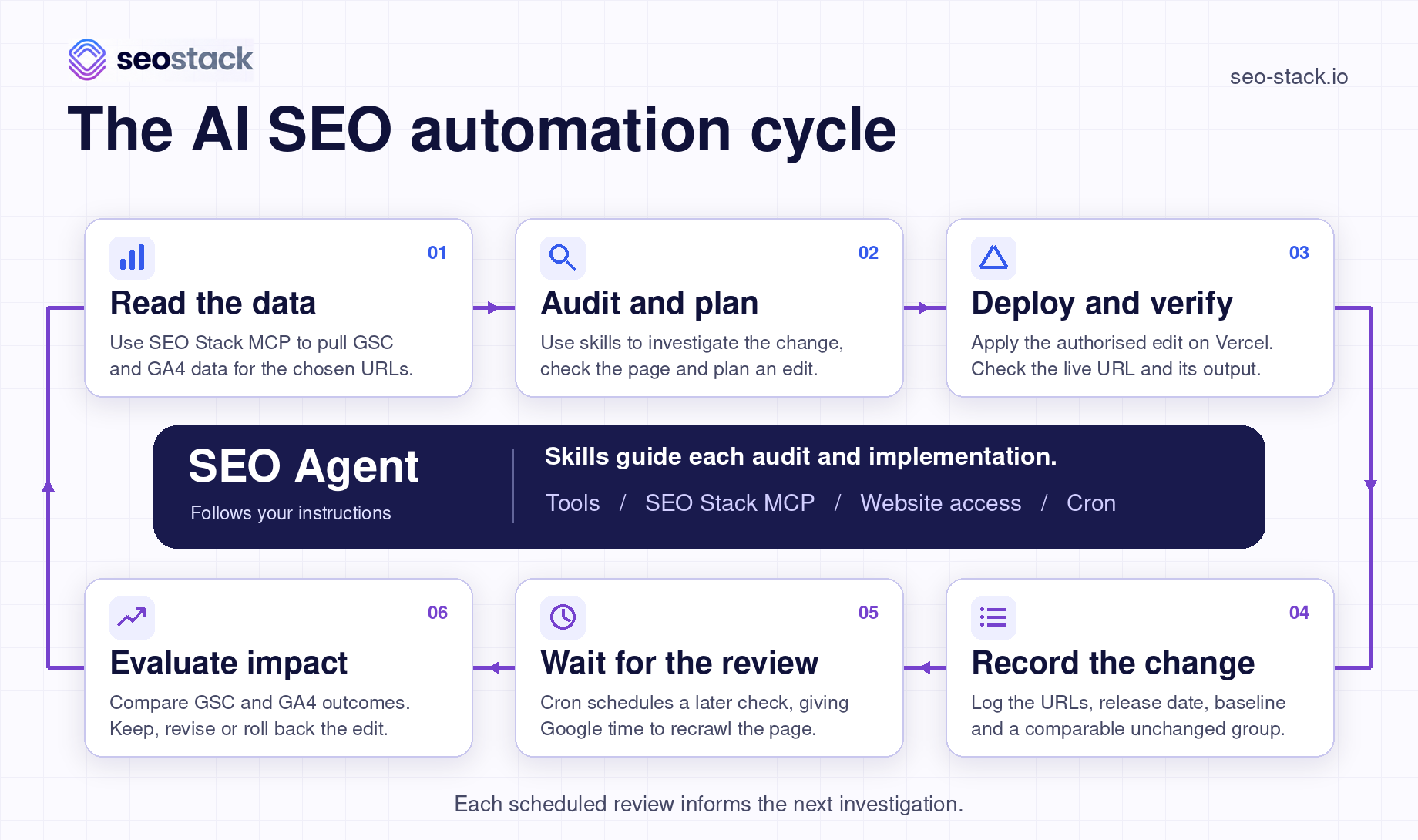
2. Once you've got your agent you need to give your agent a series of skills. The skills might be specific things that the agent looks at, such as Google Search Console data, rankings, and keyword opportunities. Your agent will inherit a skill set but you also need to give the agent education about the SEO process.
The agent should understand that if it analyzes data it comes up with a recommendation and then it decides to do implementation. You then obviously need to make sure that the agent understands that if it does an implementation on a page, it needs to wait for that page to then show an impact in the Google Search Console data.
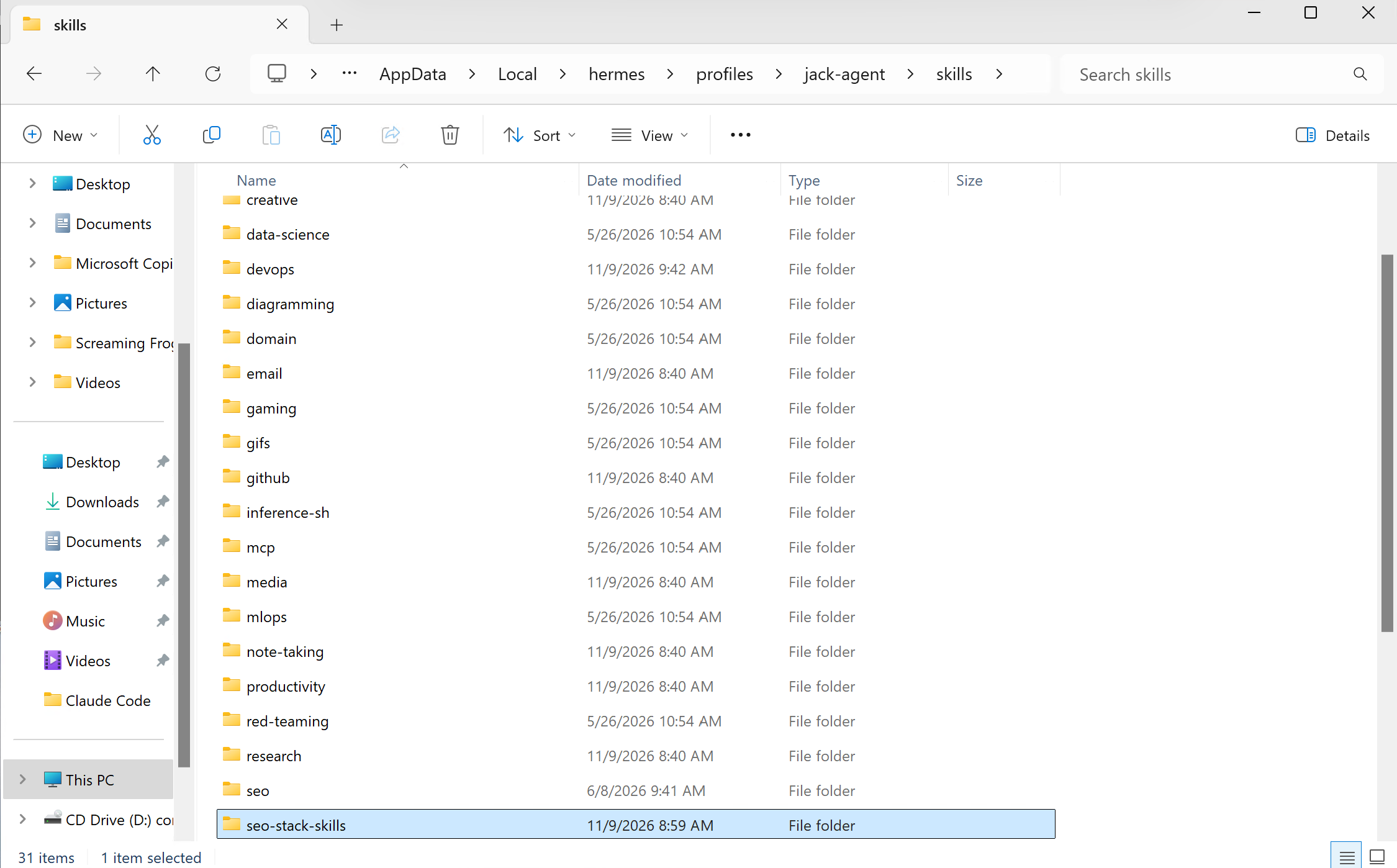
AI / AI SEO Agents usually inherit skills from an install or sub-folder, agents like Hermes from Nous Research allow you to install skills from a NPX/git repo or you can simply download skills and extract into the relevant folder - here is a hermes agent with a skills folder:
For example if an agent on 1st November changes a block of content, rewrites the title, or adds more internal links to a page, there's lag between when that change is made and the impact. The agent needs to understand that there should be a wait period.
You then need to give the agent MCP access. MCP access will allow the agent to access tools like SEO Stack and Ahrefs. The MCP access you grant will be dependent on your tool stack, for a good SEO AI automation / workflow you generally want:
MCP for 1st Party Data (Google Search Console, GA4, Local Tools, CRM)
MCP for 3rd Party Data (AHREFS, DataForSEO, SEMRUSH, SERanking, AlsoAsked)
SEO campaigns need a source of data for analysis and then an execution mechanism where the AI agent can push changes live directly (or, you can continue to stay in control of this process yourself).
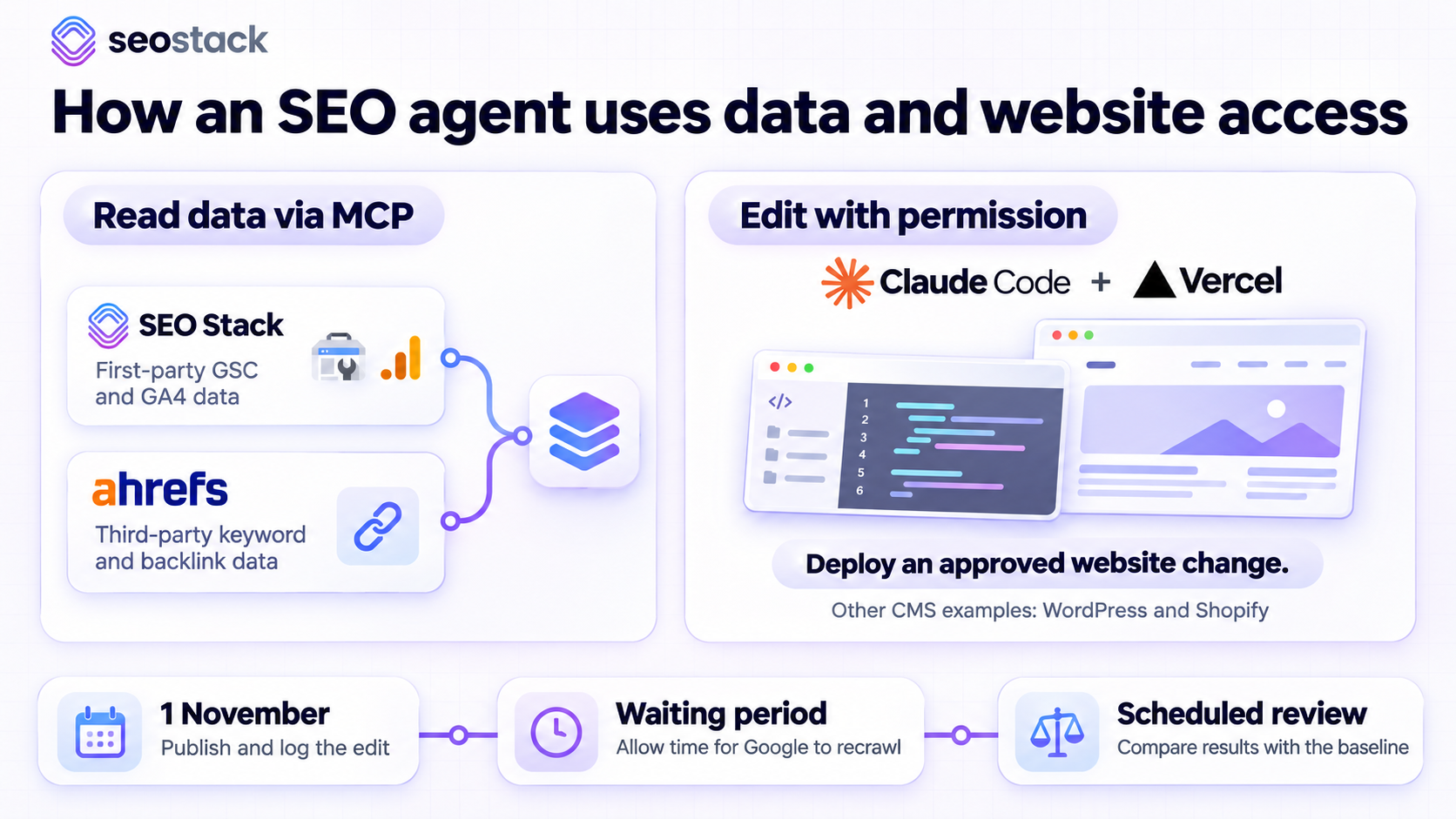
The important thing here is that for an AI automation you'll need a handful of MCPs to get first-party and third-party data. For example SEO Stack's MCP can give the agent AI visibility into GA4 and GSC data and then you may have another MCP for Ahrefs, SERanking, Semrush, or other tools.
Post-giving the agent MCP access, you then need to decide whether or not the agent can do direct implementation on the website. If you're running WordPress, Shopify, or another CMS, you may have it so that the agent can do direct implementation. What I recommend as well for a lot of people that want to do these things is Claude Code with Vercel.
It is very good and it allows a flexible way for agents to directly control and manage a site without the limitations that CMS platforms might have.
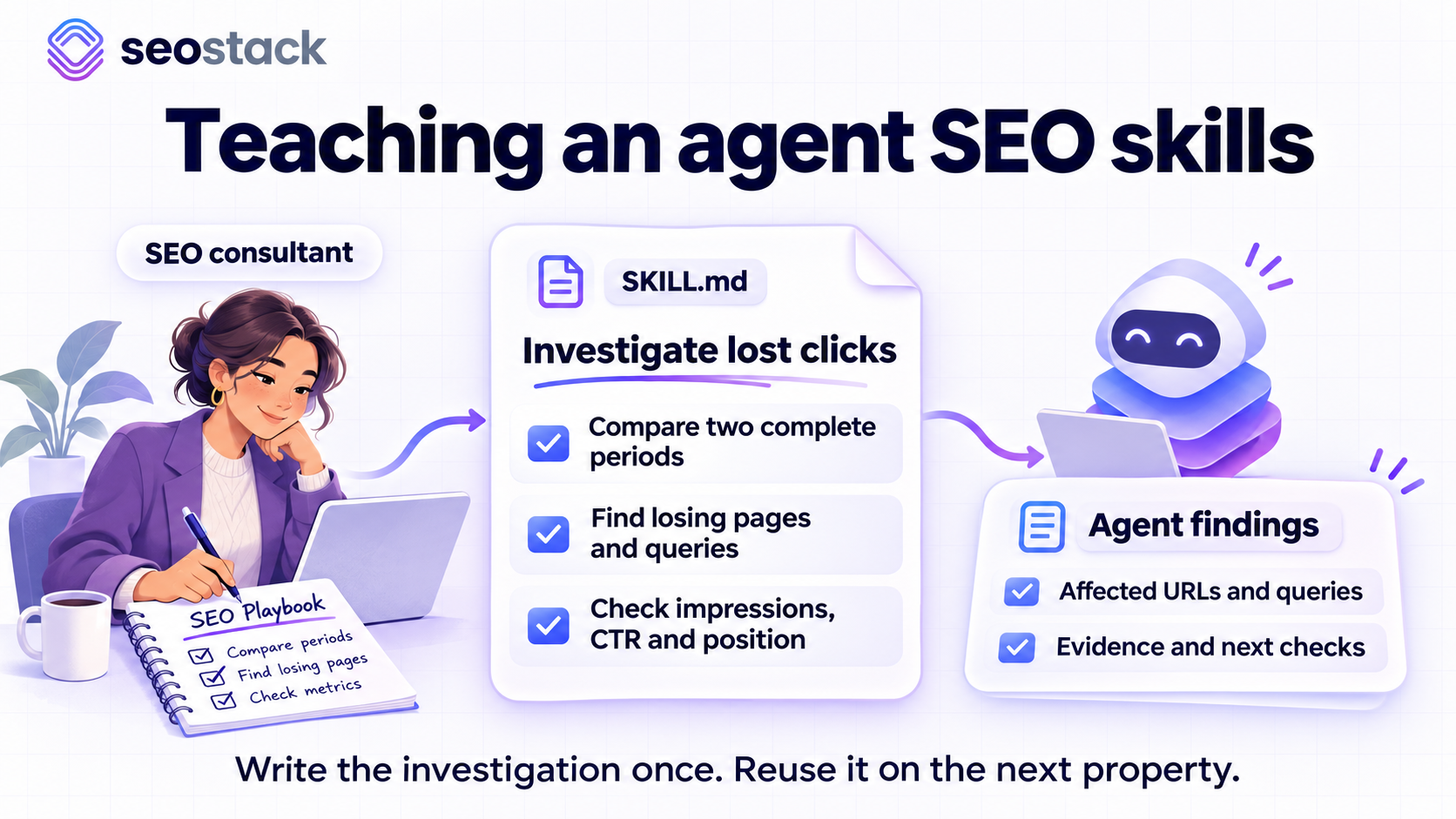
These are the core things that an agent needs:
- skills
- guidance
- memory and context
- the ability to get data, perform actions, and do implementation
Once you've got that you can then obviously have an autonomous AI SEO workflow. That can extend to things like having your AI SEO agent in Slack, reporting to you on ranking changes, on annotations, and on anything that it can see in the data. In this article I'm going to show you and run through more of this process.
Step 1: Creating or Deploying Your Agent
So, firstly you need to decide on what agent / model you are going to use, for the purpose of this exercise we recommend:
Hermes Agent from Nous Research - https://hermes-agent.nousresearch.com/
Deploying a cheap VPS on something like Database Mart - https://www.databasemart.com/
You can of course use your pre-existing agent or AI/LLM platform (you can deploy the SEO stack skills to this too).
Again, as I put the link above, here is the step by step guide to setting up your own agent if you haven't done it before / already:
Step 2: Giving your agent SEO Skills
So, the next key step is to give your agent the skills it needs to perform SEO tasks, we provide SEO Stack users with custom skills they can use for their SEO Automations, these include:
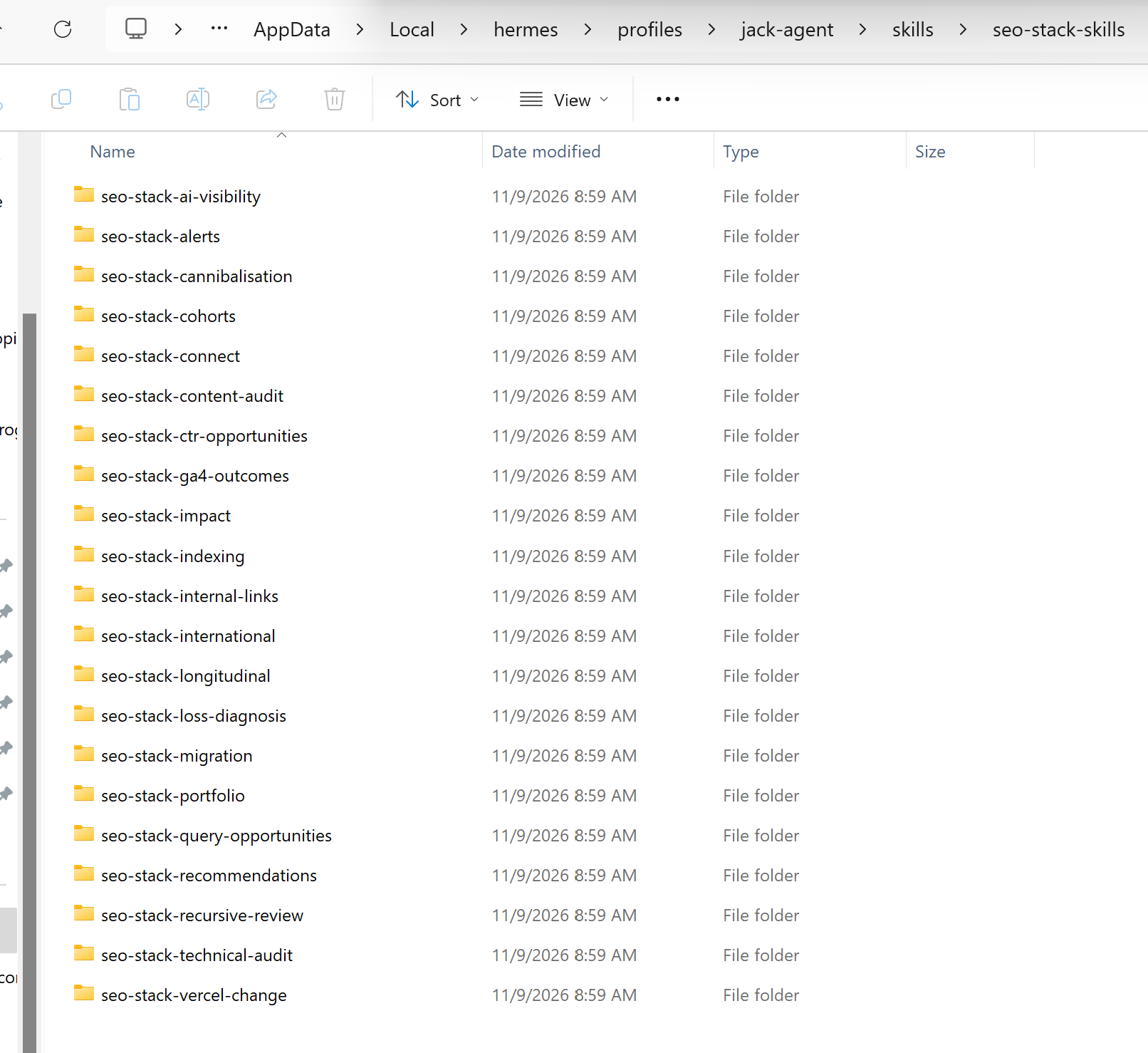
You can download the SEO Stack skill pack from here:
Download the SEO Stack agent skills
Step 3: Installing the skills in an existing agent/your new agent
Unpack the download once and keep the whole seo-stack-skills directory somewhere the agent can read. Inside skills/, each seo-stack-* folder contains its own SKILL.md. Those individual folders go into the client’s skills directory.
This will depend on what platform you are using, for example HERMES has a skills folder inside the default profile folder or for any other profiles you create:
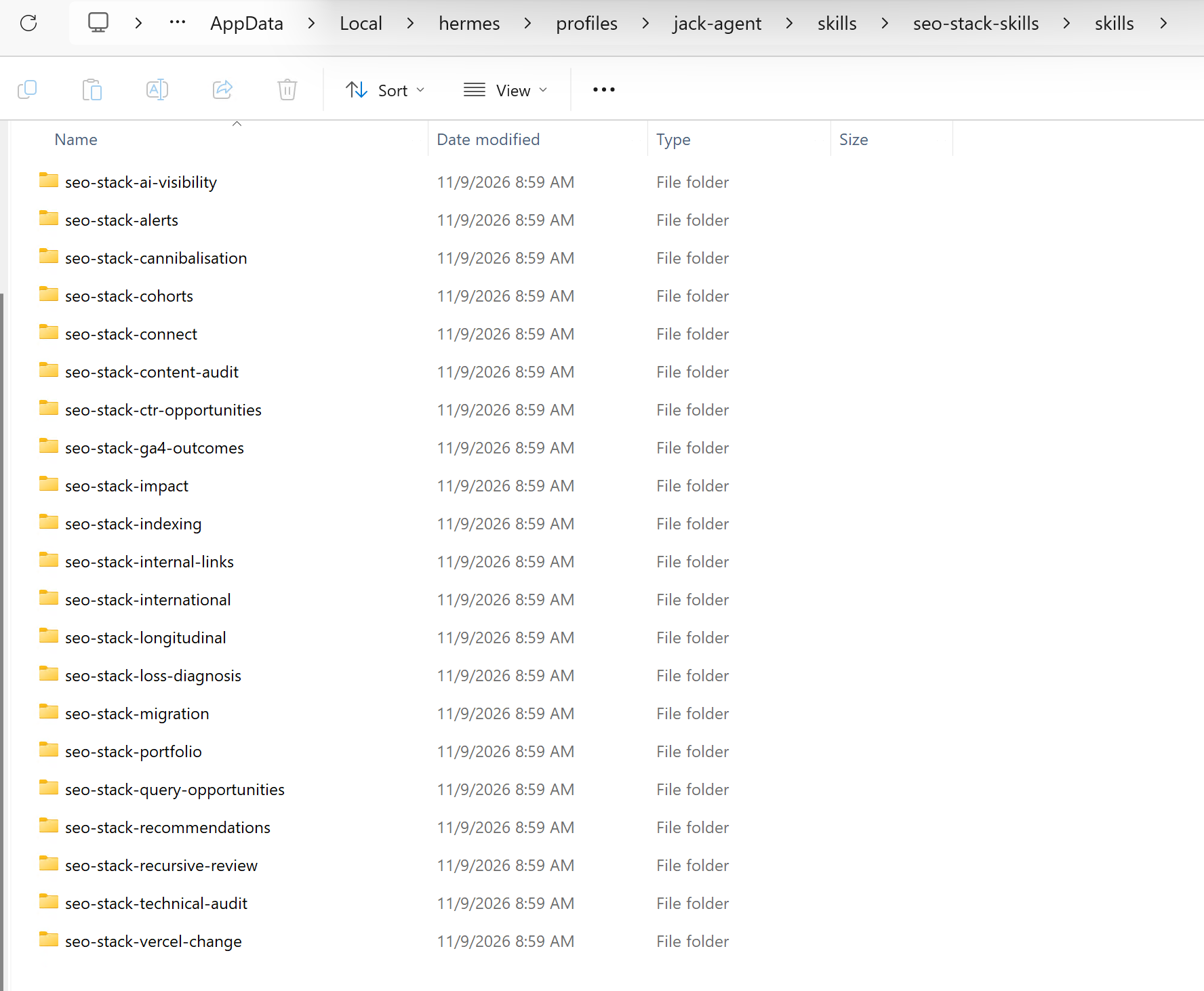
The shared docs/, scripts/ and examples/ stay together in the original checkout. Tell the agent where you put it. In a cloud chat, supply the shared reference files directly if the local checkout is unavailable.
For live reads you’ll also need an authorised SEO Stack property and its MCP connection. Existing agents can reuse a working connection. For a new one, open MCP in SEO Stack, get the production connection details and store the key in the client’s credential settings.
The examples below use the bearer-key endpoint from our Hermes guide. Use a credential scoped to the clients the agent is meant to see, bearing in mind that an SEO Stack key authenticates as its account holder. SEO Stack setup guide
Hermes on a VPS or an existing RDP machine
Run hermes profile show YOUR_PROFILE on the machine where Hermes runs. Open that profile’s skills folder and copy the individual folders into it. File Explorer works perfectly well for this. On a standard Linux installation a named profile uses ~/.hermes/profiles/YOUR_PROFILE/skills/ and the default uses ~/.hermes/skills/. On Windows, use the path Hermes reports for that installation.
For a new MCP connection, store MCP_SEOSTACK_API_KEY in the profile’s private .env. Add the following entry in its config.yaml, merging it into any existing mcp_servers section:
mcp_servers:
  seostack:
    url: https://api.seo-stack.io/api/mcp
    headers:
      Authorization: "Bearer ${MCP_SEOSTACK_API_KEY}"
Open a fresh session. Run hermes -p YOUR_PROFILE skills list and hermes -p YOUR_PROFILE mcp test seostack. You should see the skills and the discovered server tools. Then ask for the live property test below. If this profile also runs a gateway, apply the config to that gateway and test through it too. A successful CLI connection can coexist with a scheduled worker that loads a different profile or has a stale MCP session. Hermes profiles · SEO Stack on Hermes
Claude Desktop or Claude on the web
You can install easily, the lazy way is to just download the ZIP file above, give it to Claude in a chat and then ask it to install for ongoing use:
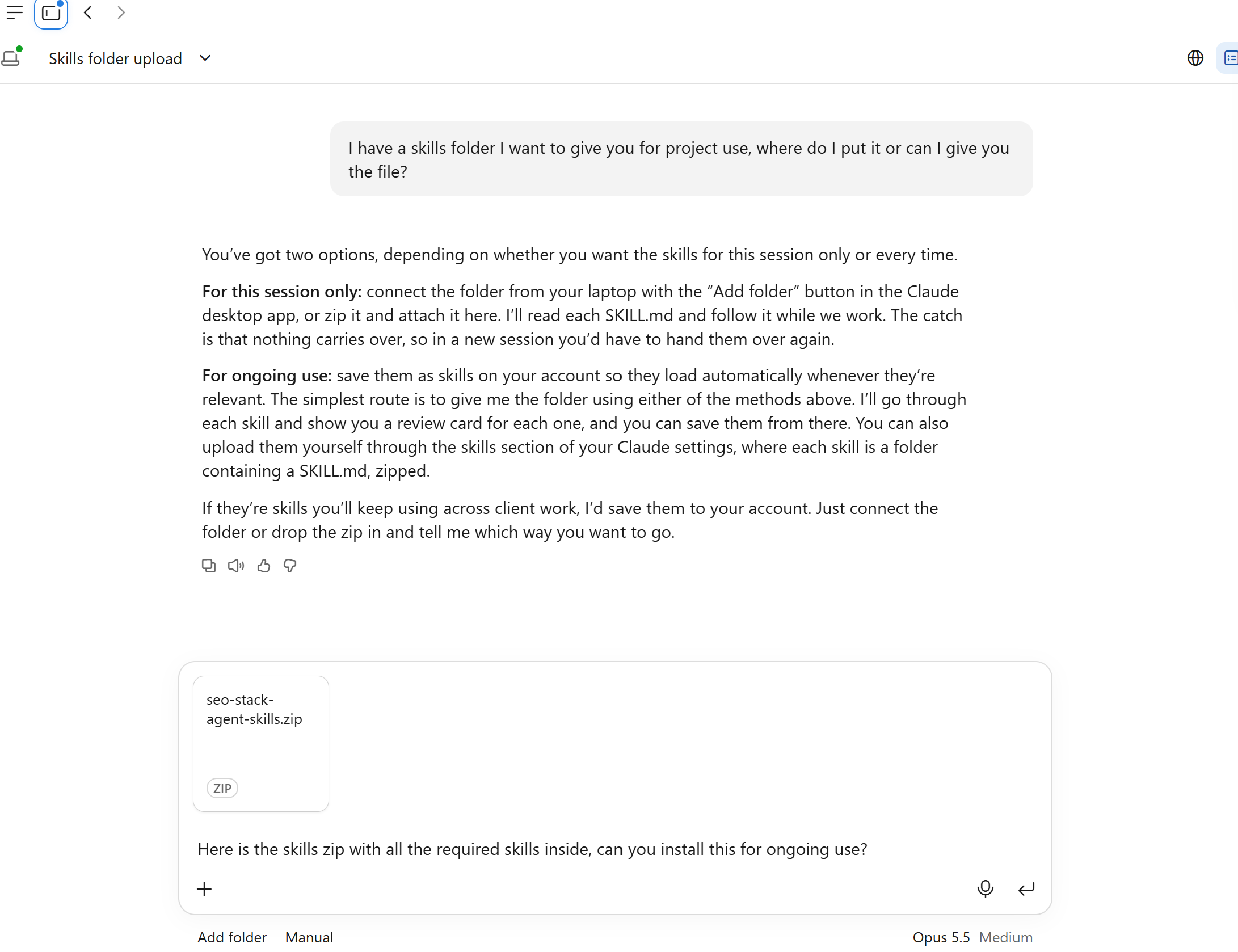
You will then see it install, you can then save the plugin:
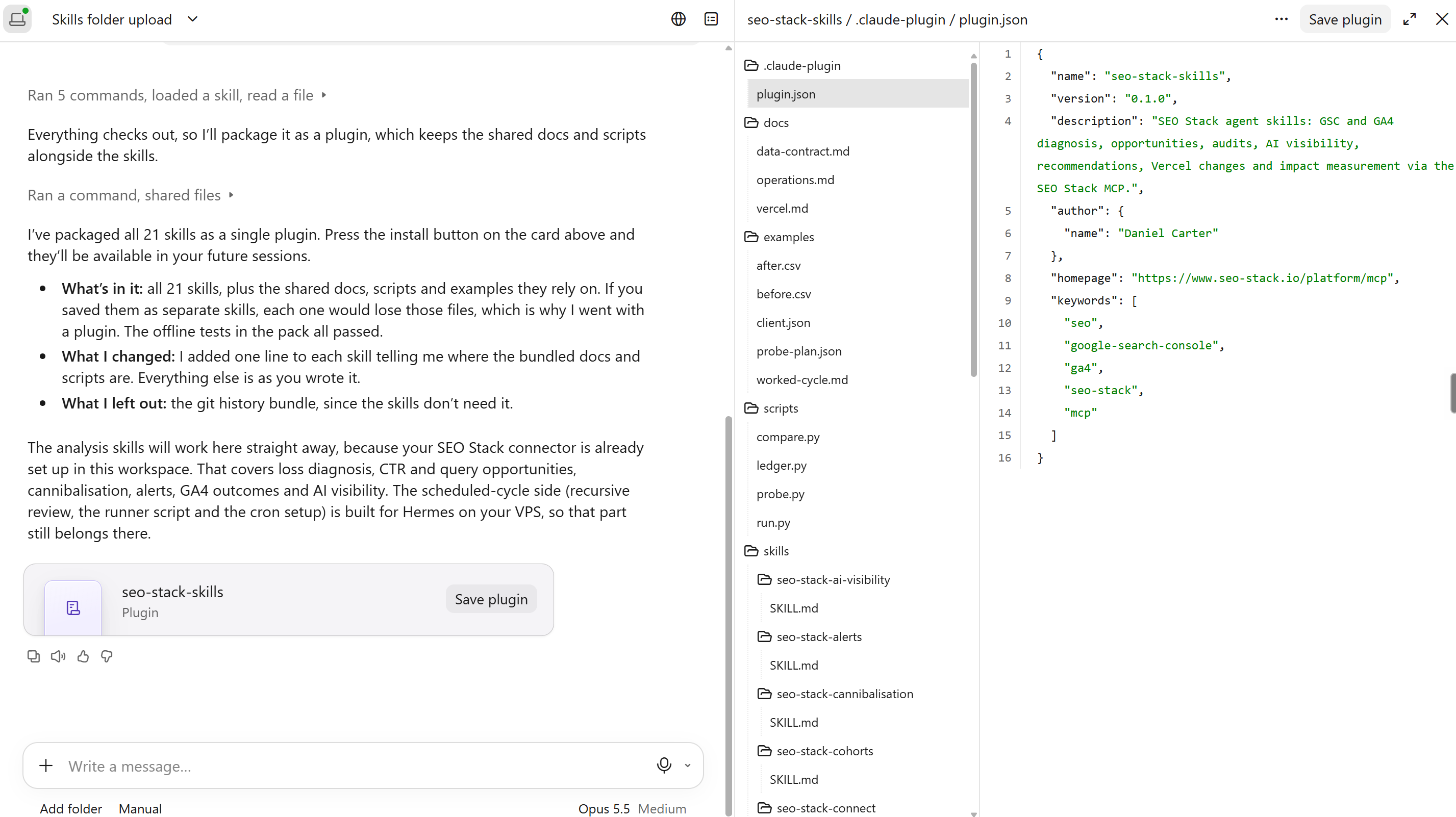
Once that's done you simply then need to connect Claude to SEO Stack's MCP
Enable code execution and file creation in Claude’s capabilities. Start with two skills, seo-stack-connect and seo-stack-loss-diagnosis. Zip each skill folder separately, keeping the folder and its SKILL.md together. In Customize → Skills, use + → Create skill → Upload a skill, upload each ZIP and enable it. Attach the pack’s docs/data-contract.md to the project or conversation so Claude can read the common measurement instructions. Claude custom skill installation
Open a chrome tab/browser tab and visit >
https://app.seo-stack.io/mcp
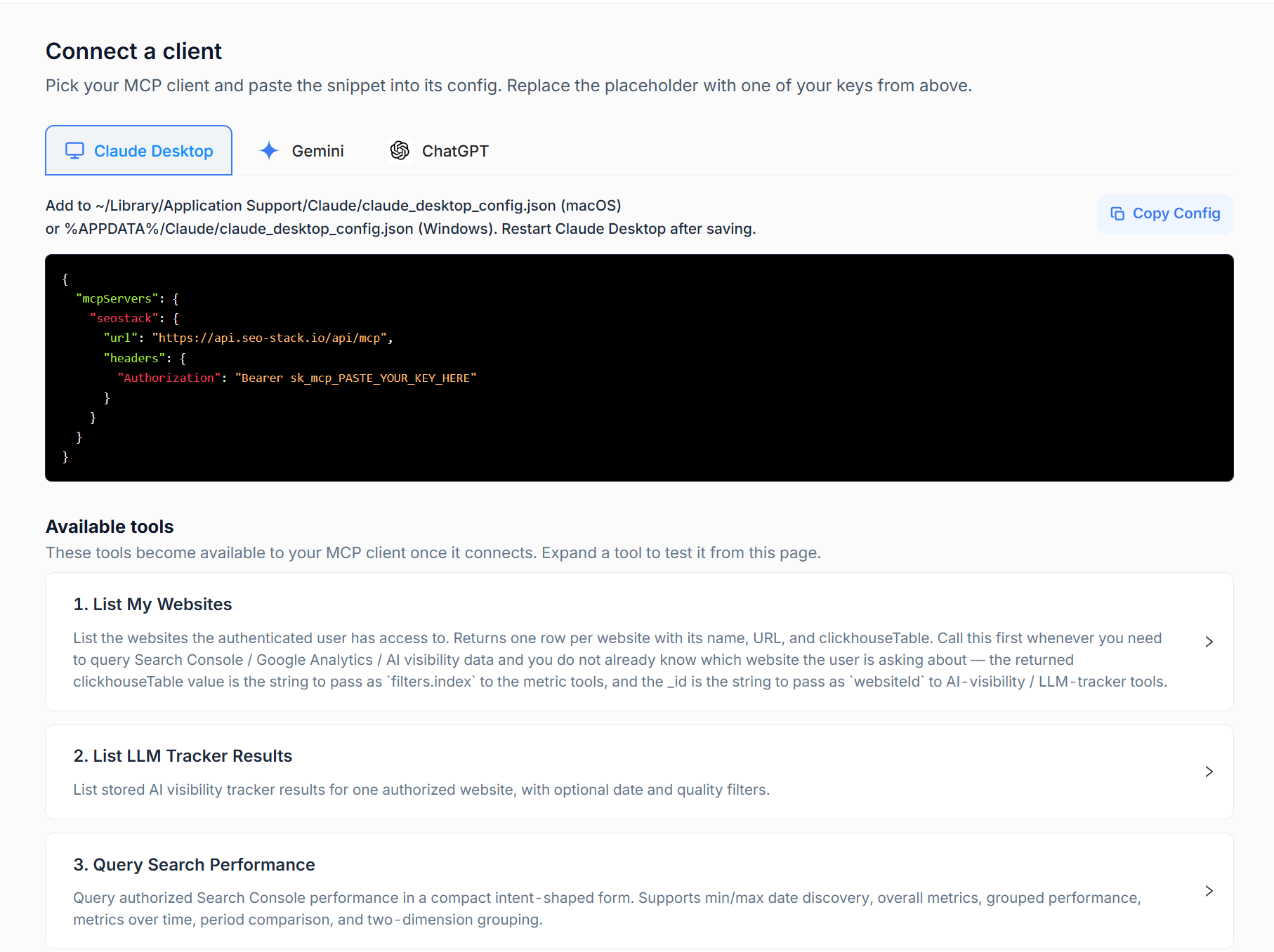
Here you can create the connection / create an API KEY.
You will need to create an MCP key and then give it a name >
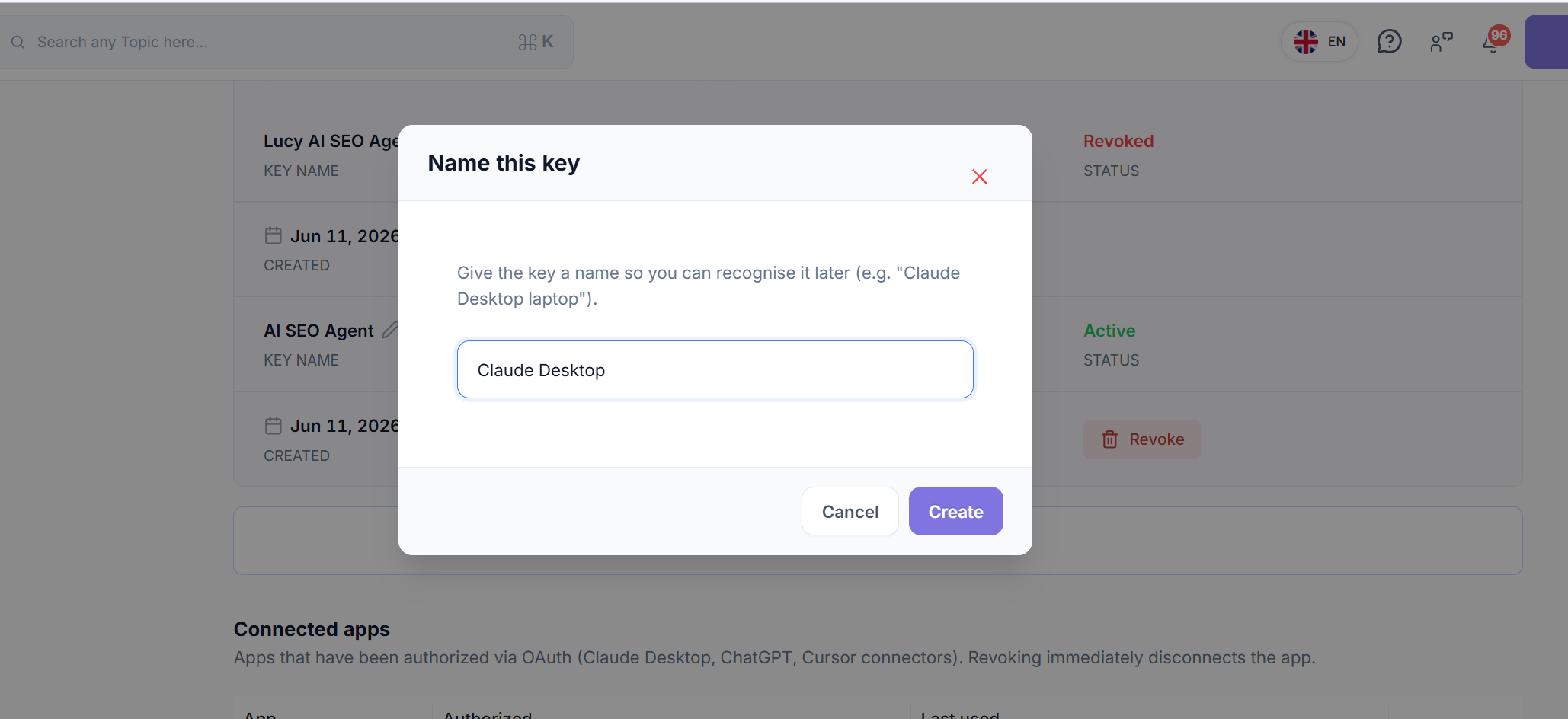
Then go back to Claude Desktop, go to SETTINGS.
Under Customize → Connectors, add a custom connector using the SEO Stack MCP URL.
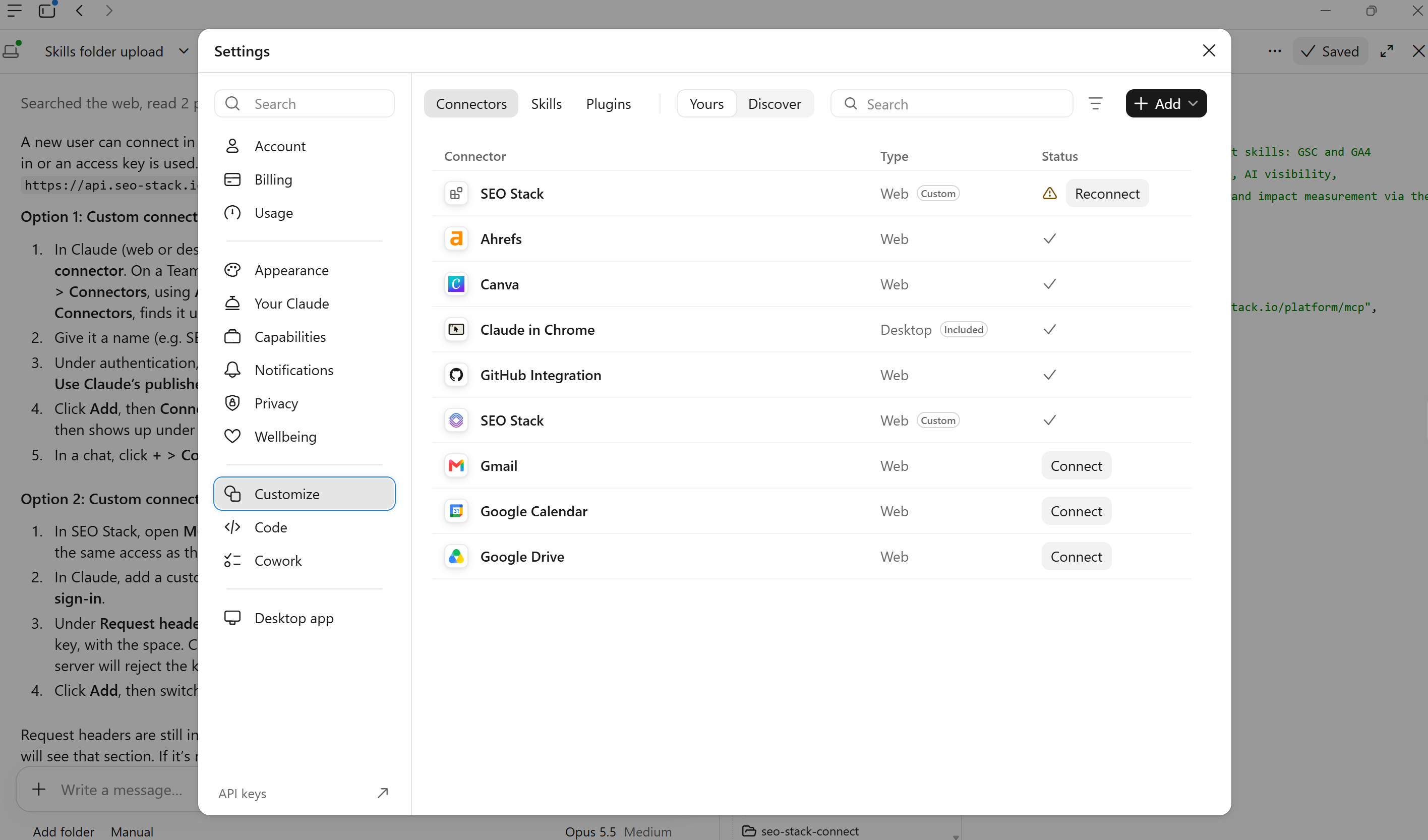
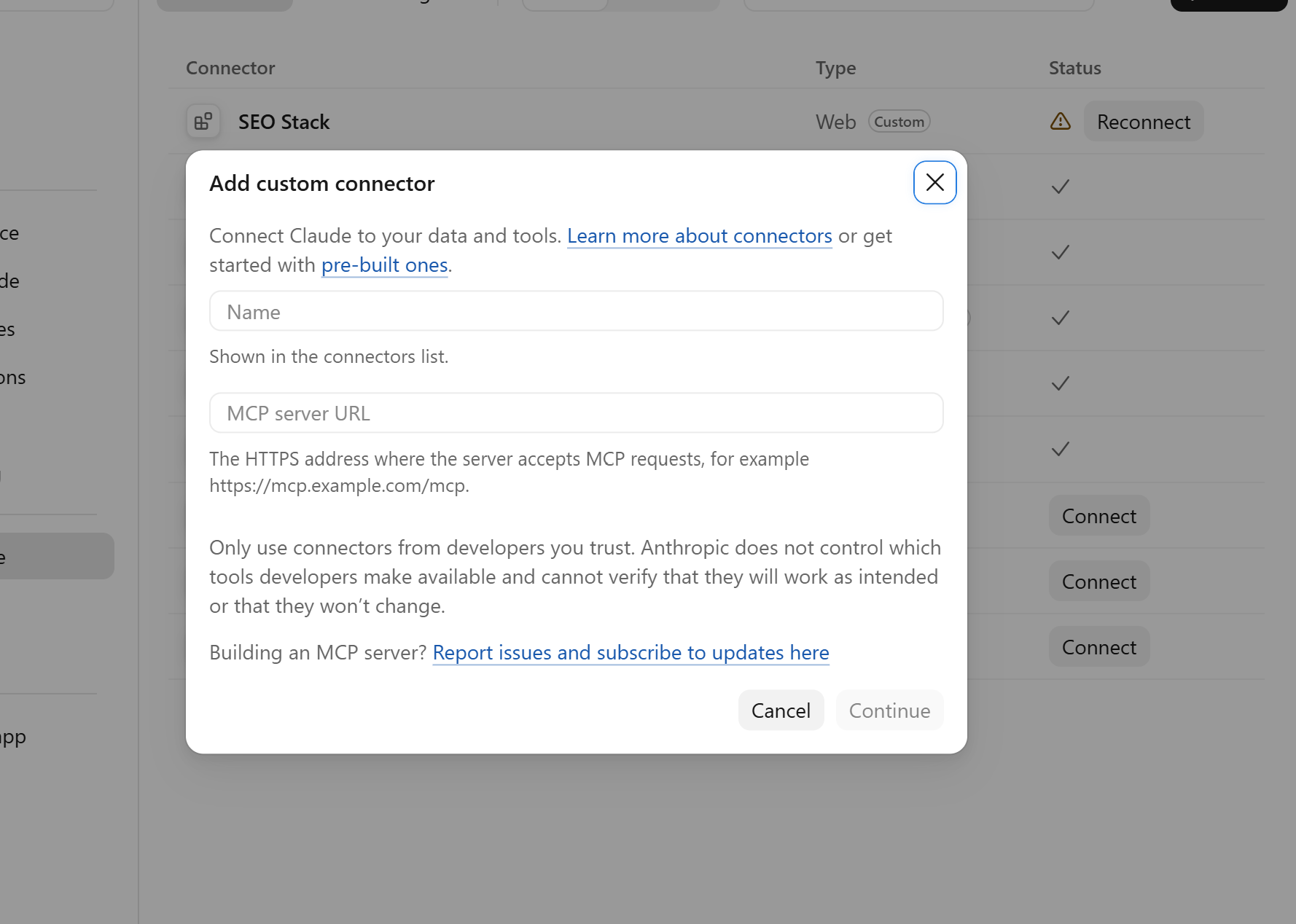
For bearer-key access, use the fixed request-header option, header name Authorization, value Bearer YOUR_SEO_STACK_KEY.
Enter the real value in the connector settings.
Enable the connector for the conversation. Team workspaces may need an owner to configure it, and a shared fixed credential gives members its account scope. For a desktop analyst, this setup is enough to run the reporting example. The pack’s Linux scheduler requires a separate runtime. Claude remote connector setup
Claude Code in a website repository
Copy the required folders into .claude/skills/ in the site project, or ~/.claude/skills/ for personal use across projects. Make the shared checkout accessible and start Claude Code from the intended project. For a project-scoped connection, merge this entry into .mcp.json. Set the named environment variable in the process running Claude Code. The file can then refer to the variable without containing your key.
{
  "mcpServers": {
    "seostack": {
      "type": "http",
      "url": "https://api.seo-stack.io/api/mcp",
      "headers": {"Authorization": "Bearer ${MCP_SEOSTACK_API_KEY}"}
    }
  }
}
Review and enable the project server when prompted. Open /mcp to inspect the connection, then ask Claude Code to use the connection skill. For a Vercel preview, open the actual site repository and give the agent the accepted brief and permitted paths. Claude skill directories · Claude Code MCP configuration
Cursor
Open the site project in Cursor and copy the skill folders into .cursor/skills/. Add SEO Stack to the project’s .cursor/mcp.json. In the example below the env: prefix is intentional. Cursor uses different interpolation syntax from Claude Code.
{
  "mcpServers": {
    "seostack": {
      "url": "https://api.seo-stack.io/api/mcp",
      "headers": {"Authorization": "Bearer ${env:MCP_SEOSTACK_API_KEY}"}
    }
  }
}
Make the variable available to the Cursor process and open a new Agent conversation. Ask it to run the property test. If you later move the job to a cloud worker, verify its credentials, skills and checkout there as well. Cursor skills · Cursor MCP configuration
OpenAI Codex CLI or IDE extension
For a project install, copy the skill folders into .agents/skills/ at the repository root. Codex also supports ~/.agents/skills/ for personal skills. Add the following table to ~/.codex/config.toml, or to .codex/config.toml in a trusted project. Set the environment variable to the raw key value. Codex constructs the bearer header.
[mcp_servers.seostack]
url = "https://api.seo-stack.io/api/mcp"
bearer_token_env_var = "MCP_SEOSTACK_API_KEY"
Start Codex in the project and explicitly ask it to use $seo-stack-connect. Keep the shared docs in reach and verify the returned site and dates before trying a coding task. Codex skill locations · Codex MCP settings
Step 4: Testing the connection and skills
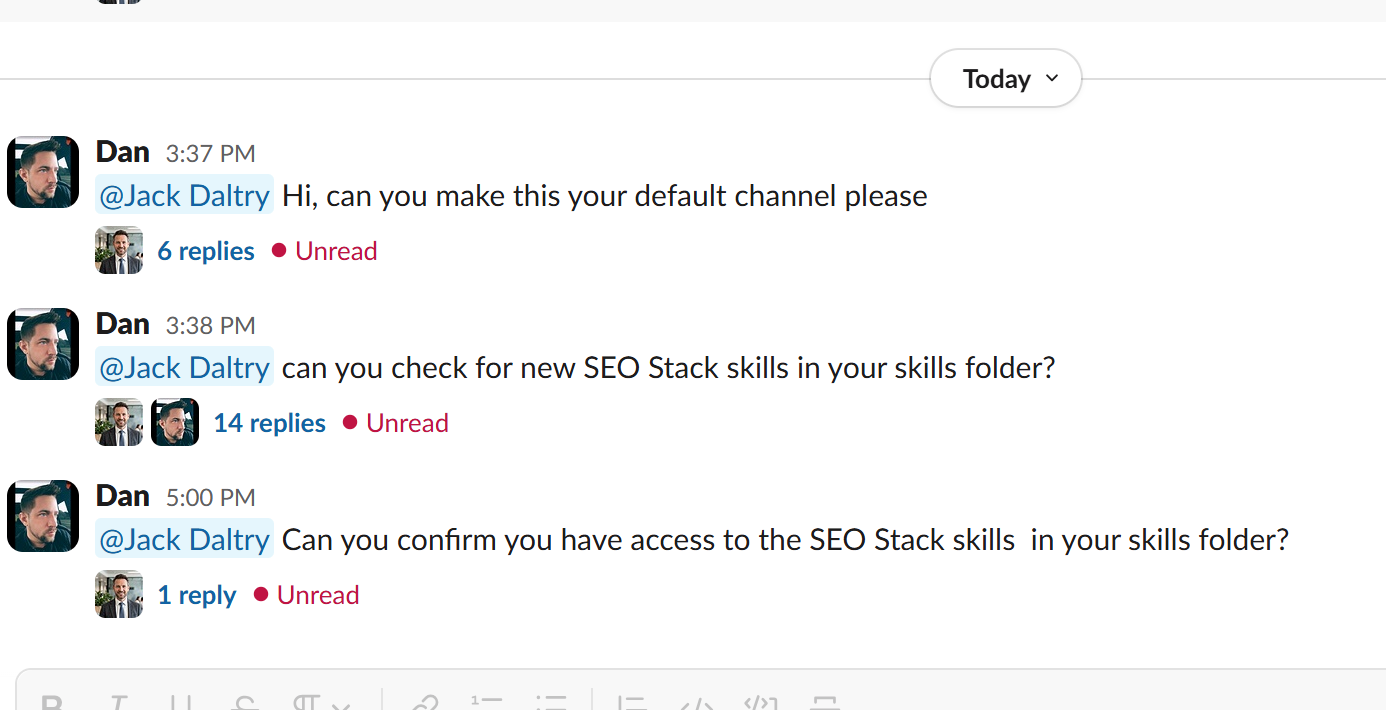
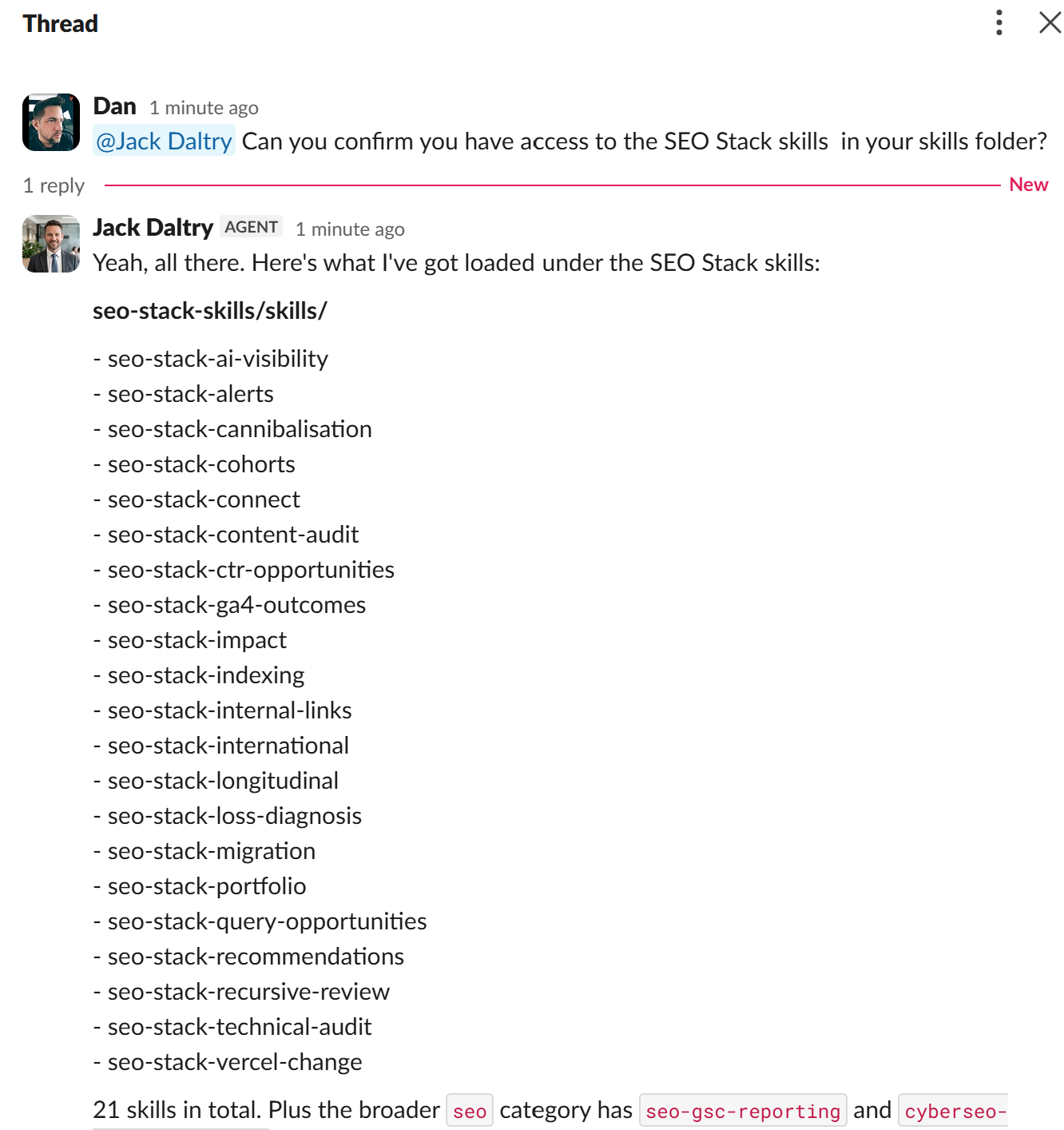
Once you've installed the skills, depending on the platfor/agent you are using, you should simply be able to ask the platform/agent whether it can see / access and use those skills, then you should ask it to get data from one of your SEO Stack websites.
So, after I set up my Hermes AI SEO agent and then connected it to SLACK, I asked it could it access the skills:
And sure enough it could:
So now it's time to test one of the skills, let's test a LOSS DIAGNOSIS for one of our test websites.
It doesn't have a great deal of data, but, we can see what it sees as loss based on impressions which we can see went up and then dropped again:
Here is the cybersecurity-seos.com site in SEO Stack
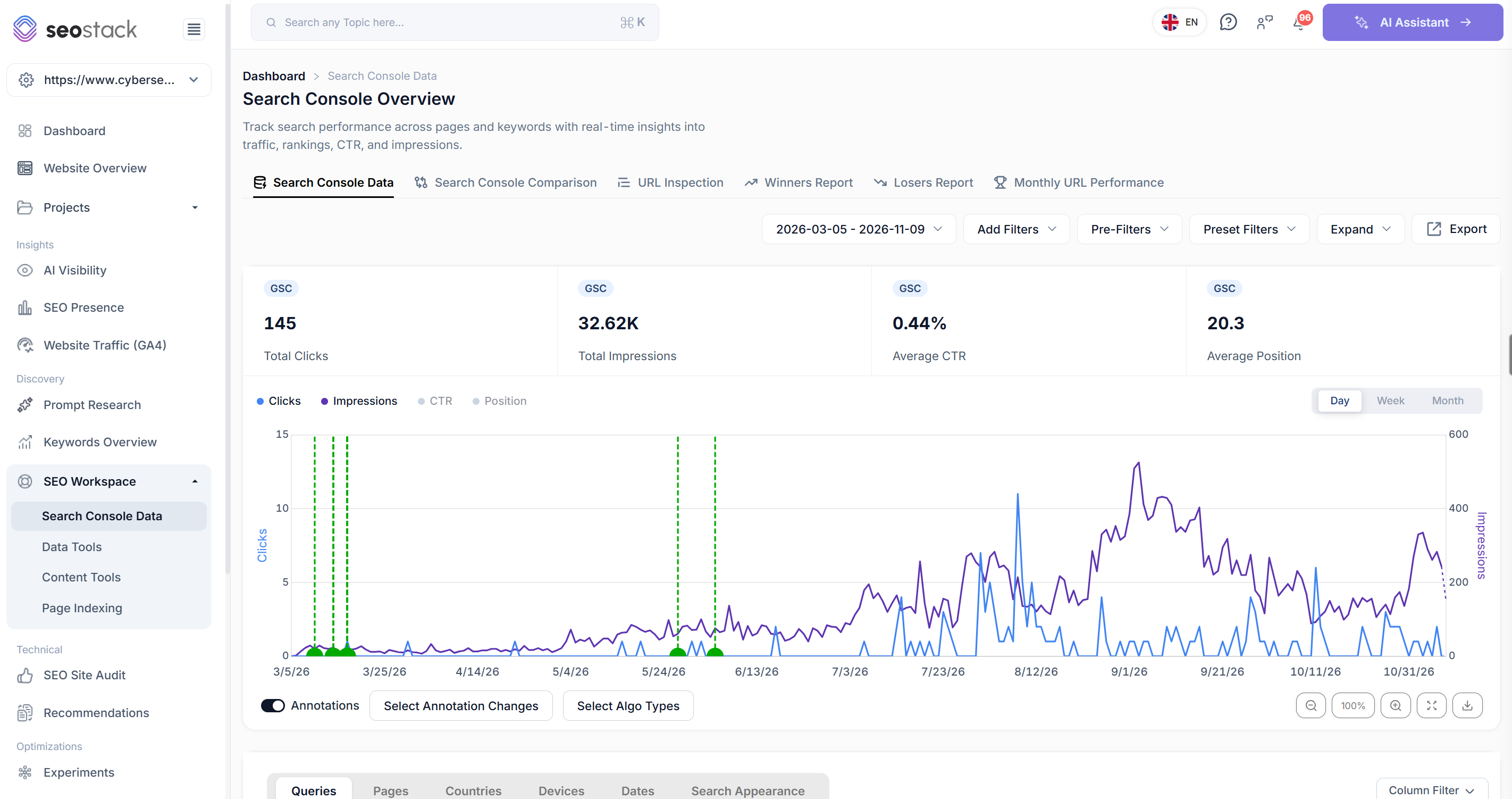
So, what we want is the agent to utilise its new skills to be able to improve our SEO workflow.
I asked the agent to perform the loss diagnosis for the website >
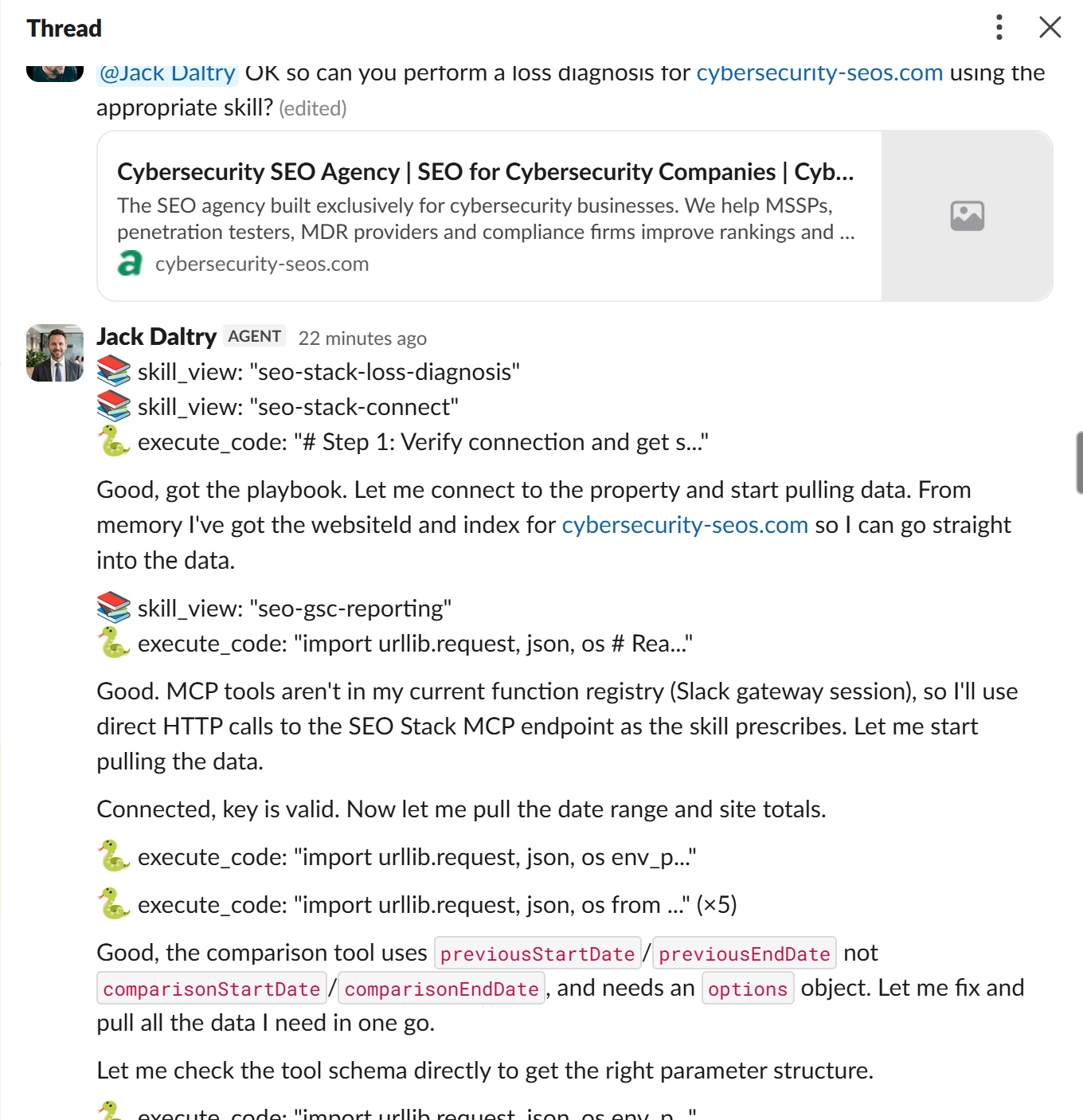
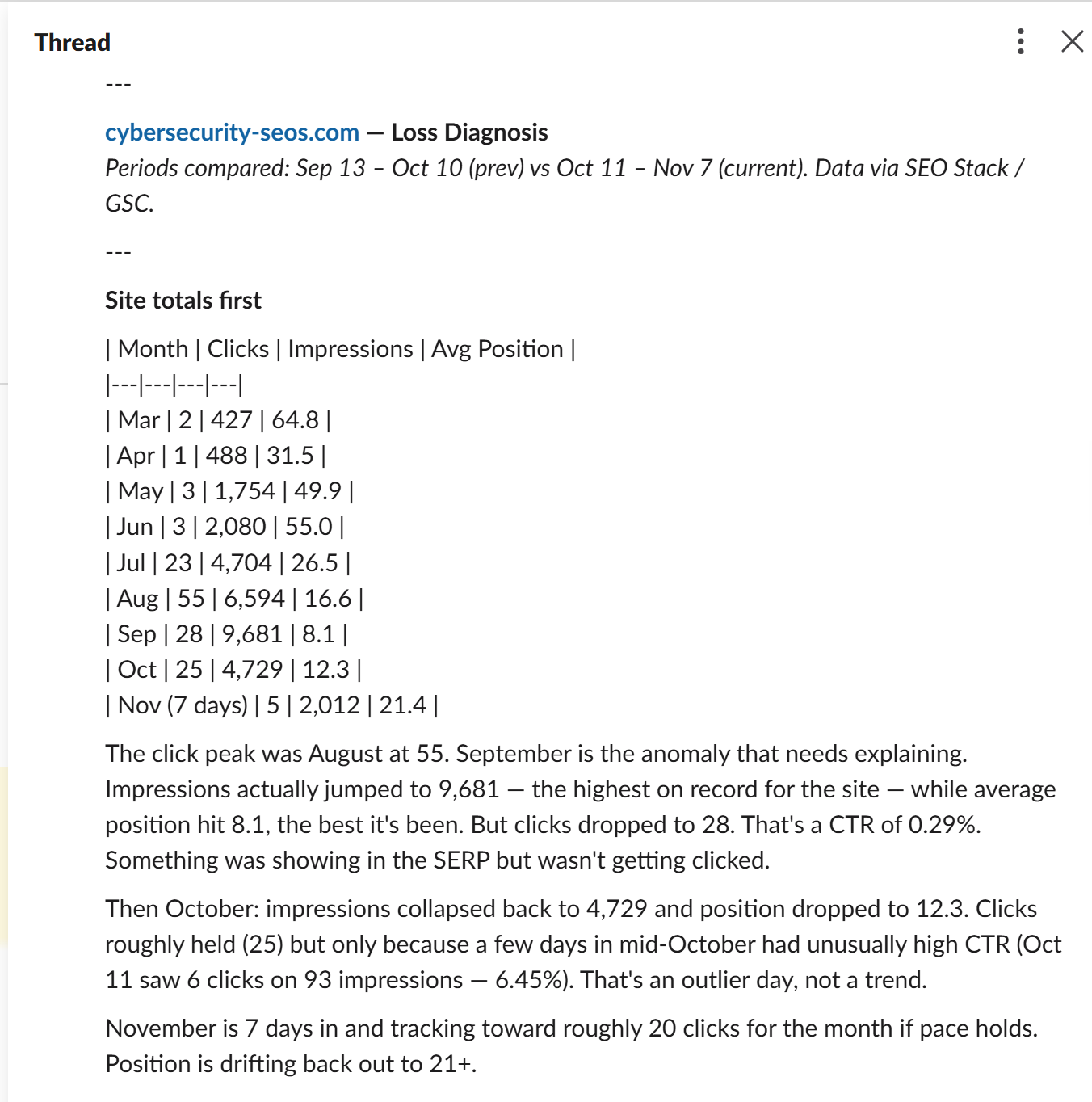
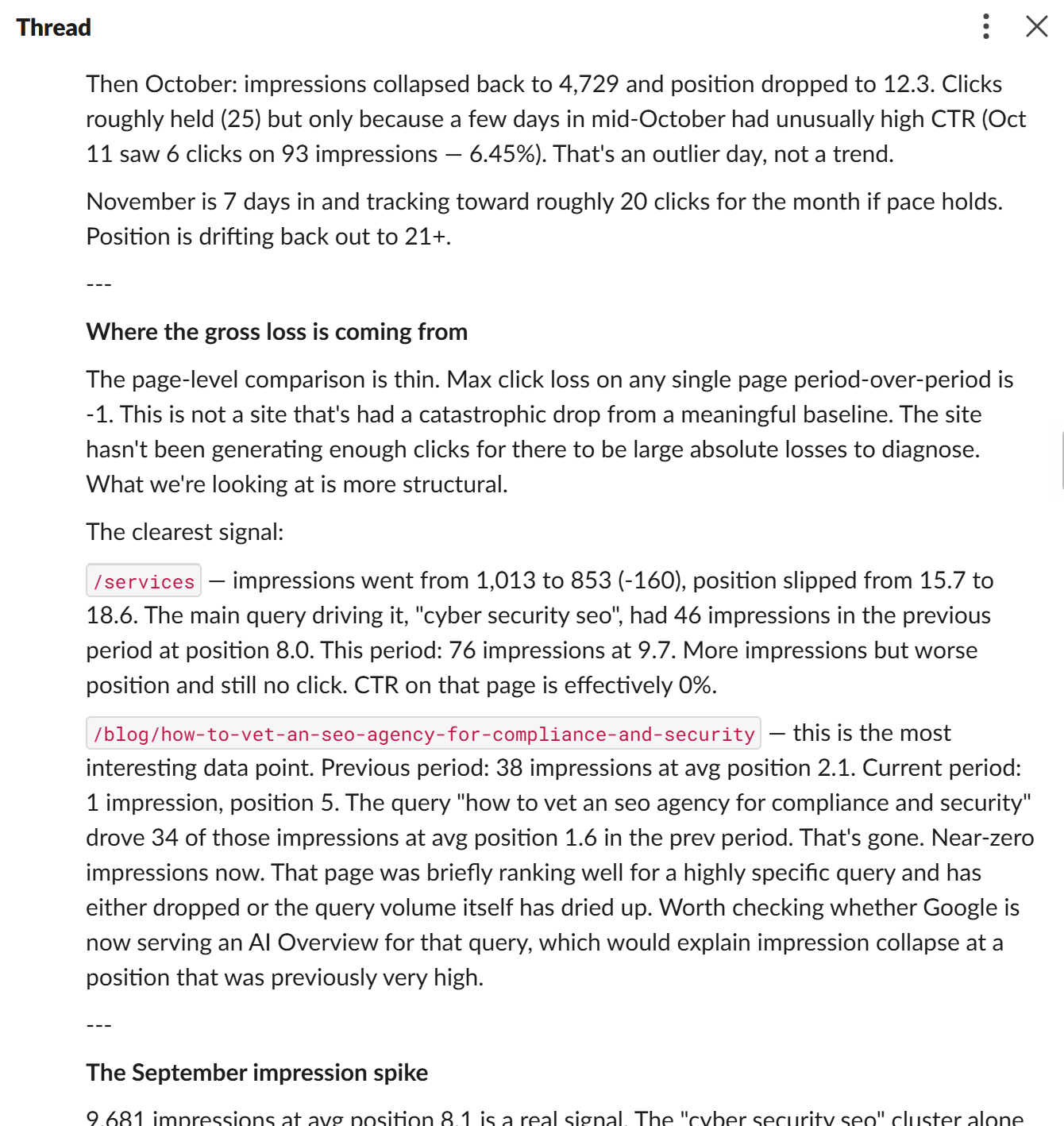
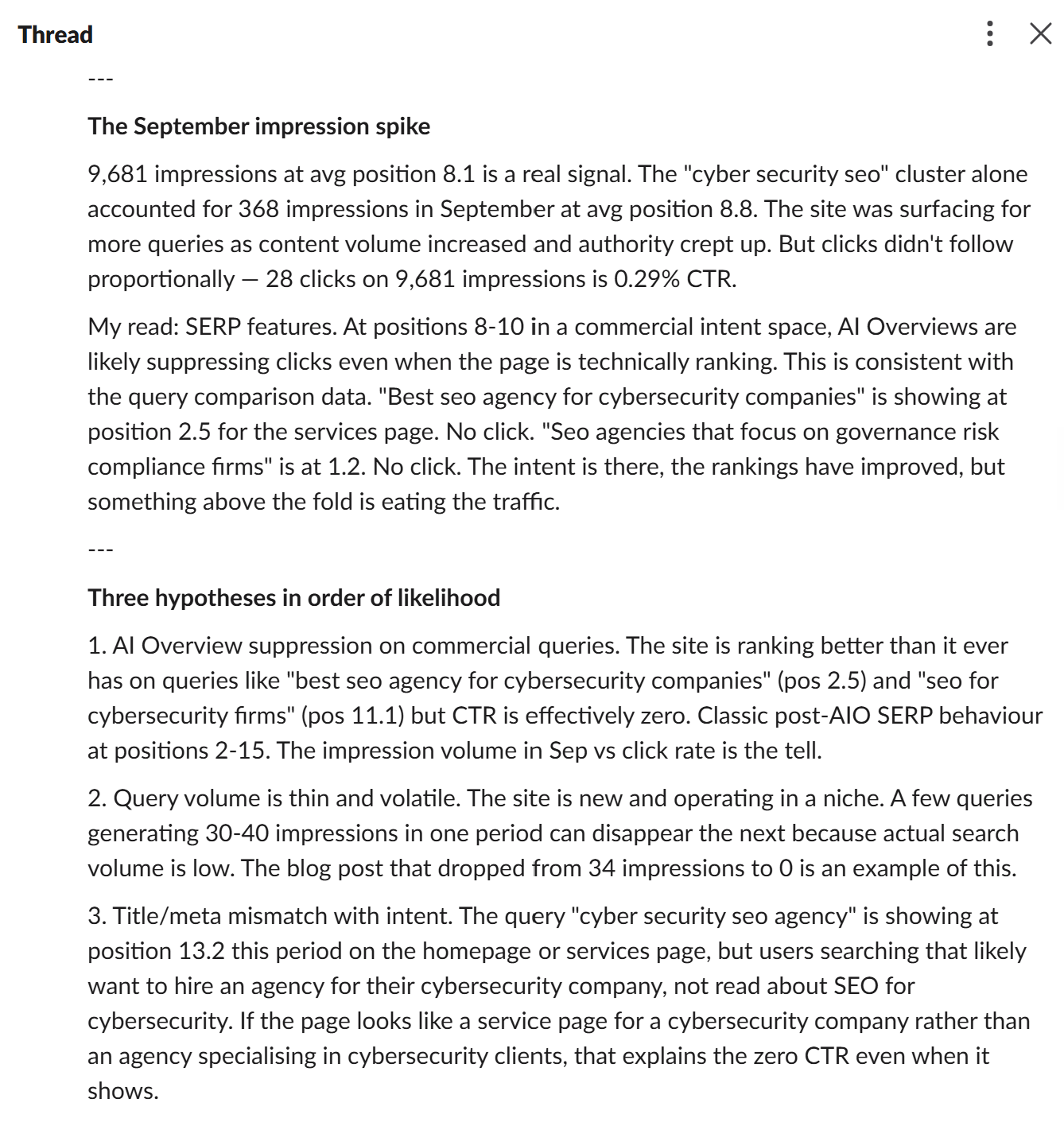
So you can see it's working! its ALIVE!
If you didn't set up an AI agent, you can run the same test in whereever you have installed it i.e. Claude Desktop
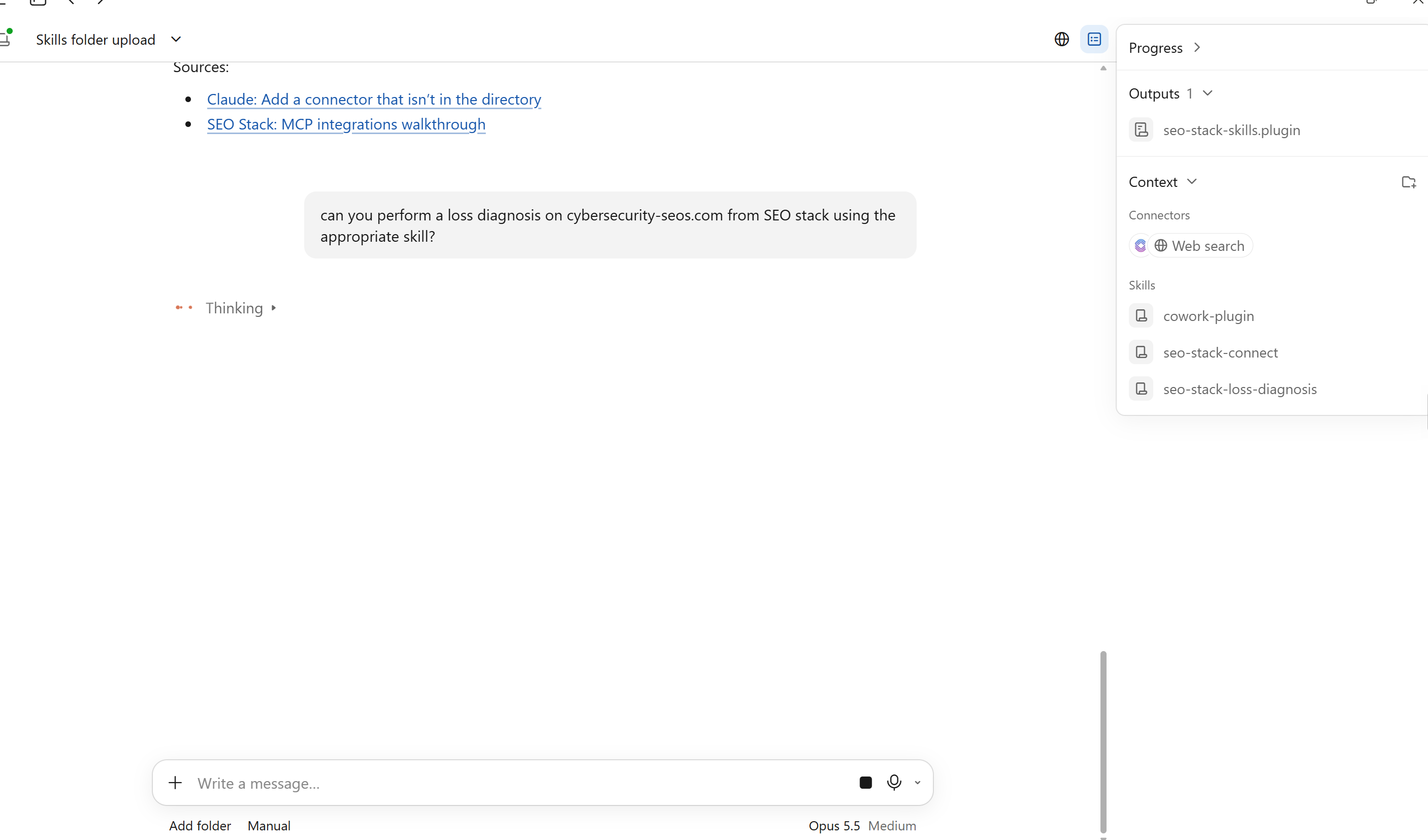
Once you can see the connectors and skills, that's generally confirmation that SEO stack is being utilised along with the relevant SEO skills:
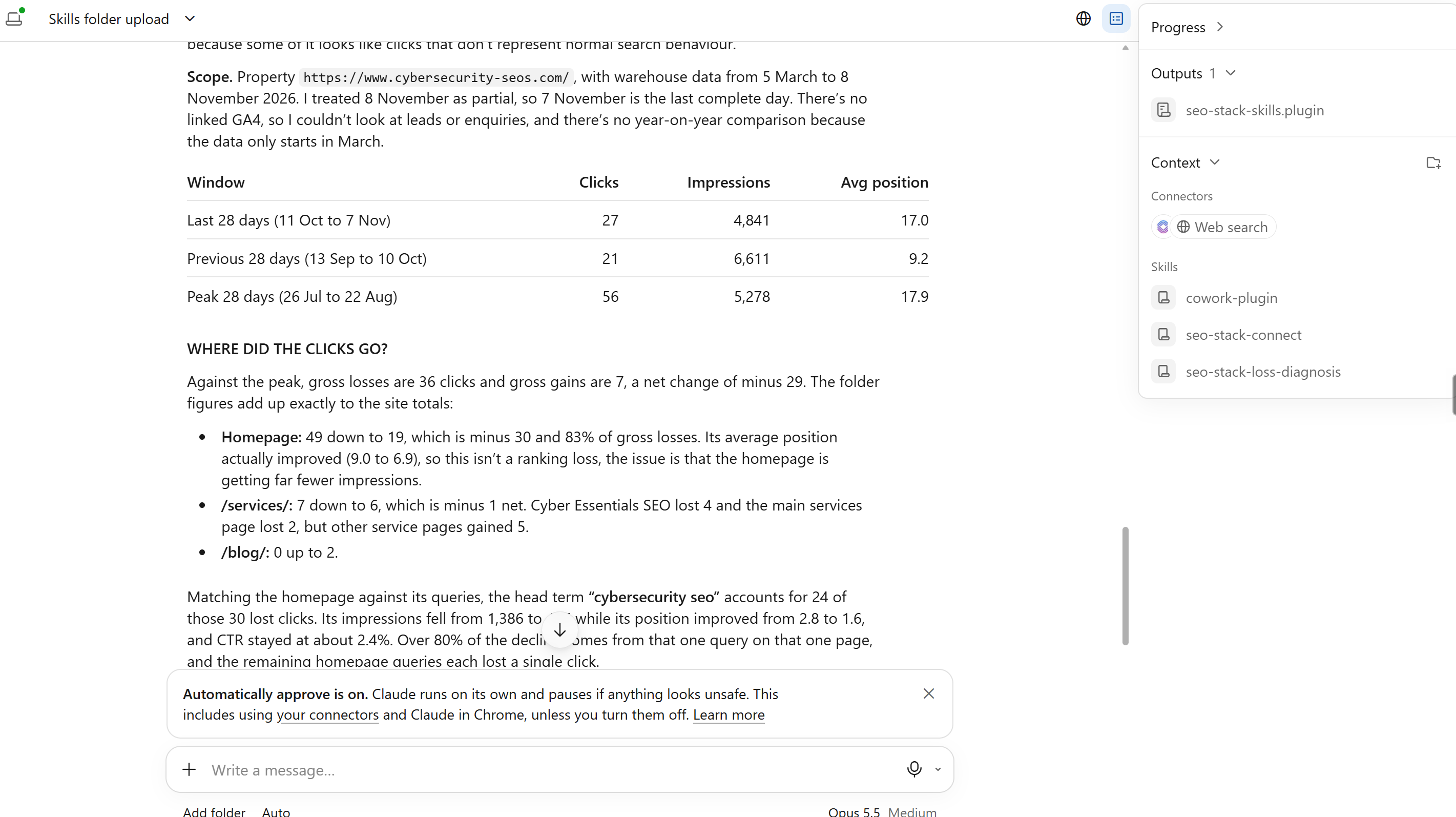
Once you have this - we've now got the main thing done and out of the way.
So, next we need to look at teaching the AI SEO Agent what it should be doing on a cron / recurring basis, we then can also configure it to have website access - now, how far you go with this is really dependent on how far you want your automations to go.
For SEO Test projects - I wanted agents to literally RUN THE SHOW - this means fully autonomous to see, COULD I build mini sites that AI SEO agents just run whilst I get on with other things?
So, if you just wanted to set up an agent + give it SEO stack access with SEO skills, you probably don't need to go much further unless you are getting the agent to work automomously, then you need to TEACH it and then decide whether to give it website access.
Step 5: Teaching the agents + giving them a operating pack/crons to run
Giving an AI agent a skill is one part to the process, but, we should also give our agents a PROJECT BASED education where we also stipulate how they should work. This is where the PROJECT > Education aspect begins, now again, how you set this up varies significantly depending on what AI agent/platform you are using, most agentic platforms will allow you to set project level information.
What we effectively need to train our agent on is the PROCESS - so, a cron that runs and so that the agent knows how to deal with different scenarios etc.
For example - an agent should know that it can't make a change and then a day later have limited data to work with before making another change (if that makes sense) an agent needs to know how to handle data, contexts etc.
To save you a headache, I will provide the downloadable project files (you will need to customise them slightly) but it will give you the framework you need.
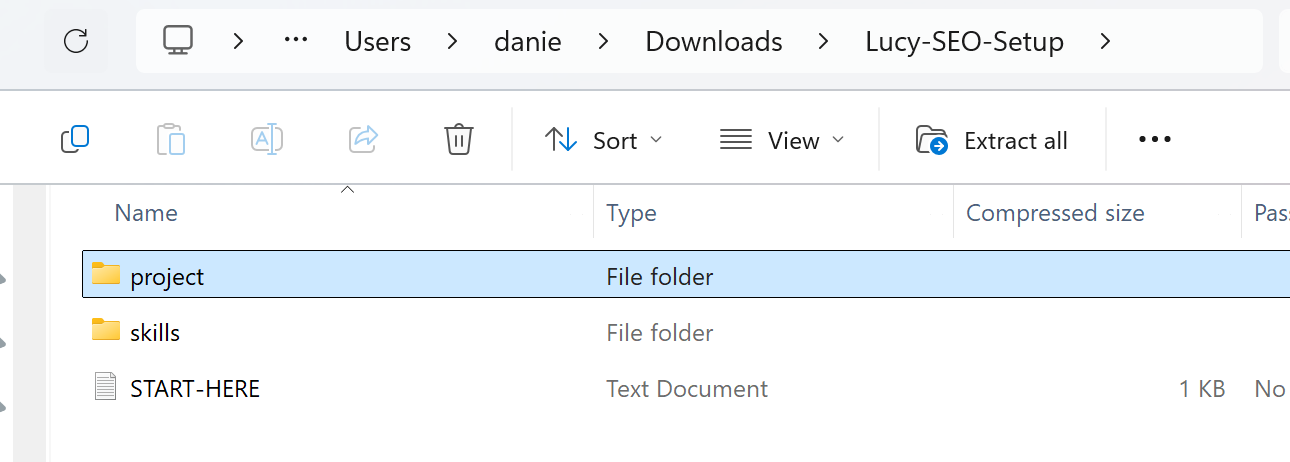
So, FIRST, you need to download the pack for the workflow/crons.
Download the Workflow / Cron Pack for your AI Agent
Then, when you have downloaded, before you can give it to your agent, you need to customise it so that it's specific to your website/project.
Download it, then follow the next instructions:
What users need to do before first use
Unzip the pack and open
START-HERE.md. Give their chosen agent access to the extracted folder. The guide includes a prompt they can paste into Hermes, Claude, OpenClaw or another agent.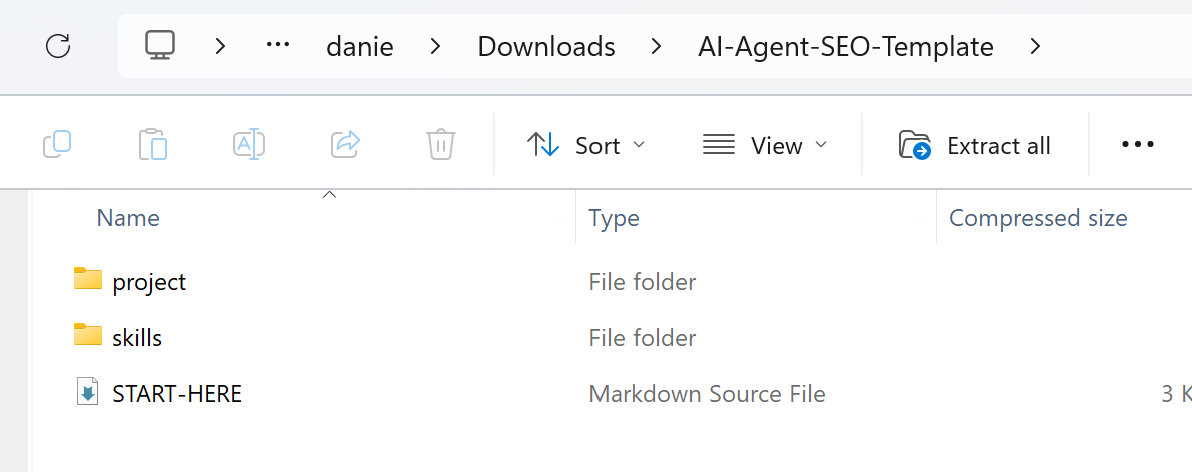
Personalise one file,
project/SITE-PROFILE.md. They can edit it themselves or have the agent ask them the questions and fill it in. They supply:Website and boundaries — business name, unique project key, canonical website URL, permitted hosts and paths, and any URLs or sections to exclude.
Commercial scope — what they sell, who buys it, priority products or services, target countries and languages, and topics outside the brief.
Starting URLs — the pages they want prioritised, or the instruction “Discover from the sitemap within scope.”
Success criteria — what counts as a meaningful organic outcome, such as a qualified enquiry, booked appointment or paid order. Include the tracking event if known and check the scheduler timezone, which defaults to
Europe/London.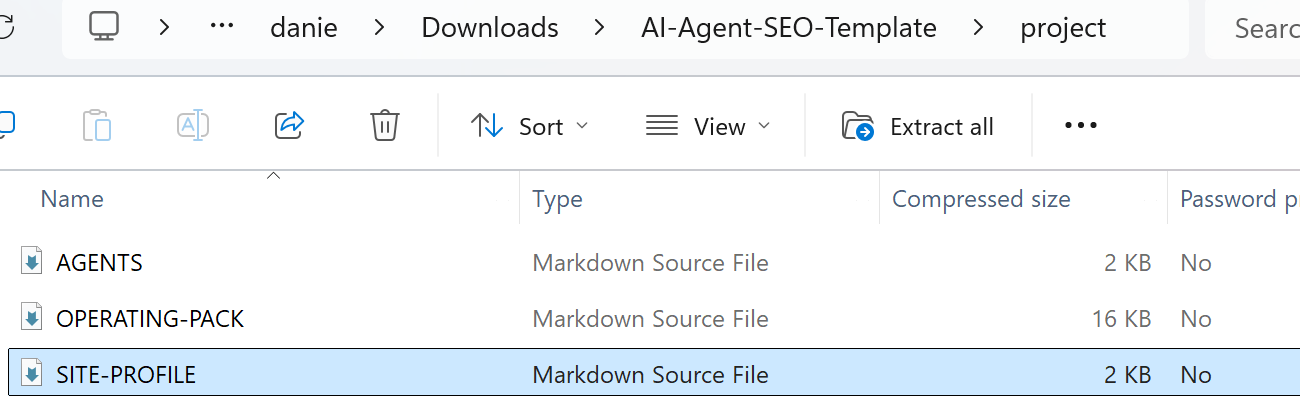
Now, copy the file system into your agents filesystem / folder. This will depend on which agent you have used, for example HERMES you would copy it into the main HERMES directory i.e. C:\Users\Administrator\AppData\Local\hermes but, where you put the files is really down to your chosen agent
Now you need to ask your agent to read the files / project folder and to set up all the appropriate tasks/crons. This where the agent will begin to form its memory and where it will understand the context of the workflow
Connect SEO Stack and run the read-only check. The agent should return the property it accessed, the dates it analysed and actual in-scope URLs with clicks and impressions. Users can verify the site and scope before enabling recurring jobs.
It's REALLY IMPORTANT to be able to ensure that the AI agent understands the project folder and that it can join up the SEO Stack skills and the project requirements / workflow. For SEO autonomy you need:
The AI Agent to have access to everything it needs for data analysis (SEO stack MCP being key, but you can plugin AHREFS MCP for competitor analysis / SERP data extraction etc)
The AI Agent needs to understand the scope of the work, autonomy and recursive learning, it should also understand a workflow / cron that means it knows when to make a change and how long to wait before re-evaluating
The AI Agent should have full scope of what it is looking at, what it can do, what skills it has available to it so it can use those skills when running the cron, be it analysis, auditing, identifcation, reporting or doing implementation / creating content etc
Step 6: Getting the agents started + giving them more capabilities
So, one thing I would highly recommend any SEO who's using AI for automations and that's
Get your AI Agent in on SLACK or whatsapp - you want to be able to liaise with your AI agent as well as getting updates in real time
Give your AI Agent other powers - for example if using Hermes you can set up e-mail using Himalaya, great if you want to automate outbound e-mails for say work updates or client updates, outreach etc.
Are you happy to give an AI Agent website access? if you do, you could turn an SEO project into an autonomous one, I wouldn't recommend doing this for client sites unless there are strict guardrails, but, for your own hobby sites, rank or rent sites, affiliate etc this is a great way to speed up SEO
Remember - you can ask your agent to run crons and to set up specific events for specific times.
For example, I wanted my AI SEO Agent to:
Run a cron for auditing and analysis
Run a cron for strategy and workflow
Run a cron for SEO execution /implementation
Run a cron for SEO reporting (via SLACK)
Again, I am usiing HERMES AGENT + Claude Sonnet + SLACK App so I can talk and communicate with the agent, I can set it tasks, crons and more from within SLACK >
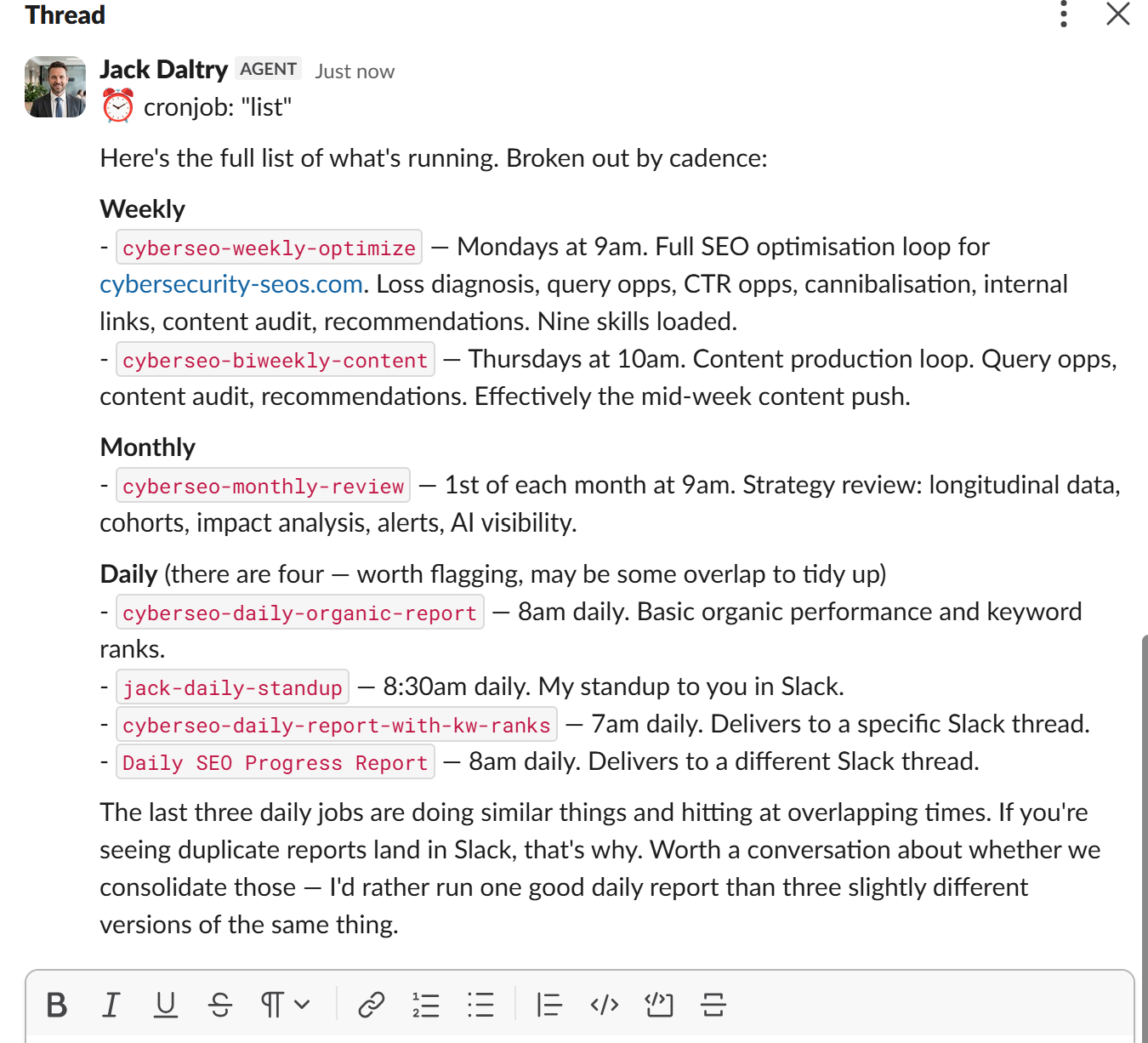
Then I set up crons for reporting, because SEO Stack supports GSC + GA4 + AI Visibility, my agents can literally report across everything.
So, if you want your AI SEO Agent to report back on:
Rankings
Website annotations
Rank changes and impact on impression, click, ctr, position
Experiment outcomes
GA4 engagement
AI Visibility
You can get it all quickly and easily.
Step 7: Making SEO More Autonomous with AI Agents that Deploy Changes
So, one of the things I did when I was learning and adopting AI was to play around by vibe coding websites. My weapon of choice is Claude Code + Git + Vercel. You can quickly and easily vibe code websites in Claude Code, you can deploy to Vercel, you can get Claude Code to build a back end API that will allow agents like Hermes to be able to connect to the website and push changes directly.
It's FUN and exciting, knowing that an AI agent literally has full autonomy, the agent can analyse data, generate content, deploy directly to a website, it can run experiments, benchmark changes and more by using SEO Stack's MCP.
My AI SEO Agent Jack works on the Cybersecurity SEOs website and does regular deployments >
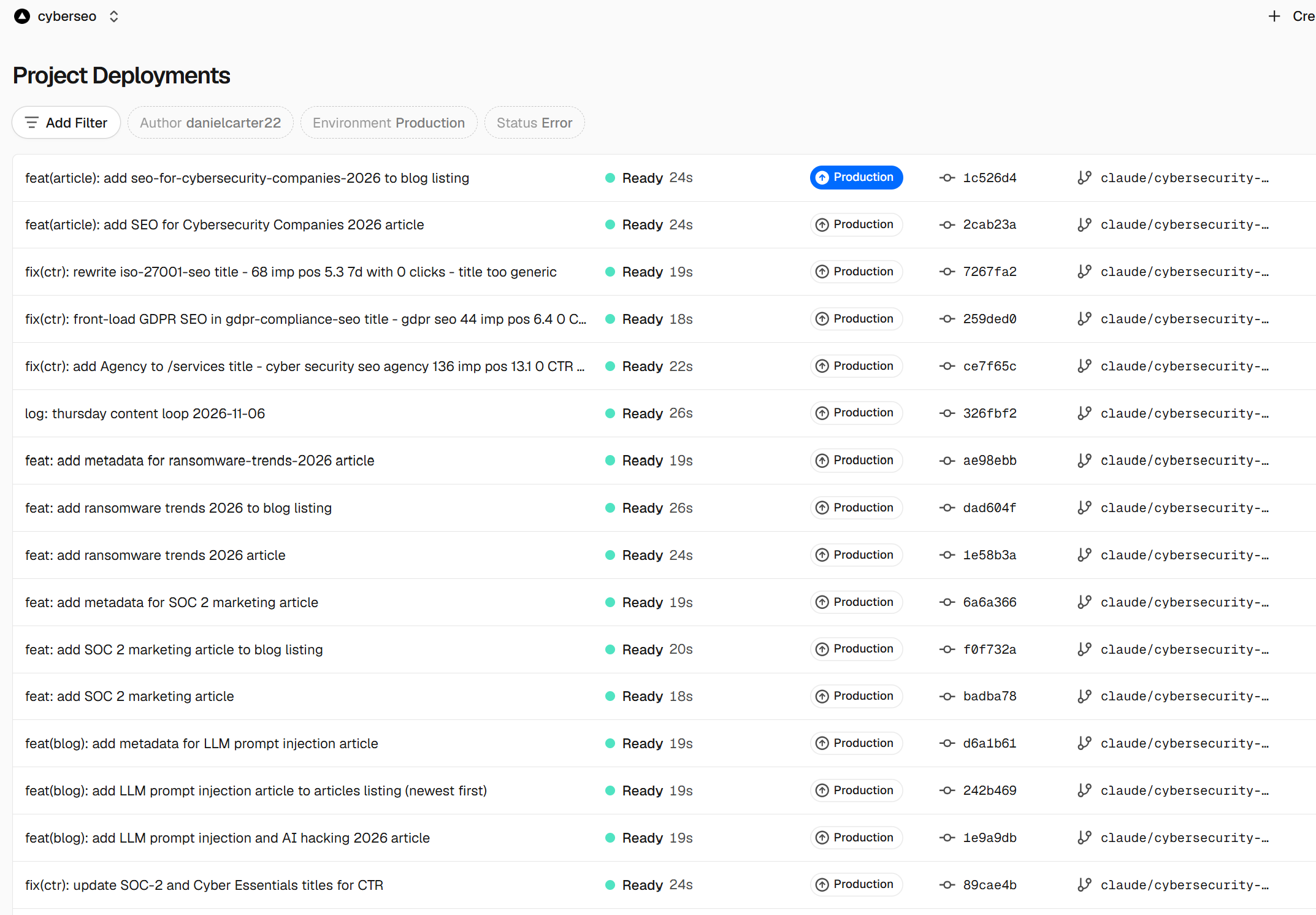
With the AI Agent, we actually managed to achieve some results, for example in Google we got to #1 for Cybersecurity SEO and a load of other relevant terms >
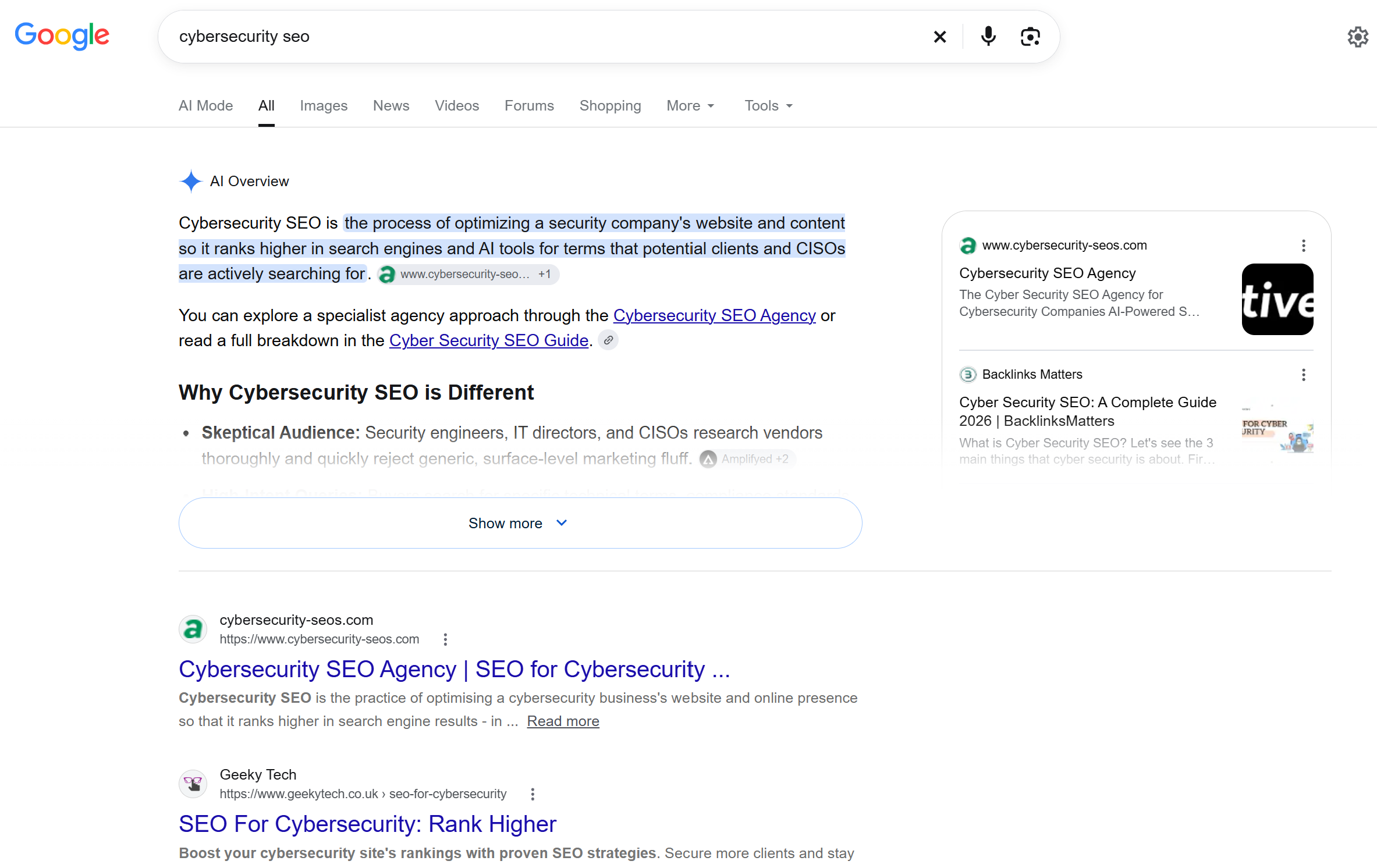
And yes, whilst we don't get a huge amount of traffic we DO get some clicks and enquiries from a website where there's NO HUMAN at the helm >
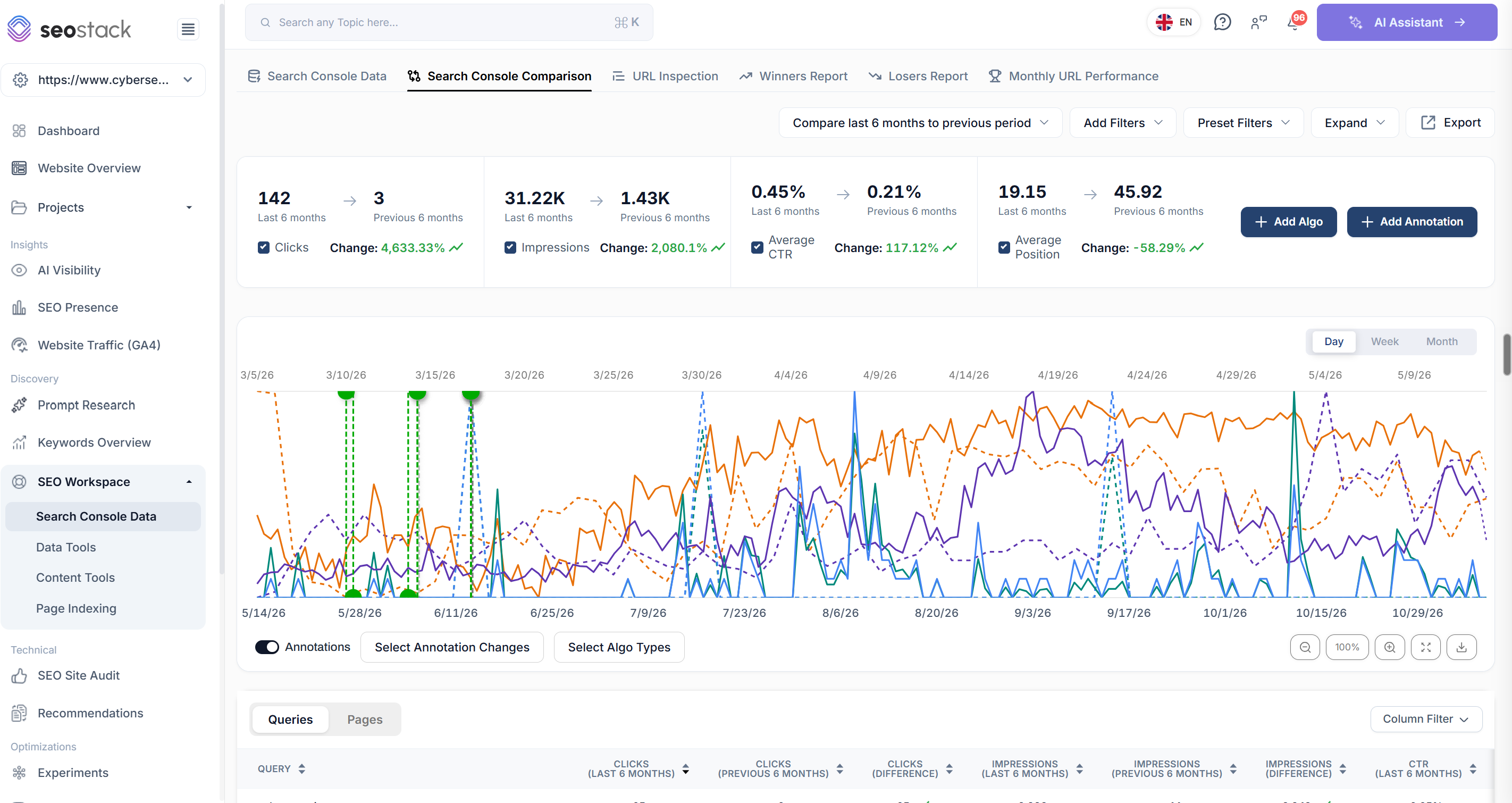
All of this was acheived using an AI AGENT that we built, taught, gave MCP access to and let it run free with a test website.
AI SEO Automation Examples (Workflow) for SEO Issues
SEO issue | What I’d give the agent to do | SEO Stack skills |
|---|---|---|
The site is up on clicks, but the sales team says enquiries are down. | Split |
|
Organic clicks fell last month. The client wants to know where they went. | Rank folders by gross clicks lost and report the gains separately. If |
|
Average position has improved while traffic has gone backwards. | Compare the queries present in both periods, then look separately at queries that disappeared. Losing visibility for a large group of lower-ranking terms can make the remaining average look better. Show me which terms dropped out and how many clicks they used to bring in. |
|
The monthly report credits SEO for a surge in branded searches. | Build a brand filter that includes the company name, product names and common misspellings. Compare brand and non-brand clicks, then mark the dates of any known campaigns. You can tell the client how much growth came from people already searching for them without guessing what prompted those searches. |
|
A page still ranks well for its main terms, but fewer people click. | Check CTR on the same queries, device and market at comparable positions. If the decline holds, pull the affected terms for a live SERP check. I’d want to see what Google is displaying above the listing, and which title it’s actually showing, before asking anyone to rewrite it. |
|
A traffic alert goes off every Monday morning. | Check the last complete reporting date and compare like-for-like weekdays. Give the alert a minimum click loss as well as a percentage threshold. A page going from four clicks to two probably doesn’t warrant waking up the account manager. |
|
A guide keeps outranking the service page for a buying query. | Pull weekly query-by-page data and identify when the guide started taking a larger share of impressions. Check the combined clicks to both URLs and inspect the links pointing to each. If the guide answers the question well, a prominent link through to the service may be more useful than merging the pages. |
|
The content plan proposes a new page for something the site already ranks for. | Search the property’s existing query and URL data for the proposed topic. Open the strongest existing page and identify what it already covers. Sometimes the entire brief comes down to adding pricing, eligibility criteria or a worked example to a page that already attracts the right audience. |
|
An evergreen guide has been losing traffic for six months. | Find the queries responsible for the decline. Did the guide lose position on terms that still get impressions, did another page take over, or does the same drop happen every year? Give the writer the sections that need attention and the sections still bringing in traffic. |
|
Someone wants to delete every page with zero clicks. | Join the content inventory to GSC history, page age, internal links and available GA4 outcomes. Flag recently published URLs, seasonal pages and pages used later in a customer journey. The deletion shortlist should contain URLs somebody has a reason to retire. “Zero clicks in 90 days” is a pretty thin brief for removing half a site. |
|
GSC has several thousand URLs under Crawled – currently not indexed. | Take the reason export into PAGES → SHOULD → EXACT in SEO Stack, then match the URLs against a current crawl. How many are retired products? How many are indexable service pages still in the sitemap? Give each group a count, example URLs and an act, observe or ignore decision. |
|
A commercial page has hundreds of internal links, most with anchors like “Read more”. | Give the agent the crawler’s inlink export, including source URL and link path. Group the anchors by DOM location and inspect a few examples. If one repeated card component accounts for most of them, you’ve found the source of the pattern and the exact component to review. |
|
New service pages went live, but hardly anything on the site links to them. | Compare the launch list with the crawl and sitemap. For each weakly linked page, find an existing article or service page where the destination would genuinely help the reader. Return the source URL, the sentence to edit and the destination. That’s a job an editor can finish. |
|
A template release changed canonicals across a whole section. | Sample affected URLs and neighbouring pages, inspect the HTML and record the canonical each one actually returns. Trace the output to the shared template. With authorised Vercel access, the agent can prepare one fix and verify it on preview across several routes before release. |
|
A migration dashboard says traffic is recovering. Several important pages still look dead. | Give the agent the old-to-new URL map. Compare each old URL’s baseline with the combined traffic to its old and new addresses, then test the redirect and final destination. Prioritise valuable old pages that now resolve to a category, the homepage or a 404. |
|
The US page keeps appearing for UK searches. | Pair the UK and US URLs, filter GSC by country and check which page appears for the same queries over time. Inspect canonicals, reciprocal hreflang, redirect destinations and internal links. If the UK navigation points at the US page, that belongs in the ticket alongside the hreflang evidence. |
|
Mobile enquiries dropped after a redesign, while organic entrances held steady. | Compare successful submissions by landing page and device, then check the form and tracking on an affected mobile page. Does the form fail, does the success event fail, or are fewer visitors completing it? Those are three different jobs for three different people. |
|
The client thinks an algorithm update caused the drop. | Overlay the update dates, site releases and SEO Stack annotations on the daily trend. Find the first affected date and compare templates, countries and devices. A decline confined to one template from the morning it was deployed gives the developer something specific to investigate. |
|
AI visibility fell immediately after the agency added new tracked prompts. | Recalculate the mention and citation rates using the original prompts, matched by model and market. Give the new prompts their own baseline. You can then say whether visibility fell on the questions you were already tracking or whether the expanded set simply contains harder questions. |
|
A title change went live, clicks rose 20%, and the result is heading straight into a case study. | Retrieve the release date, edited URLs and original query set. Compare them with similar unchanged pages over the same complete periods. If those pages also gained 20%, I’d leave the uplift claim out of the case study. |
|
The agent keeps making further edits before anyone knows whether the first one worked. | Have the scheduled job read the experiment ledger first. If those URLs are already under review, check the live implementation and the agreed review date. Once enough data is available, record whether to keep, revise or reverse the change before opening another test. |
|
An agency report shows zero organic traffic for one client. Nobody knows whether the site or the reporting broke. | Run a real property-level GSC read from the same agent profile that produces the report. Check the latest available date and test GA4 separately. A failed connection goes into the report as missing data, so the account manager can investigate the right problem. |
|
What are you actually giving the agent?
Open the download and look inside skills/seo-stack-loss-diagnosis/SKILL.md. It’s a readable set of instructions for investigating lost clicks. You can see which periods the agent should compare, how far it should drill down and what evidence belongs in the answer. If your agency has a particular way of doing that investigation, you’ve got something you can inspect and adapt.
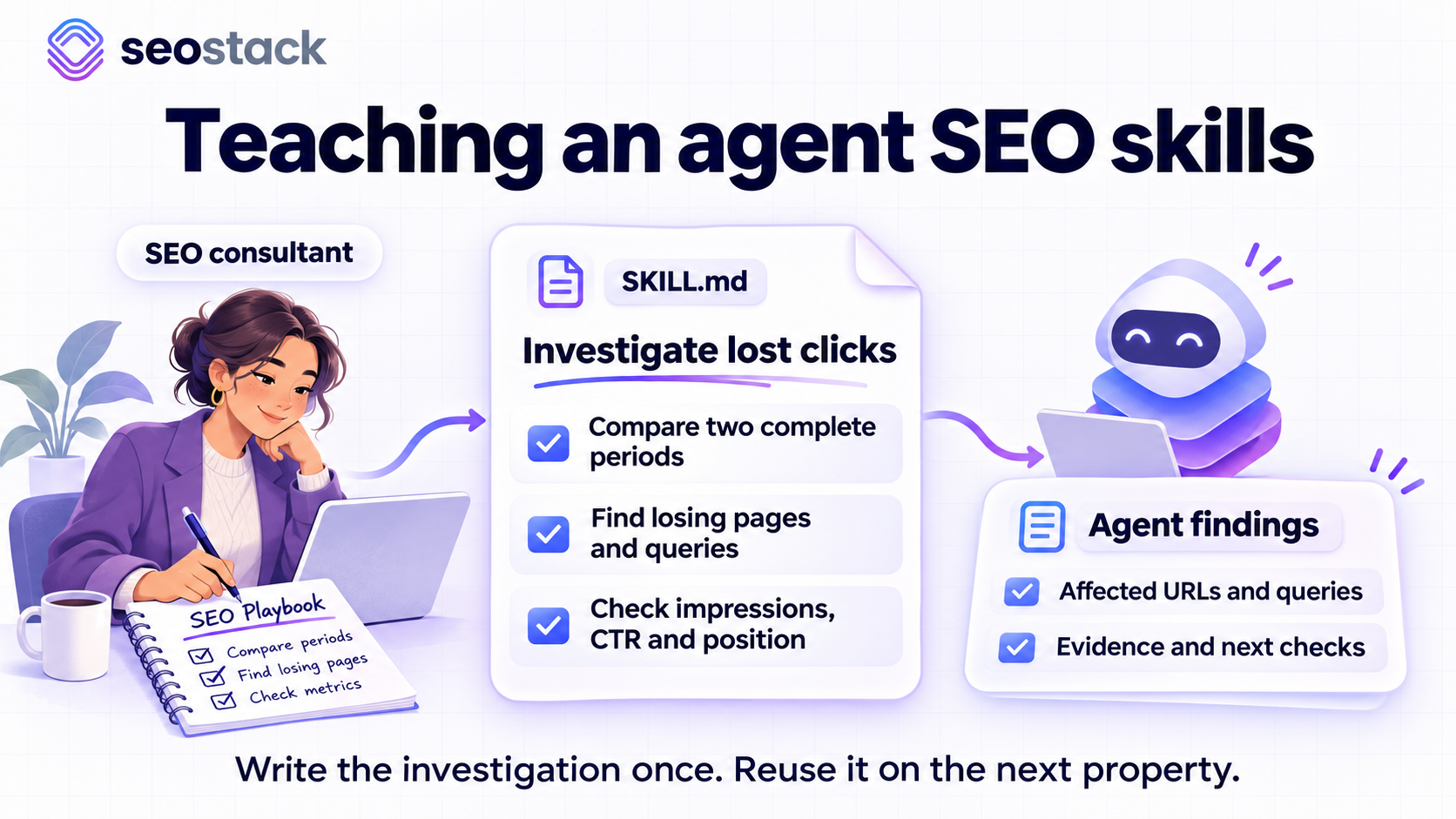
The data comes from a separate connection. MCP (Model Context Protocol) lets the agent call tools in SEO Stack. For example, it can request GSC performance grouped by URL segment, compare two periods, examine a query alongside the pages appearing for it, or request supported GA4 metrics for a linked property. Your account, the property’s available history and the tools exposed to that particular agent determine what it can retrieve. Installing a Markdown file gives it the procedure. Connecting SEO Stack gives it access to the figures. SEO Stack MCP catalogue
A workflow is how you put those procedures together. A daily alert might lead to a loss investigation, which might lead to a recommendation. A cron is simply the schedule that starts the job. Whether the agent can open a pull request or release an edit to a website is a separate decision involving your Git repository, Vercel project and the permissions you give it.
The catalogue in SEO Stack is a handy place to check what an individual tool takes as input. Search performance tools use the site’s data index. AI visibility tools use its website ID, and prompt history needs the tracker ID for the prompt you’re investigating. MCP walkthrough
Follow the lost clicks before you decide what to edit
Take the small example included in the download. These are fictional URLs and figures. You can reproduce the comparison yourself using the two CSVs in the examples folder.
URL | Previous clicks | Current clicks | Change |
|---|---|---|---|
/services/a | 120 | 75 | −45 |
/legacy | 15 | 0 | −15 |
/guides/b | 80 | 100 | +20 |
/new | 0 | 8 | +8 |
Total | 215 | 183 | −32 |
A dashboard tells you the site lost 32 clicks, the service page alone lost 45, If I’m deciding where to spend a client’s money, that second number deserves attention. The two declining URLs lost 60 clicks between them, of which the service page accounts for 75%. Elsewhere the site gained 28. It’s quite possible to have a serious problem on a commercial template while new blog posts make the headline figures look fairly respectable.
This is where I’d combine three skills. Cohorts defines the group I want to follow, perhaps all UK service pages excluding branded queries. Loss diagnosis works from site to folder to URL, then looks at the queries behind that URL. Longitudinal analysis gives the agent a way to check whether demand usually falls at this time of year, provided the warehouse has enough history. If I give it the latest three days on a property that hasn’t finished ingesting them, all three analyses can be beautifully explained and completely useless. The connection check comes first.
What else do we know about that service page? Impressions fell from 4,000 to 3,800, while CTR went from 3% to 1.97%. At its old CTR, 3,800 impressions would have produced about 114 clicks. It actually got 75. That gives us a reason to investigate the change in CTR, although it still leaves us some way short of recommending a new title. An influx of impressions for broader queries could pull down the average even if CTR on the original commercial terms stayed exactly where it was.
A practical prompt for this stage:
For the losing service page, compare queries present in both periods. Show clicks, impressions, CTR and position, then check mobile and desktop separately. List newly appearing and disappearing queries in their own groups. Give me the exact dates, URL and filters so I can reproduce the comparison in SEO Stack. If the query rows account for only part of the page total, show me the gap.
Suppose the mobile decline is concentrated on three valuable terms. The cannibalisation skill can check whether a guide has started appearing in place of the service page for those searches. I’d want a weekly query-by-URL breakdown, the combined performance of both URLs and a look at what each page offers. Two URLs getting impressions for the same phrase tells you very little about whether either one needs redirecting. If URL ownership is stable and the loss persists on comparable queries and positions, the CTR opportunities skill can compare the page with relevant peers and the SEO can look at the actual search results.
Did the loss cost the business anything?
Take the same URL to GA4. For a lead generation site I’d ask for Google organic landing sessions and successful enquiry submissions over comparable dates. First establish what the event actually records. A button click that fires before form validation makes a particularly generous definition of an enquiry.
SEO Stack can return GA4 metrics alongside GSC metrics where the property and tool support them. Confirm the channel and whether the row represents a landing page or activity anywhere on the page. If all you have is all-channel sessions, put that scope in the report. Joining that number to ten GSC queries creates ten copies of the same number and precisely zero evidence about which keyword drove a sale. Google’s guidance on using Analytics and Search Console together
For the digital marketer reading the report, the distinction matters. If search clicks and organic entrances both fell but the enquiry rate held steady, lost acquisition is worth investigating. If entrances held up and successful enquiries disappeared overnight, I’d be testing the form, consent changes and the GA4 event before commissioning any content. Our CSV example contains no GA4 data, so its commercial impact is still an open question.
Where the other skills earn their keep
I wouldn’t run all 21 skills against every property every morning. A migration needs a map of old URLs to new ones. An internal link audit needs to know where a link sits in the source page. A monthly agency report needs to know which client owns each property and who gets the output. Here’s how the pack fits those jobs. The names below match the folder names after the common seo-stack- prefix.
Job | Skills | What you can hand to somebody afterwards |
|---|---|---|
Establish what can be measured |
| The verified property, available dates, a successful metric read and a reusable filter with sample URLs that should be included and excluded. |
Investigate changes in search performance |
| A dated alert with the affected folder, its contribution to the loss, the query evidence and a comparison against previous seasonal behaviour where history permits. |
Decide where content work is justified |
| A specific decision about an existing URL. Expand this section, differentiate these two pages, test this snippet, or leave the page alone. GSC can indicate demand you already appear for. Research into markets where you have no visibility needs another source. |
Audit crawling, indexing and internal links |
| Affected URLs, a reproducible fault, the originating page or template, and a check the developer can run after the fix. Supply the relevant exports, crawl or rendered HTML. |
Check a migration or an international rollout |
| Old-to-new URL performance, missed redirects, incorrect destinations or locale pairs that deserve investigation, with country and query evidence attached. |
Understand commercial and AI search outcomes |
| Verified landing-page outcomes, or a comparison of mentions and citations across the same tracked prompts and models. Each has its own unit of measurement. |
Get work implemented and assess the release |
| The proposed edit, URL scope, acceptance test, verified release and a follow-up decision based on the agreed metric. |
Run the work across client accounts |
| Open experiments due for review, outstanding actions by client and an explicit record of properties whose data could not be checked. |
A better way to use a non-indexed pages export
Here’s a job you can try without giving an agent any access to your website’s code. Export a reason group from GSC’s Page indexing report, for example Crawled – currently not indexed. In SEO Stack’s Search Console Data, take that URL list to PAGES → SHOULD → EXACT. You want any of those complete URLs to match. Save the group under GSC Non Indexed Reasons, with the reason as the subgroup name. That gives you a list you can come back to after somebody has worked on it.
Give the indexing skill the dated export and a current crawl with HTTP status, indexability, canonical, sitemap membership and internal inlinks. Ask it to describe the main URL types and show you examples of each decision. A retired URL that now returns 404, has no internal links and was deliberately removed has a very different claim on your time from a live, self-canonical service page in the sitemap that the navigation never links to. Historical GSC clicks can tell you a URL used to attract traffic. To establish what Google currently reports about a specific URL, use URL Inspection.
The internal link skill can take the investigation further. If a crawler says the service page has 400 inlinks, get the agent to group them by referring page and DOM location. How many are the same “Read more” link repeated in a card? How many are relevant links in the content itself? Ask for the source URL, intended destination, existing sentence and proposed anchor. A developer can implement that. “Improve internal linking” will still be in the spreadsheet next quarter.
Monitoring visibility in AI answers
With tracked prompts, the comparison set matters as much as the answer. Say an agency adds 40 unbranded prompts in October to a set that previously consisted mostly of brand questions. The overall mention rate falls. Before anyone tells the client their brand has lost visibility, have the AI visibility skill compare completed runs for the original prompts, on the same models and markets. Report mentions and linked citations separately, retain the actual cited URLs and show how many runs produced each percentage. The new prompts can have their own baseline. SEO Stack AI and prompt reporting tools
Giving an agent permission to edit a Vercel website
There are three useful stopping points. In recommend mode, the SEO gets a brief with the exact URL, evidence and proposed edit. In preview mode, an agent with the appropriate Git access can work on a branch, open a pull request and inspect the Vercel preview. Production is for sites whose owners have expressly authorised the relevant changes and release method. The SEO Stack key supplies analytics access. Git and Vercel control who can change the site.
For a title experiment I’d record the current rendered title, the proposed wording, the affected URLs and one neighbouring page that should keep its existing title. The neighbour is worth the few seconds it takes to check. What looks like a one-page edit in Next.js can turn out to be a change to the shared layout. On preview, confirm the actual HTML, canonical and destination hostname, then check the same items on the live domain after release. An approved pull request has a date. A deployment serving real users can have a different one. Use the latter for measurement. Vercel preview and promotion guide
Record the release, baseline, URLs, comparison group and next review date in the experiment ledger. In SEO Stack, an annotation can cover a single page, a URL group or the whole site. When the available MCP tool can only read annotations, the agent can give you the text to add in the app and retain the release record locally. Using SEO Stack annotations and comparisons
Now suppose the service page recovers from 75 clicks to 90 after the change. That’s a 20% increase. Similar unchanged service pages went from 100 clicks to 120 over the same period. On that comparison you’d have expected roughly 90 clicks on the edited page anyway. I might keep the new title because it describes the service better, but I wouldn’t put “20% uplift from title optimisation” in the client deck.
That review is what recursive means in this pack. The next run looks up work already under measurement, checks whether enough complete data has accumulated and records a decision before proposing another edit to the same group. You choose the review window according to traffic volume, the change and when Google could reasonably have processed it. A low-volume service page may need considerably longer than a busy category template.
Your first live test, then your first cron
Pick a property you know. Give the agent its exact name and the location of the unpacked repo, then ask:
Use seo-stack-connect and seo-stack-loss-diagnosis on [property]. Find the matching site using SEO Stack MCP. Compare the latest seven complete days with the previous seven. Return both date ranges, site clicks and impressions, and the five URLs with the largest absolute click losses. Show before and after clicks for each URL. Attempt a separate GA4 sessions read and state its channel scope. Tell me which read failed if data is unavailable. Make no site changes.
Open the same property in SEO Stack, match the search type, filters and dates, then check the two site totals and one named URL. A tool list verifies discovery. A set of figures you can reproduce verifies considerably more.
For Hermes, schedule that same read once before committing to a recurring job. The following example is for a Bash terminal on a VPS. Replace the three values in the first lines. Start the gateway for that profile if it is inactive.
SEO_PROFILE='your-profile'
SEO_SITE='your-property'
SEO_REPO='/absolute/path/to/seo-stack-skills'

hermes -p "$SEO_PROFILE" gateway status
hermes -p "$SEO_PROFILE" cron create "2m" \
  "Read $SEO_REPO/docs/data-contract.md. Use SEO Stack MCP for $SEO_SITE. Compare the last seven complete days with the previous seven. Give exact dates, site clicks and the five losing URLs with before and after clicks. Record a failed read explicitly." \
  --skill seo-stack-connect --skill seo-stack-loss-diagnosis \
  --name "SEO Stack property test" --deliver local
Check the report in that profile’s cron/output/. If the manual result was sound and the scheduled job can’t read the site, check the scheduled profile, service account, available tools and gateway session before regenerating credentials. If both reads work, you have a sensible foundation for a weekly loss report. Hermes scheduled tasks · Cron troubleshooting
For a longer-running programme, the pack includes a Linux runner. Copy examples/client.json into private storage, set the property, Hermes profile and a writable absolute state directory, and start in recommend mode. Run python3 scripts/run.py /path/to/client.json weekly --dry-run from the checkout to inspect the instruction. Remove --dry-run for the real job. The examples in docs/operations.md show how to schedule daily alerts, a weekly investigation and reviews of open experiments. Use one scheduler per job. The included runner calls Hermes and uses a Linux file lock, so a Cursor or Claude Desktop skill installation on its own won’t run it.
On an agency account I’d judge the first month on fairly ordinary questions. How many alerts led to a fault or an opportunity somebody could verify? Could another SEO reproduce the findings without asking the agent to explain itself again? Did the client’s developer get a URL, an exact change and a way to test it? And when the review date came round, did anyone check what happened to qualified traffic or enquiries?
I’d start with the report you already spend time producing by hand. You know which numbers should tie out, which clients have a seasonal dip and which GA4 event has been counting the wrong thing since the last site rebuild. That makes you a much better judge of the agent’s work. Once it can do that job reliably, give it the next one.

Founder, SEO Stack
Daniel is the founder of SEO Stack. He has spent over 2 decades working on technical SEO and search data, and built SEO Stack after hitting the same Search Console limits on client work one time too many.
Daniel has extensive SEO experience having built SEO agencies, audit businesses & a thriving consultancy, in his spare time Daniel likes to run SEO experiments & to share findings.
Published 9 November 2026