AI Search Monitoring: How to Track Brand Mentions, Citations and Competitor Visibility
A repeatable workflow for monitoring AI answers, cited sources, competitors and business outcomes
AI search monitoring is the practice of checking whether your brand and owned pages appear in responses to a defined set of questions across AI search products, and whether that visibility changes over time.
A conventional keyword report cannot tell you what a conversational answer says, which competitor it recommends, or which page it cites. For those questions, the answer itself is the unit to observe. Then connect that answer-level evidence to referral traffic and conversions.
What AI search monitoring measures
Keep four signals separate. A brand mention means your company is named in the response. A citation means an answer links to a source page, which may or may not be your own. A competitor comparison shows which alternatives appear for the same question. Repeat appearance tells you how often a brand or owned URL shows up across repeated checks.
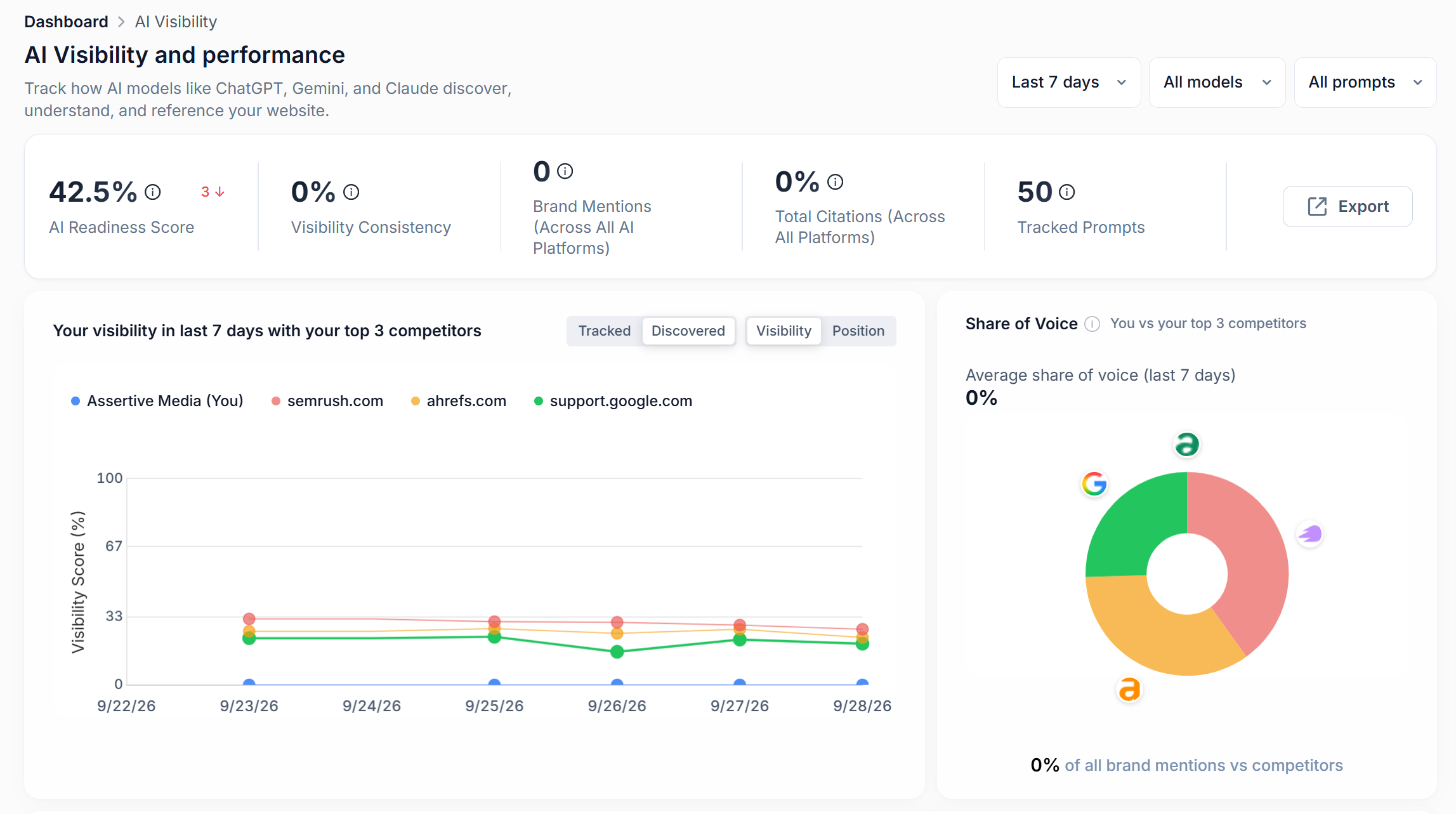
Also record the context. Was the brand described accurately? Was it recommended, listed as one option, or mentioned in passing? Which page or third-party source supported the answer? Those details help an SEO decide what to investigate next, rather than treating every mention as an equal win.
Keep answer visibility and traffic in separate reports
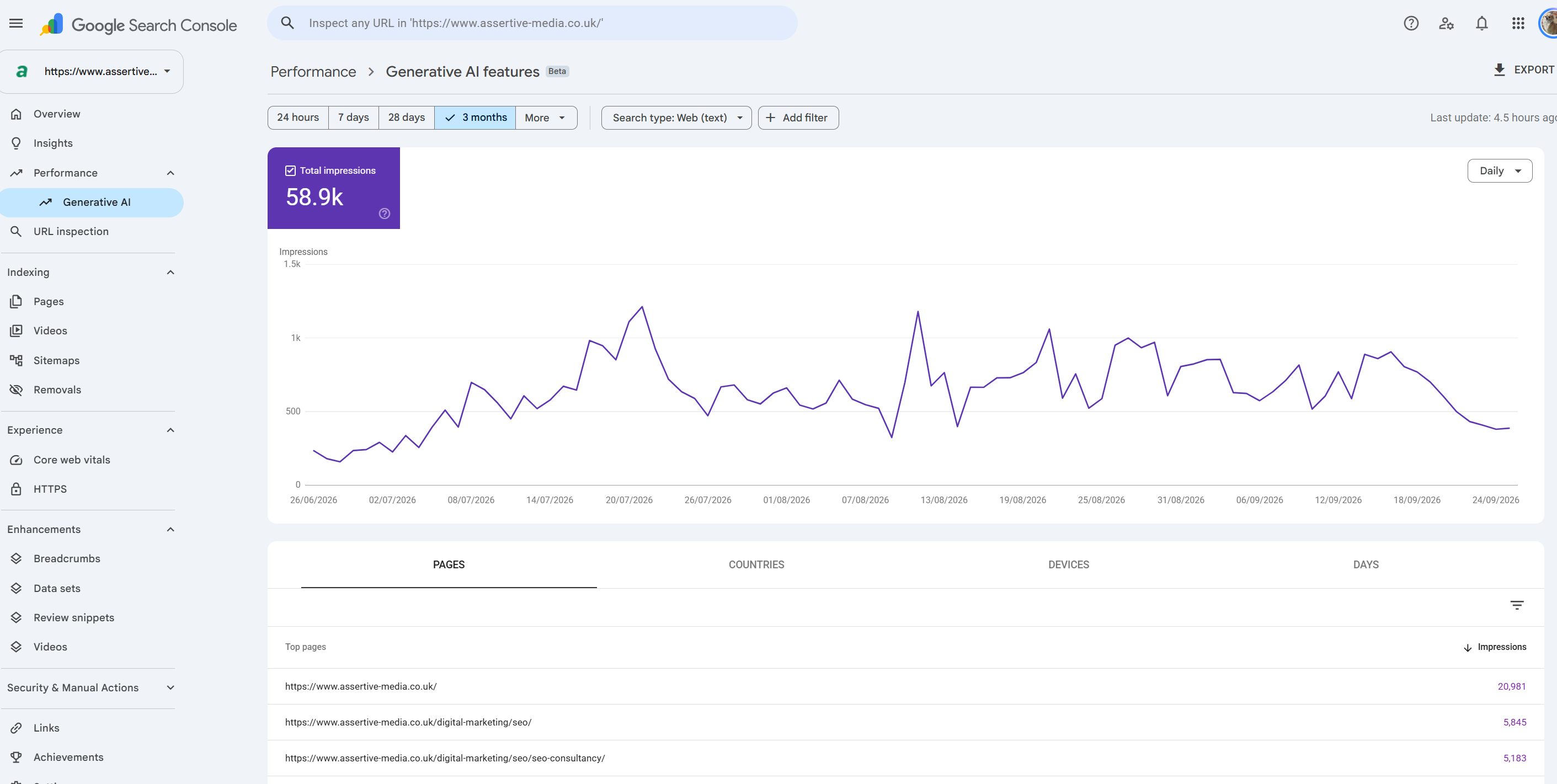
Google reports traffic from AI Overviews but its blended in with standard search data and AI Mode within the Search Console Performance report under the generative AI reporting, according to its AI features guidance. That is useful to know what pages generated impressions from Google Search. To be honest, it's about as useful as a chocolate tea pot - we see impressions to URLS but nothing more, no query data or clicks.
Traffic attribution is a separate part of the picture, OpenAI says referral URLs from ChatGPT search include the UTM parameter utm_source=chatgpt.com, which publishers can use in analytics to identify visits from ChatGPT. Segment that source in GA4, then connect sessions to trial starts, sign-ups and revenue. A citation can create visibility without a click, so referral counts alone will miss some exposure.
This is why in SEO Stack we support GA4 integration with the AI Assistant so its quick and easy to look at visibility vs impact:
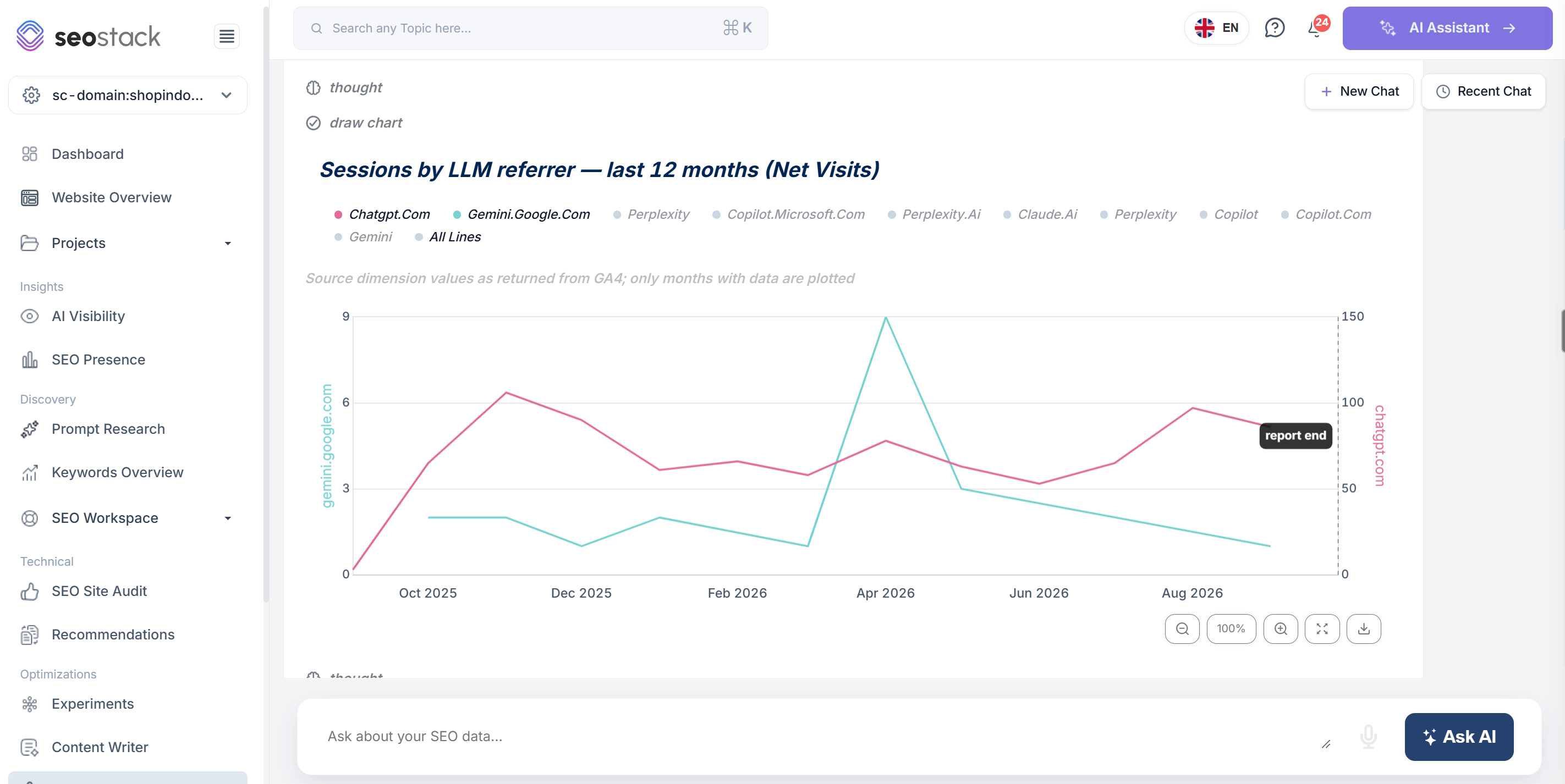
You can do this quickly and easily in SEO stack, simply select the AI Assistant button top right and then ask:
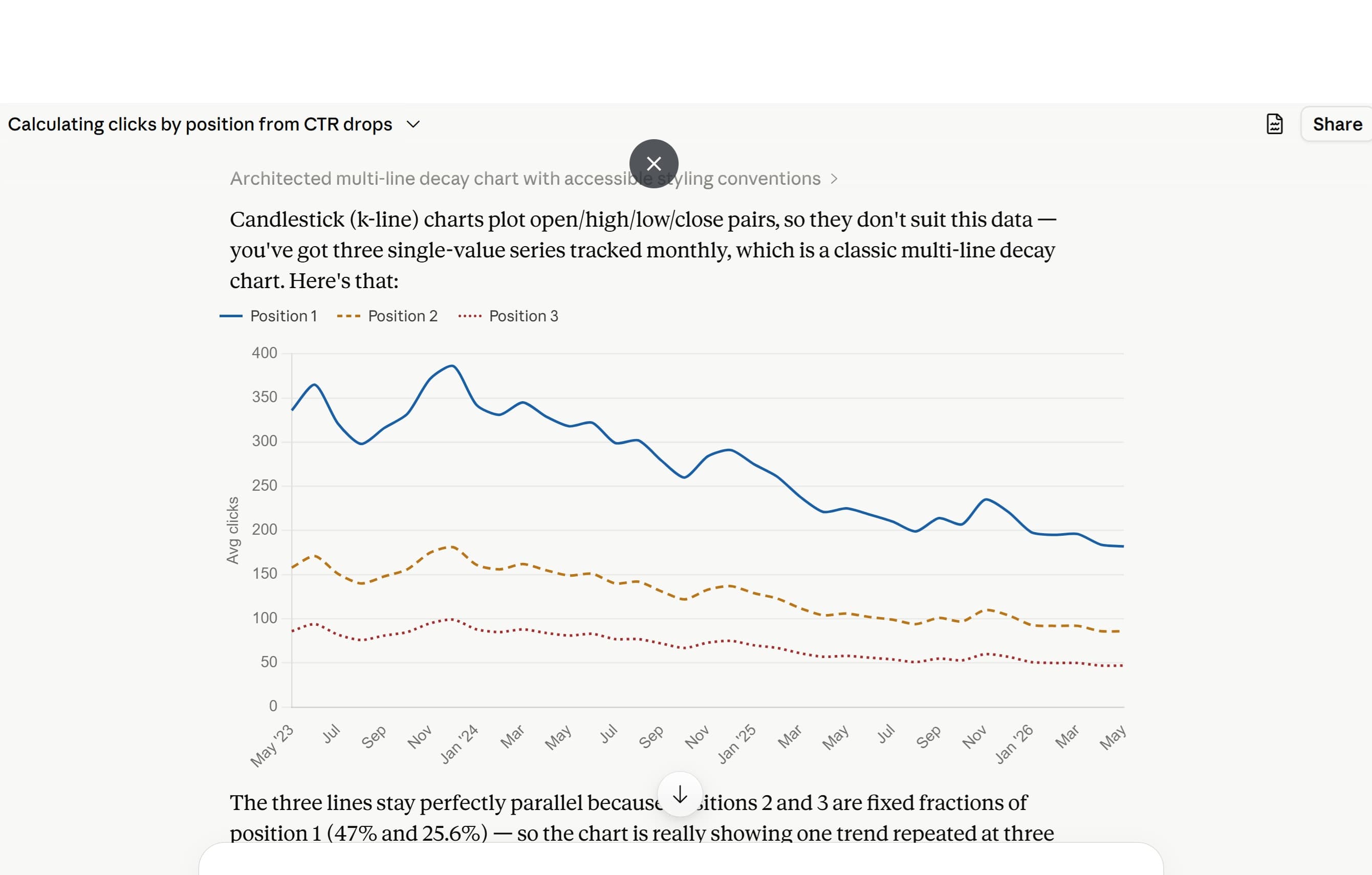
can you generate me a report showing clicks from each LLM from GA4 data looking at referrers including Google Gemini, chatGPT, Claude, Perplexity, Bing Copilot, Deepseek etc. Show me click lines for each referring LLM. I want a line graph showing the last 12 months.
You can also see the net attributed revenue for each LLM in SEO Stack - this is great if you are looking at tracking AI visibility and the subsequent impact:
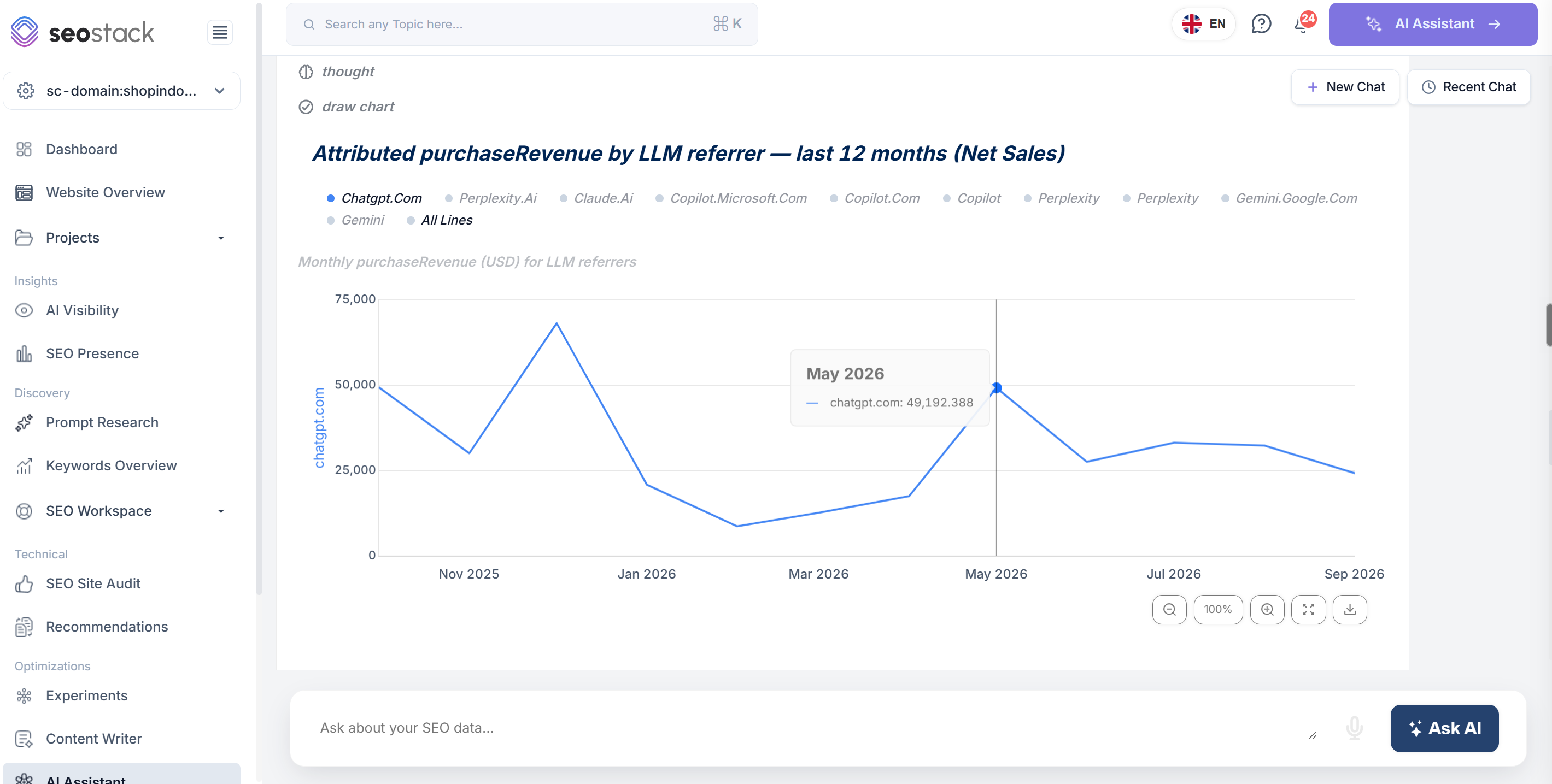
Off of the back of the last prompt you can simply ask:
now can you draw a line graph showing attributed sales from each LLM?
One thing to keep in mind with all prompt tracking and thats - the answers can also change, Google notes that AI Overviews and AI Mode may use different models and techniques (as ythe gemini models are constantly changing), and the responses and links they show can vary (not just because of the model but also because of personalisation). A single manual search is therefore a snapshot, not a trend, repeated checks of the same prompt set give you a more useful basis for comparison.
How to build a repeatable monitoring workflow
1. Start with buyer questions
Build candidate prompts from sales conversations, customer support questions, site search, Search Console queries, product reviews and competitor comparisons. Cover the questions people ask before they know your brand as well as the questions existing customers ask about your product, service or offering.
Problem and need questions: What are people trying to solve?
Category questions: Which types of tools or providers could help?
Comparison questions: How do named products or approaches differ?
Brand questions: What does a named company offer, and is it suitable for this use case?
Keep branded and unbranded prompts in separate groups, a branded set can show how assistants describe your product, but it cannot tell you whether you appear when a prospective buyer asks for category options. Maintain a stable core set for reporting and a separate discovery list for new ideas.
You can identify potential questions and questions people are ACTUALLY asking from your own Google Search Console data, within SEO Stack you can simply go to the AI Assistant and ask for all the questions:
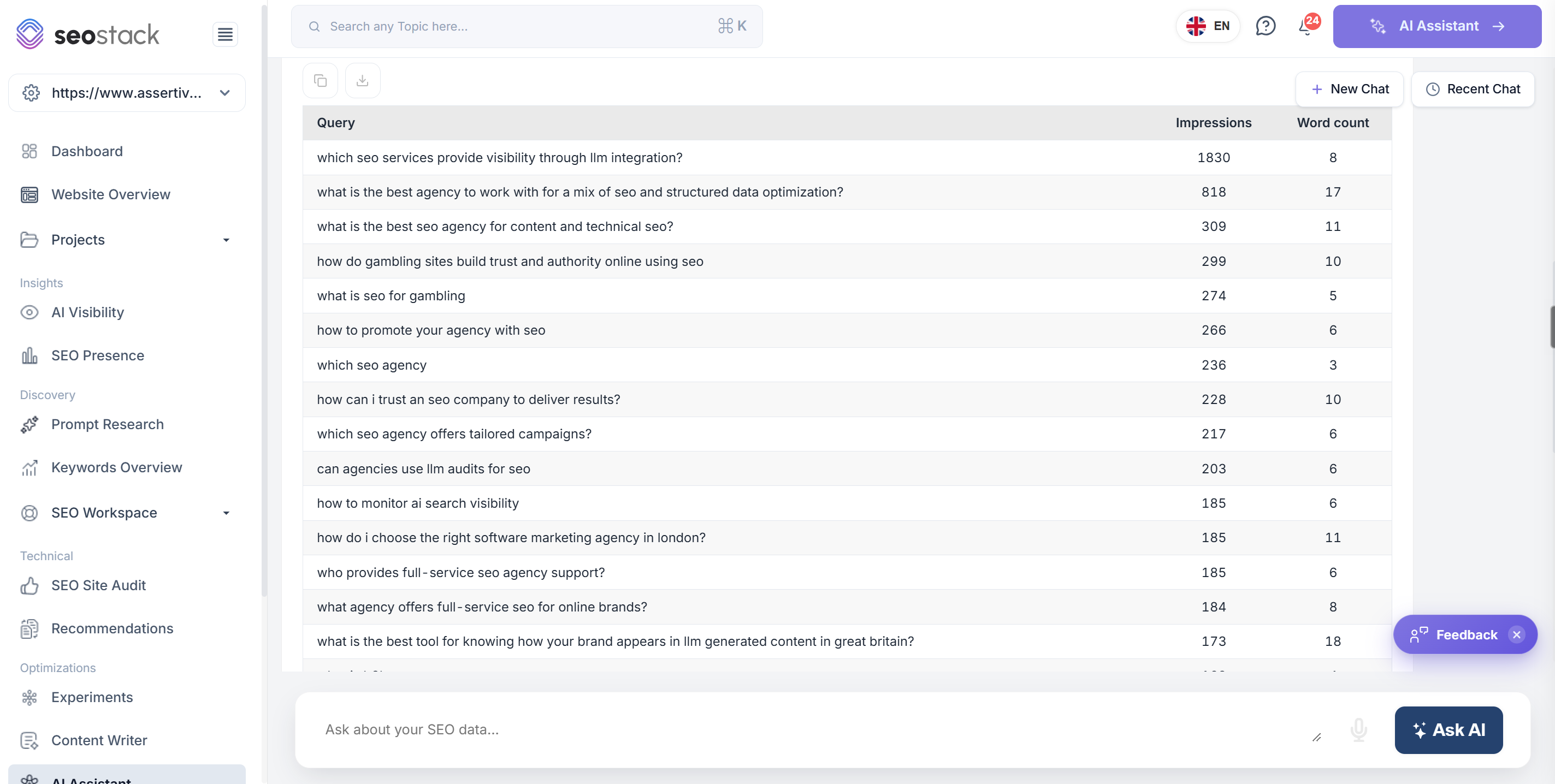
Here's the prompt I used to get the GSC data:
can you give me a list of all the questions people have asked from the google search console data for the maximum timeframe? go through the entire query pool and pick out all of the questions, build me a table with the query, impressions and word counts, sort by highest impression first. Use the full time-frame and query pool.
2. Fix the conditions you want to compare
Record the exact prompt, platform, market, language, date and response mode. Where the interface exposes the model or whether web search was used, capture that too. Use the same prompt wording and conditions when comparing periods. If you change the prompt set, mark the change so it does not look like a visibility gain or loss caused by the site.
3. Save the answer and its sources
For each check, record whether your brand was named, the context and order in which it appeared, the competitors mentioned, and the URLs or domains cited. Keep the response or a reliable export with the record. This makes it possible to review what changed instead of relying on a dashboard score without its supporting evidence.
4. Define each metric and keep its denominator stable
There is no universal definition for every AI visibility metric. Write down how your team calculates each one, use the same prompt set for comparisons, and avoid changing the denominator between reports.
Metric | Working definition | Question it answers |
|---|---|---|
Mention rate | Sampled answers that name your brand divided by all answers checked. | Are you present in the conversation? |
Owned citation rate | Sampled answers that cite at least one URL from your domain divided by all answers checked. | Is your content being used as a source? |
Competitor gap | Prompts where a named competitor appears and your brand does not. | Which answers need investigation? |
Share of voice | Your brand mentions divided by all recorded brand mentions in the same fixed prompt set. | How does your presence compare? |
Referral conversions | Sessions, trials and sales attributed to AI sources in your analytics. | Does visibility lead to business value? |
5. Inspect cited pages before deciding what to change
A citation gives you a source to investigate. Check whether the answer relies on your documentation, product pages, comparison content, reviews or another publisher. If a competitor is cited where your site is absent, compare the evidence and coverage on the cited page with what your own site provides. You may need a clearer product explanation, a detailed use case, a stronger comparison or better supporting proof. Test changes against the same prompts over time instead of assuming one edit caused a change.
6. Connect visibility to outcomes
Use Search Console for Google Search performance and GA4 for referral sessions and conversions. Track trial starts and paid outcomes by source where attribution allows. Keep answer presence, citations, visits and conversions as separate measures, then look for patterns across them. That prevents a rise in mentions from being reported as growth if it has not produced meaningful visits or sign-ups.
A working example in SEO Stack
While preparing this guide, I reviewed SEO Stack’s Prompt Research screen for seo-stack.io. At the time of capture, it listed 47 prompt suggestions. All 47 were labelled branded, none were labelled unbranded, and the visible prompts were untracked. That is a prompt-coverage observation, not evidence that SEO Stack is or is not appearing in AI answers.
SEO Stack Prompt Research for seo-stack.io at the time of capture. The prompts were discovered, not tracked, so the screen does not show answer visibility results.
The next step is to add unbranded buyer questions before reporting a baseline. For example:
Tool selection: Which tools help an SEO team monitor brand mentions and citations across AI search?
Agency reporting: How can an SEO agency compare client visibility against competitors in ChatGPT and Gemini?
Measurement: Which metrics should a company use to monitor AI search visibility?
These are candidate prompts to test, not measured results. Once a team chooses the questions that match its buyers, it can track a stable set and review mentions, citations and competitor gaps across the platforms it cares about.
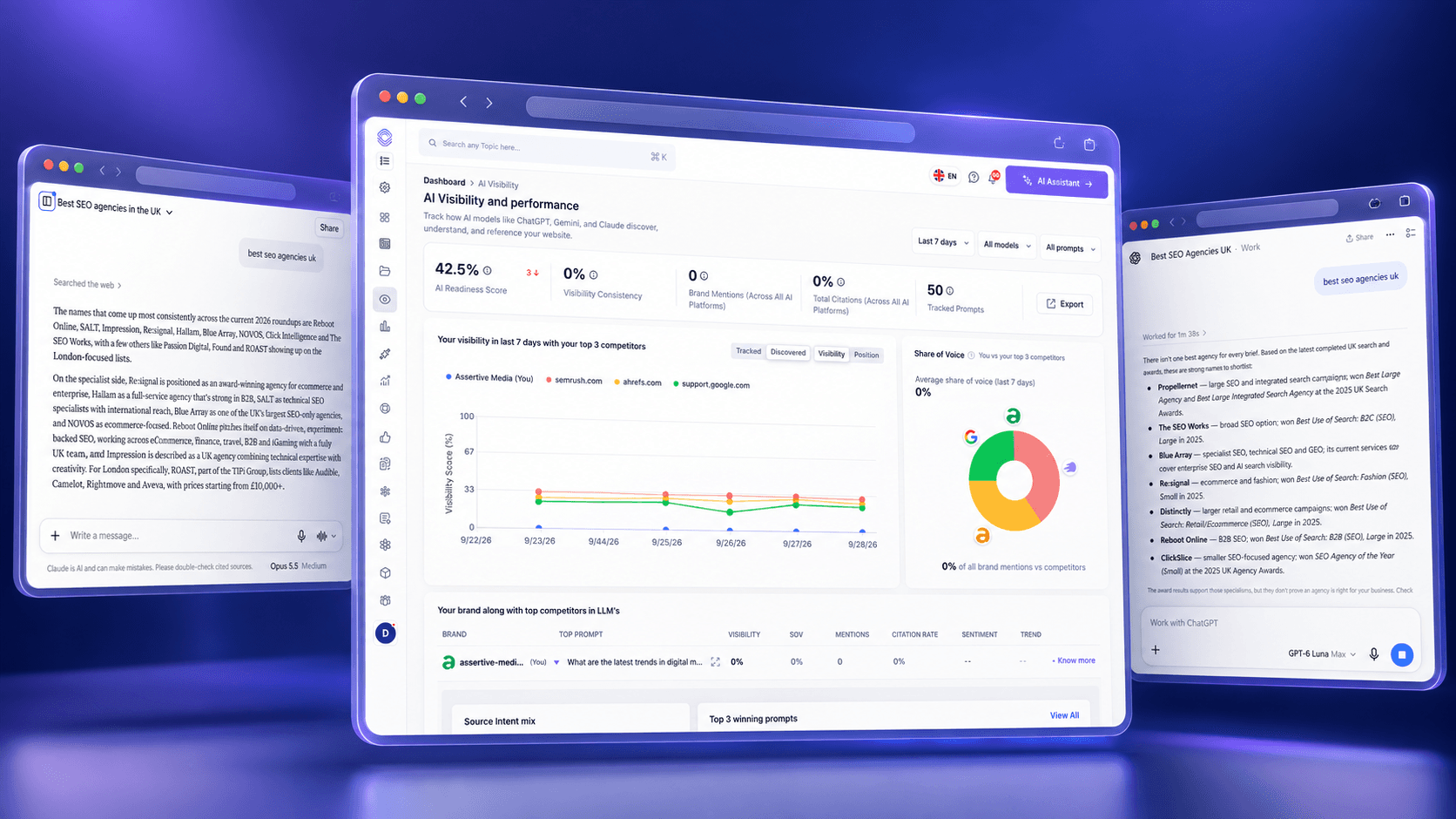
SEO Stack separates those steps. Prompt Research is where I review and organise the candidate questions. AI Visibility is where I compare tracked prompt results, mentions, citations, consistency and share of voice. The current AI Visibility screen for seo-stack.io is still in setup because no prompts are tracked. It correctly directs the user back to prompt tracking before presenting performance conclusions.
The SEO Stack AI Visibility view for seo-stack.io before prompts are tracked. It is a setup screen, not a performance benchmark.
When results are available, the useful workflow is to move from the overall trend to a specific prompt, inspect the answer and cited sources, compare the brands named, and decide what content or evidence needs attention. SEO Stack’s AI Visibility and Prompt Research pages describe those parts of the workflow.
Check access, but do not treat it as a visibility result
Technical access is one diagnostic. OpenAI advises publishers to allow OAI-SearchBot if they want their content to be discoverable, surfaced and cited in ChatGPT search summaries. Google says its existing technical requirements and SEO fundamentals apply to AI Overviews and AI Mode, and that eligibility does not guarantee that a page will be shown. Passing a crawler check is useful, but it does not establish that your brand is appearing for buyer questions.
The same principle applies to technical files or special markup. Google says no additional optimisation or special structured data is required for AI Overviews or AI Mode. Keep pages crawlable, indexable and clear, then measure what the systems actually surface.
Mistakes that make AI monitoring misleading
Treating one answer as a ranking: Responses and cited links can vary. Look at repeated observations before calling a change a trend.
Tracking only branded prompts: That can miss the category and comparison questions where new customers discover alternatives.
Counting mentions as citations: A brand name in an answer is different from a link to an owned source.
Combining every platform into one number: Keep platform, market and prompt intent visible so a change has an explanation.
Reporting a score without the prompts behind it: A visibility figure is only useful when the question set and calculation are clear.
Treating crawler access as proof of visibility: Access is a prerequisite in some experiences, not evidence that an answer names or cites your brand.
A practical reporting routine
Start with a stable set of buyer questions, separated into branded and unbranded groups. Run them under recorded conditions, save the answers and cited URLs, and compare mention rate, owned citation rate, competitor gaps and share of voice against the same baseline. Then connect any AI referrals you can attribute to trials, leads or sales in GA4.
SEO Stack brings prompt discovery and AI answer monitoring into one workflow. If you want to test it on your own site, start a 14-day trial, build a prompt set that reflects your buyers and use it to establish a baseline.

Founder, SEO Stack
Daniel is the founder of SEO Stack. He has spent over 2 decades working on technical SEO and search data, and built SEO Stack after hitting the same Search Console limits on client work one time too many.
Daniel has extensive SEO experience having built SEO agencies, audit businesses & a thriving consultancy, in his spare time Daniel likes to run SEO experiments & to share findings.
Published 27 September 2026