What is Google BigQuery? A Complete Guide for SEOs
Google BigQuery is one of the most powerful data warehousing tools available today but what does it actually do, how does it work, and why do so many SEOs end up needing it just to access…
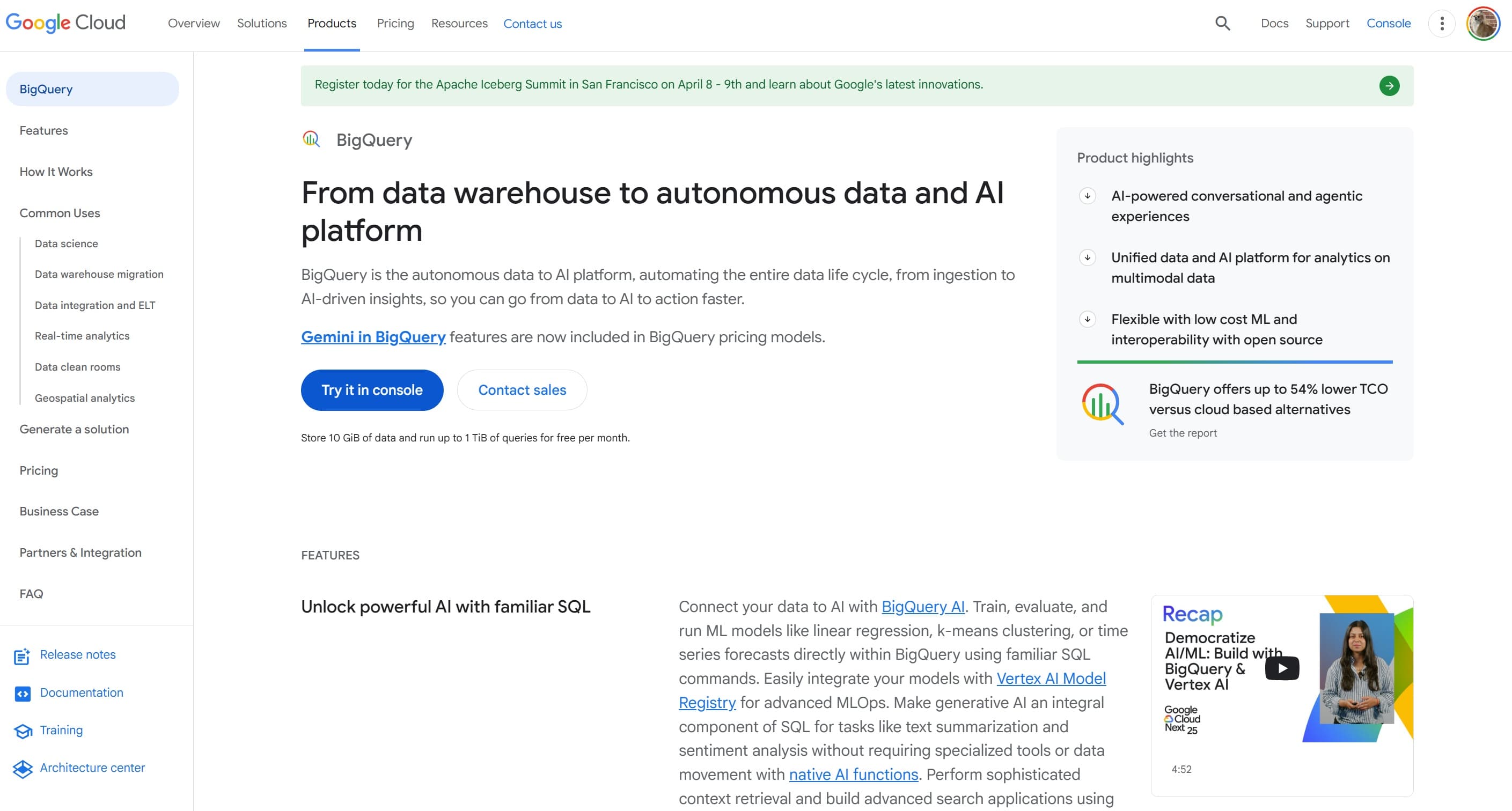
Google BigQuery is one of the most powerful data warehousing tools available today but what does it actually do, how does it work, and why do so many SEOs end up needing it just to access their own Google Search Console data? This guide covers everything you need to know.
What is Google BigQuery?
Google BigQuery is a fully managed, serverless data warehouse built on Google Cloud Platform (GCP). Designed to store and analyse massive datasets at speed, BigQuery allows organisations to query terabytes of data in seconds and petabytes in minutes without having to manage any infrastructure themselves.
Originally developed from Google's internal Dremel technology a query engine that enabled fast analysis across trillions of rows of data BigQuery was first announced at Google I/O in May 2010 and became generally available in 2012. Since then, it has become one of the most widely adopted cloud data warehousing solutions in the world, serving customers across industries ranging from retail and finance to airlines and digital marketing.
In simple terms: BigQuery is a place where you can dump enormous amounts of data and run complex SQL queries against it quickly, cheaply, and without worrying about servers, indexes, or database administration.
BigQuery in One Sentence
BigQuery is Google's cloud-hosted data warehouse a scalable, serverless platform that stores structured and unstructured data and lets you query it using standard SQL.
How Does Google BigQuery Work?
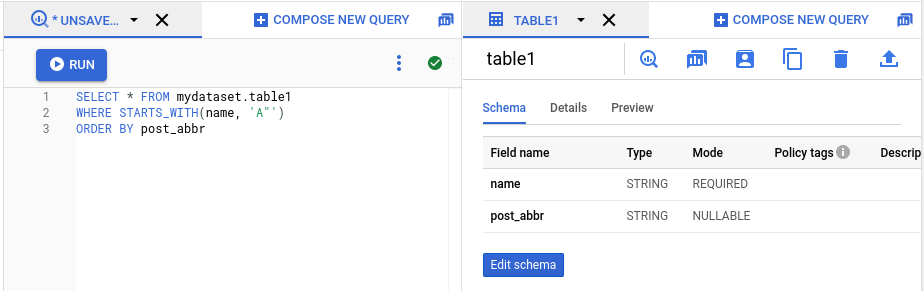
What makes BigQuery technically impressive is its underlying architecture, which separates the concepts of storage and compute entirely. Most traditional databases share resources between reading, writing, and analytical operations which creates bottlenecks at scale. BigQuery solves this by decoupling the two layers completely.
The Core Architecture
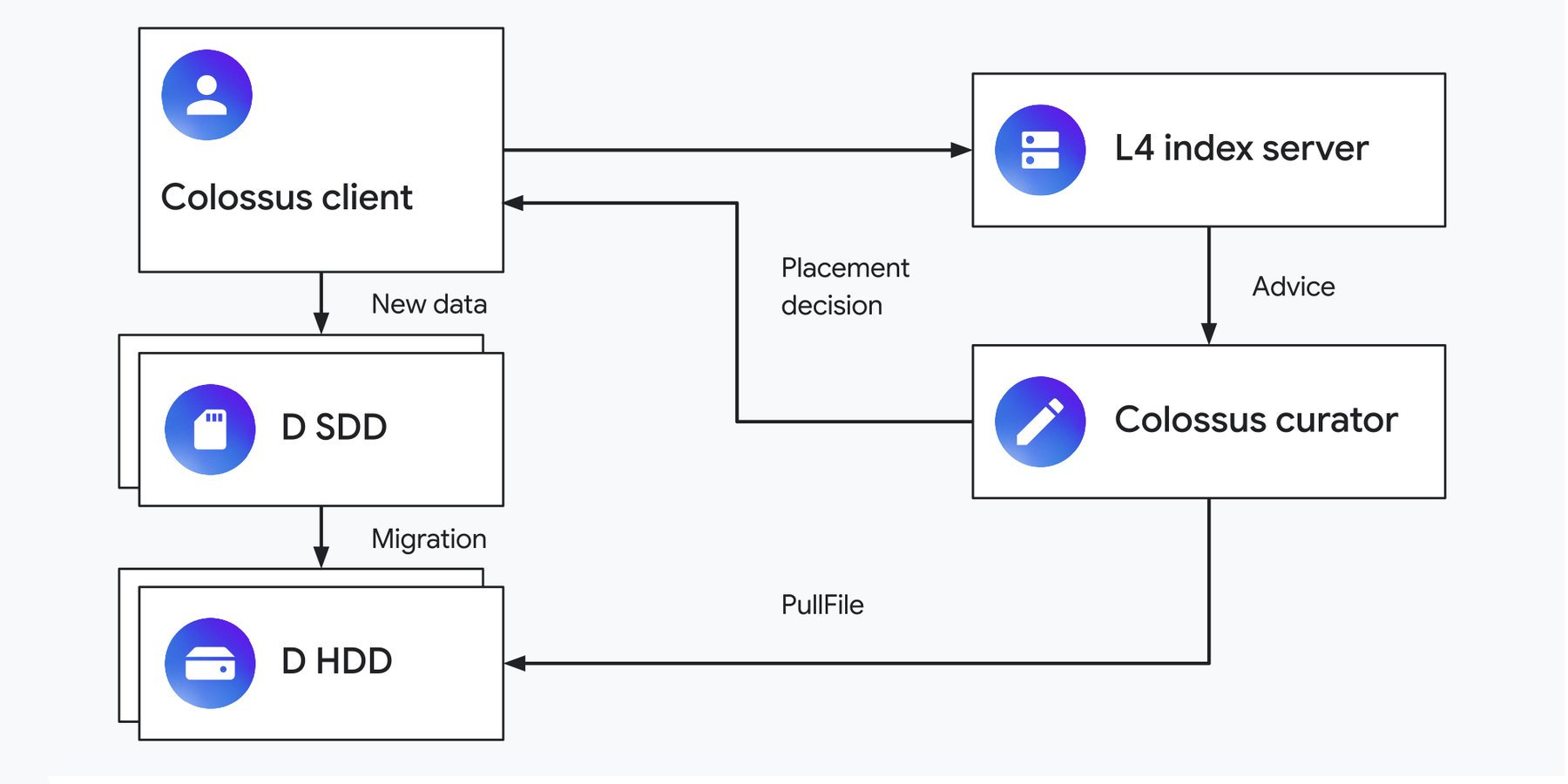
Colossus (Storage) BigQuery stores data in Google's distributed file system, Colossus, using a columnar format called Capacitor. Columnar storage means that instead of reading entire rows, queries only scan the specific columns they need dramatically reducing the amount of data processed and improving speed and cost efficiency.
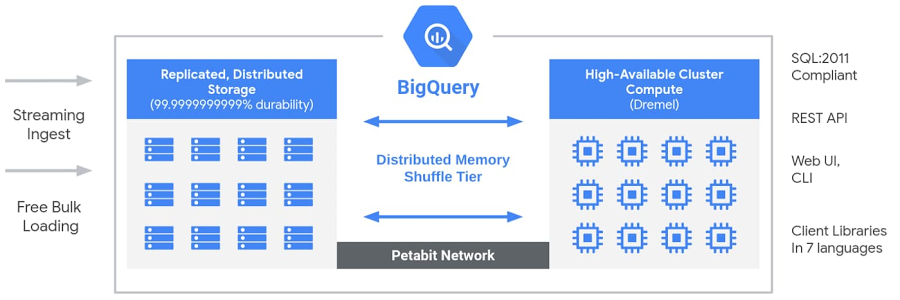
Dremel (Query Engine) When you run a SQL query in BigQuery, it is passed to the Dremel engine, which breaks the query into smaller sub-tasks and distributes them across thousands of machines simultaneously. This parallel processing is why BigQuery can return results from billions of rows in a matter of seconds.
Jupiter (Network) Because storage and compute are separated, BigQuery relies on Google's Jupiter petabit network to move terabytes of data between the Colossus storage layer and the Dremel query layer at extremely high speed with minimal latency.
Borg (Cluster Management) Borg is Google's internal cluster management system, which allocates compute capacity for Dremel jobs, runs them across thousands of machines, and handles fault tolerance so that individual machine failures don't interrupt your queries.
Together, this architecture means BigQuery can scale resources dynamically without you doing anything and upgrades to either the storage or compute layer can be rolled out independently, with no downtime.
How a Query Actually Runs
When you submit a SQL query to BigQuery, the following happens in sequence:
• Your query is received by BigQuery's client interface (web UI, command-line tool, or API)
• Borg allocates compute capacity (called 'slots') for the job
• Dremel converts your SQL into a multi-level execution tree, distributing sub-queries across many worker nodes
• Workers read only the relevant columnar data from Colossus via the Jupiter network
• Results are aggregated back up the execution tree and returned to you
The whole process can happen in seconds even across billions of rows something impossible with traditional relational databases.
Key Features of Google BigQuery

Serverless Architecture
There are no servers to provision, no database software to install, and no indexes to manage. Google handles all underlying infrastructure, scaling, and maintenance automatically. You pay only for what you use.
Standard SQL Support
BigQuery uses ANSI-compliant SQL, making it accessible to anyone with standard database experience. You don't need to learn a proprietary query language or specialist tool to extract value from your data.
Scalability
BigQuery scales from gigabytes to petabytes without any configuration changes on your part. Whether you're a startup with a few million rows or an enterprise with hundreds of billions, the same interface handles both.
Built-in Machine Learning (BigQuery ML)
BigQuery includes BigQuery ML, which lets data teams create and train machine learning models directly using SQL queries without needing to export data to a separate ML platform.
Real-Time Analytics
BigQuery supports streaming data ingestion, meaning data can be inserted continuously and queried almost immediately useful for live dashboards and time-sensitive reporting.
Integration with Google Cloud and Third-Party Tools
BigQuery connects natively with the rest of the Google Cloud ecosystem including Looker, Vertex AI, Cloud Storage, Dataflow, and Pub/Sub. It also integrates with third-party BI tools like Tableau and Power BI via standard JDBC/ODBC connectors.
Pay-As-You-Go Pricing
BigQuery pricing is based on two dimensions: storage (what data you hold) and compute (how much data is scanned by your queries). There is a free tier offering 10 GB of storage and up to 1 TB of queries per month, with costs accruing beyond that.
Google BigQuery and Google Search Console: Why SEOs End Up Here
Google Search Console (GSC) is the primary tool most SEOs use to understand organic search performance tracking impressions, clicks, CTR, and average position by query and URL. But GSC has well-documented limitations that frustrate anyone working at scale:
• The standard interface only shows the top 1,000 queries at a time
• Data is retained for a maximum of 16 months making year-over-year comparison at full historical depth impossible
• Filtering is limited to one filter per dimension you cannot, for example, filter by country AND device AND query simultaneously in the UI
• You cannot group data by week or month natively, only by day
• Cross-property analysis (comparing multiple GSC accounts) is not supported
To get around these constraints, Google introduced a feature in early 2023:
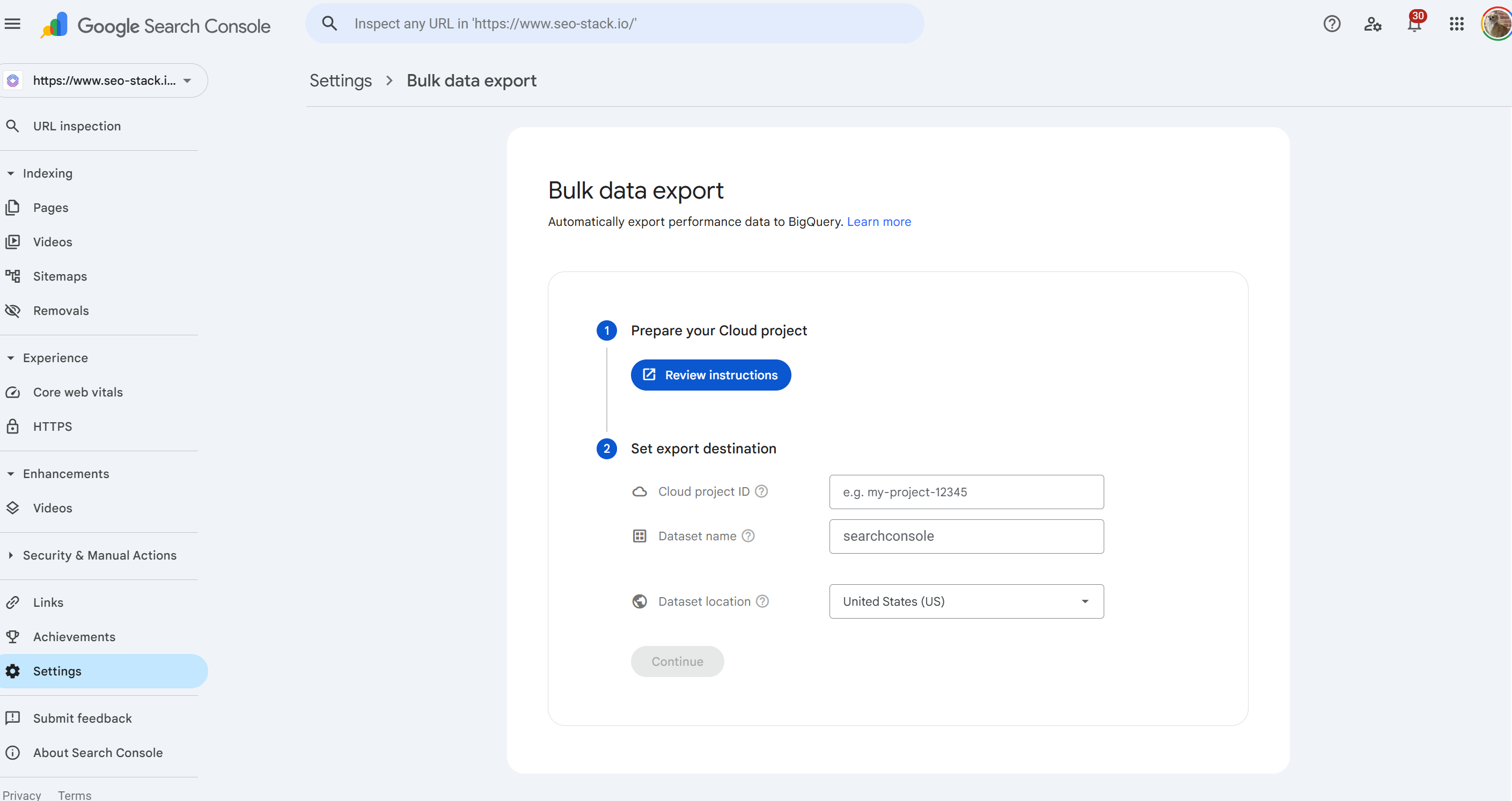
Bulk Data Export to BigQuery
How the GSC to BigQuery Export Works
Google Search Console now allows property owners to configure a scheduled daily export of all performance data including data not visible in the standard GSC interface directly to a BigQuery project. This removes the row limits, gives access to anonymised query data that the standard UI omits, and allows you to retain data indefinitely.
In theory, this sounds like the ideal solution. In practice, setting it up requires:
• A Google Cloud Platform (GCP) account with billing enabled
• A Google Cloud project configured specifically for this purpose
• BigQuery API and BigQuery Storage API to be manually enabled via the GCP Console
• IAM permissions you must grant the Search Console service account (search-console-data-export@system.gserviceaccount.com) both BigQuery Job User and BigQuery Data Editor roles within your project
• Property Owner access in Search Console only owners (not full users) can initiate a bulk export
• SQL knowledge once the data lands in BigQuery, there is no reporting interface. To actually read your data, you need to write SQL queries manually
And once you've completed all of that setup, the first export takes up to 48 hours, data only starts from the point of setup (the integration is not retroactive), and you're still looking at a raw data warehouse with no visualisation layer, no saved reports, and no SEO-specific metrics or insights built in.
The core problem: Google Search Console exports raw data to BigQuery but BigQuery provides no unified interface, no SEO-specific reporting, and no analysis layer. You're handed a data dump, not a tool.
What You Still Can't Do with GSC + BigQuery
Even after completing the setup, the GSC–BigQuery integration has meaningful gaps:
• There is no dashboard you see raw tables, not reports
• Cross-property queries across multiple GSC accounts are not supported natively
• Historical data prior to the date of your first export is not available the 16-month GSC API window is your only source for that
• Every insight requires custom SQL there are no pre-built SEO reports, no trend alerts, and no AI-powered analysis out of the box
• It carries real cost: storage and compute charges accumulate, particularly at enterprise scale with large sites generating millions of rows daily
• The schema changes can break your export altering table structures causes failures that require manual intervention
In short: the GSC–BigQuery pipeline is a powerful starting point for data engineers, but it is not an SEO tool. It requires technical setup, ongoing maintenance, SQL proficiency, and significant effort to turn raw data into actionable insight.
SEO Stack: The Data Warehouse Built for SEOs
This is exactly the problem that SEO Stack was built to solve.
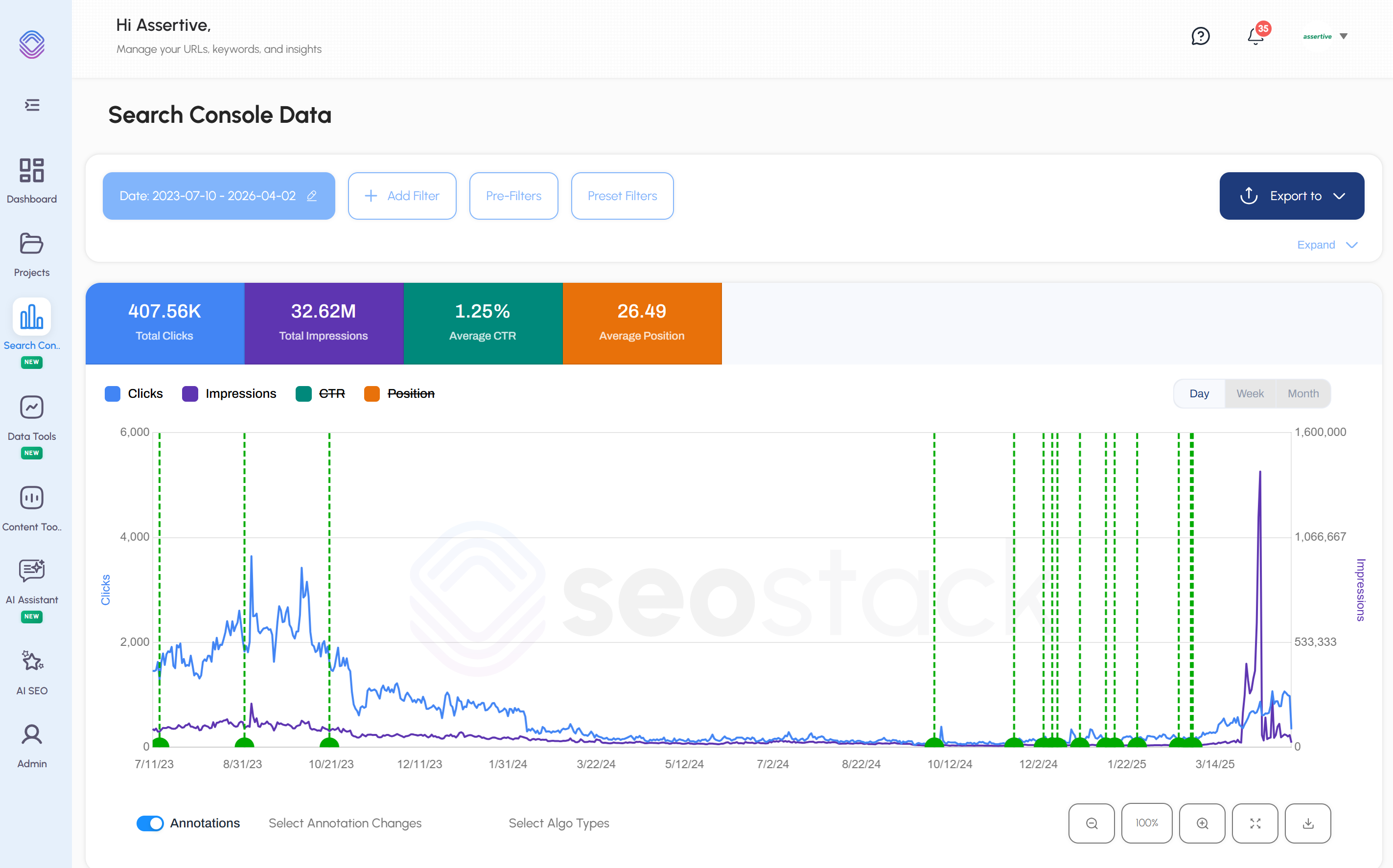
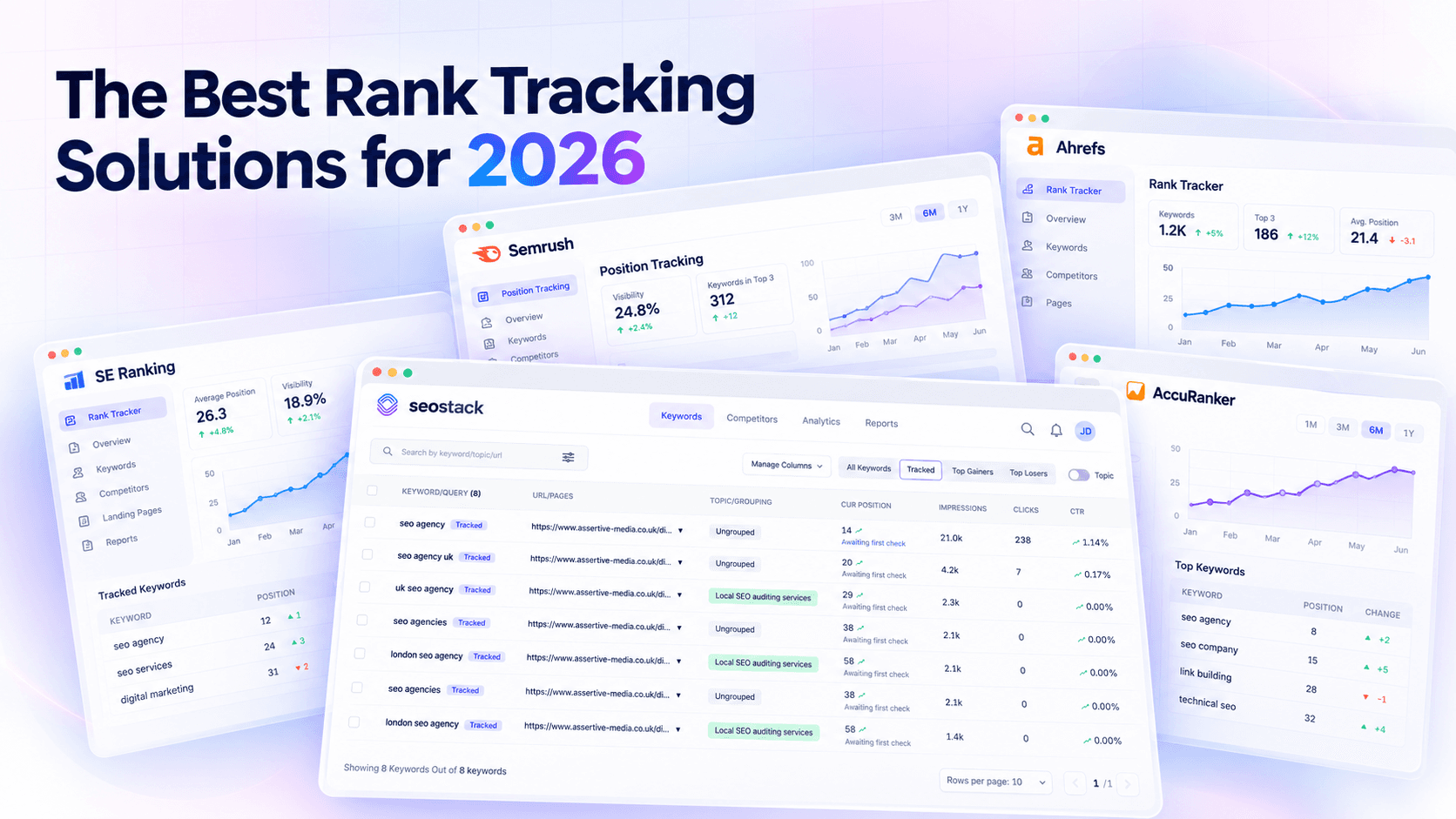
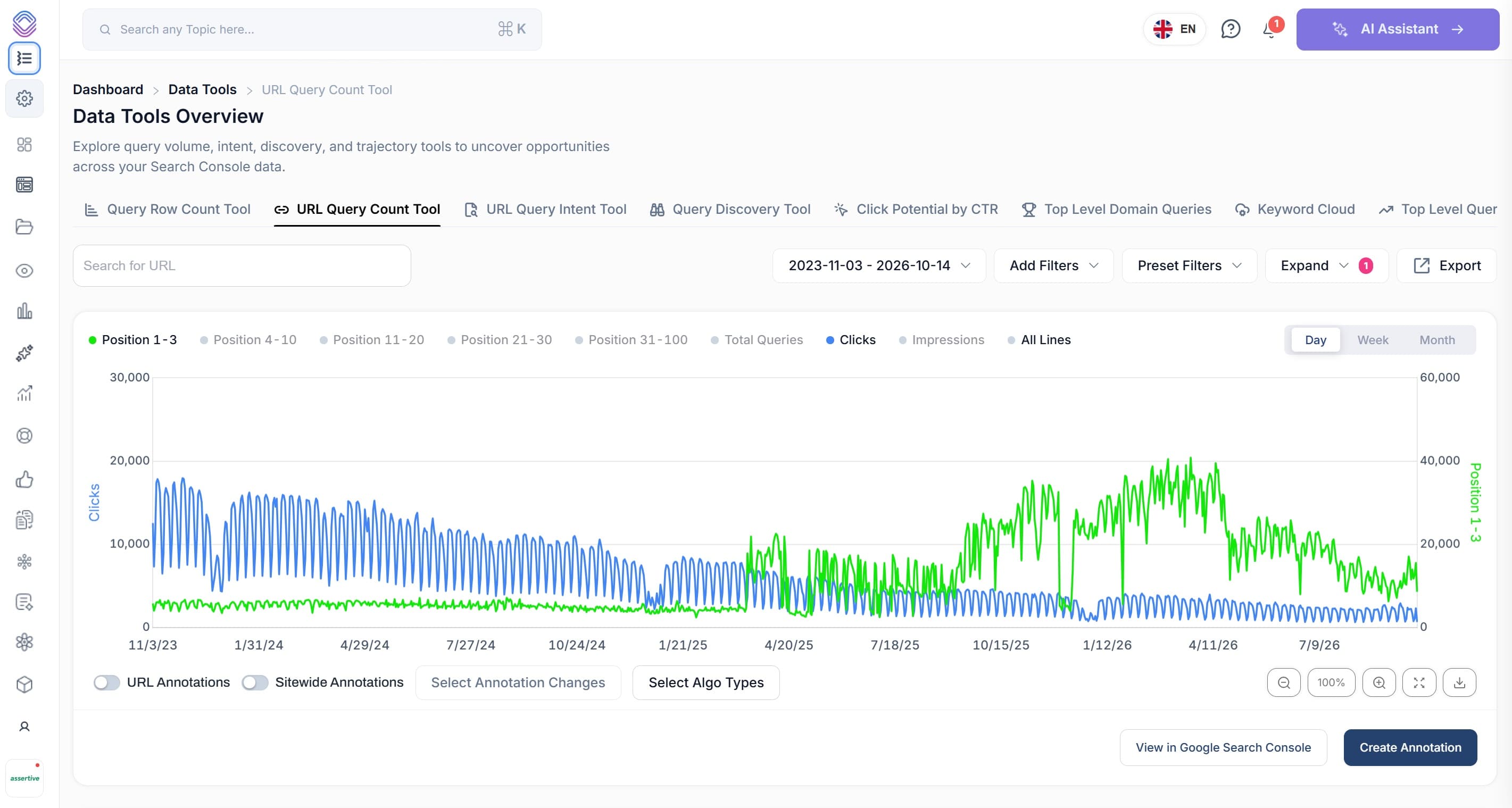
SEO Stack is a data warehousing and analytics platform purpose-built for SEOs. Like BigQuery, it stores your Google Search Console data independently meaning no data loss, no 16-month cap, and full historical retention from the moment you connect. But unlike the BigQuery setup, it requires zero technical configuration, zero SQL knowledge, and zero infrastructure management.
What SEO Stack Does Differently
• No setup required connect your GSC account and your data starts flowing immediately. No GCP account, no API enablement, no IAM permissions, no billing configuration.
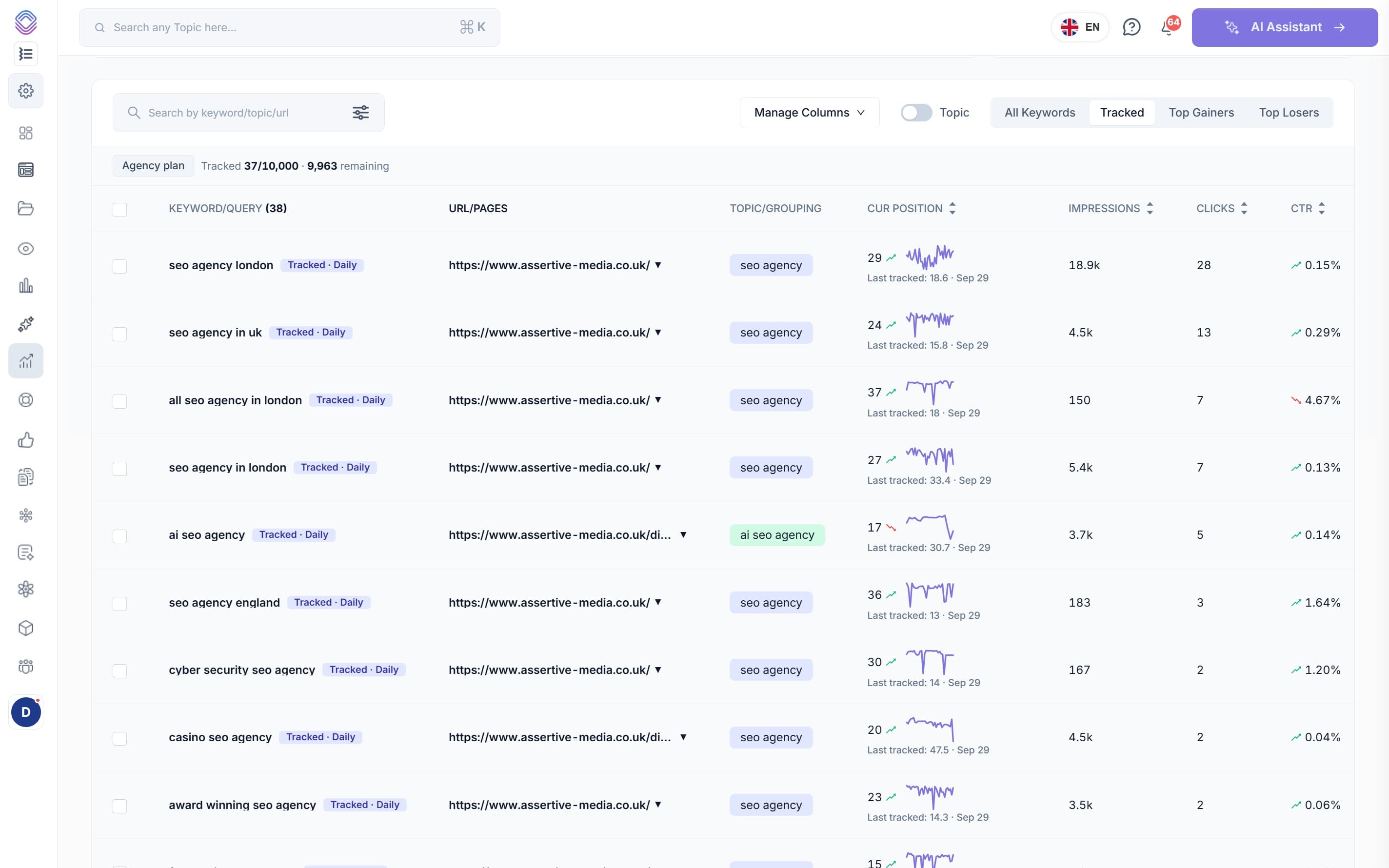
• Unified interface everything lives in one consistent, SEO-focused dashboard. Your data isn't a raw table waiting to be queried it's already organised into the reports you actually need.
• Independent data warehouse SEO Stack is not an API wrapper that re-fetches GSC data on the fly and discards it. Your data is stored in SEO Stack's own warehouse, giving you true historical continuity and the ability to track long-term trends that GSC's interface simply cannot show.
• AI-powered analytics rather than requiring you to write SQL to surface insights, SEO Stack's AI assistant analyses your data and surfaces meaningful patterns, anomalies, and opportunities automatically.
• No SQL needed while power users can slice and filter to their heart's content, you don't need to know a single line of SQL to get value from your data. The interface is built for SEOs, not data engineers.
• Multi-property support manage and compare data across multiple GSC properties from a single account, without any additional configuration.
• Trusted by 4,000+ users including enterprise clients such as Sage, Sytner, and Printful.
SEO Stack vs the DIY BigQuery Approach
Here's an honest comparison for anyone weighing up the two routes:
• Setup time: BigQuery requires hours of technical configuration across two platforms. SEO Stack takes minutes.
• Technical barrier: BigQuery requires GCP account management, IAM roles, and SQL. SEO Stack requires nothing beyond your GSC login.
• Cost: BigQuery charges for storage and every query you run. SEO Stack is a fixed subscription with no surprise usage bills.
• Interface: BigQuery delivers a raw data warehouse. SEO Stack delivers a purpose-built SEO analytics platform.
• Insights: BigQuery surfaces whatever your SQL queries return. SEO Stack surfaces AI-generated insights automatically.
• Historical data: Both retain data indefinitely from point of connection. Neither provides data prior to setup.
If you're an enterprise data team with engineers who love SQL, BigQuery is a great raw storage layer. If you're an SEO in-house, agency, or consultant who wants their full GSC data in a powerful, ready-to-use interface without the engineering overhead, SEO Stack gives you everything BigQuery offers for SEOs, without any of the complexity.
What is Google BigQuery Used For? Common Use Cases
Beyond SEO, BigQuery is used across a wide range of analytical workflows:
Data Warehousing at Scale
Organisations consolidate data from multiple sources CRM systems, marketing platforms, transactional databases, app analytics into a single BigQuery warehouse, creating a unified view of business performance.
Business Intelligence and Reporting
BigQuery connects to BI tools like Looker, Tableau, and Google's own Looker Studio to power executive dashboards and operational reports across the business.
Digital Marketing Analytics
Marketers use BigQuery to join data from Google Ads, Google Analytics 4, Search Console, and third-party advertising platforms to build attribution models and analyse the full customer journey across touchpoints.
Machine Learning
BigQuery ML enables data teams to build, train, and deploy machine learning models directly within the warehouse using SQL, without the overhead of a separate ML infrastructure.
Real-Time Analytics
Using BigQuery's streaming ingestion capabilities alongside Google Pub/Sub and Dataflow, organisations can build near-real-time analytics pipelines that surface insights from live data streams.
Is Google BigQuery Right for You?
BigQuery is a genuinely powerful and cost-effective solution but it's designed for data engineering teams, not end users. It makes most sense if:
• You have a dedicated data engineering or analytics team comfortable with SQL and GCP
• You're working with extremely large datasets across multiple sources that need to be joined and analysed together
• You need custom ML capabilities or want to build bespoke analytical applications
• You're already invested in the Google Cloud Platform ecosystem
If, on the other hand, you're an SEO professional or team looking to get more from your Google Search Console data with historical retention, full data access, and meaningful insights without the engineering overhead, a purpose-built platform like SEO Stack will get you there faster, with less cost, and with a far better user experience.
Summary
Google BigQuery is a world-class data warehousing platform that has fundamentally changed how organisations handle large-scale analytics. Its serverless architecture, SQL compatibility, and tight integration with the Google Cloud ecosystem make it a natural home for enterprise data teams.
For SEOs, the most relevant application is BigQuery's integration with Google Search Console enabling bulk data exports that remove the limitations of the standard GSC interface. But this integration comes with significant technical barriers: GCP setup, IAM configuration, SQL querying, and no built-in SEO reporting layer.
SEO Stack was built to deliver exactly what the BigQuery approach promises unlimited historical GSC data, independent warehousing, and powerful analytics but in a unified platform that any SEO can use from day one. No setup, no SQL, no surprises.

Founder, SEO Stack
Daniel is the founder of SEO Stack. He has spent over 2 decades working on technical SEO and search data, and built SEO Stack after hitting the same Search Console limits on client work one time too many.
Daniel has extensive SEO experience having built SEO agencies, audit businesses & a thriving consultancy, in his spare time Daniel likes to run SEO experiments & to share findings.
Published 2 April 2026