The Complete Guide to Google's site: Operator (And Every Trick SEOs Need to Know)
Most SEOs know the site: operator exists. Far fewer use it to anything close to its full potential. At its simplest, site: example.com tells you what Google has indexed from a domain. But…
Most SEOs know the site: operator exists. Far fewer use it to anything close to its full potential.
At its simplest, site:example.com tells you what Google has indexed from a domain. But layered with other operators, filtered by subfolder, scoped to a subdomain, or combined with boolean logic - it becomes one of the most powerful diagnostic tools in technical SEO. No paid tools required.
This guide covers everything: the basics, the advanced operators you can layer on top, real-world use cases, and the limitations you need to understand before you trust the numbers.
The Basics: What site: Actually Does
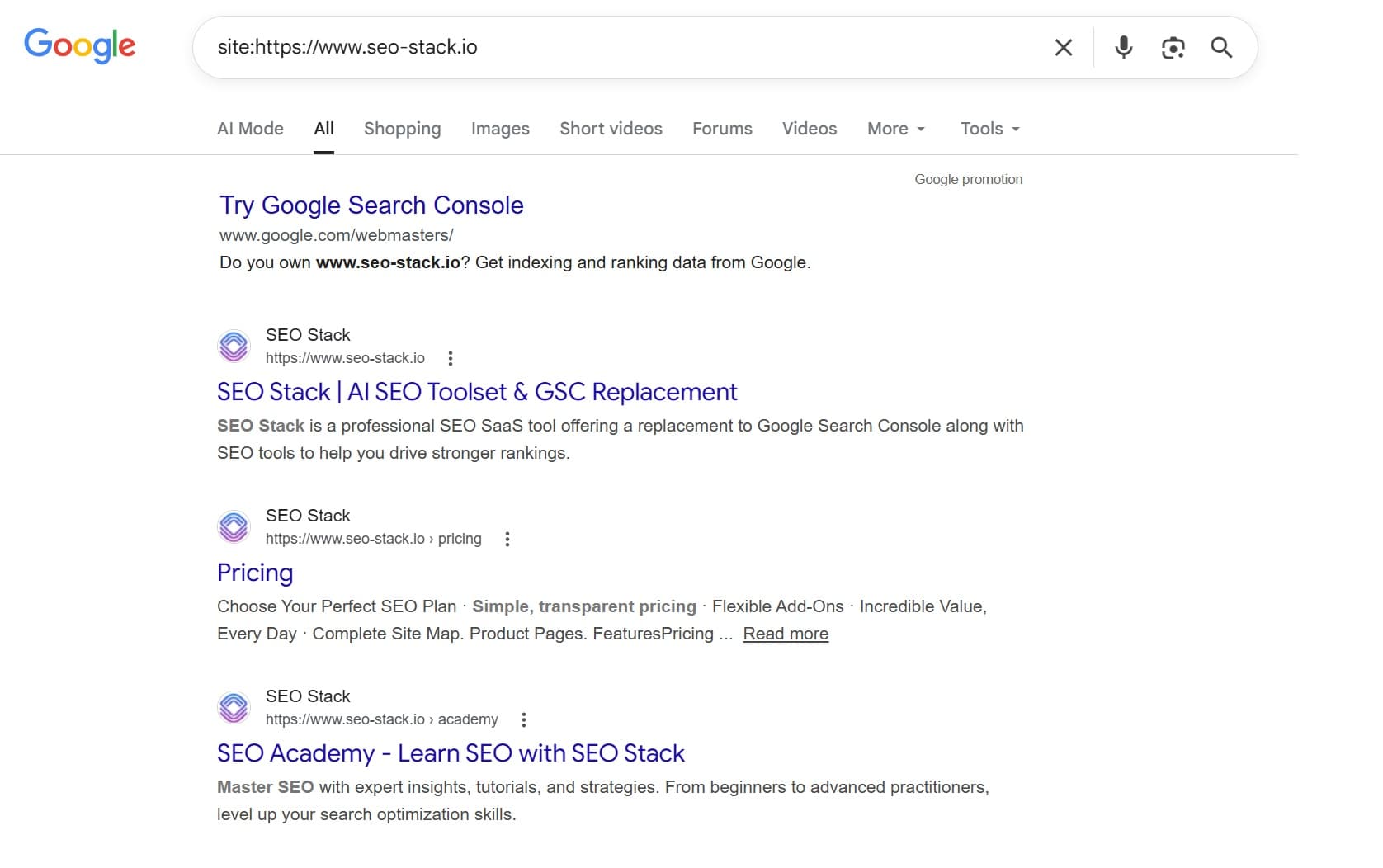
site:seo-stack.io
This query returns Google's index of all pages it recognises as belonging to seo-stack.io. The number shown in the results bar ("About X results") gives you a rough indexed page count.
A few things to understand immediately:
The number is an estimate. Google does not return precise index counts. The figure fluctuates between searches and is notoriously unreliable at scale. Don't build reporting on it.
It shows what Google has indexed, not what you've published. Pages blocked by robots.txt, noindexed, or simply not yet crawled will not appear.
It includes subdomains by default - unless you specify otherwise (more on this below).
You don't need the https:// prefix. site:seo-stack.io and site:https://www.seo-stack.io both work, but the former is cleaner.
Scoping site: to Subfolders and Subdomains
This is where site: starts to earn its keep in a real audit.
Subfolder-level indexation
site:example.com/blog/
site:example.com/products/
site:example.com/en-gb/
This scopes the query to a specific section of the site. Useful for:
Checking how many blog posts are indexed vs. published
Diagnosing indexation gaps in an e-commerce category
Auditing international subdirectories individually
Practical example: If site:example.com/blog/ returns 47 results but you've published 200 posts, you have an indexation problem - canonicalisation, noindex tags, crawl budget, or thin content are your likely culprits.
Subdomain-level indexation
site:blog.example.com
site:app.example.com
site:support.example.com
This restricts results to a specific subdomain only. Useful when a site uses subdomains for different environments (blog, app, support docs, staging) and you want to audit each independently.
Excluding subdomains
site:example.com -site:blog.example.com
Shows all indexed content on example.com except the blog subdomain. Good for isolating the core site when a blog or docs subdomain inflates the count.
Layering Operators: Where It Gets Powerful
The site: operator becomes genuinely diagnostic when combined with others. Here are the most useful combinations.
site: + inurl:
site:example.com inurl:category
site:example.com inurl:?
site:example.com inurl:page
What it does: Filters indexed pages where the URL contains a specific string.
Use cases:
site:example.com inurl:? - surfaces faceted or parameterised URLs that have been indexed. If you're seeing thousands of results here, you likely have a crawl budget or duplicate content issue.
site:example.com inurl:/tag/ - finds indexed tag pages on WordPress sites, which are often thin and should be noindexed.
site:example.com inurl:utm_ - reveals whether UTM-tagged URLs have been indexed (they shouldn't be).
site:example.com inurl:print - uncovers print-version pages being indexed.
site: + intitle:
site:example.com intitle:"buy"
site:example.com intitle:"login"
site:example.com intitle:"404"
What it does: Filters results where the page title contains the specified word or phrase.
Use cases:
site:example.com intitle:"404" - finds 404 error pages that Google has indexed with "404" in the title. This is a common technical SEO failure.
site:example.com intitle:"index of" - detects open directory listings that have been indexed. A security and SEO issue.
site:example.com intitle:"duplicate title" - use with your known duplicate title text to spot mass duplication.
site:example.com intitle:"coming soon" - catches placeholder pages that have leaked into the index.
site:competitor.com intitle:"best [keyword]" - competitive research into a rival's optimised content.
site: + intext:
site:example.com intext:"noindex"
site:example.com intext:"lorem ipsum"
site:example.com intext:"test page"
What it does: Filters results where the page body contains the specified text.
Use cases:
site:example.com intext:"lorem ipsum" - finds placeholder content that's been published live. Embarrassing if a client finds this before you do.
site:example.com intext:"add to basket" - quickly confirm e-commerce product pages are indexed.
site:example.com intext:"affiliate disclosure" - audit where disclosure text appears across a site.
site: + filetype:
site:example.com filetype:pdf
site:example.com filetype:xml
site:example.com filetype:doc
What it does: Filters by file type.
Use cases:
site:example.com filetype:pdf - reveals PDFs that Google has indexed. Often overlooked in audits; PDFs can rank independently and dilute link equity.
site:example.com filetype:xml - check if sitemap files are indexed as pages (they shouldn't be).
site:competitor.com filetype:pdf - competitive research. Their indexed PDFs often contain pricing, case studies, or guides you'd otherwise miss.
site: + related:
related:seo-stack.io
Technically a separate operator, but pairs well conceptually. Shows sites Google considers topically related or similar. Use it for competitor discovery or to understand how Google categorises your domain.
site: + cache:
cache:example.com/specific-page/
Shows Google's cached version of a specific page, including the date it was last crawled. Useful for checking:
Whether recent content changes have been picked up
What Google is actually rendering (JavaScript rendering issues become obvious here)
Historical snapshots of a page during a penalty investigation
Advanced Layering: Multi-Operator Combinations
This is where site: becomes a genuine audit instrument.
Finding duplicate content patterns
site:example.com intitle:"widget reviews" -inurl:"/widget-reviews/"
Surfaces pages with a specific title that don't live at the canonical URL. Useful for catching syndicated or near-duplicate content.
Indexation audit by content type
site:example.com/blog/ -inurl:"/author/" -inurl:"/tag/" -inurl:"/category/" -inurl:"/page/"
Returns blog posts while excluding archive, tag, author, and pagination pages - giving you a cleaner count of actual article content.
Competitor content gap analysis
site:competitor.com intitle:"guide" OR intitle:"tutorial" OR intitle:"how to"
Quickly reveals the volume and nature of a competitor's long-form content strategy.
Detecting staging site leakage
site:staging.example.com OR site:dev.example.com OR site:test.example.com
Checks whether development subdomains have leaked into Google's index. A finding here means a robots.txt misconfiguration or missing noindex headers.
Sitelinks investigation
site:example.com inurl:"/careers/"
site:example.com inurl:"/legal/"
When investigating which secondary pages are indexed and could appear as sitelinks, scoping by section is faster than crawling.
Boolean Logic with site:
Google supports AND, OR, and - (NOT) within search queries. Combined with site:, this opens up multi-domain and exclusion queries.
Multi-domain comparison
site:example.com OR site:competitor.com intitle:"product reviews"
Returns matching indexed content from both domains simultaneously. Good for rapid competitive benchmarking.
Excluding a section from results
site:example.com -site:example.com/blog/
Returns the whole site minus the blog directory. Useful when the blog vastly outnumbers commercial pages and you want to assess the core site independently.
Checking for cross-domain content syndication issues
site:syndicatedomain.com "original article title text"
Checks whether your content has been scraped and indexed on another domain, which can create duplicate content risk.
Practical SEO Use Cases, End-to-End
1. Pre-audit indexation health check
Before starting a full technical audit, run:
site:example.com
Note the count. Then run:
site:example.com inurl:?
site:example.com inurl:/page/
site:example.com inurl:/tag/
If parameterised, paginated, or taxonomic URLs are inflating the total, you know immediately where to focus.
2. Spotting content cannibalisation
site:example.com intitle:"keyword phrase"
If multiple pages return with the same keyword in the title, you have cannibalisation risk. Google is being asked to choose between competing pages for the same intent.
3. Post-migration indexation check
After a site migration, run subfolder-level site: queries against both old and new domains at intervals. Compare the indexed page counts to confirm:
Old URLs are deindexing (drop in site:old-domain.com results)
New URLs are indexing (growth in site:new-domain.com results)
4. Auditing indexation against your sitemap
Export your sitemap URLs. Run a site: query against each subfolder. The gap between your sitemap count and Google's indexed count is your indexation coverage gap - and it needs explaining.
5. Detecting thin or near-duplicate content at scale
site:example.com intitle:"[boilerplate title string]"
Many CMS platforms generate pages with templated titles (e.g., "Products – Brand Name"). If hundreds of these appear, you have a thin content indexation problem.
site: for Competitive Intelligence
Don't limit site: to your own properties. Competitive use cases include:
Total indexed pages: site:competitor.com - how large is their indexable footprint?
Content velocity: Monitor their site: count monthly. Rapid growth suggests an active content strategy.
Resource pages: site:competitor.com filetype:pdf - what assets are they publishing?
Blog depth: site:competitor.com/blog/ - how much editorial content do they have indexed?
Structured targeting: site:competitor.com intitle:"[your target keyword]" - what content are they optimising for terms you care about?
Limitations You Must Understand
The site: operator is a diagnostic tool, not a reporting instrument. Its limitations are significant:
1. The count is unreliable. The number shown ("About X,XXX results") is a rough estimate and fluctuates. Don't use it as a KPI. Use Google Search Console's Index Coverage report for accurate indexation data.
2. It doesn't show everything Google has indexed. Some indexed pages won't appear in site: results - particularly thin pages, heavily duplicated content, or pages Google has crawled but assigned low value to.
3. Results are personalised. Signed-in searches may return results influenced by your search history. Use incognito mode for more neutral results.
4. It doesn't show crawled-but-not-indexed pages. GSC distinguishes between crawled (but not indexed), discovered (but not crawled), and indexed. site: only shows the indexed tier.
5. Not suitable for large-scale URL-level audits. Google caps results at around 1,000 pages in the SERP. For full indexation analysis at scale, use GSC, Screaming Frog, or a log file analysis tool.
Quick Reference: site: Operator Cheatsheet
Query | Use Case |
site:example.com | Total indexed pages |
site:example.com/subfolder/ | Subfolder indexation |
Subdomain indexation | |
site:example.com -site:blog.example.com | Site minus subdomain |
site:example.com inurl:? | Parameterised URLs in index |
site:example.com inurl:/tag/ | Tag pages in index |
site:example.com intitle:"404" | Indexed error pages |
site:example.com intitle:"lorem ipsum" | Placeholder content live |
site:example.com filetype:pdf | Indexed PDFs |
site:example.com intext:"lorem ipsum" | Placeholder text in body |
site:example.com OR site:competitor.com | Multi-domain comparison |
site:competitor.com intitle:"[keyword]" | Competitor content audit |
site:staging.example.com | Staging site leakage |
site:example.com -inurl:/blog/ -inurl:/tag/ | Core pages minus archive types |
Final Word
The site: operator has been part of Google's search syntax for over two decades, yet most SEOs treat it as a one-liner. The real value comes from pairing it with inurl:, intitle:, filetype:, and boolean logic to ask precise diagnostic questions.
Run it before an audit starts. Run it after a migration. Run it against competitors. And always interpret the results with an understanding of what the operator can - and can't - tell you.

Founder, SEO Stack
Daniel is the founder of SEO Stack. He has spent over 2 decades working on technical SEO and search data, and built SEO Stack after hitting the same Search Console limits on client work one time too many.
Daniel has extensive SEO experience having built SEO agencies, audit businesses & a thriving consultancy, in his spare time Daniel likes to run SEO experiments & to share findings.
Published 18 March 2026