How to Check Backlinks in Google Search Console
How to Check Backlinks in Google Search Console Google Search Console (GSC) is the closest thing SEOs have to a direct line into how Google sees a website. It's free, it's straight from the…
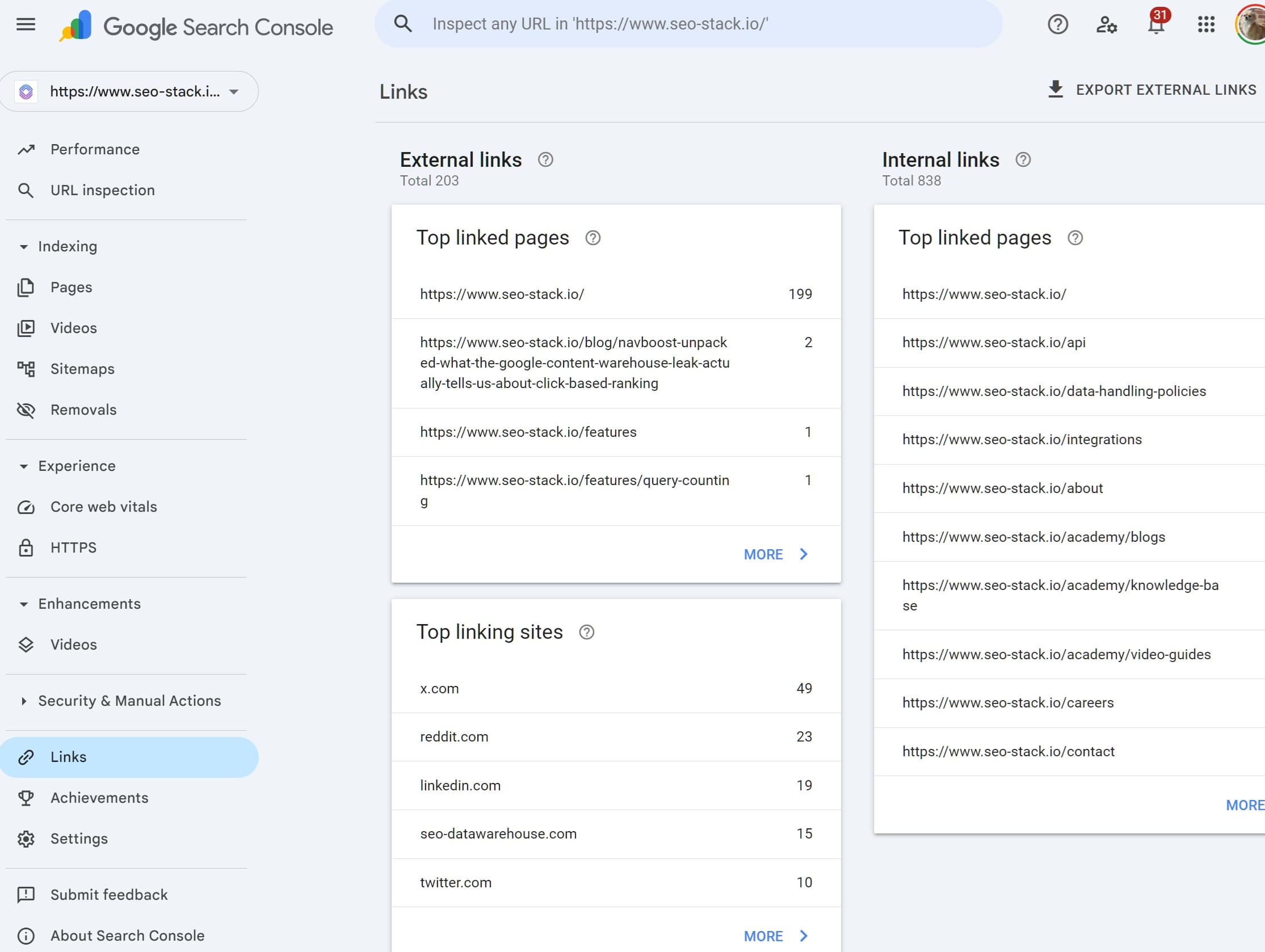
Google Search Console (GSC) is the closest thing SEOs have to a direct line into how Google sees a website. It's free, it's straight from the source, and it includes a Links report that shows some of the backlinks pointing at your site. For anyone doing SEO seriously, it's one of the first places to look when you want to understand a site's link profile.
But and this is the part most guides skip over the Links report in GSC is deeply limited. It's useful, but it isn't the whole picture, and treating it as such will steer you into some bad decisions. This article walks through exactly what GSC shows you, how to pull the data out, where it falls short, and how to use it alongside proper backlink tools without tripping yourself up.
Most SEOs who have at least some experience know that Google Search Console is not practical for backlink analysis - mainly because Google doesn't give any metrics other than how many links it can see, unlike other SEO tools that specifically focus on links i.e. AHREFS, SEMRUSH and Majestic.
Where to Find the Links Report in GSC
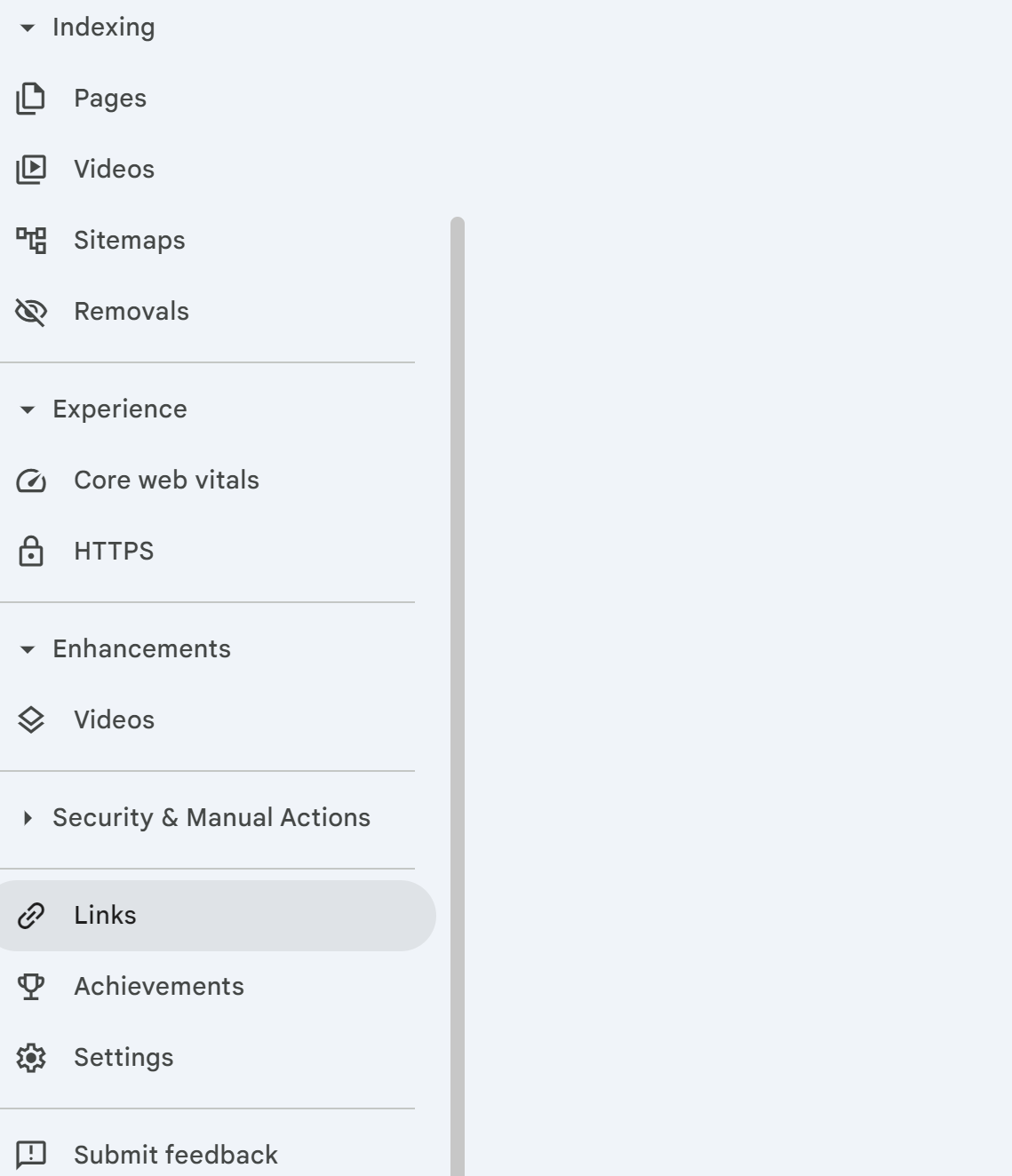
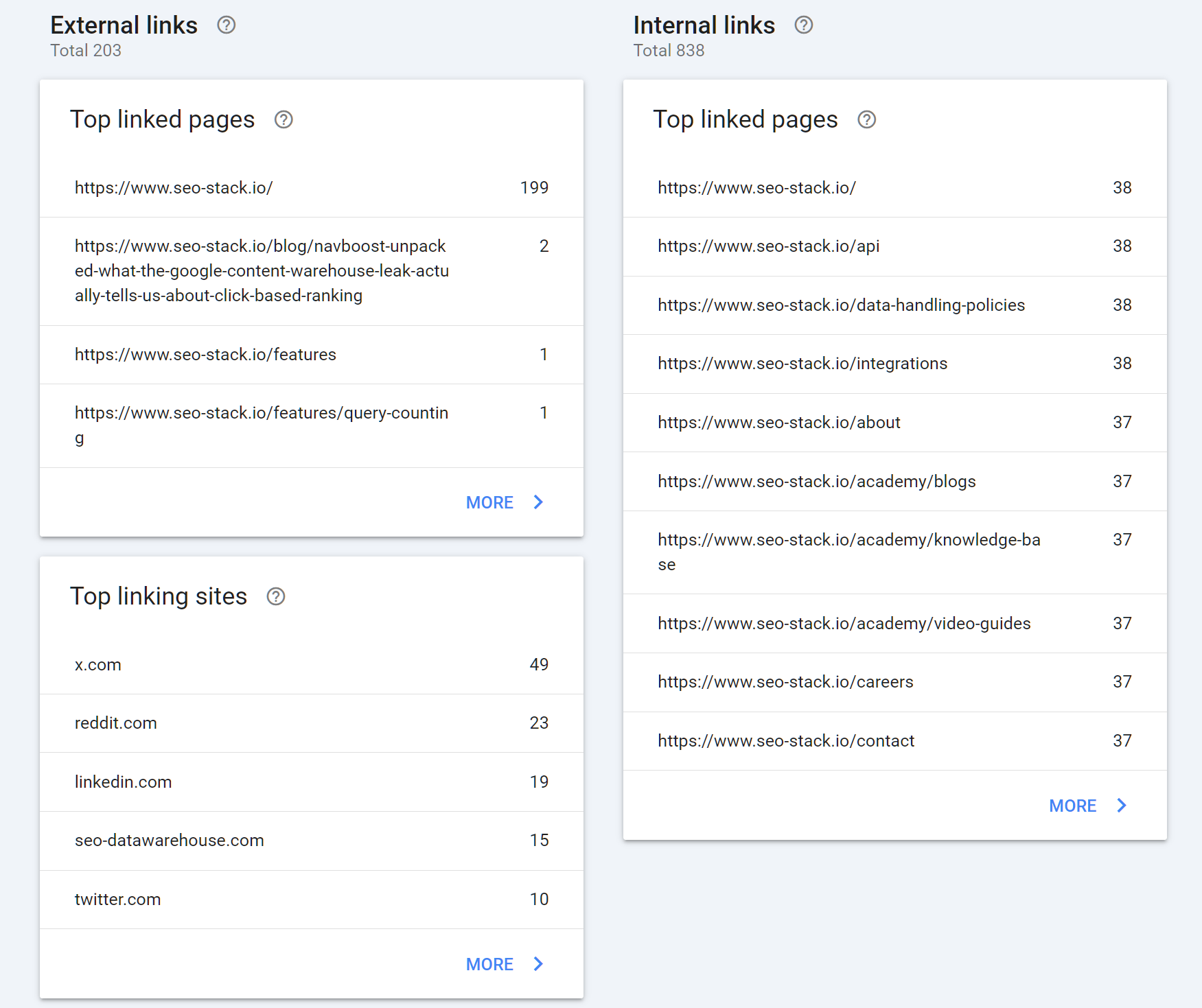
Once you're logged into Google Search Console and have the right property selected, the Links report sits at the bottom of the left-hand navigation. Click Links and you'll land on a dashboard split into two halves: External links on the left, Internal links on the right. For backlink analysis, you're interested in the external side.
The external section breaks down into three reports:
Top linked pages which pages on your site attract the most external links
Top linking sites which domains link to you the most
Top linking text the most common anchor text across your backlink profile
You can click any of these to drill into a fuller list, and from there click individual entries to see the actual pages hosting the links.
What You Can Actually Do With GSC Link Data
Despite its limitations, there's genuine value here especially because this data is coming from Google itself rather than a third-party crawler.
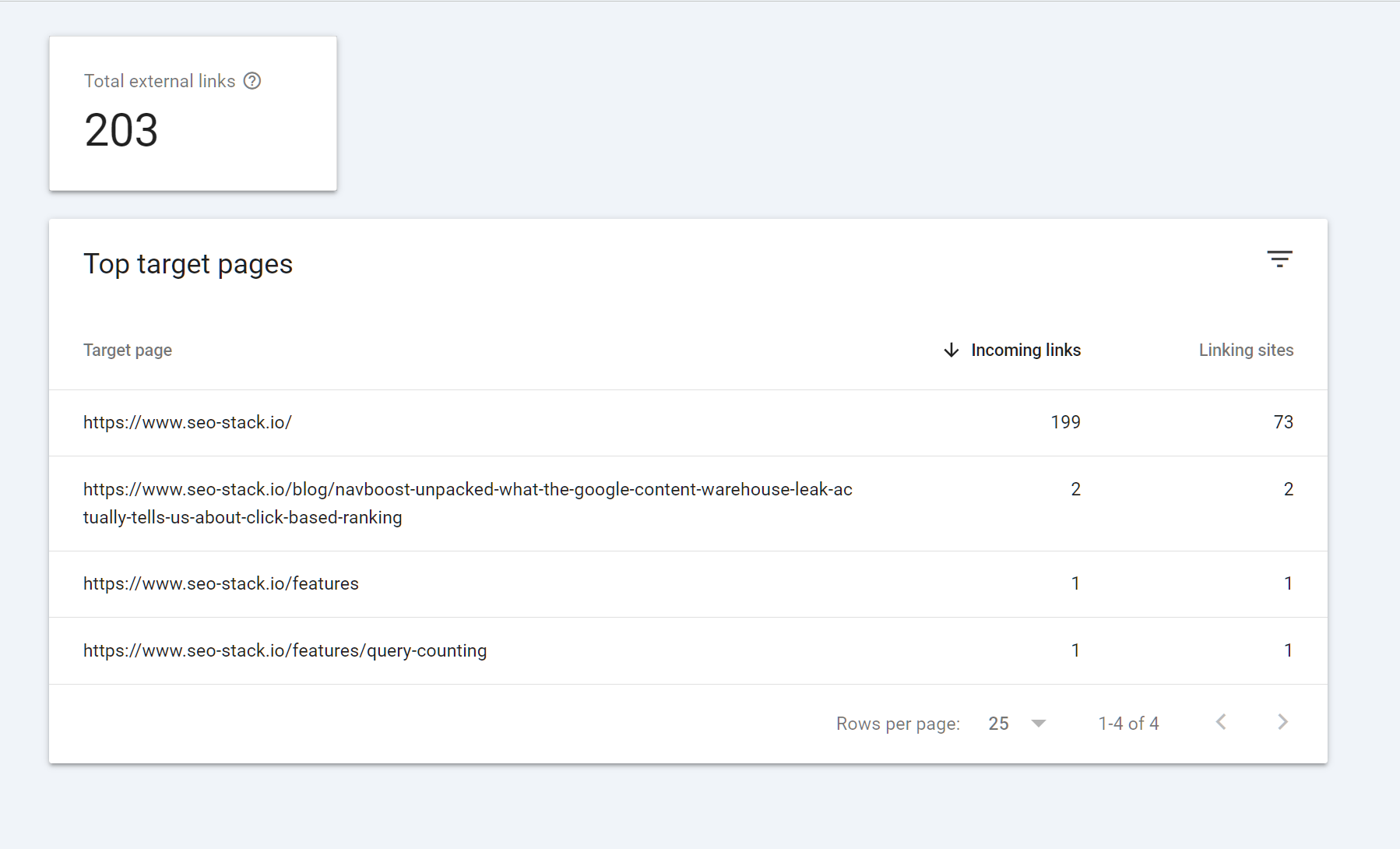
Spotting your most linked assets. The top linked pages report tells you which URLs on your site are doing the heavy lifting in terms of attracting links. This is useful for identifying content that's worked, understanding which topics or formats earn links in your niche, and critically making sure you don't accidentally break those pages. If a URL with hundreds of referring domains gets deleted or redirected badly, you'll bleed equity fast.
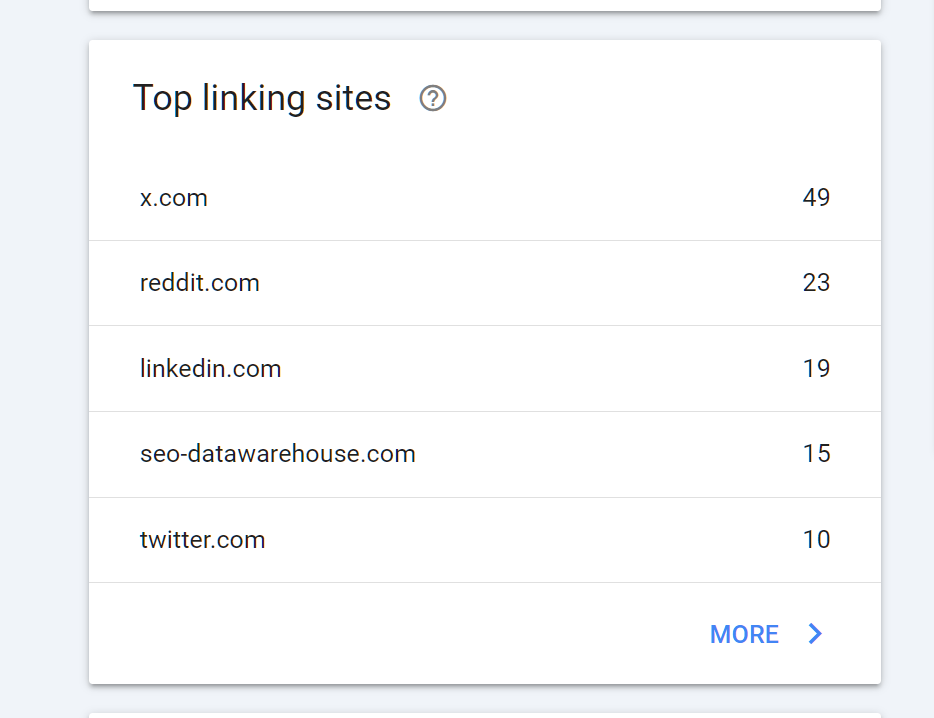
Identifying your link neighbourhood. The top linking sites report gives you a sense of who's linking to you most. This is useful for relationship building, for identifying patterns (are your links coming from relevant industry sites, or mostly low-quality directories?), and for flagging anything obviously spammy that warrants closer inspection.
Checking anchor text distribution. The top linking text report shows the anchors Google is seeing most often. Over-optimised exact-match anchors have been a penalty risk for over a decade, and while Google's moved on from the brute-force Penguin era, an unnaturally skewed anchor profile still isn't a good look. GSC's anchor report gives you a sanity check.
Monitoring for sudden changes. If you see a spike in links from a single domain, or a cluster of suspicious-looking anchors appear out of nowhere, that's a signal worth investigating possibly a negative SEO attempt, possibly a scraper site republishing your content.
How to Export Backlink Data From GSC
There's an Export External links button in the top right of the Links report. Clicking it gives you three options:
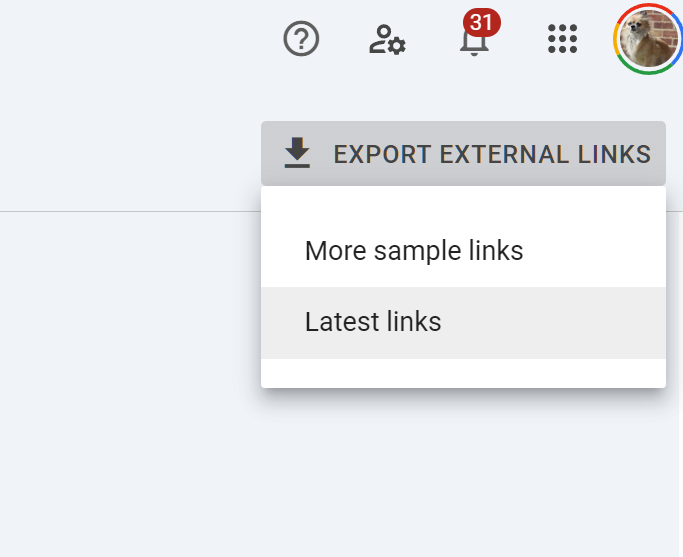
Most recent links up to 100,000 of your newest backlinks, with the URL, the page it links to, and the date Google first discovered the link
More sample links a broader sample that's less time-sorted
Latest links: sample a smaller snapshot
Exports come in Excel, CSV, or Google Sheets format. In practice, "Most recent links" is usually the most useful export because of the discovery dates you can sort chronologically and quickly see what's new, what's been there a while, and whether any suspicious patterns correlate with a ranking change.
Once you've got the data out, what you do with it depends on the job:
Dedupe by domain to get a list of referring domains rather than individual URLs this is much closer to how link equity actually works
Cross-reference with your rankings history to see whether new links correlate with movement
Filter for suspicious patterns huge volumes from a single domain, irrelevant TLDs, obvious spam footprints
Feed the domain list into a third-party tool to get metrics GSC doesn't provide (authority scores, traffic estimates, link context)
The Flaws in GSC Link Reporting
This is where most guides go quiet. GSC's link data has real, documented limitations that you need to factor in before you make any decisions based on it.
It doesn't show every link Google knows about. Google has stated repeatedly that the Links report is a sample, not a complete index. Even if you export the maximum, you're seeing a subset of what Google has crawled and attributed to your domain. Some links particularly older ones, very low-value ones, or links from pages Google has deprioritised may never appear.
There are no quality metrics. Unlike Ahrefs, Semrush, or Majestic, GSC gives you no sense of whether a link is worth anything. There's no authority score, no traffic estimate, no indication of whether the linking page is indexed, no flag for nofollow vs. dofollow, and no context about the surrounding content. A link from the BBC and a link from a PBN farm look identical in the export.
Nofollow/UGC/sponsored status isn't shown. This is a significant gap. A huge chunk of modern backlinks carry rel attributes that materially affect how Google treats them, and GSC simply doesn't tell you which is which.
Data is lagged and inconsistent. Links appear in GSC days, weeks, or sometimes months after they're published. The discovery date is when Google first indexed the link, which isn't necessarily when it went live. This makes GSC unreliable for real-time monitoring.
The reporting caps out. Even large sites are limited to what GSC will show in the interface and export. If you've got a backlink profile in the millions, GSC will only ever surface a fraction.
Disavow files don't affect what's shown. Even if you've disavowed a domain, it will still appear in your Links report. The disavow tool operates at the ranking/evaluation layer, not the reporting layer.
Third-Party Tools That Fill the Gaps
This is where proper backlink tools earn their money. None of them have Google's internal link graph, but they build their own by crawling the web at scale, and they layer on the metrics, filters, and workflows that GSC doesn't provide.
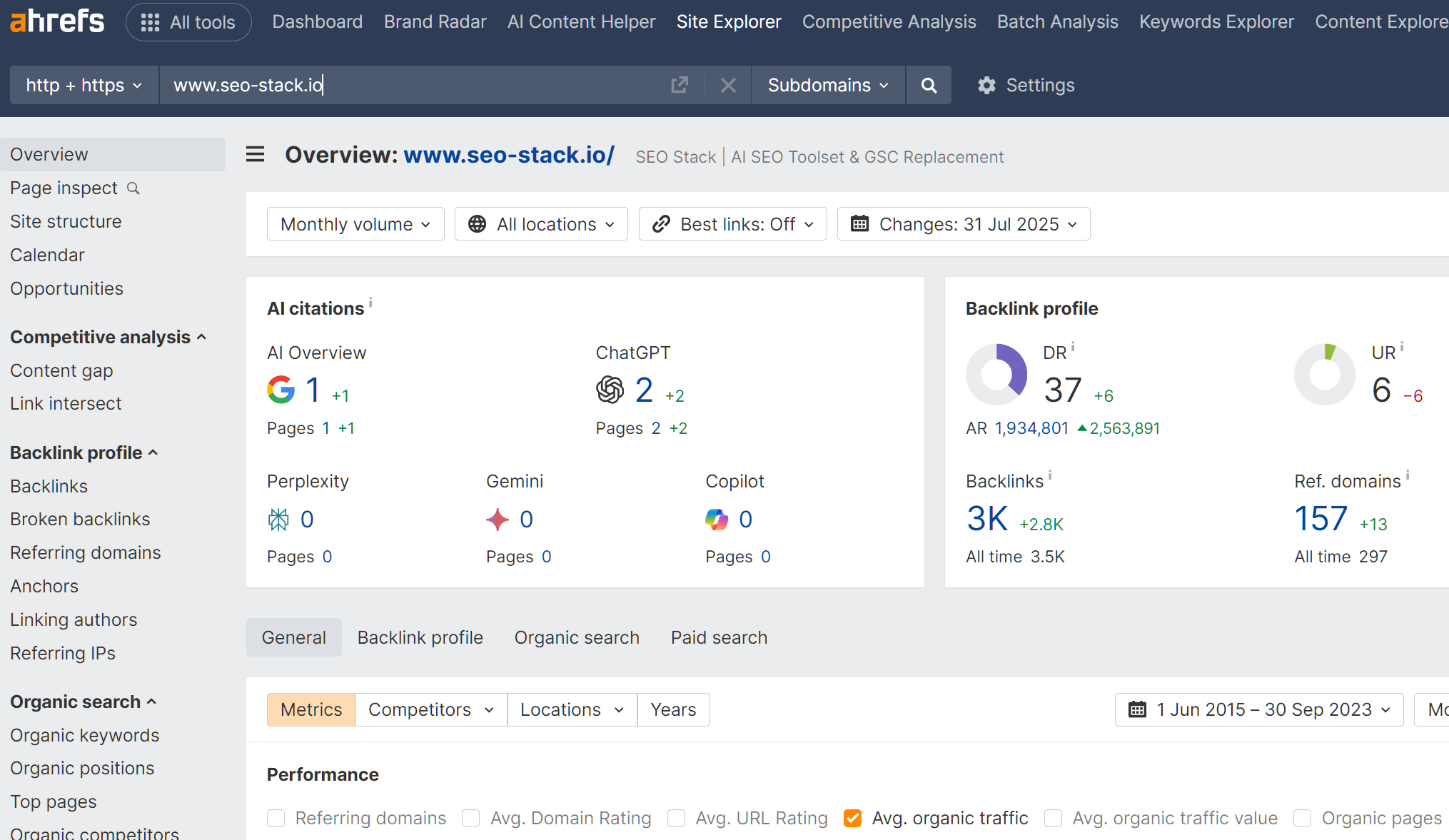
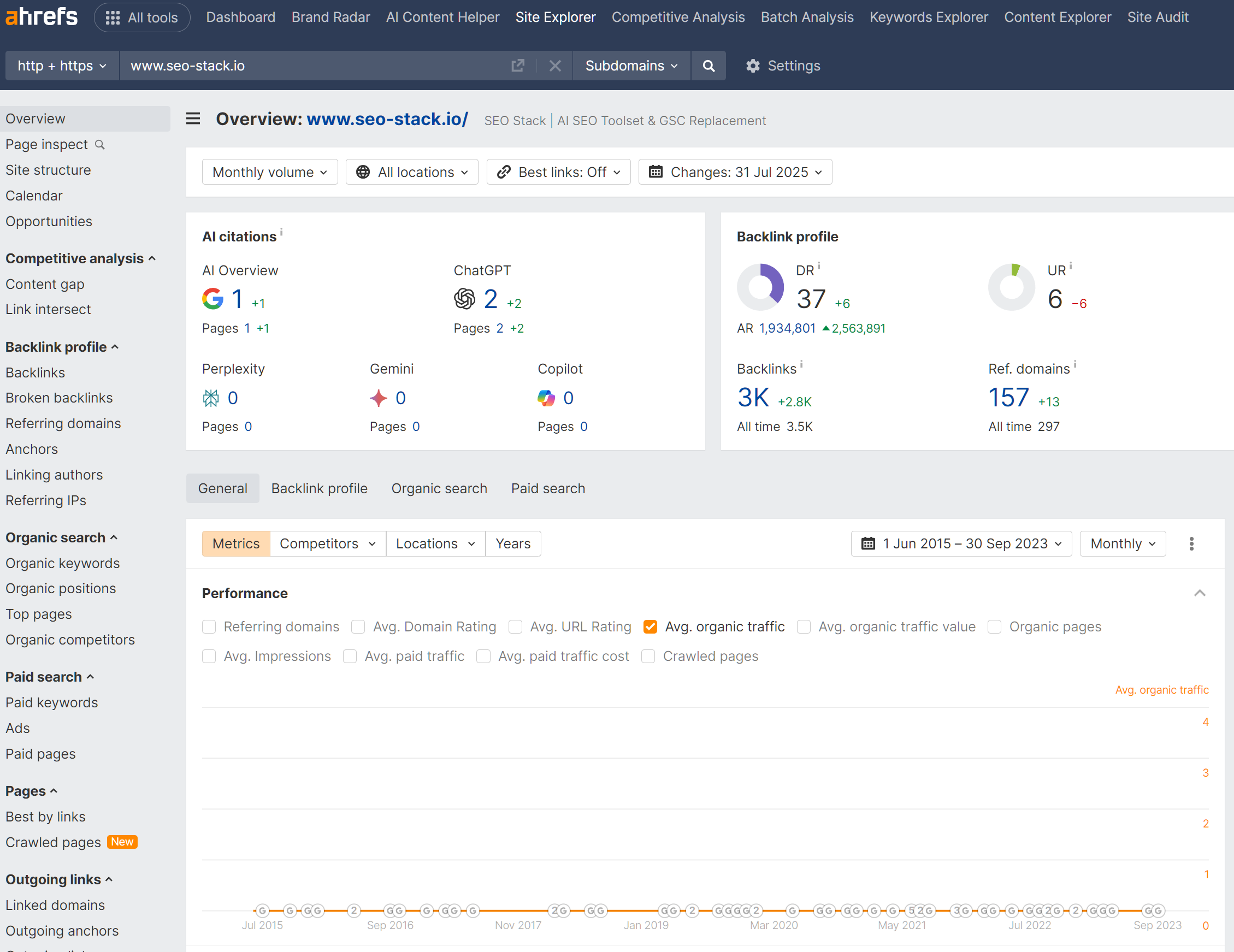
Ahrefs. Generally considered to have the largest and freshest link index among commercial tools. Domain Rating (DR) and URL Rating (UR) give you quick authority proxies. The Site Explorer lets you filter by follow/nofollow, anchor, traffic, language, platform, and dozens of other dimensions. Particularly strong for competitor analysis.
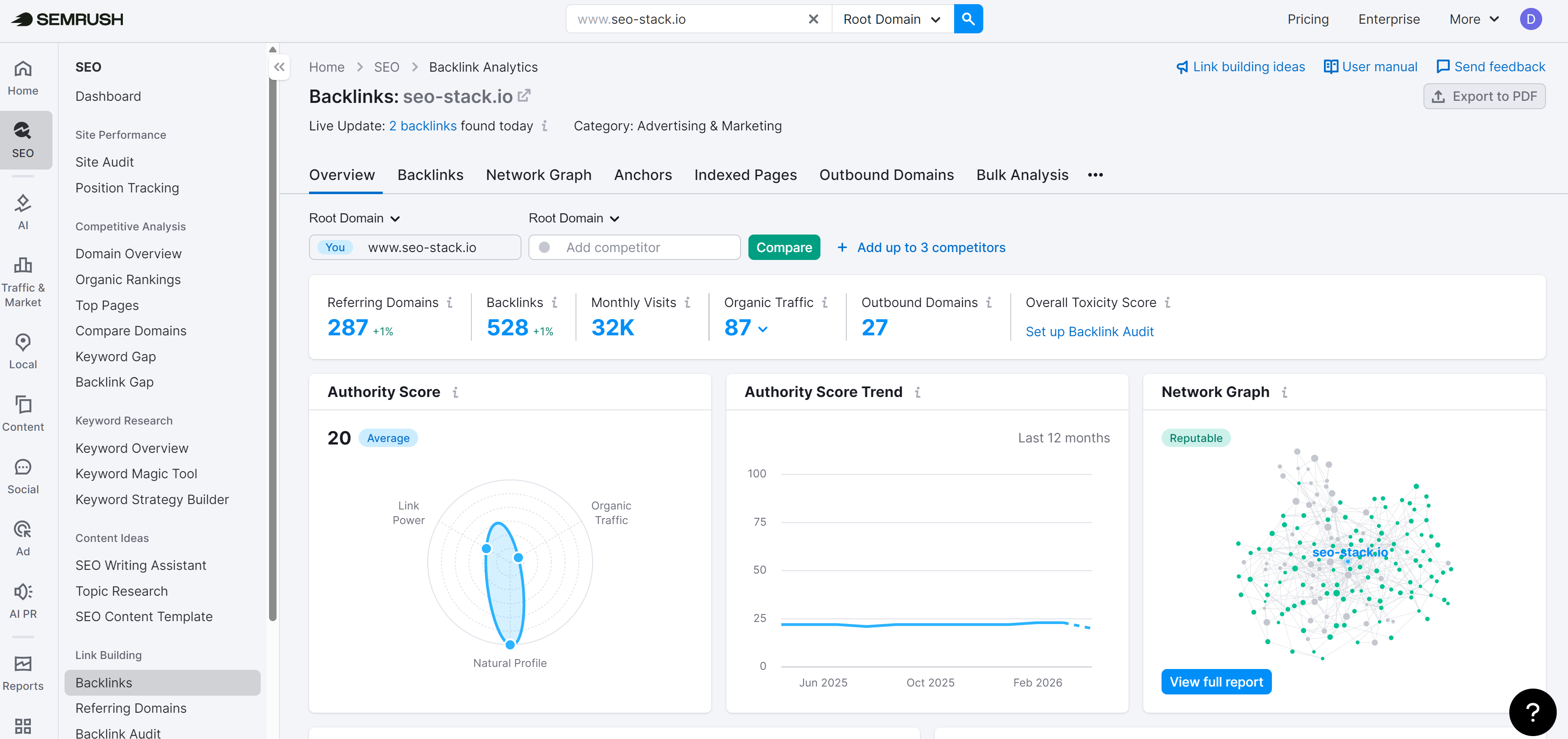
Semrush. Solid link index, though generally regarded as slightly smaller than Ahrefs'. The Backlink Analytics and Backlink Audit tools are well integrated with the rest of the Semrush stack, which is useful if you're already running keyword and position tracking there. The Authority Score is their equivalent of DR.
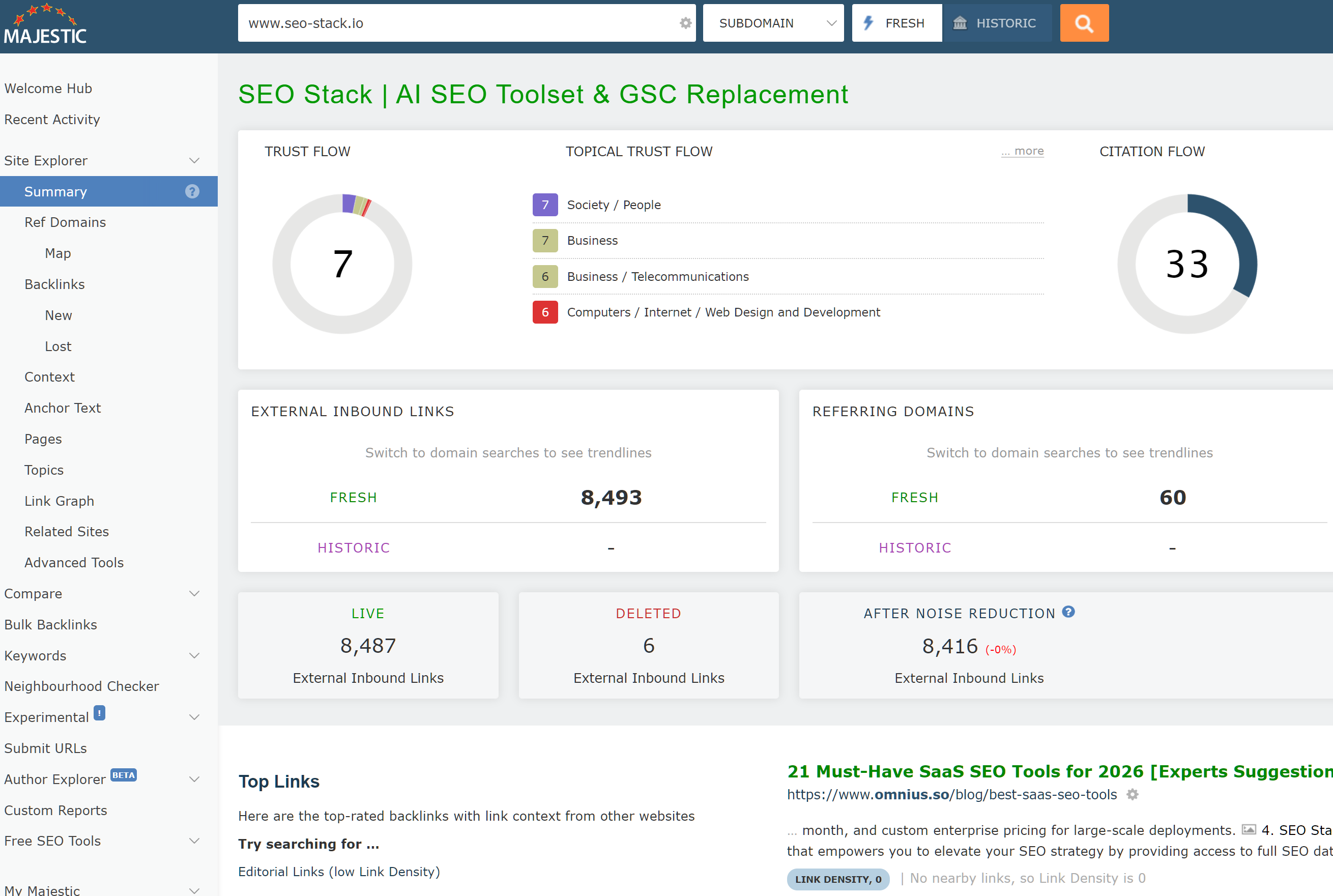
Majestic. The old guard of link analysis, and still one of the most trusted sources for raw link data. Trust Flow and Citation Flow are widely referenced metrics, and the Topical Trust Flow breakdown gives you a view of link relevance by category that the others don't replicate as cleanly. Majestic's historic index is particularly valuable for looking at link profiles over time.
Google's own Search Console still has one advantage none of these tools can match: it's telling you what Google itself has on file, rather than what a third-party crawler has inferred. For that reason, the right workflow is usually to cross-reference. GSC tells you what Google sees. Ahrefs, Semrush, or Majestic tell you what the links are actually worth and give you the filtering and analysis tools to act on that.
A Word of Caution on Disavows
Any discussion of backlink data eventually raises the question of disavows, and this is where people get themselves into trouble.
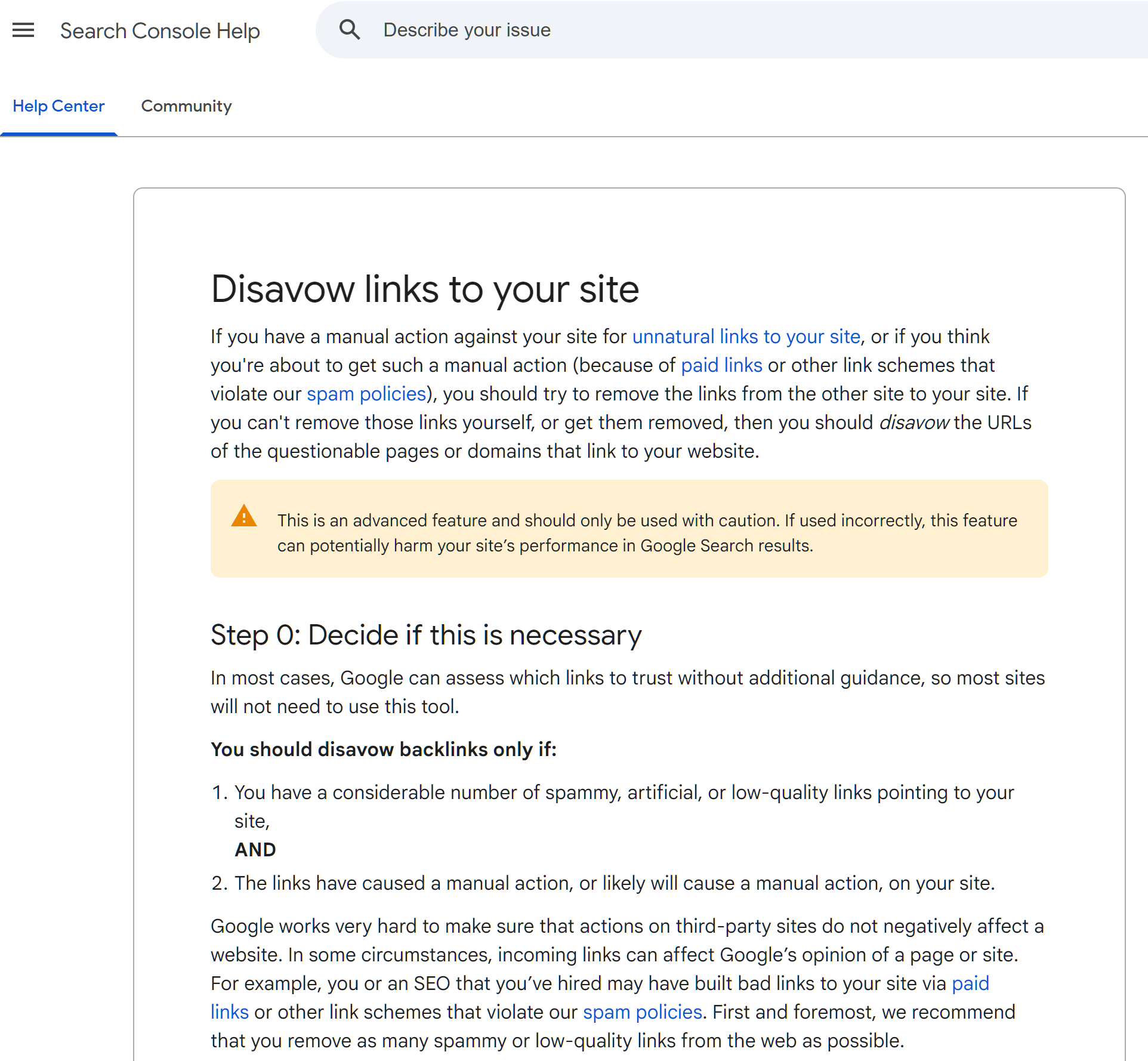
The disavow tool exists, it still works, and there are legitimate reasons to use it primarily if you've received an unnatural links manual action, or if you've got clear evidence of a negative SEO campaign with genuinely toxic links you can't get removed at the source. Those scenarios are rare.
What's far more common is an SEO pulling a GSC export (or worse, a third-party "toxic link" report), spotting a handful of links from low-quality-looking domains, and disavowing them preemptively "just in case." This is almost always a mistake.
Here's why:
Google has repeatedly said that for the vast majority of sites, disavowing is unnecessary. Google's own guidance is that they're good at ignoring low-quality links algorithmically. John Mueller and Gary Illyes have said this on record multiple times. The bar for disavowing should be "I have a manual action, or I have clear evidence of a deliberate attack," not "this link looks a bit iffy."
You cannot tell link quality from a URL alone. A domain that looks like a low-authority blog can turn out to be a relevant niche site with a real audience. A fancy-looking domain can turn out to be a PBN. Third-party toxicity scores are heuristics, and they get it wrong regularly particularly against smaller, newer, or non-English sites.
Disavowing is effectively irreversible in the short term. Once you submit a disavow, the links you've disavowed stop passing any signal. If those links were actually doing something positive, you've just removed that lift. There's no undo that doesn't involve resubmitting, waiting for recrawls, and hoping Google re-evaluates.
GSC's link sample is not a toxicity report. Just because a link shows up in your export doesn't mean it's helping, hurting, or doing anything at all. Most links, good and bad, sit somewhere near "irrelevant." Cleaning up your profile by disavowing sampled links is solving a problem that usually doesn't exist.
The practical rule: don't disavow unless you have a specific, evidenced reason to. If you're not sure whether you have a reason, you almost certainly don't.
Using GSC as Part of a Full Backlink Workflow
Pulling this together, the way most SEOs who know what they're doing actually use GSC for backlinks looks something like this:
Start in GSC to see what Google itself has attributed to your site. Export the most recent links. Scan the top linking sites and anchor text reports for anything obviously anomalous. Use GSC as the source of truth for "what does Google have on record."
Then move to a third-party tool Ahrefs, Semrush, or Majestic depending on preference and budget for authority metrics, follow/nofollow status, link context, historical data, and competitor comparisons. This is where the analysis happens.
Only consider disavowing if you've got an actual manual action or clear evidence of an attack, and even then, exhaust link removal attempts first.
Treat GSC's link data as directional, not definitive. It's a useful lens, particularly because it's Google's own lens, but it's one lens of several. Anyone making significant decisions based on it alone is working with one eye closed.

Founder, SEO Stack
Daniel is the founder of SEO Stack. He has spent over 2 decades working on technical SEO and search data, and built SEO Stack after hitting the same Search Console limits on client work one time too many.
Daniel has extensive SEO experience having built SEO agencies, audit businesses & a thriving consultancy, in his spare time Daniel likes to run SEO experiments & to share findings.
Published 17 April 2026