Google Search Console & Regex Filters: The Ultimate Guide
Regular expressions (regex) are one of the most powerful but underused features in Google Search Console. With regex filters, you can slice through your query and page data with surgical…

Regular expressions (regex) are one of the most powerful but underused features in Google Search Console. With regex filters, you can slice through your query and page data with surgical precision - isolating branded traffic, question-based queries, local intent, long-tail keywords and much more.
Google Search Console uses RE2 syntax, Google's own regex engine. It's fast and efficient but slightly different from what you might use in Python or JavaScript. This guide covers everything you need to know to master regex in GSC, with practical, copy-paste filters you can use today.
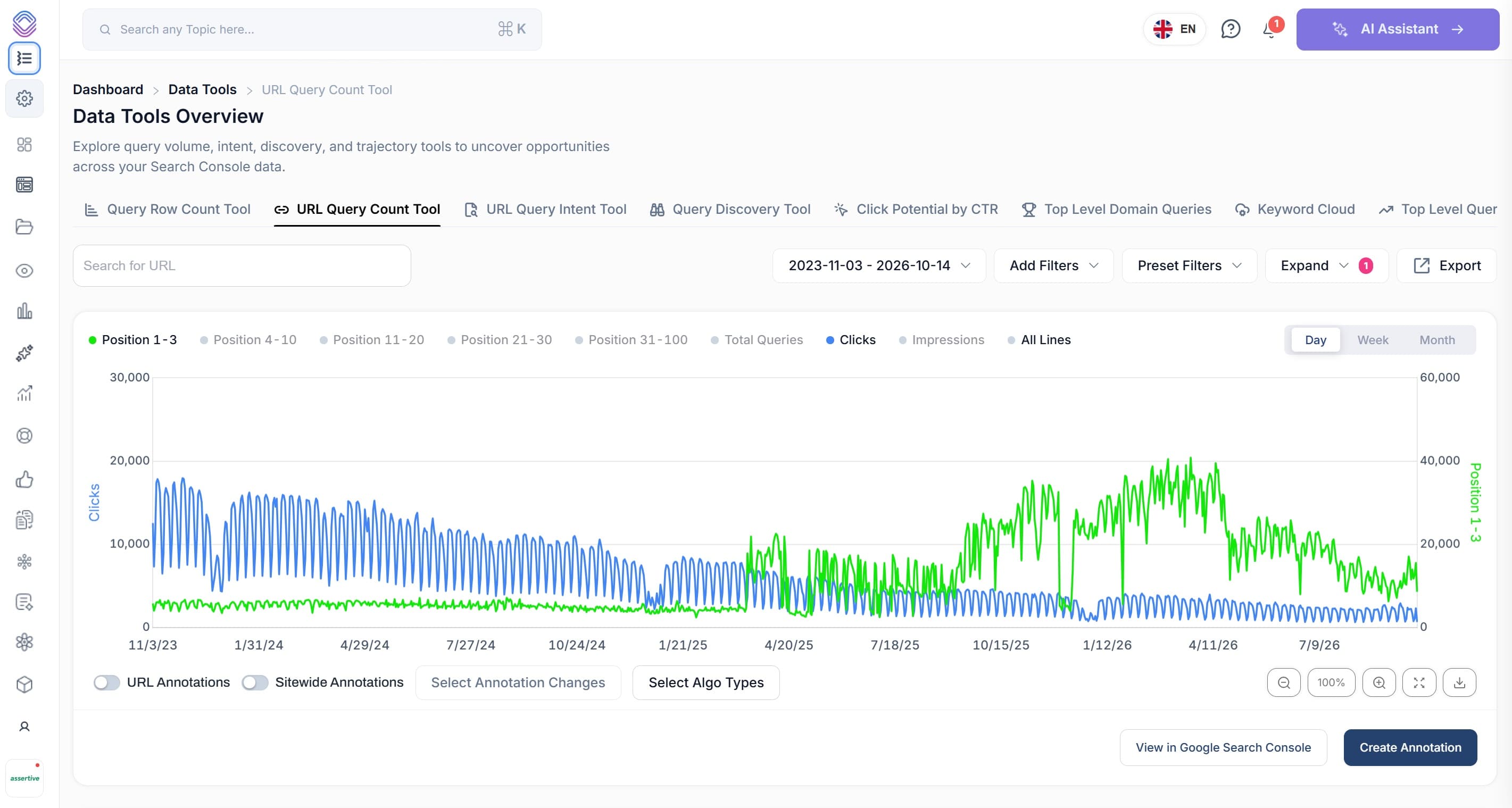
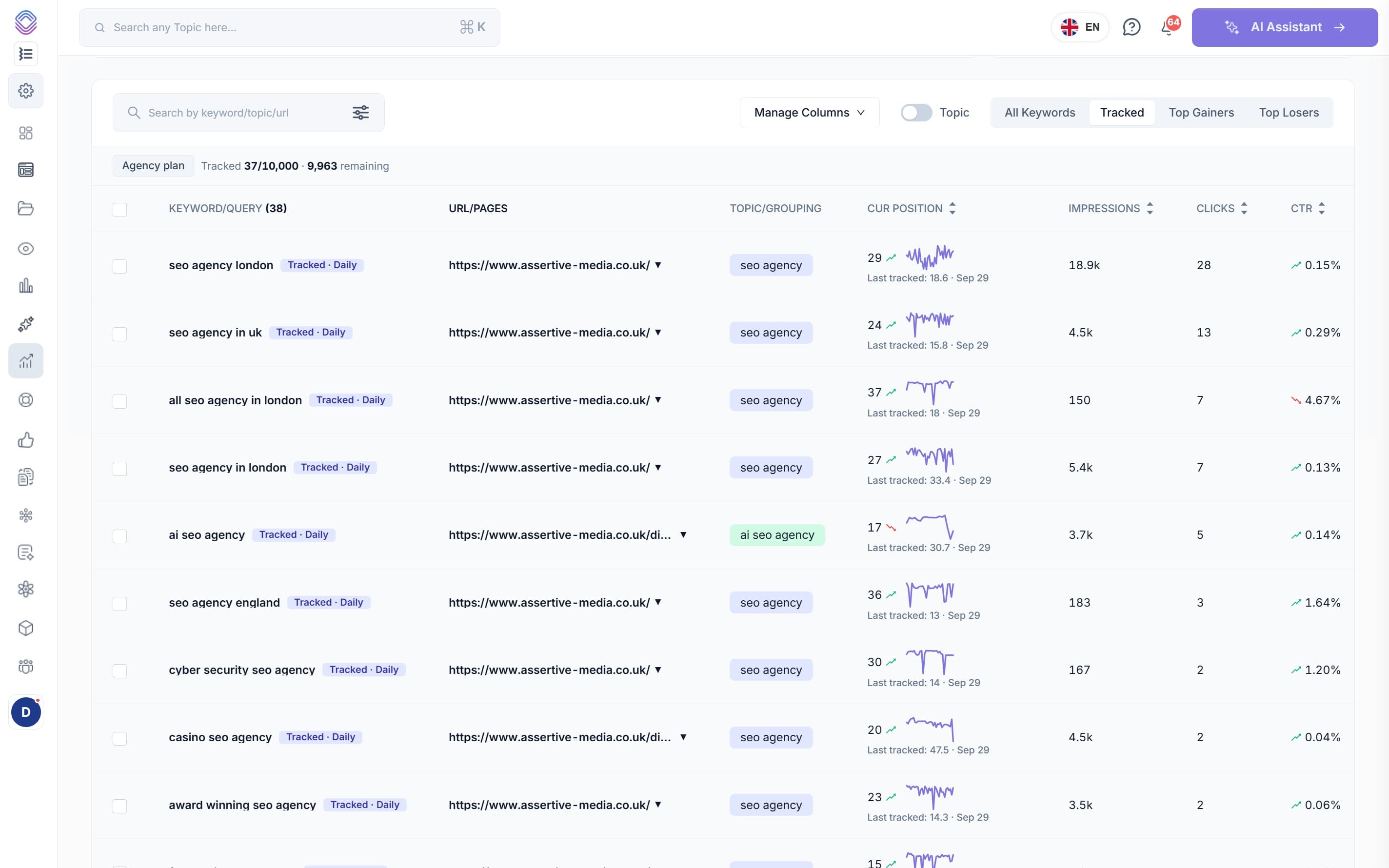
Tip: Did you know SEO Stack offers you the ability to layer and combine query/page filters WITHOUT using regex this means you can create complex filters quickly and easily without having to use regex (regular expression)
Where Can You Use Regex in Google Search Console?
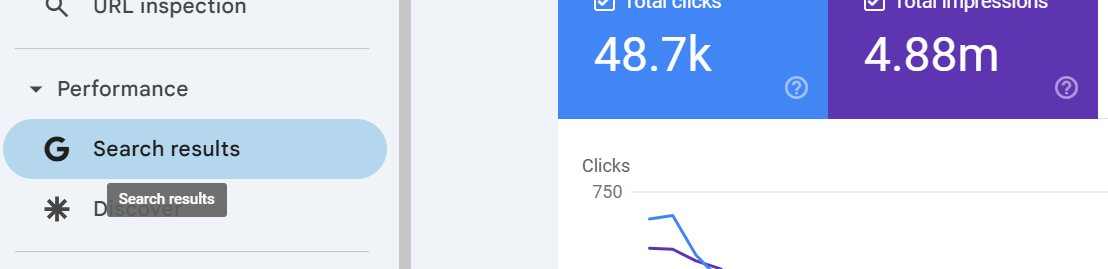
Regex filters are available in the Performance report for both Query and Page filters. To use them:
Open the Performance report in GSC
Click the + Add filter button (or click an existing filter)
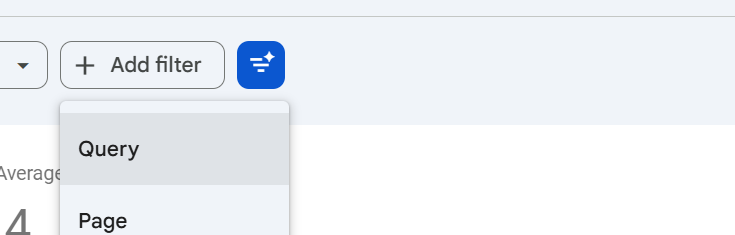
Select Query or Page
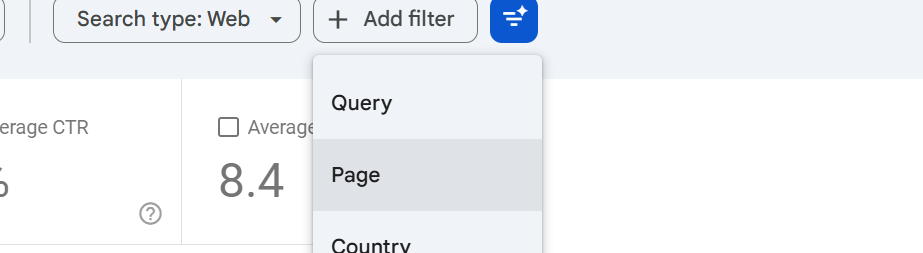
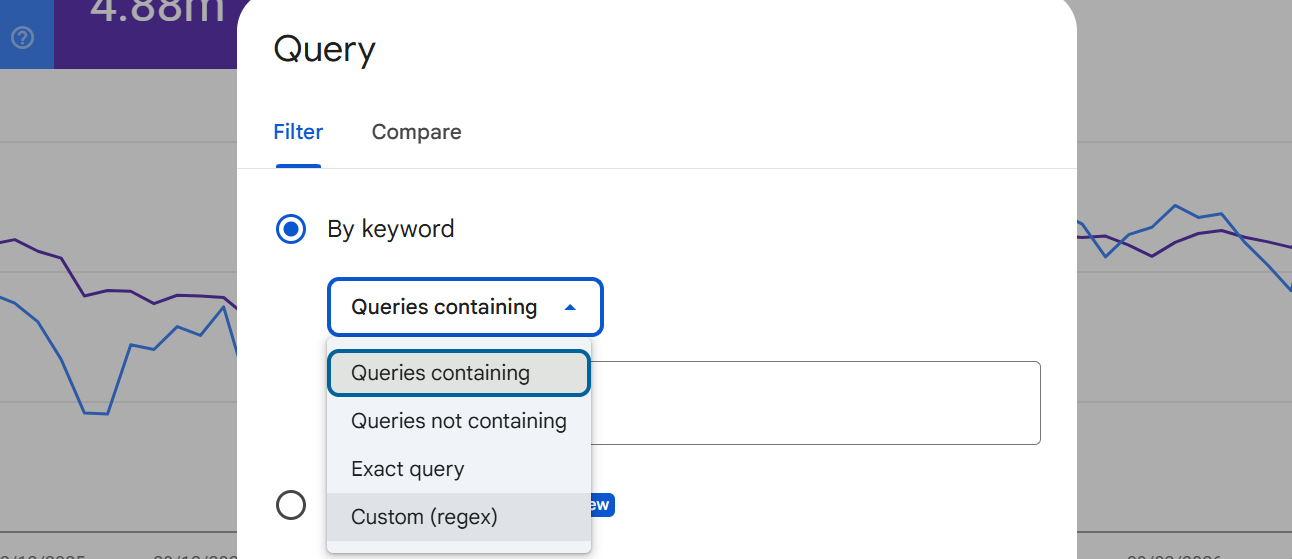
Change the filter type from "Queries containing" to Custom (regex)
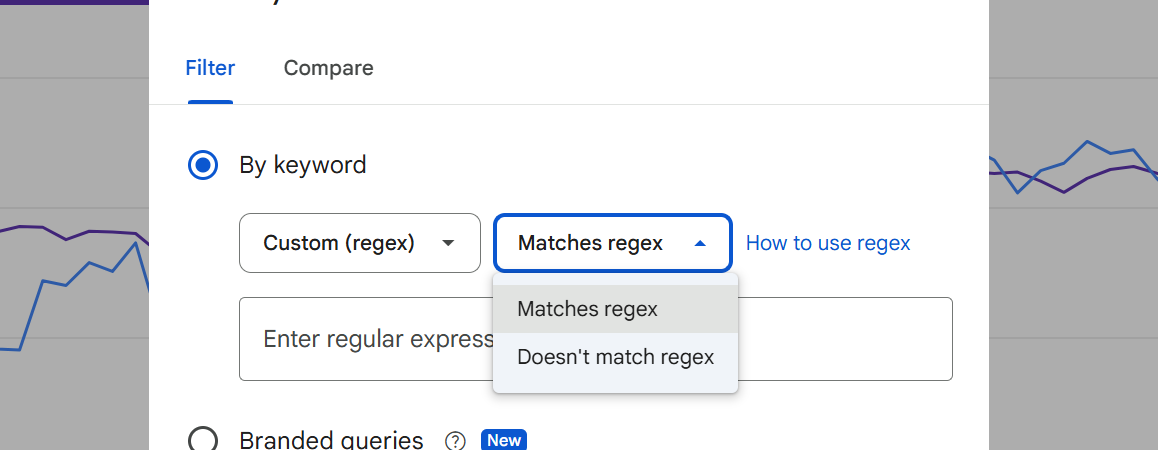
Choose Matches regex or Doesn't match regex
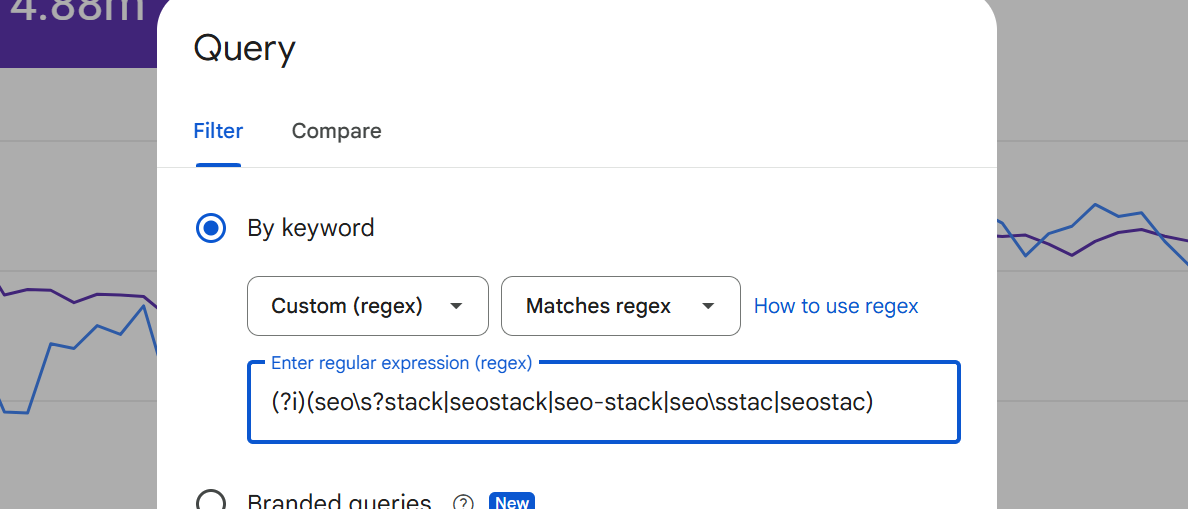
Enter your regex pattern
Important: GSC regex patterns have a 4,096 character limit. For most use cases this is more than enough, but keep it in mind if you're building very long OR-based patterns.
RE2 Syntax Essentials - What You Need to Know
Before diving into filters, here's a quick reference of the RE2 syntax elements you'll use most:
Core Metacharacters
.- Matches any single character. E.g.s.omatches "seo", "sao", "s1o"*- Zero or more of the preceding character. E.g.se*omatches "so", "seo", "seeo"+- One or more of the preceding character. E.g.se+omatches "seo", "seeo" but not "so"?- Zero or one of the preceding character. E.g.colou?rmatches "color" and "colour"|- OR operator. E.g.seo|ppcmatches queries containing either "seo" or "ppc"^- Start of string anchor. E.g.^howmatches queries starting with "how"$- End of string anchor. E.g.2025$matches queries ending with "2025"
Character Classes and Groups
[abc]- Matches any single character in the set. E.g.[aeiou]matches any vowel[a-z]- Character range. E.g.[0-9]matches any digit[^abc]- Negated class - matches any character NOT in the set(group)- Groups patterns together. E.g.(seo|ppc) tools\d- Any digit (equivalent to[0-9])\w- Any word character (letter, digit, or underscore)\s- Any whitespace character (space, tab, etc.)\b- Word boundary. E.g.\bseo\bmatches "seo" as a whole word, not "seostack"
Quantifiers
{n}- Exactly n occurrences. E.g.\w{5}matches exactly 5 word characters{n,}- n or more occurrences{n,m}- Between n and m occurrences
Flags
(?i)- Case-insensitive matching. Place at the start of your pattern. E.g.(?i)seo stackmatches "SEO Stack", "seo stack", "Seo Stack" etc.
What RE2 does NOT support: Lookaheads (?=), lookbehinds (?<=), and backreferences (\1) are not available. Use the "Doesn't match regex" filter option for negative matching instead of trying to use negative lookaheads.
Filtering Queries by Brand
Separating branded from non-branded traffic is fundamental to understanding your organic performance. Here are regex patterns for brand filtering:
Isolate Branded Queries
Replace the brand terms with your own. Include common misspellings and variations:
(?i)(seo\s?stack|seostack|seo-stack|seo\sstac|seostac)
This pattern:
(?i)makes it case-insensitive\s?matches an optional space between wordsIncludes misspellings like "seostac" and "seo stac"
Covers hyphenated and concatenated versions
Exclude Branded Queries (Non-Branded Only)
Use the same pattern above but select "Doesn't match regex" in the filter dropdown. This gives you a clean view of your non-branded organic performance.
Competitor Brand Monitoring
Track queries where competitors appear alongside your brand:
(?i)(ahrefs|semrush|moz|screaming\s?frog|sistrix)
Use this as a "Matches regex" filter to see which competitor-related queries you're appearing for.
Filtering by Search Intent
Understanding search intent helps you align content with what users actually want. Here are regex patterns for each intent type:
Informational Intent
Users looking to learn or understand something:
(?i)^(what|how|why|when|where|who|which|does|do|is|are|can|should|guide|tutorial|learn|explain|definition|meaning|example)
Transactional / Commercial Intent
Users ready to buy or compare products:
(?i)(buy|price|pricing|cost|cheap|affordable|deal|discount|coupon|purchase|order|subscribe|trial|demo|free\s+trial|vs\s|versus|compare|comparison|review|best|top\s+\d+|alternative)
Navigational Intent
Users looking for a specific website or page:
(?i)(login|log\s?in|sign\s?in|dashboard|account|support|contact|help\s+center|documentation|docs)
Local Intent
Users with location-based queries:
(?i)(near\s+me|in\s+(london|manchester|new\s+york|los\s+angeles|sydney)|local|nearby|directions|open\s+now|hours)
Customise the city names to match your target markets.
Filtering by Question Type
Question-based queries are goldmines for featured snippets and People Also Ask boxes. Filter by specific question types:
All Questions
(?i)^(who|what|when|where|why|how|which|does|do|is|are|can|could|should|would|will|did|has|have|was|were)
"How to" Queries Only
(?i)^how\s+(to|do|does|can|should|would|much|many|long|often|far)
"What is" Queries Only
(?i)^what\s+(is|are|does|do|was|were|should|can|would)
"Why" Queries
(?i)^why\s+(is|are|does|do|did|can|should|would|won)
"Best" and Comparison Queries
(?i)(^best\s|\sbest\s|vs\s|versus|compared\s+to|comparison|\svs$)
Filtering by Query Length
Query length is a strong indicator of specificity and intent. Long-tail queries typically have higher conversion rates and lower competition.
Short-Tail Queries (1-2 Words)
^[^\s]+\s?[^\s]*$
This matches queries with at most one space (1-2 words). These are your head terms - high volume, high competition.
Medium-Tail Queries (3-4 Words)
^\S+\s\S+\s\S+(\s\S+)?$
Matches queries with exactly 2 or 3 spaces (3-4 words).
Long-Tail Queries (5+ Words)
^\S+\s\S+\s\S+\s\S+\s\S+
Matches queries with 4 or more spaces (5+ words). These are your long-tail opportunities - typically lower volume but higher intent and easier to rank for.
Very Long Queries (8+ Words)
(\S+\s){7,}\S+
Matches queries with 8 or more words. These often reveal very specific user needs and can highlight content gap opportunities.
Filtering by Location and Geo-Modifiers
Identify queries with geographic intent to understand your local SEO performance:
UK City Queries
(?i)(london|manchester|birmingham|leeds|liverpool|bristol|edinburgh|glasgow|cardiff|belfast|sheffield|newcastle|nottingham|brighton)
US City Queries
(?i)(new\s+york|los\s+angeles|chicago|houston|phoenix|philadelphia|san\s+antonio|san\s+diego|dallas|san\s+jose|austin|seattle|denver|boston|miami)
Country-Level Queries
(?i)(\s|^)(uk|united\s+kingdom|us|usa|united\s+states|canada|australia|ireland|germany|france|india)(\s|$)
"Near Me" and Proximity Queries
(?i)(near\s+(me|here|my\s+location)|nearby|in\s+my\s+area|close\s+to\s+me|around\s+me)
Filtering by Content Type and Format
Understand what content formats users are looking for:
Users Looking for Specific Content Types
(?i)(template|checklist|cheat\s?sheet|pdf|download|spreadsheet|calculator|generator|tool|infographic|ebook|whitepaper)
Video-Related Queries
(?i)(video|youtube|tutorial|how\s+to\s+video|watch|demo|walkthrough|webinar)
List and Roundup Queries
(?i)(^top\s+\d+|^best\s+\d+|^\d+\s+best|^\d+\s+ways|^\d+\s+tips|list\s+of|examples\s+of)
Filtering by URL Patterns
Switch to Page filter (instead of Query) to segment your data by URL structure:
Blog Posts Only
/blog/
Product Pages Only
/product/|/features/
Pages with URL Parameters
\?
Useful for identifying pages with query strings that shouldn't be indexed.
Specific File Types
\.(pdf|doc|xlsx|csv)$
Pages with Numbers in the URL (Often Pagination)
/page/\d+|[?&]page=\d+
Filtering by Year and Freshness
Identify queries where users are looking for recent, up-to-date content:
Queries Containing a Year
(2024|2025|2026)
Queries Seeking Fresh Content
(?i)(2025|2026|latest|new|updated|current|recent|this\s+year|today)
Queries with Outdated Years (Content Refresh Opportunities)
(2019|2020|2021|2022|2023)
If you're still ranking for queries containing old years, those pages are prime candidates for a content refresh.
Advanced Combinations and Power Filters
Combine multiple techniques for laser-focused analysis:
Non-Branded Questions (High Value Content Opportunities)
First, apply a Query filter with "Doesn't match regex" for your brand:
(?i)(your\s?brand|yourbrand)
Then add a second Query filter with "Matches regex" for questions:
(?i)^(what|how|why|when|where|who|which|can|should|does|is)
GSC supports multiple simultaneous filters, so you can stack these for compound segmentation.
High-Intent Non-Branded Queries
Use "Doesn't match" for brand terms, then "Matches regex" for:
(?i)(buy|price|cost|hire|service|agency|consultant|tool|software|platform|free\s+trial|demo|pricing)
Queries with Specific Word Counts and Intent
Long-tail informational queries (5+ words starting with question words):
(?i)^(how|what|why|when|where)\s+\S+\s+\S+\s+\S+\s+\S+
Escaping Special Characters
If you need to match literal special characters, escape them with a backslash:
\.matches a literal period (not "any character")\?matches a literal question mark\(and\)match literal parentheses\[and\]match literal square brackets\+matches a literal plus sign\*matches a literal asterisk
For example, to find queries containing "C++" you'd use: c\+\+
Testing Your Regex Patterns
Before applying filters in GSC, always test your patterns first. This prevents unexpected results and wasted time.
Regex101.com - Set the flavor to "Golang" (which uses RE2). Paste sample queries and test your pattern against them
Start simple - Build your pattern incrementally. Start with a basic match and add complexity
Check edge cases - Test with queries that should NOT match to avoid false positives
Watch for greedy matching -
.*will match as much as possible. Use.*?for non-greedy matching if needed
Quick Reference Cheat Sheet
Here's a summary of the most useful regex patterns for everyday GSC analysis:
Brand queries:
(?i)(brand|bran|brnd)Non-brand: Same pattern with "Doesn't match regex"
All questions:
(?i)^(what|how|why|when|where|who|which|is|are|can|does|do|should)"How to" only:
(?i)^how\s+toCommercial intent:
(?i)(buy|price|cost|best|review|vs|compare|alternative|pricing|deal)Local intent:
(?i)(near\s+me|in\s+[a-z]+|local|nearby)Long-tail (5+ words):
^\S+\s\S+\s\S+\s\S+\s\S+Year-specific:
(2025|2026)Blog pages:
/blog/(Page filter)Question marks in queries:
\?
Going Beyond Standard GSC with SEO Stack
While Google Search Console's regex filters are powerful, they come with significant limitations - a maximum of 16 months of data, 1,000 row export caps, and limited filter stacking. SEO Stack removes all of these restrictions.
With SEO Stack, you can apply unlimited regex filters to your entire search console dataset - spanning up to 10 years of data. Combine regex with our advanced pre-filters, AI-powered analysis, and full data exports to get insights that simply aren't possible in standard GSC.
Every regex pattern in this guide works in SEO Stack's filtering system, with the added benefit of no row limits, historical data beyond 16 months, and the ability to export your filtered results without any restrictions.

Founder, SEO Stack
Daniel is the founder of SEO Stack. He has spent over 2 decades working on technical SEO and search data, and built SEO Stack after hitting the same Search Console limits on client work one time too many.
Daniel has extensive SEO experience having built SEO agencies, audit businesses & a thriving consultancy, in his spare time Daniel likes to run SEO experiments & to share findings.
Published 15 March 2026